
1. Eto
1.1 Unboxing ati Package Awọn akoonu
Fi ìṣọ́ra tú gbogbo àwọn ohun kan kúrò nínú àpótí náà. Rí i dájú pé gbogbo àwọn ohun èlò náà wà níbẹ̀:
- OIEXI 4K Digital Camera (Model W3)
- 2 x Awọn batiri
- 64GB Micro SD Kaadi
- Okun Iru-C
- Ṣaja Meji
- Oluka kaadi
- Igbanu ejika
- Ninu Asọ
- Itọsọna olumulo
- Magnetic Gift Box

Image: All components included in the OIEXI 4K Digital Camera package.
1.2 Batiri sori ati gbigba agbara
- Ṣii ideri iyẹwu batiri ti o wa ni isalẹ kamẹra.
- Insert the battery, ensuring correct polarity. Close the battery compartment cover securely.
- To charge the battery, insert one or both batteries into the dual charger. Connect the Type-C cable to the charger and a power source. The indicator light on the charger will show charging status.

Image: Visual guide for battery and SD card installation.
1.3 SD kaadi sori
- Wa iho kaadi SD, ni deede nitosi yara batiri naa.
- Insert the 64GB Micro SD card into the slot until it clicks into place. Ensure the card is inserted in the correct orientation.
- Láti yọ ọ́ kúrò, tẹ káàdì náà sínú rẹ̀ pẹ̀lú pẹ̀lẹ́pẹ̀lẹ́ títí yóò fi yọ jáde.
1.4 Attaching the Neck Strap
Attach the shoulder belt to the designated strap loops on both sides of the camera body. Ensure it is securely fastened to prevent accidental drops.
Video: Demonstrates the unboxing process and how to attach the neck strap to the camera.
2. Isẹ
2.1 Ipilẹ Photography
- Agbara Tan: Tẹ bọtini agbara lati tan kamẹra.
- Aṣayan Ipo: Use the mode dial to select your desired shooting mode (e.g., Auto, Program, Manual, Scene).
- Idojukọ: The camera features an autofocus system. Point the camera at your subject and half-press the shutter button to focus.
- Yaworan: Tẹ bọtini ideri naa patapata lati ya fọto kan.

Image: The camera's mode dial for selecting different shooting functions.
2.2 Gbigbasilẹ fidio
- Switch the mode dial to video recording mode.
- Press the record button to start recording. Press again to stop.
- The camera supports 4K/24FPS video resolution.
2.3 Using the 3-inch 270° Flip Screen
The camera features a 3-inch 270° rotatable flip screen, ideal for vlogging and self-portraits. Adjust the screen to your preferred angle for easy viewing during shooting.
2.4 Asopọmọra WiFi ati Iṣakoso Ohun elo
The camera supports Wi-Fi for remote control and instant sharing:
- Download the "VD CAM" app on your smartphone.
- Enable Wi-Fi on your camera and connect your smartphone to the camera's Wi-Fi network.
- Use the app to remotely control shooting, transfer photos and videos, and share content directly to social media.

Image: Demonstrating Wi-Fi connection between the camera and a smartphone for remote control and sharing.
Fidio: Pariview of the camera's 12X optical zoom, 4K capabilities, Wi-Fi, and app control features.
2.5 WebKame.awo-iṣẹ
Connect the camera to your computer via USB to use it as a webcam for video calls or live streaming. This feature is compatible with various platforms.

Image: Illustrates the camera's use for live streaming, video calls, and vlogging.
2.6 Advanced Shooting Modes and Features
Explore the camera's diverse shooting modes and features:
- 12X Sisun Opitika: Utilize the optical zoom for detailed distant shots.
- Àwọn fọ́tò 72MP: Capture ultra-high-definition photos.
- Ipari-akoko: Record sequences of images over time.
- Ibon Tesiwaju: Ya ọpọlọpọ awọn fọto ni iyara lẹsẹsẹ.
- Ilọ-lọra: Record videos for slow-motion playback.
- Built-in Fill Light: Enhance photos in low-light conditions.
- Anti-Shake: Stabilize images and videos.
- Smile Detection: Automatically capture photos when a smile is detected.
- Awọn ipa Asẹ: Apply various filters (Normal, B&W, Warm, Cold) to your photos.
- Hotshoe Interface: Connect external accessories like flashes or microphones (not included).

Image: Demonstrates various shooting capabilities such as Time-Lapse, Slow-Motion, and Continuous Shooting.
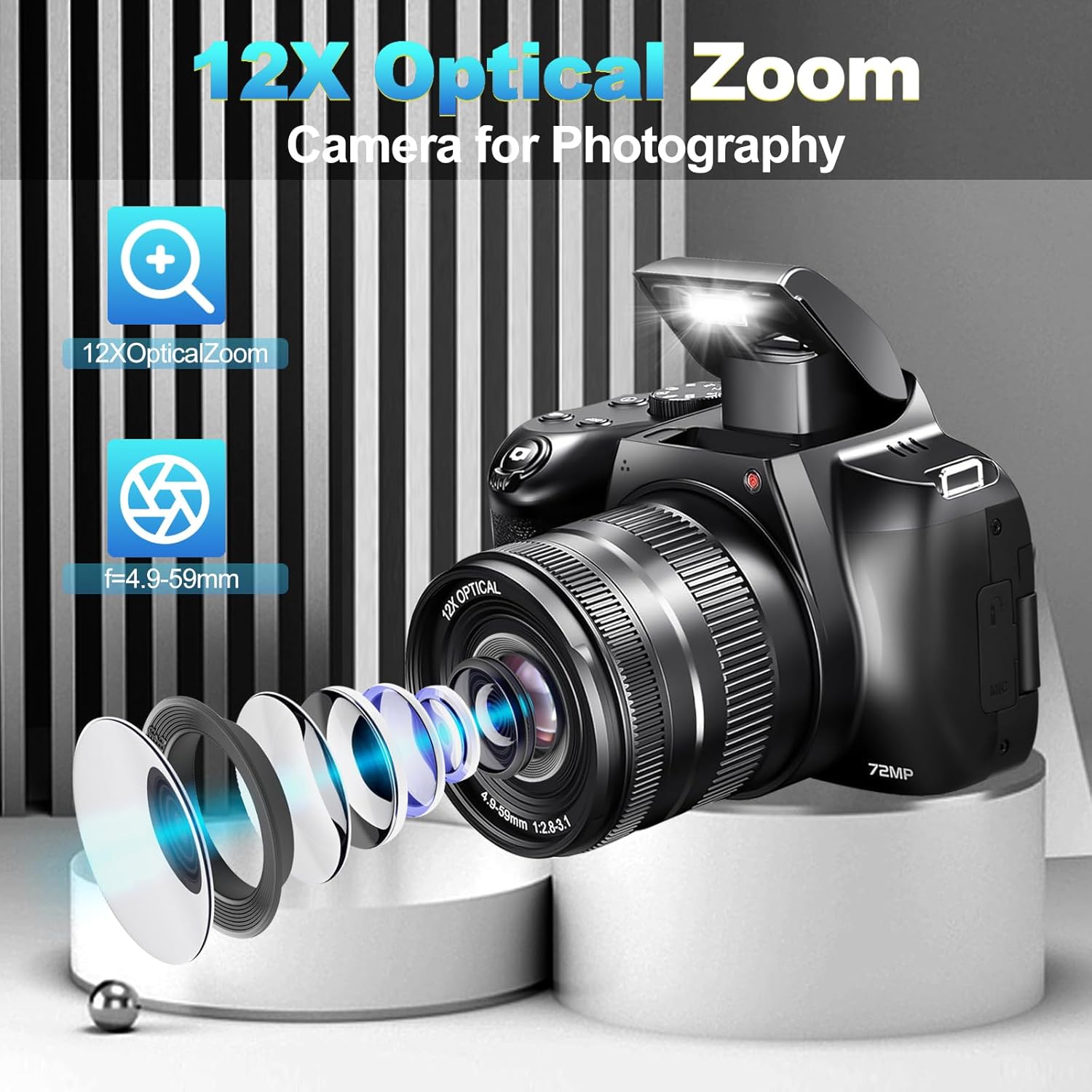
Aworan: Alaye view of the 12X optical zoom lens components.
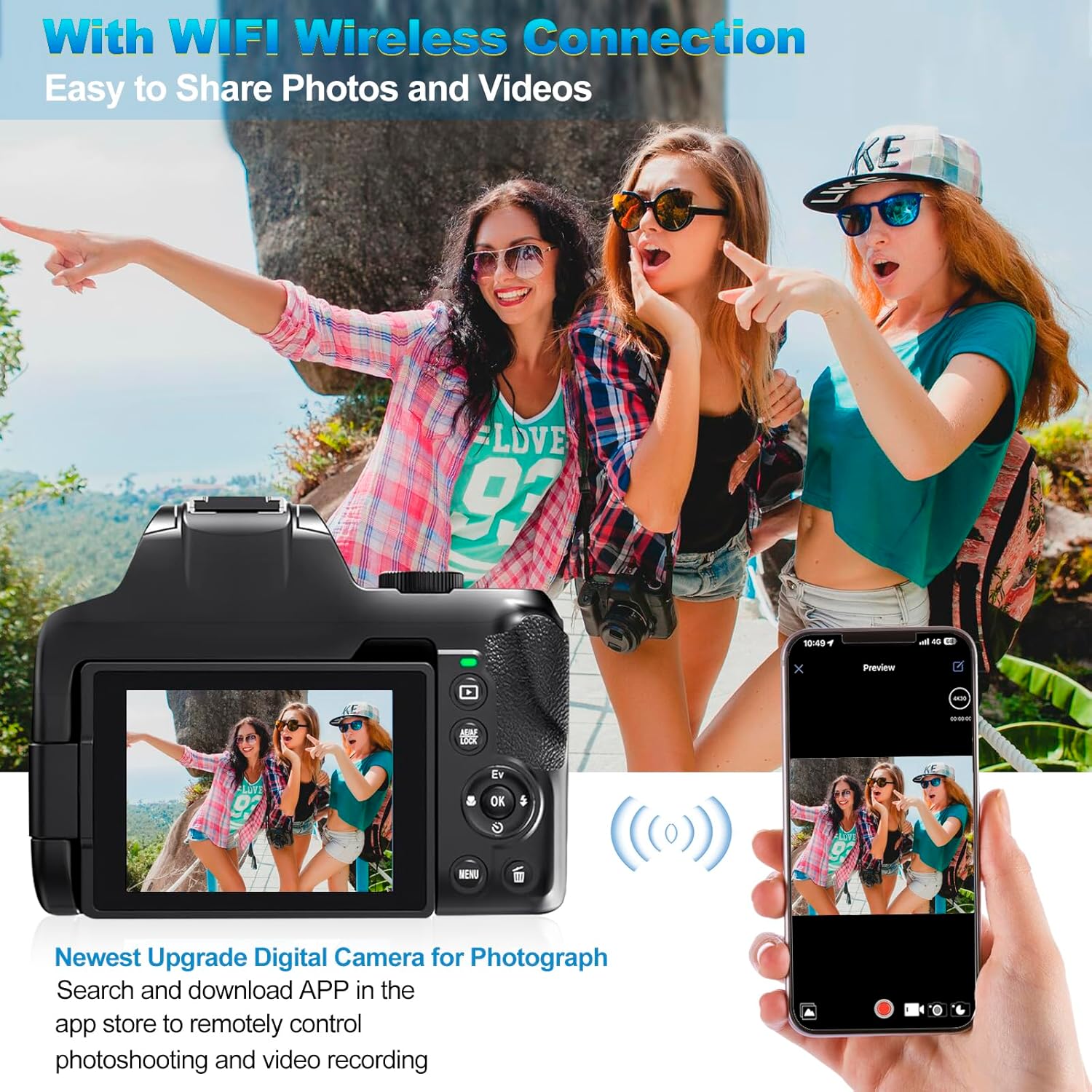
Image: Illustrates various filter effects and the hotshoe interface for external accessories.
3. Itọju
3.1 Ninu kamẹra
- Use the provided cleaning cloth to gently wipe the camera body and screen.
- Fún lẹ́ńsì náà, lo omi ìfọmọ́ lẹ́ńsì pàtàkì àti aṣọ láti yẹra fún ìfọ́.
- Maṣe lo awọn kẹmika lile tabi awọn ohun elo abrasive.
3.2 batiri Itọju
- Tọju awọn batiri ni itura, aye gbigbẹ nigbati ko si ni lilo.
- Má ṣe jẹ́ kí bátírì máa jáde dáadáa nígbà gbogbo kí ó lè pẹ́ sí i.
- Charge batteries using only the provided dual charger.
3.3 Ibi ipamọ
When storing the camera for extended periods, remove the battery and SD card. Store the camera in a dry, dust-free environment, preferably in its original packaging or a camera bag.
4. Laasigbotitusita
| Isoro | Owun to le Fa | Ojutu |
|---|---|---|
| Kamẹra ko ṣiṣẹ. | Batiri ti ku tabi fi sii lọna ti ko tọ. | Gba agbara batiri naa patapata. Rii daju pe batiri naa wa pẹlu polarity ti o tọ. |
| Didara aworan ti ko dara. | Lens is dirty; incorrect settings; insufficient lighting. | Clean the lens. Adjust shooting mode or exposure settings. Use the built-in fill light or shoot in better lighting conditions. |
| Ko le sopọ si Wi-Fi. | Wi-Fi is not enabled on camera; incorrect password; app issue. | Ensure camera Wi-Fi is on. Verify Wi-Fi password. Restart camera and smartphone app. |
| Aṣiṣe kaadi SD. | SD card is full, corrupted, or incorrectly inserted. | Check if the SD card is full and delete unnecessary files. Reinsert the SD card. Format the SD card (this will erase all data). Try a different SD card. |
| Kámẹ́rà dì. | glitch software tabi kekere batiri. | Remove and reinsert the battery to reset the camera. Ensure battery is charged. |
5. Awọn pato
| Ẹya ara ẹrọ | Ẹ̀kúnrẹ́rẹ́ |
|---|---|
| Brand | OIEXI |
| Orukọ awoṣe | Camera For Photograph (Model W3) |
| Fọto sensọ Technology | CMOS |
| Ipinnu Iduro ti o munadoko | 13 MP (Max. 72 MP interpolated) |
| Ipinnu fidio | 4K (3840 x 2160 pixels) at 24 FPS |
| Sun-un Optical | 12x |
| Digital Sisun | 2x |
| Iwon iboju | 3 Inches (270° Flip Screen) |
| Iduroṣinṣin Aworan | Sensọ-ayipada |
| Asopọmọra Technology | Wi-Fi, USB, HDMI |
| Atilẹyin File Ọna kika | MP4, JPEG |
| Agbara Ibi ipamọ Iranti | 64 GB (MicroSD card included) |
| Batiri Iru | Litiumu Iwon |
| Pataki Awọn ẹya ara ẹrọ | Autofocus, Built-in Flash, Built-in Fill Light, Time-Lapse, Continuous Shooting, Slow Motion, WebKame.awo-iṣẹ |
6. Atilẹyin ọja ati Support
Your OIEXI 4K Digital Camera is covered by a manufacturer's warranty. Please refer to the warranty card included in your package for specific terms and conditions. For technical support, troubleshooting assistance, or warranty claims, please contact OIEXI customer service through the contact information provided in your product documentation or on the official OIEXI webojula.
Jọwọ ṣe idaduro ẹri rira rẹ fun ijẹrisi atilẹyin ọja.