
Ọrọ Iṣaaju
The Tapo C21A is an indoor 2K 3MP panoramic tilt WiFi camera designed for home surveillance. It offers high-definition video, extensive coverage, and smart detection features to help you monitor your indoor spaces effectively. This manual provides detailed instructions for setting up, operating, maintaining, and troubleshooting your device.
Ohun ti o wa ninu Apoti
Please check the package contents carefully. If any item is missing or damaged, contact customer support.
- Tapo C21A Camera
- Power Adapter (1.5 Metres)
- Quick Bẹrẹ Itọsọna
- Iṣagbesori skru
- Iṣagbesori Àdàkọ
- Ipilẹ Kamẹra
- Awọn Ikun gigun
Ṣeto
Follow these steps to set up your Tapo C21A camera:
- Ṣe igbasilẹ Ohun elo Tapo: Wa fun 'Tapo' in the Apple App Store or Google Play Store and download the official app.
- Ṣẹda akọọlẹ kan: Open the Tapo app and create a new Tapo ID. If you already have one, log in.
- Agbara Lori Kamẹra: Connect the camera to the power adapter and plug it into an electrical outlet. Wait for the LED indicator to flash red and green.
- Fi Kamẹra Rẹ kun: In the Tapo app, tap the '+' icon in the top right corner, select your camera model (Tapo C21A), and follow the in-app instructions to connect it to your 2.4GHz Wi-Fi network.
- Ipo: Place the camera on a flat surface or use the included mounting kit to install it on a ceiling. Ensure the camera has a clear view agbegbe ti o fẹ lati ṣe atẹle.

Aworan: Pariview of the Tapo C21A camera highlighting its key features such as 2K 3MP resolution, 360° rotation, baby cry detection, privacy mode, motion and person detection, two-way audio, motion tracking, and local MicroSD storage up to 512GB.
Ṣiṣẹ kamẹra
Once your camera is set up, you can utilize its various features through the Tapo app.
2K 3MP High-Definition Video
The Tapo C21A captures video in 2K 3MP resolution, providing clear and detailed images. The camera features an F2.0 lens aperture to capture more light for sharper recordings. Note that the camera only supports 2.4GHz Wi-Fi networks.
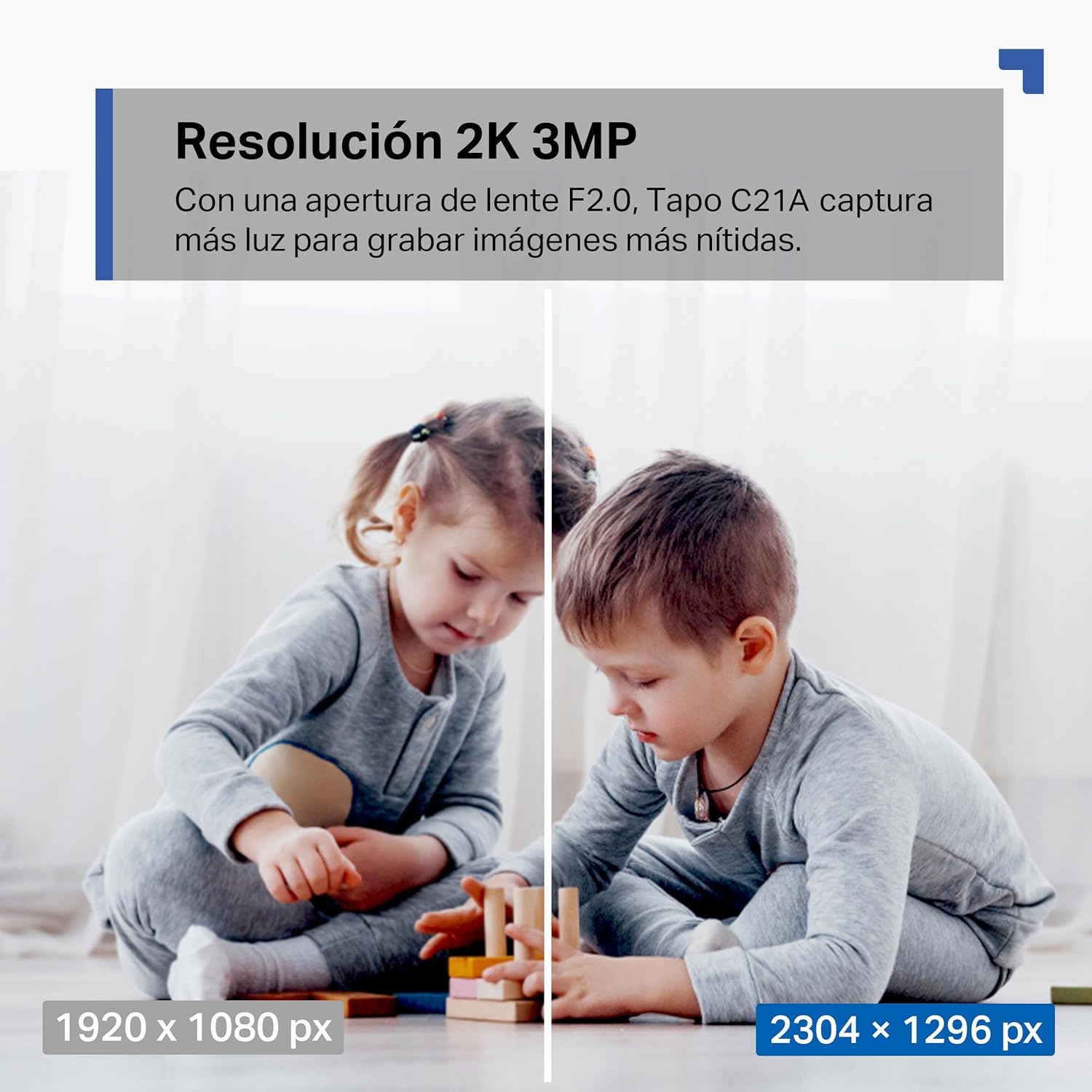
Image: A visual comparison demonstrating the clarity difference between 1920x1080 px (1080p) and 2304x1296 px (2K 3MP) resolution, showing the enhanced detail provided by the Tapo C21A.
Panoramic View ati Ipasẹ išipopada
The camera offers a 360° horizontal and 114° vertical rotation range, allowing you to remotely pan and tilt the lens to cover a wide area. When motion is detected, the camera can automatically track the subject to keep it in view.

Image: The Tapo C21A camera illustrating its 360° horizontal and 114° vertical panoramic vision capabilities, indicating how the camera moves to record all details.

Image: A depiction of the motion tracking feature, showing the camera following a moving subject (a cat) and highlighting motion detection, customizable activity areas, and baby cry detection.
Night Vision and Detection Features
Equipped with advanced night vision, the camera can monitor up to 12 meters (39 feet) in low-light conditions. It features intelligent motion detection, person detection, and baby cry detection, sending instant notifications to your smartphone when activity is detected. A built-in alarm can be activated to deter intruders.

Image: The Tapo C21A camera demonstrating its baby cry detection and advanced night vision capabilities, showing a baby sleeping and sound waves indicating cry detection.
Ona Meji Audio
The built-in microphone and speaker allow for two-way communication. You can speak to family members, pets, or warn unwanted visitors directly through the camera using the Tapo app.
Ipo Asiri
Activate privacy mode via the Tapo app to temporarily stop recording and monitoring. This feature provides control over when the camera is active, ensuring your privacy when needed.
Ibi ipamọ agbegbe
The device supports microSD cards up to 512GB for local storage of recorded video. This provides a secure and economical way to store your footage. (MicroSD card not included).

Image: Illustration of secure storage options for the Tapo C21A, showing support for MicroSD cards up to 512GB and an option for cloud storage via TapoCare (subscription service).
Itoju
To ensure optimal performance and longevity of your Tapo C21A camera, follow these maintenance guidelines:
- Ninu: Fi rọra nu lẹnsi kamẹra ati ara pẹlu asọ ti o gbẹ. Yẹra fun lilo awọn kẹmika lile tabi awọn afọmọ abrasive.
- Awọn imudojuiwọn famuwia: Regularly check for and install firmware updates through the Tapo app. Updates often include performance improvements and security enhancements.
- Ibi: Ensure the camera is placed in a stable location, away from direct sunlight, heat sources, and excessive moisture. The camera is not water-resistant.
- Ibi ti ina elekitiriki ti nwa: Use only the provided power adapter to prevent damage to the device.
Laasigbotitusita
If you encounter issues with your Tapo C21A camera, refer to the following common problems and solutions:
- Aisinipo kamẹra:
- Ṣayẹwo boya kamẹra ti wa ni titan ati pe ohun ti nmu badọgba agbara ti sopọ ni aabo.
- Ensure your Wi-Fi router is working correctly and the camera is within range of the 2.4GHz network.
- Tun kamẹra naa bẹrẹ nipa yiyọ kuro ati tun ohun ti nmu badọgba agbara naa so.
- If the issue persists, try resetting the camera to factory defaults (refer to the Quick Start Guide for reset instructions) and re-add it to the Tapo app.
- Didara fidio ti ko dara:
- Ensure your Wi-Fi signal strength is adequate. Move the camera closer to the router or consider a Wi-Fi extender.
- Mọ lẹnsi kamẹra pẹlu asọ ti o gbẹ.
- Ṣàyẹ̀wò àwọn ètò ìpinnu fídíò nínú ohun èlò Tapo.
- Iwari išipopada Ko Ṣiṣẹ:
- Verify that motion detection is enabled in the Tapo app settings for your camera.
- Adjust the motion sensitivity settings.
- Rii daju pe ko si awọn idena ti o dina kamẹra naa view.
- Ko le Sopọ si Wi-Fi:
- Confirm that you are connecting to a 2.4GHz Wi-Fi network. The Tapo C21A does not support 5GHz Wi-Fi.
- Ṣayẹwo ọrọ igbaniwọle Wi-Fi rẹ lẹẹmeji.
- Ensure your router's firewall settings are not blocking the camera.
Awọn pato
| Ẹya ara ẹrọ | Sipesifikesonu |
|---|---|
| Orukọ awoṣe | Tapo C21A |
| Ipinnu Yaworan fidio | 2K 3MP (2304 x 1296 Pixels) |
| Aaye Ti View | Iwọn 360 (Ipele), Iwọn 114 (Ile inaro) |
| Ibiti Iran Night | Titi di mita 12 |
| Imọ-ẹrọ Ibaraẹnisọrọ Alailowaya | Wi-Fi (2.4GHz nikan) |
| Ilana Asopọmọra | Wi-Fi |
| Pataki Awọn ẹya ara ẹrọ | Baby scream detection, Motion Sensor, Person Detection, Two-Way Audio, Privacy Mode |
| inu ile / ita gbangba Lilo | Ninu ile |
| Awọn ẹrọ ibaramu | Foonuiyara, Tabulẹti |
| Orisun agbara | Okun Itanna |
| Ibi ipamọ | MicroSD card up to 512GB (not included) |
| Fidio Yaworan kika | H.264 |
| Awọn iwọn Nkan (LxWxH) | 8.5 x 8.7 x 11.8 centimeters |
| Iwọn Nkan | 190 g |
| Omi Resistance Ipele | Ko Omi Resistant |
| Olupese | TP-Link |
Alaye atilẹyin ọja
Tapo products are backed by a limited warranty. For specific warranty terms and conditions, please refer to the warranty card included with your product or visit the official Tapo webojula. Tọju iwe-ẹri rira rẹ bi ẹri rira fun awọn iṣeduro atilẹyin ọja.
Atilẹyin
For further assistance, technical support, or to access frequently asked questions, please visit the official Tapo support website or contact their customer service. You can usually find contact information and support resources on the manufacturer's webojula:
Tapo Official Webojula: www.tapo.com
Look for the 'Support' or 'Contact Us' section on the webAaye fun awọn alaye olubasọrọ kan pato agbegbe naa.