
Ọrọ Iṣaaju
O ṣeun fun riraasing the RadioShack 240W Retro Style Bluetooth Vintage Speaker. This manual provides essential information for the safe and efficient use of your speaker. Please read it thoroughly before operation and retain it for future reference.

Figure 1: RadioShack Retro Style Bluetooth Vintage Agbọrọsọ
Package Awọn akoonu
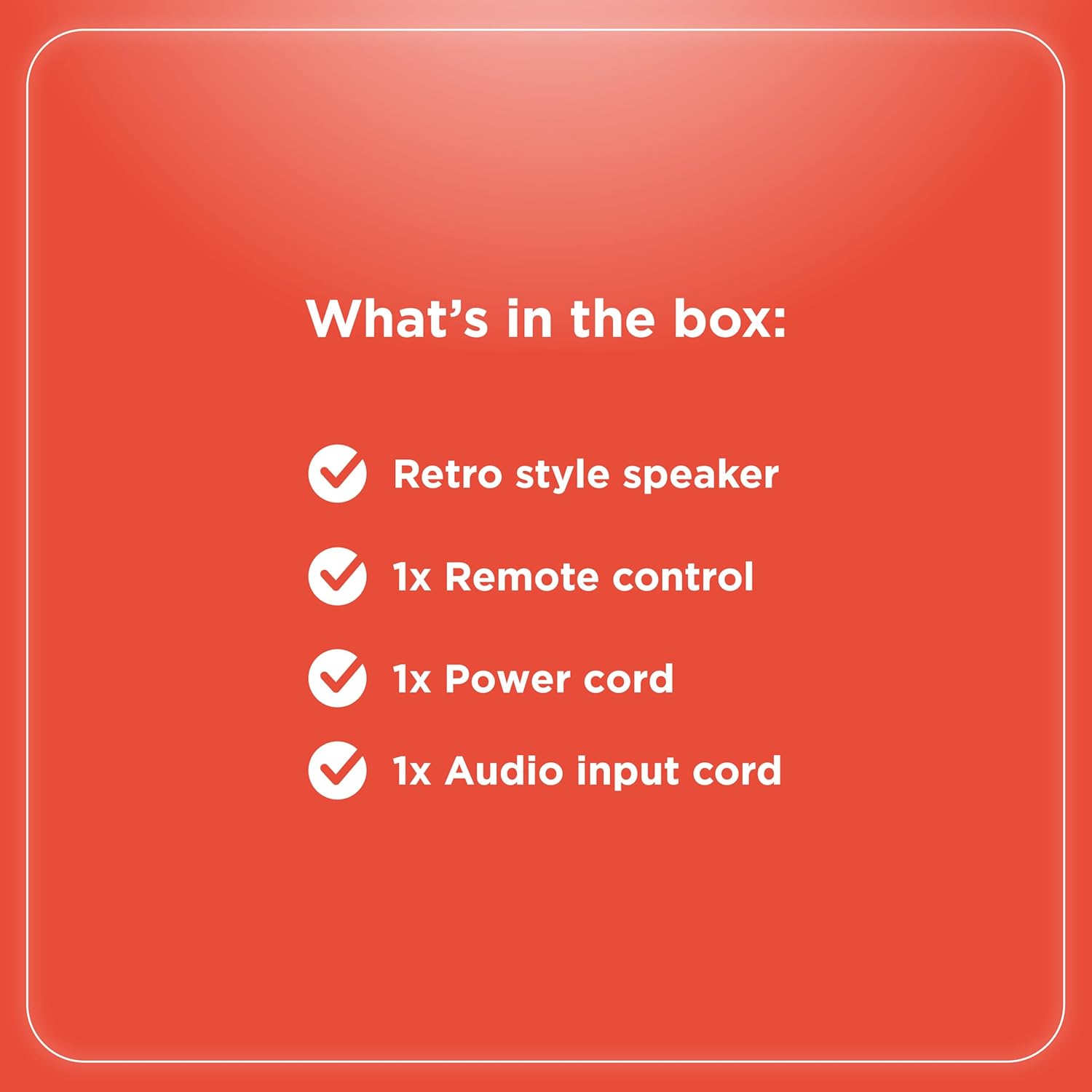
Jẹrisi pe gbogbo awọn ohun kan wa ninu package:
- Retro style speaker
- 1x isakoṣo latọna jijin
- 1x Okun agbara
- 1x Audio input cord

Nọmba 2: Awọn akoonu Package
Ṣeto
- Asopọ agbara: Connect the provided power cord to the speaker's power input and then to a standard electrical outlet.
- Ibi: Gbe agbọrọsọ sori ibi iduro, dada alapin. Rii daju pe fentilesonu to peye ni ayika ẹyọ naa.
- Antenna (FM Radio): Extend the FM antenna for optimal radio reception.
- Nsopọ awọn ẹrọ ita:
- Iṣawọle AUX: Use the included audio input cord to connect devices via the AUX port.
- Input USB: Fi okun USB sii pẹlu MP3 files sinu USB ibudo fun šišẹsẹhin.
- Optical/ARC Input: Connect compatible devices using an optical cable or HDMI ARC cable (not included) to the respective ports.
olusin 3: Ru Panel Awọn isopọ

olusin 4: Asopọmọra Aw
Awọn ilana Iṣiṣẹ
Awọn Iṣakoso Loriview
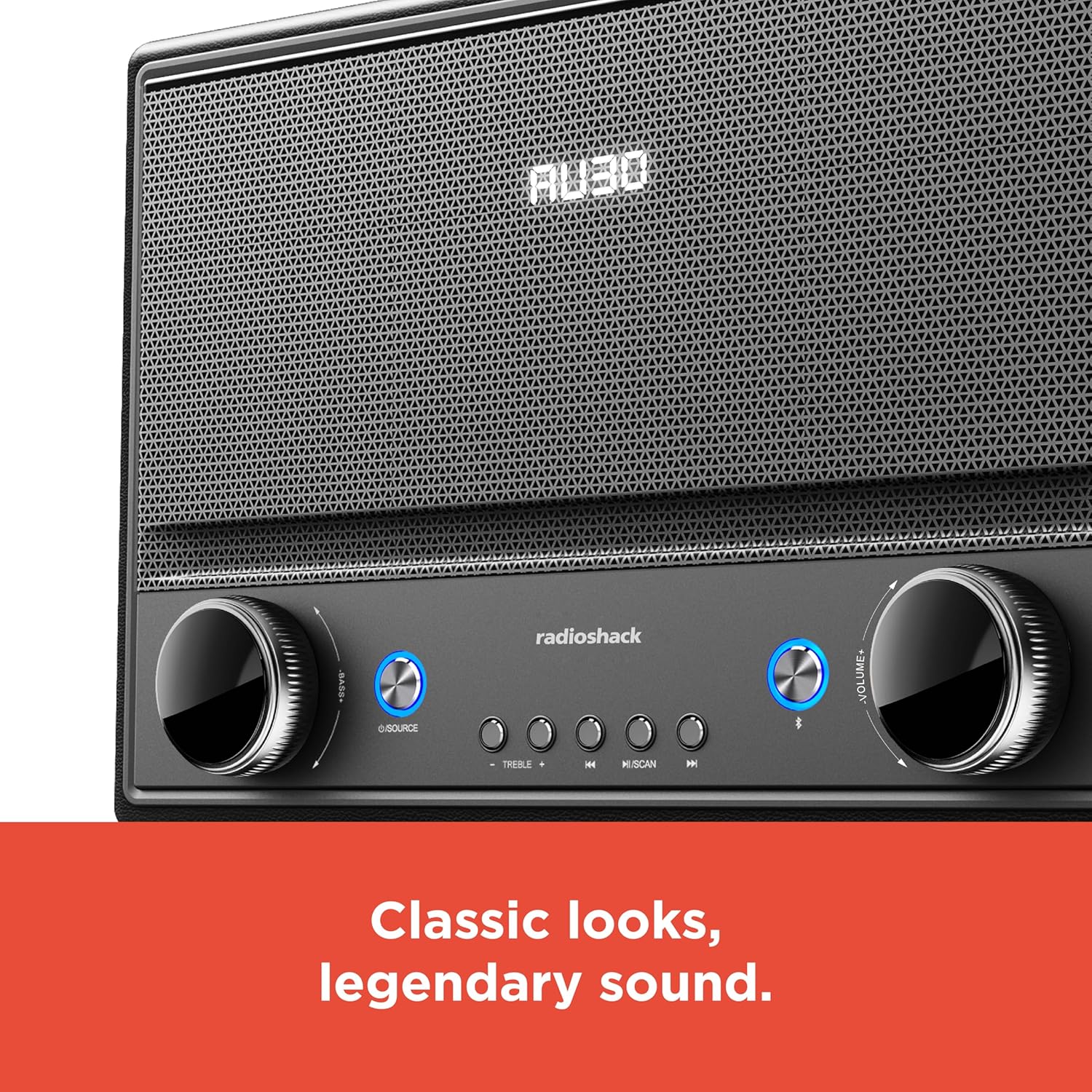
olusin 5: Iwaju Panel Iṣakoso
- Titan/Apapa: Press the Power button (usually located on the front panel or remote) to turn the speaker on or off.
- Aṣayan Orisun: Press the "SOURCE" button repeatedly to cycle through input modes: Bluetooth, FM Radio, USB, AUX, Optical, ARC.
- Atunse iwọn didun: Rotate the "VOLUME" knob clockwise to increase volume and counter-clockwise to decrease it. Alternatively, use the volume buttons on the remote control.
- Iṣakoso ohun orin: Use the "BASS" and "TREBLE" knobs to adjust the low and high frequencies of the audio output.
- Mimuuṣiṣẹpọ Bluetooth:
- Select Bluetooth mode using the "SOURCE" button. The speaker will enter pairing mode, indicated by a flashing LED.
- On your device (smartphone, tablet, etc.), enable Bluetooth and search for "RadioShack Speaker".
- Yan agbọrọsọ lati inu atokọ lati so pọ. Ohun orin ìmúdájú yoo dun lori asopọ aṣeyọri.
- Iṣẹ Redio FM:
- Select FM Radio mode.
- Press the "SCAN" button to automatically scan and save available FM stations.
- Use the "PREV" and "NEXT" buttons to navigate between saved stations or manually tune.
- Sisisẹsẹhin USB:
- Fi kọnputa USB ti o ni ohun MP3 sii files sinu USB ibudo.
- Select USB mode. Playback should begin automatically.
- Use the "PLAY/PAUSE", "PREV", and "NEXT" buttons to control playback.

Figure 6: Intuitive Controls
Itoju
- Ninu: Use a soft, dry cloth to clean the speaker's exterior. Do not use liquid cleaners or abrasive materials, especially on the leather body and metal grill.
- Ibi ipamọ: Nigbati o ko ba wa ni lilo fun awọn akoko ti o gbooro sii, tọju agbohunsoke ni itura, ibi gbigbẹ kuro lati orun taara ati awọn iwọn otutu to gaju.
- Yago fun Ọrinrin: Jẹ́ kí agbọ́hùnsọ̀ náà jìnnà sí omi àti ọ̀rinrin gíga láti dènà ìbàjẹ́ sí àwọn ẹ̀yà ara inú.
Laasigbotitusita
| Isoro | Owun to le Fa | Ojutu |
|---|---|---|
| Ko si agbara | Okun agbara ko sopọ; iṣan ko lọwọ. | Rii daju pe okun agbara ti sopọ ni aabo si agbọrọsọ mejeeji ati iṣan agbara ṣiṣẹ. |
| Ko si ohun | Volume too low; incorrect source selected; device not connected properly. | Increase volume. Select the correct input source. Check all cable connections or Bluetooth pairing. |
| Bluetooth ko sopọ | Agbọrọsọ kii ṣe ni ipo sisopọ; ẹrọ jina ju; kikọlu. | Ensure speaker is in Bluetooth pairing mode. Move device closer to speaker. Disconnect other Bluetooth devices. |
| Gbigba FM ti ko dara | Eriali ko tesiwaju; alailagbara ifihan agbara. | Gbé eriali FM náà nà pátápátá. Gbìyànjú láti tún agbọ́hùnsọ̀ náà ṣe fún àmì tó dára jù. |
Awọn pato
- Brand: RadioShack
- Nọmba awoṣe: 4001974
- Agbara Ijade: 240 Wattis
- Imọ-ẹrọ Asopọmọra: Bluetooth, USB, AUX, FM Radio, Optical, ARC
- Awọn iwọn Ọja (L x W x H): 8.98" x 15.75" x 10.79"
- Orisun Agbara: Okun Itanna
- Imọ-ẹrọ Tuner: FM
- Ṣe atilẹyin Awọn ẹgbẹ Redio: 2-Band
- Ohun elo: Leather, Metal
- Ẹya Pataki: Retiro Style
Atilẹyin ọja
The manufacturer's warranty information is not provided in the product details. Please refer to your purchase receipt or contact the retailer for specific warranty terms.
Atilẹyin
For further assistance or inquiries, please visit the official RadioShack website or contact their customer support. Keep your model number (4001974) handy when seeking support.
Official RadioShack Store: RadioShack Store on Amazon


