
1. Ifihan
Welcome to your new Geevon Small Travel Alarm Clock. This compact and versatile digital alarm clock is designed to provide accurate timekeeping, dual alarms, indoor temperature display, and a convenient backlight function. Its portable design makes it ideal for various settings, including bedrooms, home offices, and travel.

Aworan 1.1: Pariview of the Geevon Small Travel Alarm Clock, highlighting its compact size and key features such as dual alarm, locking function, snooze, backlight, battery power, 12/24 hour display, temperature, and calendar.
2. Eto
2.1 Fifi sori batiri
The Geevon Small Travel Alarm Clock requires two (2) AAA batteries for operation. Batteries are not included with the product.
- Wa yara batiri ni ẹhin aago naa.
- Ṣí ideri batiri náà nípa fífún un sí ìsàlẹ̀ tàbí gbígbé ìdènà náà sókè.
- Insert two (2) AAA batteries, ensuring correct polarity (+ and - terminals align with the markings inside the compartment).
- Pa ideri batiri naa ni aabo.

Image 2.1: The back of the alarm clock with the battery compartment open, illustrating where to insert the two AAA batteries.
2.2 Aago Ibẹrẹ ati Eto Ọjọ
After installing batteries, set the current time and date.
- Tẹ mọlẹ SET button (located on the top of the clock) for approximately 3 seconds to enter time setting mode. The hour digit will begin to flash.
- Lo awọn UP (^) or SILE (v) buttons (on the back) to adjust the hour.
- Ni soki tẹ SET again to confirm the hour and move to minute setting. Adjust minutes using UP (^) or SILE (v).
- Continue briefly pressing SET to cycle through and set the year, month, and day, adjusting each value with the UP (^) or SILE (v) buttons.
- Tẹ SET one last time to exit the setting mode and save your changes.
Video 2.1: Demonstration of setting the time and alarm on the Geevon Small Travel Alarm Clock. This video shows the button locations and the step-by-step process for adjusting time, minutes, and alarm settings.
3. Awọn ilana Iṣiṣẹ
3.1 12/24 Wakati kika
To switch between 12-hour (AM/PM) and 24-hour formats:
- Ni ipo ifihan akoko deede, tẹ ni soki UP (^) button. The display will toggle between the two formats.

Image 3.1: The clock display showing both 12-hour (AM/PM) and 24-hour time formats, illustrating the clear digital readout.
3.2 otutu Ifihan
The clock displays the indoor temperature. To switch between Celsius (°C) and Fahrenheit (°F):
- Ni ipo ifihan akoko deede, tẹ ni soki ° C / ° F button (located on the back of the clock).

Image 3.2: The clock display showing the indoor temperature in both Fahrenheit and Celsius, demonstrating the temperature conversion feature.
3.3 Ṣíṣeto Awọn Itaniji (Alarm 1 & Itaniji 2)
The clock features two independent alarms (Alarm 1 and Alarm 2) that can be set for different times or days.
- To set Alarm 1: Press and hold the Itaniji 1 button (bell icon) on the back for approximately 3 seconds. The hour digit for Alarm 1 will flash.
- Lo awọn UP (^) or SILE (v) buttons to adjust the desired alarm hour.
- Ni soki tẹ Itaniji 1 again to confirm the hour and move to minute setting. Adjust minutes using UP (^) or SILE (v).
- Ni soki tẹ Itaniji 1 again to select the alarm repetition mode:
- 1-5: Alarm sounds Monday to Friday.
- 6-7: Alarm sounds Saturday and Sunday.
- 1-7: Ariwo itaniji n dun lojoojumo.
- Ni soki tẹ Itaniji 1 one last time to confirm your settings and exit.
- Repeat the entire process for Alarm 2 using the Itaniji 2 bọtini.
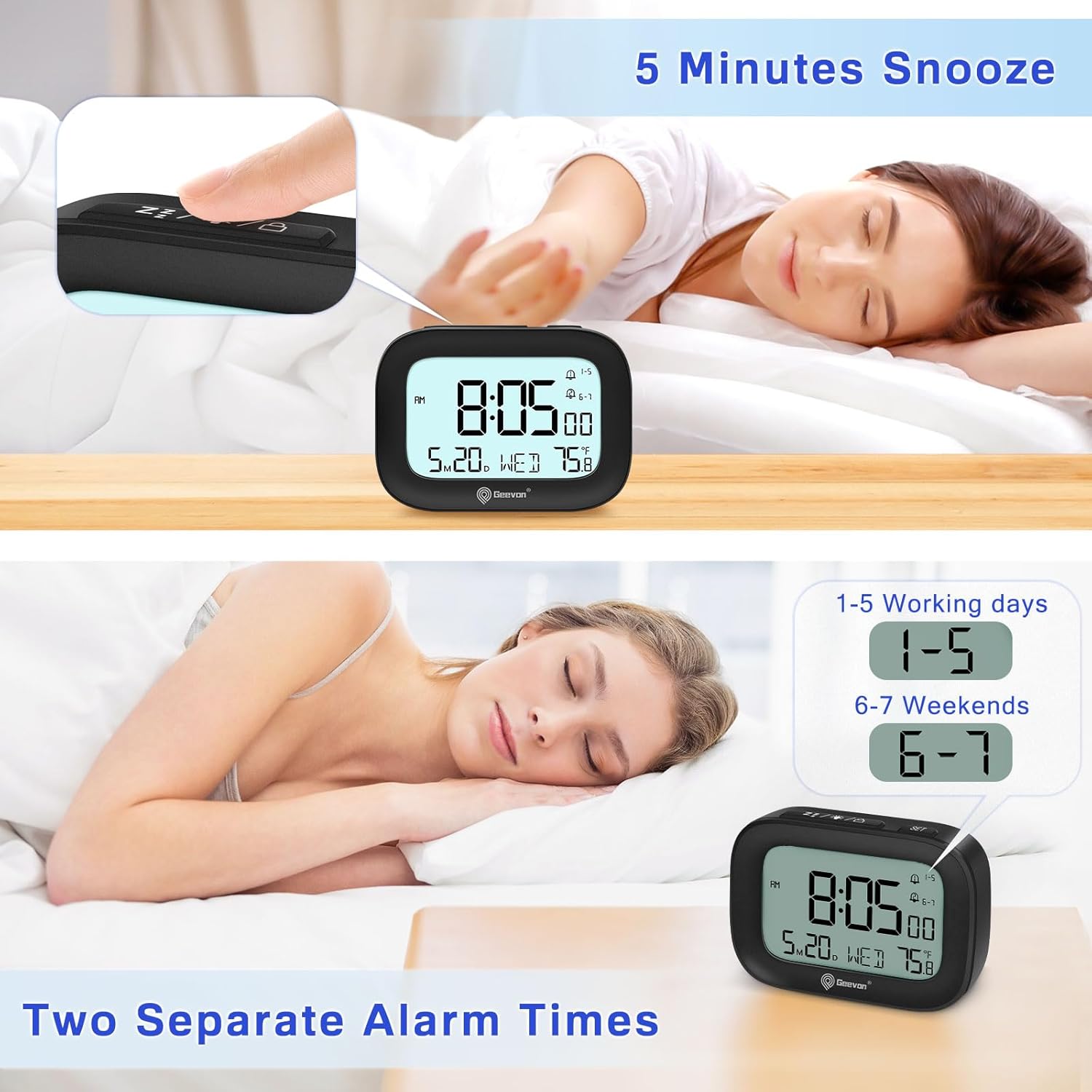
Image 3.3: The clock display illustrating the setup for two separate alarm times, indicating the flexibility for weekday and weekend alarms.
3.4 Ṣíṣiṣẹ́/Dídínà Àwọn Àkíyèsí
Láti tan itaniji tabi PA:
- Ni ipo ifihan akoko deede, tẹ ni soki Itaniji 1 or Itaniji 2 bọtini.
- An alarm icon will appear on the display when the respective alarm is active. The icon will disappear when the alarm is deactivated.
3.5 Iṣiṣẹ Snooze
Nigbati itaniji ba dun:
- Tẹ awọn LIGHT / SNOOZE button (top of the clock) to activate the snooze function. The alarm will pause for 5 minutes and then sound again.
- The alarm sound is designed to gradually increase in volume over 2 minutes to ensure a gentle waking experience.
3.6 Isẹ Backlight
To illuminate the display:
- Tẹ awọn LIGHT / SNOOZE button. The backlight will illuminate for 5 seconds.
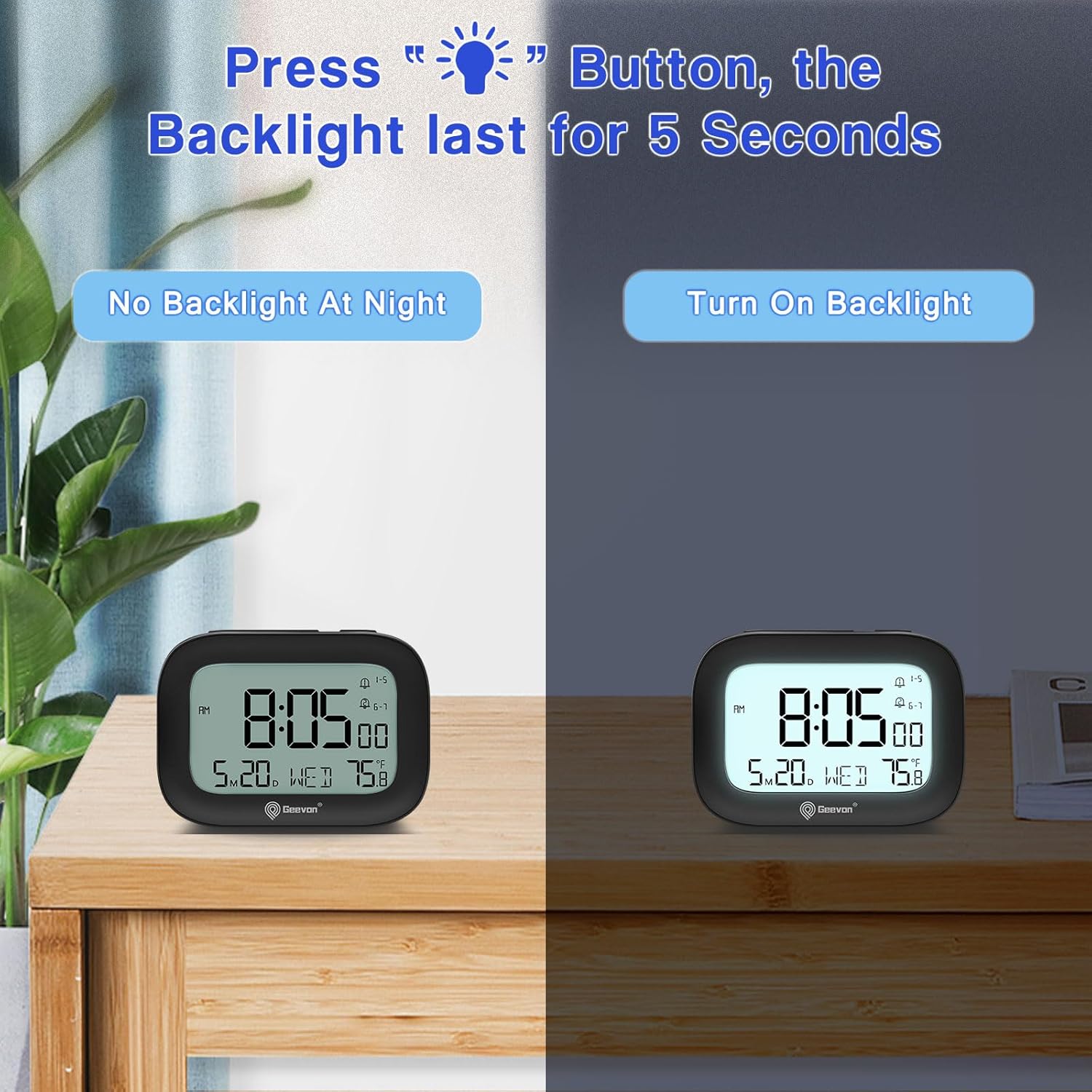
Image 3.4: The clock display with and without the 5-second backlight activated, demonstrating its visibility in low-light conditions.
3.7 Titiipa Išė
To prevent accidental changes to settings or alarms, use the lock function:
- To lock: Press and hold the LIGHT/SNOOZE/LOCK button for approximately 3 seconds until a lock icon appears on the display.
- To unlock: Press and hold the same button for approximately 3 seconds until the lock icon disappears.

Image 3.5: The clock being placed into a bag, illustrating the convenience of the lock function to prevent accidental button presses during travel.
4. Itọju
4.1 Ninu
To clean your Geevon Small Travel Alarm Clock:
- Fi aṣọ rírọ̀ tí ó gbẹ nu aago náà.
- Do not use abrasive cleaners, chemical solvents, or spray directly onto the clock, as these may damage the surface or internal components.
4.2 Batiri Rirọpo
Replace batteries when the display dims, becomes erratic, or functions become unreliable.
- Follow the steps in Section 2.1 Battery Installation.
- Always replace both AAA batteries simultaneously to ensure optimal performance.
5. Laasigbotitusita
| Isoro | Owun to le Fa | Ojutu |
|---|---|---|
| Display is blank or very dim. | Awọn batiri ti ku tabi ti fi sori ẹrọ ti ko tọ. | Check battery installation and replace with fresh AAA batteries. |
| Itaniji ko dun. | Alarm is not set or activated; low battery. | Verify the alarm is set correctly and activated (alarm icon visible on display). Replace batteries if low. |
| Akoko ko tọ. | Time was not set properly or batteries were removed. | Tun ṣeto akoko ati ọjọ ti o tẹle awọn itọnisọna ni Abala 2.2. |
| Awọn bọtini ko dahun. | Iṣẹ́ titiipa ti n ṣiṣẹ́. | Deactivate the lock function by pressing and holding the LIGHT/SNOOZE/LOCK button for 3 seconds. |
6. Awọn pato
- Awoṣe: 250509-B
- Awọn iwọn: 3.5" (W) x 2.36" (H)
- Ìwúwo: 0.26 iwon
- Orisun Agbara: Awọn batiri 2 x AAA (kii ṣe pẹlu)
- Ifihan: 3-inch LCD Digital Display
- Awọn ẹya: Dual Alarms, Snooze, 5-second Backlight, Indoor Temperature Display, 12/24 Hour Format, Date, Day of Week, Lock Function, Silent Operation
- Awọn ohun elo: Acrylonitrile Butadiene Styrene (ABS), LCD, Plastic

Àwòrán 6.1: Onírúurú views of the Geevon Small Travel Alarm Clock, including front, top, side, and back, showcasing its compact design and button layout.
7. Atilẹyin ọja ati Support
7.1 atilẹyin ọja
This Geevon Small Travel Alarm Clock comes with a 12-month warranty from the date of purchase, covering manufacturing defects and malfunctions under normal use.
7.2 atilẹyin
For technical assistance, troubleshooting, or warranty claims, please contact Geevon customer support through the retailer's platform where you purchased the product or visit the official Geevon webojula fun alaye olubasọrọ.