
1. Ọja Ipariview
The DOOGEE Tab E3+ is a high-performance Android 15 tablet designed for versatile use, from entertainment to productivity. It features a 12-inch FHD+ display, an octa-core processor, ample storage, and a long-lasting battery.
Awọn ẹya pataki:
- 12-inch FHD+ IPS Ifihan: 2000x1200 resolution with 90Hz refresh rate for vibrant visuals and smooth scrolling.
- Helio G100 Octa-Core Processor: 2.2GHz, 6nm process for efficient multitasking and gaming.
- 32GB RAM (8GB + 24GB expandable) + 256GB ROM: Expandable up to 2TB via TF card.
- Batiri 8800mAh: Up to 14 hours of video playback with 18W fast charging.
- 13MP Kamẹra ru + 5MP Kamẹra iwaju: For capturing photos and video calls.
- Dual SIM Connectivity: Supports LTE, Dual-band WiFi (2.4GHz/5GHz), and Bluetooth 5.2.
- Android 15 pẹlu Gemini AI: Latest operating system with intelligent features.
- Face Unlock & GPS: Secure access and accurate navigation.

olusin 1.1: Iwaju view of the DOOGEE Tab E3+ Tablet highlighting its key features like Android 15, 32GB RAM, 256GB ROM, and MediaTek G100 processor.
2. Bibẹrẹ: Eto
2.1. Package Awọn akoonu
Ṣaaju ki o to bẹrẹ, rii daju pe gbogbo awọn nkan wa ninu package:
- DOOGEE Tab E3+ Tablet
- USB Iru-C USB
- Adapter agbara
- SIM Ejector Tool (if applicable for Dual SIM models)
- Quick Bẹrẹ Itọsọna
2.2. Ngba agbara si tabulẹti
For optimal performance, fully charge the tablet before first use.
- Connect the USB Type-C cable to the tablet's charging port.
- So opin keji USB pọ mọ oluyipada agbara.
- Pulọọgi ohun ti nmu badọgba agbara sinu iṣan ogiri kan.
- Atọka gbigba agbara yoo han loju iboju.
Táblẹ́ẹ̀tì náà ń gba agbára ìgbara kíákíá 18W.
2.3. Agbara lori / Paa
- Lati Fi agbara: Press and hold the Power button until the DOOGEE logo appears.
- Lati Paarẹ: Tẹ ki o si mu awọn Power bọtini, ki o si yan "Power pipa" lati awọn aṣayan loju iboju.
- Lati Tun bẹrẹ: Tẹ mọlẹ bọtini agbara, lẹhinna yan "Tun bẹrẹ" lati awọn aṣayan.
2.4. Oṣo oluṣeto akọkọ
Lori agbara akọkọ, tabulẹti yoo ṣe itọsọna fun ọ nipasẹ ilana iṣeto akọkọ:
- Yan ede ti o fẹ.
- Sopọ si nẹtiwọki Wi-Fi kan.
- Wọle pẹlu akọọlẹ Google rẹ tabi ṣẹda tuntun kan.
- Set up screen lock (PIN, Pattern, Password, or Face Unlock).
- Review ati ki o gba ofin ati ipo.
3. Ṣiṣẹ tabulẹti
3.1. Ifihan ati Lilọ kiri
The 12-inch FHD+ IPS display offers a 2000x1200 resolution and a 90Hz refresh rate for smooth visuals.

Figure 3.1: The tablet's 12-inch FHD+ IPS display, highlighting its 2000x1200 resolution, 5:3 aspect ratio, 87.1% screen-to-body ratio, and 16.7 million screen colors, along with the 90Hz refresh rate.
- Awọn Afarajuwe Fọwọkan: Tap, swipe, pinch-to-zoom for navigation and interaction.
- Iboju ile: Ṣe àtúnṣe pẹ̀lú àwọn ohun èlò wíwúlò àti àwọn ọ̀nà àbùjá app.
- Igbimọ Iwifunni: Swipe down from the top to access notifications and quick settings.
3.2. Ibi ipamọ ati Performance
The tablet comes with 256GB of internal storage and 8GB of RAM, expandable by an additional 24GB (total 32GB) through virtual RAM. Storage can be expanded up to 2TB using a TF (microSD) card.
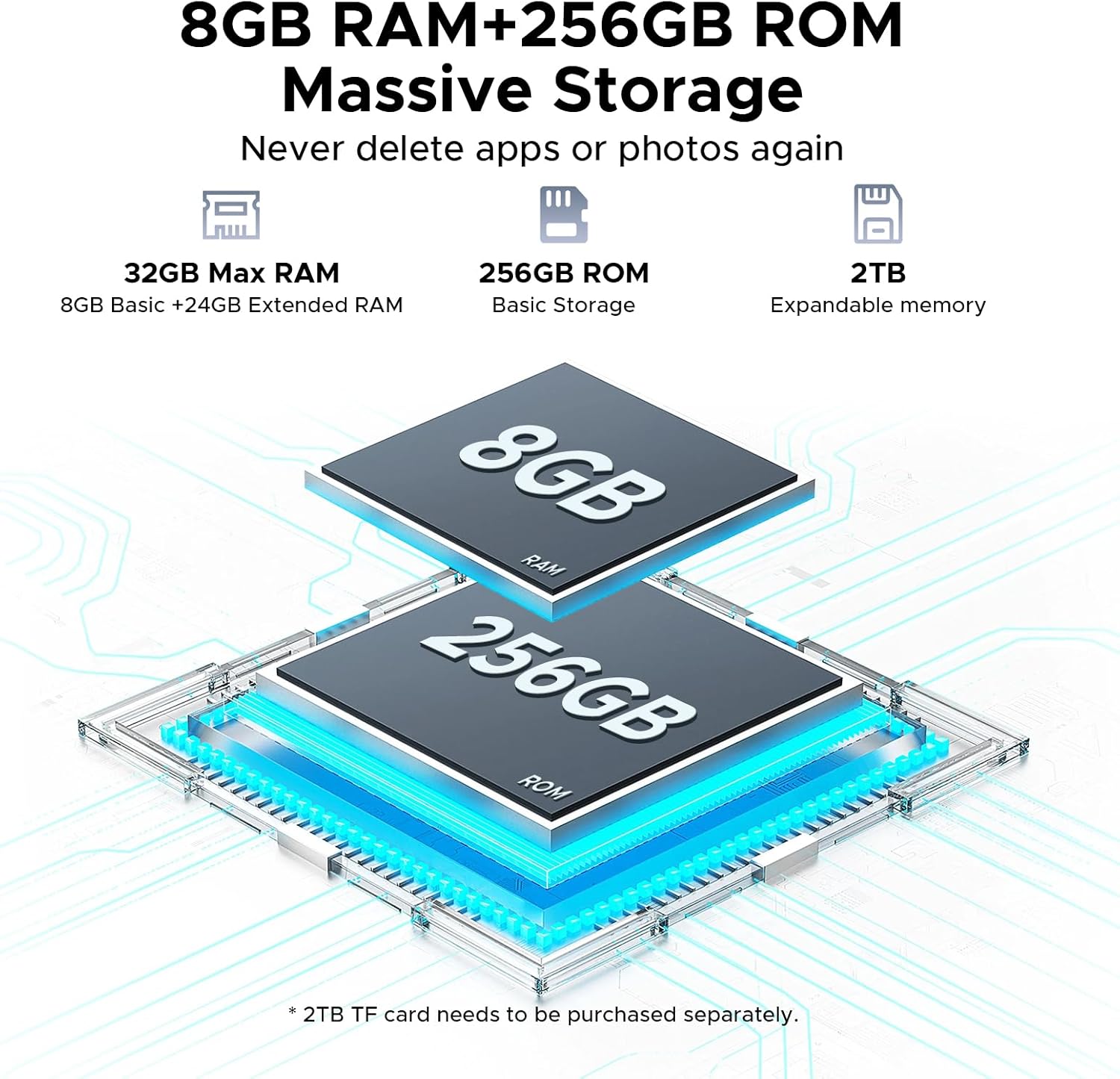
Figure 3.2: Visual representation of the tablet's 32GB Max RAM (8GB Basic + 24GB Extended RAM) and 256GB ROM, with an indication of 2TB expandable memory.
The Helio G100 octa-core processor ensures smooth operation for various tasks.

Figure 3.3: Diagram illustrating the Helio G100 Octa-Core Processor, highlighting its 2.2GHz ultimate frequency and 6nm advanced process technology.
3.3. Asopọmọra
- Wi-Fi: Connect to 2.4GHz or 5GHz networks for internet access.
- Bluetooth 5.2: Pair with wireless headphones, speakers, or other Bluetooth devices.
- Dual SIM (LTE): Insert two Nano-SIM cards for mobile data and calls (if supported by your region/model).
- OTG (Lórí Ọ̀nà): Connect USB peripherals like flash drives, keyboards, or mice. Also supports reverse charging.
- GPS: Utilize for navigation and location-based services.
3.4. Iṣẹ-ṣiṣe kamẹra
The tablet is equipped with a 13MP main rear camera and a 5MP front camera.

olusin 3.4: Isunmọ view of the tablet's rear camera module, indicating the 13MP main camera and 5MP front camera, along with example photos taken with the cameras.
- Ṣii ohun elo kamẹra lati iboju ile tabi duroa app.
- Yipada laarin awọn kamẹra iwaju ati ẹhin nipa lilo aami kamẹra.
- Tap the shutter button to take photos or record videos.
3.5. Ohun ati Multimedia
Experience immersive audio with high-quality quad speakers. A 3.5mm audio jack is also available for wired headphones.
3.6. Android 15 and Gemini AI
The tablet runs on the latest Android 15 operating system, offering enhanced privacy controls, AI optimization, and smart motion sensing.
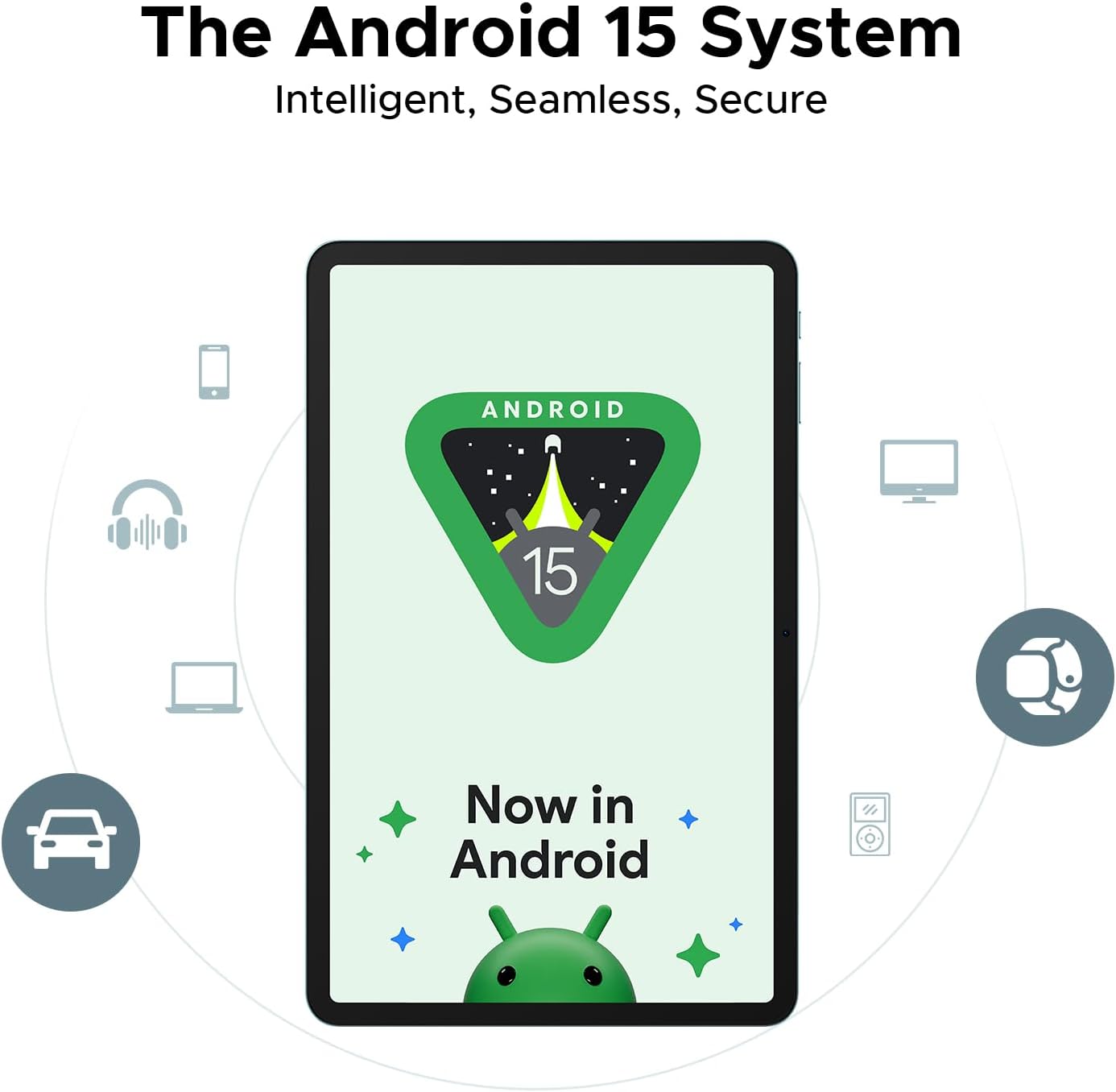
Figure 3.5: Representation of the Android 15 system interface on the tablet, emphasizing its intelligent, seamless, and secure nature.
The integrated Gemini AI assistant helps streamline daily tasks and offers features like content creation, information retrieval, image analysis, and more.
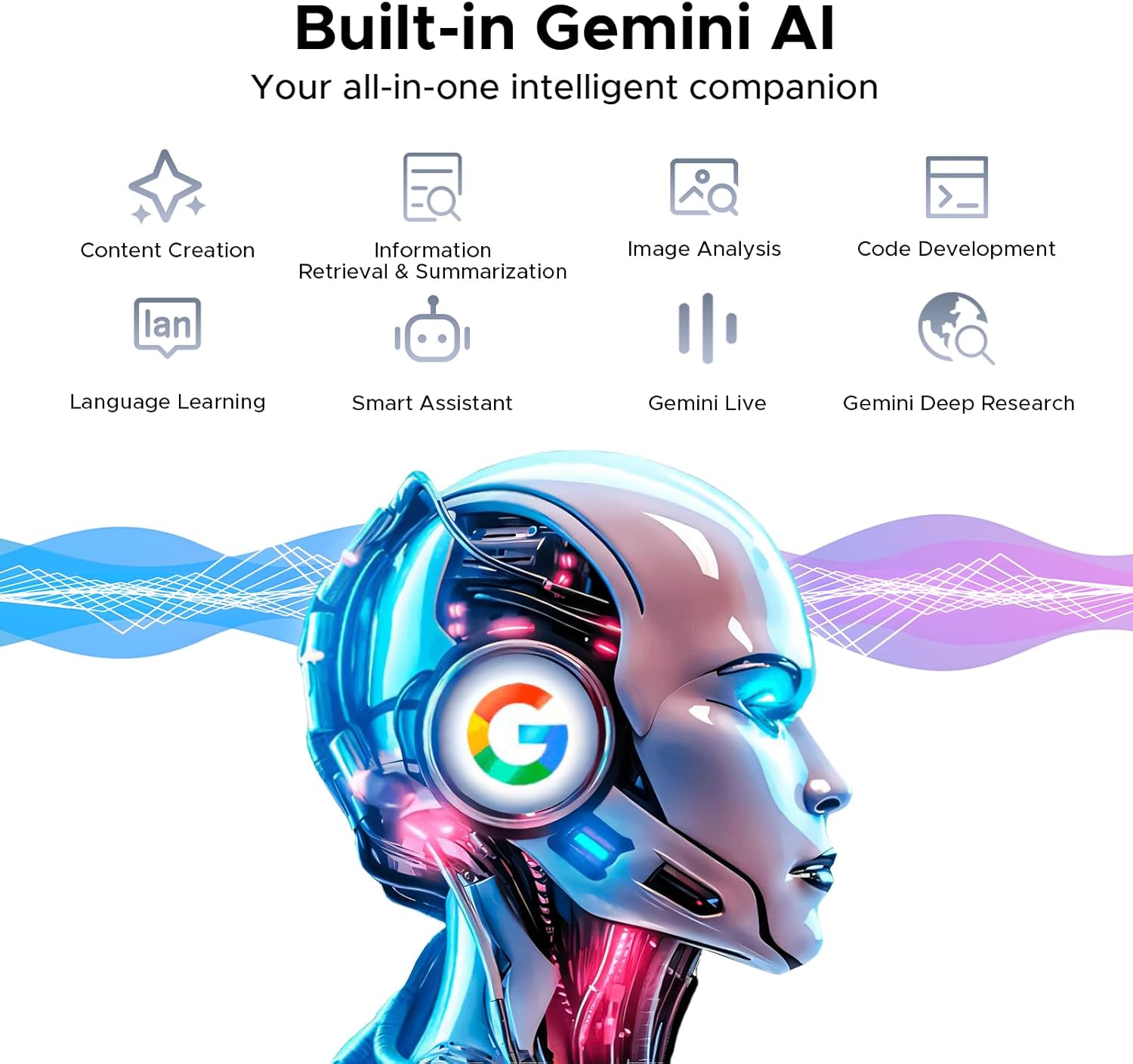
Figure 3.6: Illustration of the built-in Gemini AI, showcasing its capabilities such as content creation, information retrieval & summarization, image analysis, code development, language learning, smart assistant, Gemini Live, and Gemini Deep Research.
4. Itọju ati Itọju
- Ninu: Lo asọ ti ko ni lint lati nu iboju ati ara. Yago fun abrasive ose tabi epo.
- Itọju Batiri: Avoid extreme temperatures. For long-term storage, charge the battery to about 50%.
- Awọn imudojuiwọn sọfitiwia: Ṣe àyẹ̀wò déédéé fún àwọn àtúnṣe ètò náà kí o sì fi sori ẹrọ láti rí i dájú pé iṣẹ́ àti ààbò tó dára jùlọ wà. Eto> Eto> Imudojuiwọn eto.
- Isakoso Ibi ipamọ: Lokọọkan ko ṣe pataki files ati awọn lw lati gba aaye ipamọ laaye.
- Idaabobo: Consider using a screen protector and a protective case to prevent physical damage.
5. Laasigbotitusita
| Isoro | Owun to le Solusan |
|---|---|
| Tabulẹti ko ni agbara lori | Ensure the battery is charged. Connect to charger for at least 30 minutes. Try holding the Power button for 10-15 seconds. |
| Slow performance / Lagging | Close background apps. Clear cache. Restart the tablet. Check for system updates. Ensure sufficient storage space. |
| Awọn oran asopọ Wi-Fi | Restart the tablet and router. Forget and reconnect to the Wi-Fi network. Check router settings. |
| Awọn ohun elo kọlu tabi didi | Ko kaṣe app/data kuro (Eto> Awọn ohun elo> [Orukọ Ohun elo]> Ibi ipamọ). Reinstall the app. Ensure the app is updated. |
| Batiri n ṣan ni kiakia | Reduce screen brightness. Disable unused features (Bluetooth, GPS, Wi-Fi). Close background apps. Check battery usage in settings. |
6. Awọn pato
| Ẹya ara ẹrọ | Ẹ̀kúnrẹ́rẹ́ |
|---|---|
| Orukọ awoṣe | DOOGEE Tab E3+ |
| Eto isesise | Android 15 |
| isise | MediaTek Helio G100 Octa-Core (2.2GHz, 6nm) |
| Ifihan | 12-inch FHD+ IPS (2000x1200), 90Hz Refresh Rate |
| Àgbo | 32GB (8GB physical + 24GB extended) |
| Ibi ipamọ inu | 256GB UFS |
| Expandable Ibi ipamọ | Títí dé 2TB nípasẹ̀ káàdì TF (microSD) |
| Kamẹra ẹhin | 13MP |
| Kamẹra iwaju | 5MP |
| Batiri | 8800mAh |
| Gbigba agbara | 18W Yara Ngba agbara |
| Asopọmọra | Dual-band Wi-Fi (2.4GHz/5GHz), Bluetooth 5.2, Dual SIM (LTE), GPS, OTG |
| Awọn ibudo | USB Iru-C, 3.5mm Audio Jack |
| Awọn iwọn | 7.4mm Ultra-Thin Body |
7. Atilẹyin ọja ati Support
For warranty information and technical support, please refer to the official DOOGEE webojula tabi kan si wọn onibara iṣẹ. Tọju iwe-ẹri rira rẹ bi ẹri rira.
DOOGEE Official Webojula: www.doogee.cc
Amazon Seller: Aweihao
For product-related inquiries or issues, it is recommended to first contact the seller through Amazon's messaging system.