
1. Ifihan
Thank you for choosing the Micool BT-X EASY Wireless Open-Ear Bluetooth 5.4 Headphones. These headphones are designed to provide a comfortable listening experience with advanced features like Bluetooth 5.4 connectivity, call noise reduction, and long battery life. This manual will guide you through the setup, operation, and maintenance of your new headphones.
2. Ọja Ipariview
The Micool BT-X EASY headphones feature an open-ear design for comfort and awareness of your surroundings. Key features include:
- HD Stereo Audio & One-Button Control: Equipped with 28mm speakers for rich bass and an ANC+ENC adaptive noise reduction chip for clear calls. Easy control via multi-function buttons on each headset.
- Igbesi aye batiri ti o gbooro sii: Up to 18 hours of music playback on a single charge. The charging case extends total listening time to up to 52 hours.
- High-Speed Bluetooth 5.4 Connectivity: Ensures fast pairing, stable connection, and reliable performance.
- Ngba agbara gbigbe: Includes a large-capacity charging case with a 4-stage power indicator and USB-C charging.
- Apẹrẹ itunu: Small, lightweight ear-hook design with sponge ear cups for comfortable wear without pressure. Headphone diameter is 36mm.
- Asopọmọra Ẹrọ Meji: Connects to two devices simultaneously (e.g., smartphone, laptop, tablet) for seamless switching between music and calls.
Awọn akoonu idii:
- Micool BT-X EASY Wireless Open-Ear Headphones
- Ngba agbara Case
- USB-C Ngba agbara Cable
- Itọsọna olumulo
Ọja Pariview:
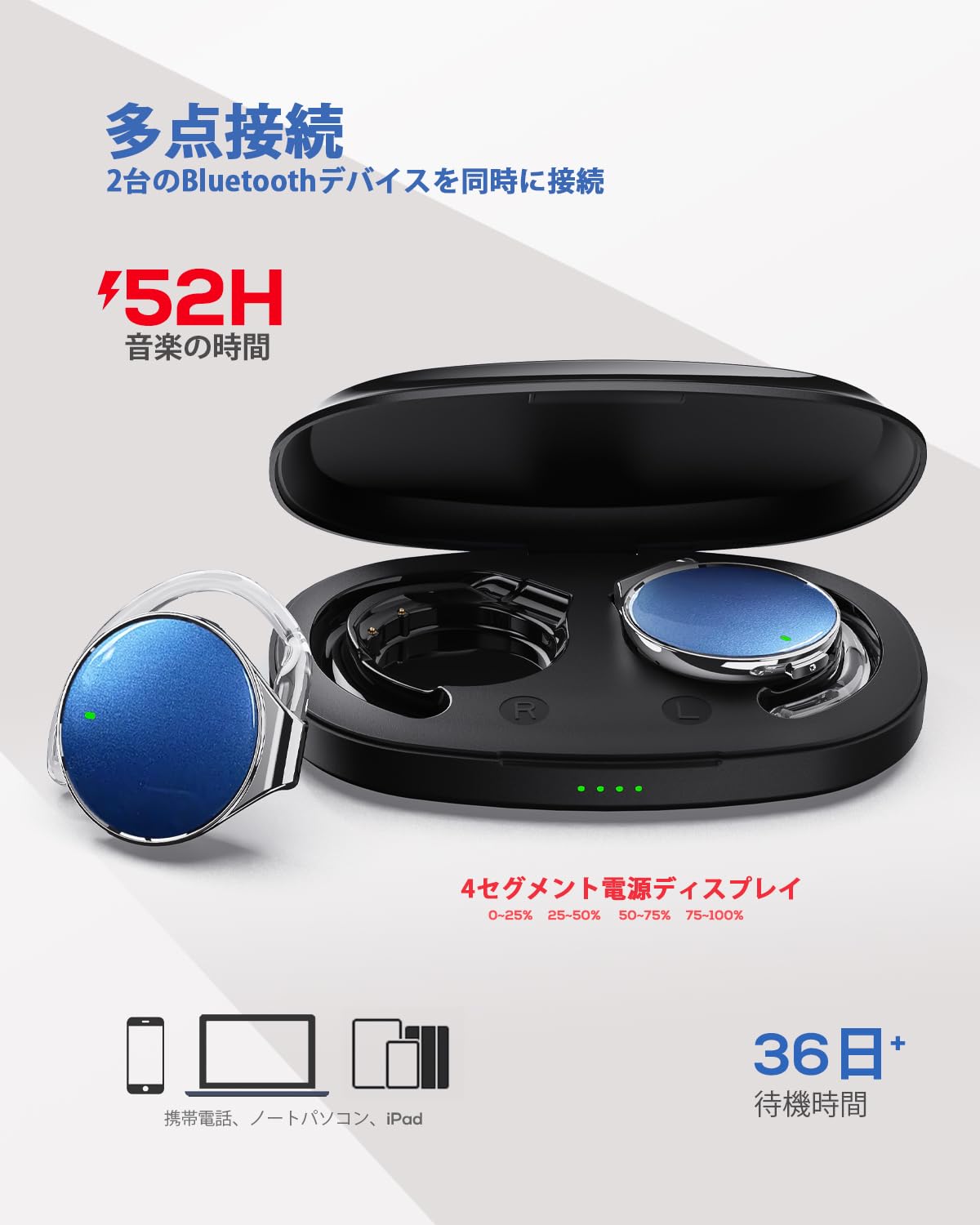
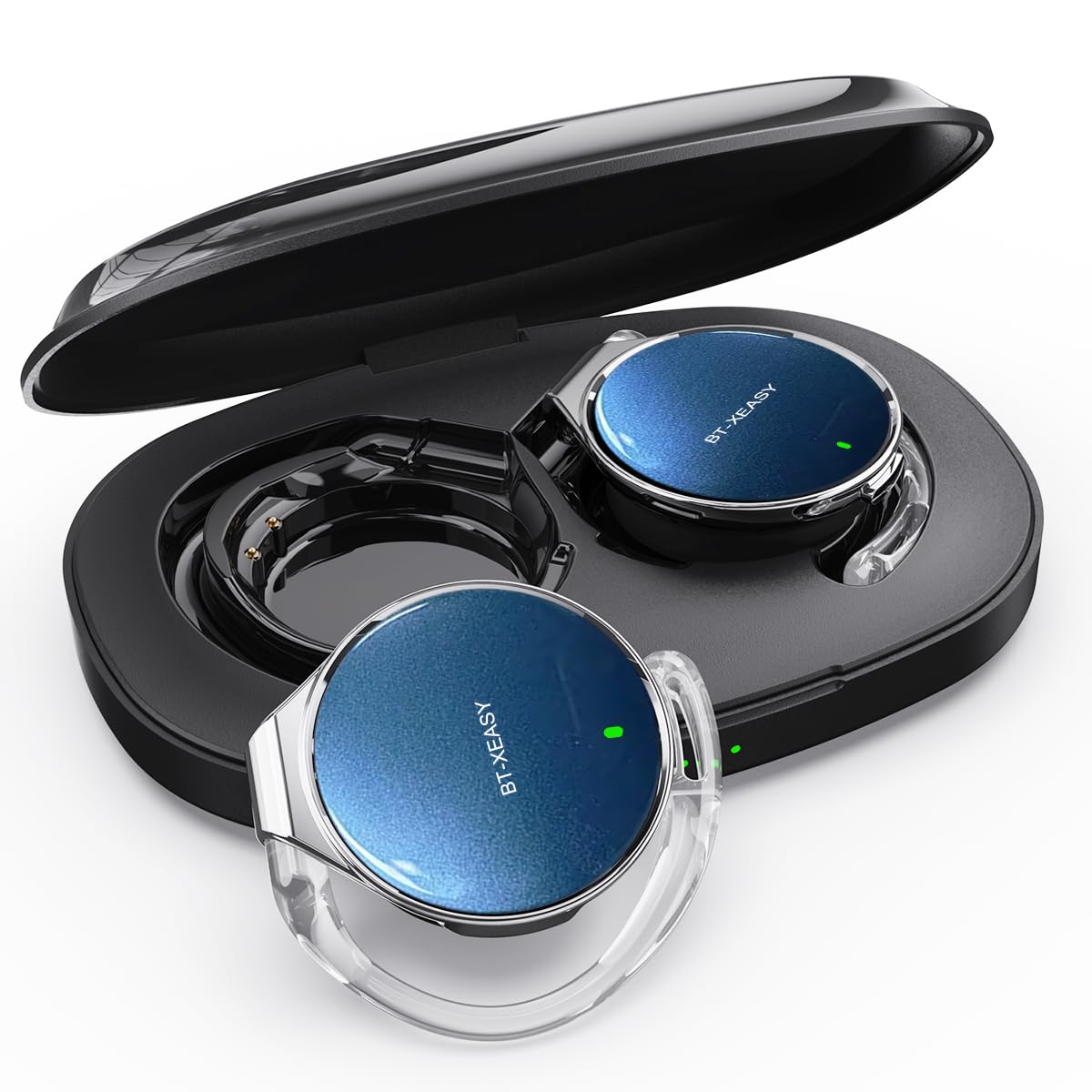
This image displays the Micool BT-X EASY headphones alongside their charging case, illustrating their compact and portable design and the concept of multi-point connection.
3. Eto
3.1 Ngba agbara si Awọn Agbekọri ati Ọran
Ṣaaju lilo akọkọ, gba agbara ni kikun awọn agbekọri ati apoti gbigba agbara.
- Fi awọn agbekọri sinu apoti gbigba agbara.
- So okun gbigba agbara USB-C pọ si ibudo gbigba agbara lori ọran ati si orisun agbara.
- Awọn 4-stage LED indicators on the charging case will show the charging status. Each light represents 25% of the battery capacity.
- Once fully charged, all four indicator lights will be solid.

This image illustrates the charging case with its four-stage battery indicator, providing a visual representation of the remaining charge.
3.2 Wọ Awọn Agbekọri
Follow these steps for a comfortable and secure fit:
- Igbesẹ 1: Open the ear hook to approximately a 30-degree angle.
- Igbesẹ 2: Rotate the ear hook around your ear until it rests comfortably below your earlobe.
- Igbesẹ 3: Gently press the headphone against your ear to secure it.
- Igbesẹ 4: Adjust the angle for the most comfortable wearing experience.

This visual guide demonstrates the four steps to correctly and comfortably wear the open-ear headphones.
3.3 Sisopọ Bluetooth
The headphones will automatically enter pairing mode when removed from the charging case or when the case is opened. For initial pairing:
- Ṣii apoti gbigba agbara. Awọn agbekọri yoo tẹ ipo sisopọ laifọwọyi.
- Lori ẹrọ rẹ (foonuiyara, tabulẹti, kọǹpútà alágbèéká), mu Bluetooth ṣiṣẹ.
- Wa fun "BT-X EASY" in the list of available Bluetooth devices.
- Select "BT-X EASY" to connect. A voice prompt will confirm successful pairing.
- For dual device connection, pair the first device, then temporarily disconnect the headphones from the first device's Bluetooth settings. Pair with the second device. Reconnect to the first device from its Bluetooth settings. The headphones will now be connected to both.
4. Awọn ilana Iṣiṣẹ
4.1 Fọwọkan Iṣakoso
The headphones feature intuitive touch controls on each earbud. Refer to the diagram below for specific functions:
This diagram illustrates the various touch controls on the headphones, including single-click, double-click, and long-press actions for managing music playback and phone calls.
- Ṣiṣẹ/Daduro: Tẹ x1
- Orin t’okan: Click x2 (Right earbud)
- Tẹlẹ Orin: Click x2 (Left earbud)
- Iwọn didun Up: Long press (Right earbud)
- Iwọn didun isalẹ: Long press (Left earbud)
- Idahun/Ipe Ipari: Tẹ x1
- Kọ Ipe: Tẹ gun
- Mute (during call): Click x2 (A prompt tone will sound)
4.2 Awọn iṣẹ ipe
The headphones support hands-free calling with 4 microphones and ENC noise reduction for clear conversations.
- Ndahun Awọn ipe: Tẹ bọtini iṣẹ-ọpọlọpọ lẹẹkan.
- Awọn ipe ipari: Tẹ bọtini iṣẹ-pupọ lẹẹkan nigba ipe kan.
- Kọ Awọn ipe: Tẹ mọlẹ bọtini iṣẹ-ọpọlọpọ fun iṣẹju-aaya 2.
- Muting Microphone: Double-click the multi-function button during a call.
5. Itọju
- Ninu: Regularly wipe the headphones and charging case with a soft, dry cloth. Do not use abrasive cleaners or immerse in water.
- Ibi ipamọ: Store the headphones in their charging case when not in use to protect them from dust and damage. Keep in a cool, dry place away from extreme temperatures.
- Itọju Batiri: Lati pẹ aye batiri, yago fun gbigba agbara ni kikun awọn agbekọri nigbagbogbo. Gba agbara si wọn nigbagbogbo, paapaa ti ko ba lo fun awọn akoko gigun.
6. Laasigbotitusita
| Isoro | Owun to le Solusan |
|---|---|
| Awọn agbekọri ko tan. | Ensure the headphones are charged. Place them in the charging case and connect the case to power. |
| Ko le so pọ pẹlu ẹrọ. |
|
| Ko si ohun tabi iwọn kekere. |
|
| Asopọmọra igba diẹ. |
|
7. Awọn pato
| Ẹya ara ẹrọ | Ẹ̀kúnrẹ́rẹ́ |
|---|---|
| Brand | Micool |
| Awoṣe | BT-X EASY |
| Ẹya Bluetooth | 5.4 |
| Agbekọri Style | Open-Ear (Ear-hook style) |
| Asopọmọra | Ailokun (Bluetooth) |
| Iwọn Agbọrọsọ | 28mm Yiyi Agbọrọsọ |
| Idinku Ariwo | ANC+ENC Adaptive Noise Reduction (for calls) |
| Awọn gbohungbohun | 4 microphones (for hands-free calls) |
| Akoko Sisisẹsẹhin Orin | Up to 18 hours (headphones), up to 52 hours (with charging case) |
| Gbigba agbara Port | USB-C |
| Headphone Diameter | 36mm |
| Ohun elo | Ṣiṣu |
| Àwọ̀ | Black Silver Blue |
| UPC | 775494926203 |
8. Atilẹyin ọja ati Support
The Micool BT-X EASY headphones come with a 6-osu atilẹyin ọja Láti ọjọ́ tí a rà á. Àtìlẹ́yìn yìí bo àwọn àbùkù iṣẹ́ àti iṣẹ́ ọwọ́. Kò bo ìbàjẹ́ tí ó bá jẹ́ nítorí ìlòkulò, jàǹbá, àtúnṣe tí a kò gbà láyè, tàbí ìbàjẹ́ déédé.
For technical support, warranty claims, or any questions regarding your product, please contact Micool customer service through the retailer where you purchased the product or visit the official Micool store on Amazon.
Amazon Store Link: Micool Amazon Store
9. Alaye Aabo pataki
- Má ṣe lo àwọn agbekọri pẹ̀lú ohùn gíga fún ìgbà pípẹ́ láti dènà ìbàjẹ́ gbígbọ́.
- Má ṣe lo àwọn agbekọri ní àwọn ipò tí àìlègbọ́ ohùn àyíká lè léwu (fún àpẹẹrẹ, wíwakọ̀, gígun kẹ̀kẹ́, rírìn nínú ọkọ̀ ojú irin).
- Pa ọja naa kuro ninu omi ati ọrinrin.
- Ma ṣe gbiyanju lati ṣaito tabi tun ọja naa funrararẹ.
- Jeki kuro ni arọwọto awọn ọmọde.