
1. Ifihan
Thank you for choosing the Motast 1.96" HD Smart Watch. This manual provides essential information for setting up, operating, and maintaining your device. Please read it thoroughly to ensure optimal performance and a satisfying user experience.
2. Ọja Ipariview
The Motast Smart Watch features a 1.96-inch HD display, Bluetooth calling capabilities, and comprehensive health and fitness tracking. It is designed to be a versatile companion for daily activities and sports.
Awọn ẹya pataki:
- 1.96" HD Iboju Fọwọkan: Clear visuals and responsive interaction.
- Bluetooth Call & Notifications: Answer/make calls and receive alerts from your smartphone.
- Awọn ipo ere idaraya 110+: Track various indoor and outdoor activities.
- Àbójútó Ìlera 24/7: Heart Rate, SpO2, and Sleep tracking.
- IP68 Mabomire: Suitable for daily use, including hand washing and rain.
- Igbesi aye batiri gigun: Up to 7 days of daily use, 30 days standby.
- Àwọn ìpè tí a lè ṣe àtúnṣe: Personalize your watch face with 200+ options or your own photos.

Olusin 1: Pariview of the multifunctional features of the Motast Smart Watch.
3. Ohun ti o wa ninu Apoti
- Smart Watch x1
- Okun gbigba agbara x1
- Ilana itọnisọna x1

Figure 2: Package contents and watch dimensions.
4. Eto
4.1 App Download & Pairing
- Gba awọn "GloryFit" App from Google Play Store (for Android) or Apple App Store (for iOS).
- Rii daju pe Bluetooth ti ṣiṣẹ lori foonuiyara rẹ.
- Open the GloryFit App and follow the on-screen instructions to search for and bind your device (e.g., "Y66").
4.2 Bluetooth Calling Function Setup
- After successfully binding your watch to the GloryFit App, open the Bluetooth Call feature within the app.
- On your watch, open the Bluetooth Call menu.
- Find and connect to "Y66" in your phone's Bluetooth settings.
- Once connected, you can use your watch to answer and make calls.

Figure 3: Connection and Bluetooth calling setup guide.
Video 1: Demonstrates the 1.96" HD Smart Watch features, including answering and making calls, for men and women.
Video 2: Shows the Smart Watch's ability to answer and make calls.
5. Awọn ilana Iṣiṣẹ
5.1 Ipilẹ Lilọ kiri
The watch features a full touch screen. Swipe left, right, up, or down to navigate through menus and access different functions. Press the side button to return to the home screen or wake the device.
5.2 Customizing Watch oju
The Motast Smart Watch offers over 200 watch faces through the GloryFit App. You can also upload your own photos to create personalized watch faces directly from your phone gallery.

Figure 4: Customizable watch faces and 1.96" HD color touch screen details.

Figure 5: Extensive collection of watch faces and DIY options.
5.3 Abojuto Ilera
- Atẹle Oṣuwọn ọkan: Continuously tracks your heart rate 24/7. Access detailed trends in the GloryFit App.
- SpO2 (Blood Oxygen) Monitor: Ṣe iwọn awọn ipele atẹgun ẹjẹ rẹ.
- Olutọpa oorun: Monitors your sleep patterns (deep sleep, light sleep, awake time) and provides analysis to help improve sleep quality.

Figure 6: Health monitoring features including heart rate, SpO2, and sleep tracking.

Figure 7: Detailed heart rate monitoring interface.

Figure 8: Blood oxygen monitoring interface.

Figure 9: Sleep tracking data and analysis.
5.4 Awọn ipo Idaraya & Titọpa iṣẹ ṣiṣe
The watch supports over 110 sports modes. It tracks all-day activity data including steps, calories burned, and distance. Connect to your phone's GPS to track outdoor workout routes.

Figure 10: Sports modes and activity tracking interface.

Nọmba 11: Alaye view ti awọn ipo ere idaraya ati ipasẹ iṣẹ.
Video 3: Demonstrates the features of the Aycy Smart Watch, including fitness tracking.
5.5 iwifunni
Receive intelligent notifications from apps like Facebook, Messenger, Instagram, Gmail, WhatsApp, and Twitter directly on your watch. Raise your wrist to view awọn ifiranṣẹ.

Figure 12: Bluetooth call and message notification display.

Figure 13: Message notification feature from connected apps.
5.6 Iṣakoso Orin
Ṣakoso ṣiṣiṣẹsẹhin orin lori foonuiyara rẹ taara lati aago rẹ.
5.7 Iṣakoso kamẹra
Use your watch as a remote shutter to control your smartphone's camera.
5.8 Miiran Awọn iṣẹ
The watch includes additional practical functions:
- Aago itaniji: Ṣeto awọn itaniji pupọ.
- Aago ati aago iṣẹju-aaya: Fun orisirisi akoko aini.
- Ifihan oju ojo: Gba awọn imudojuiwọn oju ojo ni akoko gidi.
- Oluranlọwọ ohun: Interact with your phone's voice assistant.
- Olurannileti Iduroṣinṣin: Ti gba ọ laaye lati gbe lẹhin awọn akoko aiṣiṣẹ.
- Ilera Awọn Obirin: Specific tracking features for women.
- Ikẹkọ Mimi: Awọn adaṣe mimi itọsọna.

Figure 14: Additional practical functions of the smartwatch.

Figure 15: Weather, music, camera, alarm, and voice assistant features.
Video 4: Instructions on how to turn off music playing on the P66D Smart Watch.
6. Batiri & Ngba agbara
The Motast Smart Watch is equipped with a large-capacity battery, providing approximately 5-7 days of daily use and up to 30 days on standby mode. Charging takes 1.5-2 hours using the magnetic charging cable provided.
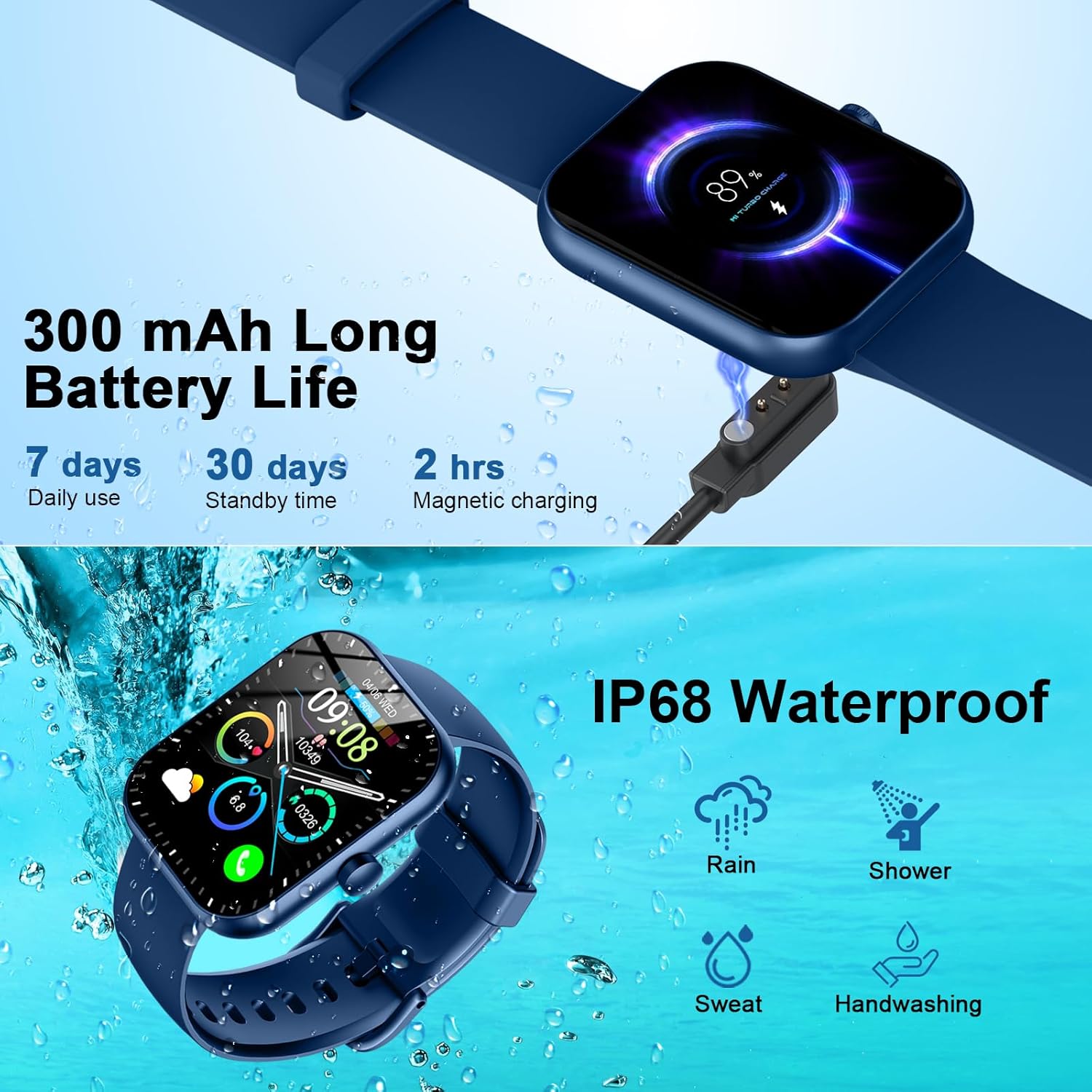
Figure 16: Battery life and magnetic charging details.

Figure 17: Battery capacity and charging method.
7. Waterproofing
The smartwatch is IP68 waterproof, meaning it is resistant to dust and can withstand immersion in water up to 1.5 meters for 30 minutes. You can wear it while washing hands or in the rain. Akiyesi: Do not use in showers, saunas, or hot tubs, as steam and hot water can damage the device.
Figure 18: IP68 Waterproof rating for the smartwatch.
8. Itọju
- Keep the watch clean and dry. Wipe it with a soft, dry cloth regularly.
- Yago fun ṣiṣafihan aago si awọn iwọn otutu to gaju tabi imọlẹ orun taara fun awọn akoko gigun.
- Má ṣe gbìyànjú láti tú tàbí tún aago náà ṣe fúnra rẹ. Pe olùrànlọ́wọ́ oníbàárà tí ìṣòro bá ṣẹlẹ̀.
- Ensure the charging contacts on the back of the watch and the charging cable are clean to prevent charging issues.
9. Laasigbotitusita
- Wo ti ko tan: Rí i dájú pé aago náà ti gba agbára tán pátápátá. So ó mọ́ ẹ̀rọ mànàmáná fún ó kéré tán ìṣẹ́jú 30.
- Ko le so pọ pẹlu foonu: Make sure Bluetooth is enabled on your phone and the watch is within range. Restart both devices and try pairing again through the GloryFit App.
- Awọn iwifunni ko gba: Check app notification settings on your phone and within the GloryFit App to ensure they are enabled for the watch. Ensure the watch is connected via Bluetooth.
- Awọn alaye ilera ti ko pe: Ensure the watch is worn snugly on your wrist, not too tight or too loose. Keep the sensor clean.
- Awọn iṣoro gbigba agbara: Verify the magnetic charging cable is properly aligned with the contacts on the back of the watch. Try a different USB power source.
10. Awọn pato
| Ẹya ara ẹrọ | Ẹ̀kúnrẹ́rẹ́ |
|---|---|
| Nọmba awoṣe | 6db02fca-707d-49d2-b627-85fa94df7f3f |
| Iwon iboju | 1.96 inches |
| Ifihan Iru | TFT HD Color Display (320*386 resolution) |
| Asopọmọra | Bluetooth 5.3 |
| Mabomire Rating | IP68 |
| Agbara Batiri | 300 mAh (1 A battery included) |
| Akoko gbigba agbara | 1.5-2 wakati |
| Igbesi aye batiri (Lilo Ojoojumọ) | 5-7 ọjọ |
| Igbesi aye batiri (Iduroṣinṣin) | 30 ọjọ |
| Ibamu | Android 6.0+ / iOS 10.0+ |
| Iwọn Nkan | 3.2 iwon |
| Olupese | Motast |
11. Atilẹyin ọja ati Support
For warranty information and customer support, please refer to the contact details provided in your product packaging or visit the official Motast webojula. Tọju iwe-ẹri rira rẹ fun awọn ẹtọ atilẹyin ọja.