
Ọrọ Iṣaaju
Thank you for choosing the hOmeLabs 25 Pint Wi-Fi Dehumidifier. This manual provides essential information for the safe operation, maintenance, and troubleshooting of your new appliance. Designed for efficient moisture removal in spaces up to 3,500 sq ft, this dehumidifier features Wi-Fi smart control, quiet operation, and flexible drainage options to enhance your indoor environment.
Awọn Itọsọna Aabo pataki
Please read all instructions carefully before using the dehumidifier. Failure to follow these instructions may result in electric shock, fire, or serious injury.
- Always plug the dehumidifier into a grounded electrical outlet.
- Ma ṣe ṣisẹ ẹyọ naa ti okun tabi plug ba bajẹ.
- Rí i dájú pé a gbé ohun èlò náà sí orí ilẹ̀ tí ó tẹ́jú, tí ó sì dúró ṣinṣin láti dènà kí ó rì.
- Má ṣe dí àwọn ọ̀nà afẹ́fẹ́ tàbí àwọn ibi ìjáde. Jẹ́ kí ó tó ogún ínṣì ní gbogbo ibi tí afẹ́fẹ́ náà wà.
- Yọ ẹ̀rọ amúlétutù kúrò kí o tó fọ, gbé e, tàbí ṣe àtúnṣe èyíkéyìí.
- Maṣe lo ẹyọkan ni awọn agbegbe nibiti o ti fipamọ awọn olomi ina tabi awọn gaasi.
- Ohun elo yii wa fun lilo ibugbe nikan.
- Pa awọn ọmọde ati awọn ohun ọsin kuro ni ẹyọkan lakoko iṣẹ.
Ọja Pariview
Familiarize yourself with the components of your hOmeLabs dehumidifier.

The hOmeLabs 25 Pint Wi-Fi Dehumidifier shown alongside its blue and white product packaging, highlighting its compact design and brand.

An illustration showing the dimensions of the dehumidifier: 19.6 inches high, 12.2 inches wide, and 8.2 inches deep, emphasizing its compact form factor.

A close-up of the dehumidifier's control panel, displaying buttons for Wi-Fi, fan speed, timer, comfort mode, and indicators for tank full and filter status.

The dehumidifier positioned in a gym setting next to a yoga mat, illustrating its compact design and emphasizing its ultra-quiet operation at 47 dB.
Awọn eroja pataki:
- Ibi iwaju alabujuto: Digital display and buttons for settings.
- Wiwọle/Olugbafẹfẹ: Where air enters and exits the unit.
- Omi omi: Removable bucket for collected moisture.
- Itẹlẹsọna Isanjade Imugbẹ: Port for connecting a drain hose for continuous operation.
- Caster Wheels & Handle: Fun irọrun gbigbe.
- Asọ Washable: Located at the back for air purification.
Awọn ilana iṣeto
- Ṣii silẹ: Farabalẹ yọ dehumidifier kuro ninu apoti rẹ. Ṣe idaduro awọn ohun elo apoti fun ibi ipamọ iwaju tabi gbigbe.
- Ibi: Place the unit upright on a firm, level surface in the area where dehumidification is desired. Ensure there is at least 8 inches (20 cm) of space around all sides of the unit for proper airflow. Avoid placing it near heat sources or in direct sunlight.
- Asopọ agbara: Plug the power cord into a grounded 110-120V/60Hz electrical outlet. The unit will beep once, and the display will light up.
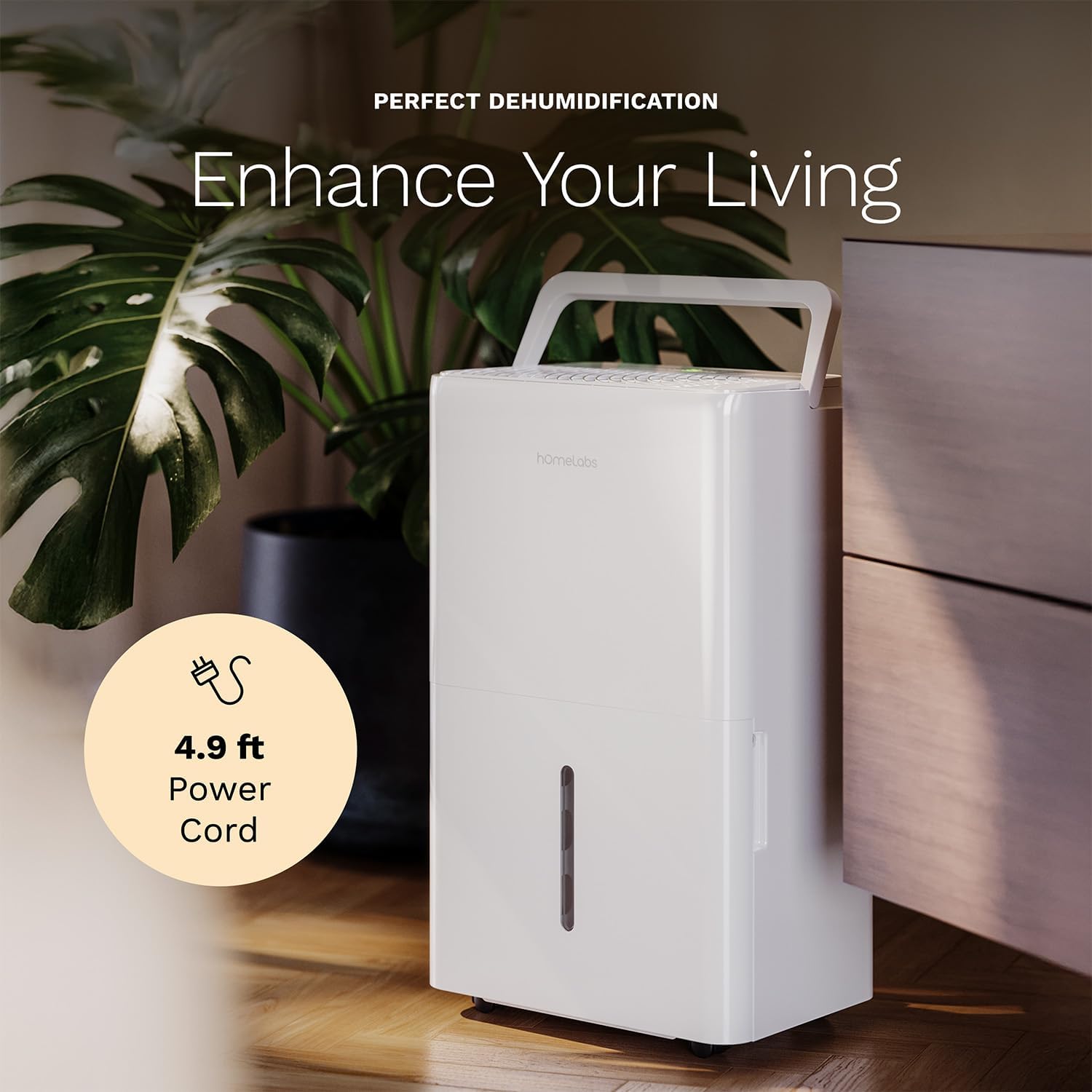
The dehumidifier positioned in a room, highlighting its 4.9 ft power cord for flexible placement.
- Drainage Option (Optional):

An image illustrating the two drainage options: using the built-in tank (manual emptying) or connecting a gravity drain hose for continuous drainage.
- Afọ omi Afowoyi: The unit will collect water in the internal tank. When the tank is full, the unit will automatically shut off and indicate "Tank Full". Empty the tank as described in the Maintenance section.
- Imudanu Tesiwaju: For continuous operation without emptying the tank, attach the included drain hose to the continuous drain outlet. Ensure the hose is sloped downwards to a suitable drain (e.g., floor drain, large bucket) to allow gravity drainage.
Awọn ilana Iṣiṣẹ
Awọn iṣẹ igbimọ Iṣakoso:
- Bọtini agbara: Tẹ lati tan-an tabi PA kuro.
- Àwọn bọ́tìnì Ìṣètò Ọrinrin (+/-): Adjust the desired humidity level from 35% to 85% relative humidity (RH) in 5% increments.
- Bọtini Iyara Fan: Cycle through High, Medium, and Low fan speeds.
- Bọtini Aago: Set a timer for automatic ON/OFF operation (1-24 hours).
- Bọ́tìnì Ipo Itunu: Ó ń mú kí ìwọ̀n ọriniinitutu tí a ti ṣètò tẹ́lẹ̀ ṣiṣẹ́ fún ìtùnú tó dára jùlọ.
- Bọtini Wi-Fi: Activates Wi-Fi pairing mode.
Wi-Fi Smart Control:
Your dehumidifier can be controlled remotely via Wi-Fi using a smartphone app, Google Assistant, or Alexa.

The dehumidifier shown with icons indicating compatibility with Google Home and Alexa, along with a smartphone icon representing app control for remote operation.
- Ṣe igbasilẹ Ohun elo: Download the hOmeLabs app from your smartphone's app store (iOS or Android).
- Pipọpọ: Follow the in-app instructions to pair your dehumidifier with your home Wi-Fi network. This typically involves pressing and holding the Wi-Fi button on the control panel until the indicator light flashes.
- Isakoṣo latọna jijin: Once paired, you can adjust settings, monitor humidity levels, and set schedules from anywhere using your smartphone.
Itoju
Itọju deede ṣe idaniloju iṣẹ ṣiṣe ti o dara julọ ati fa gigun igbesi aye ti dehumidifier rẹ.
Ṣofo Omi Omi:
- When the water tank is full, the "Tank Full" indicator will illuminate, and the unit will stop operating.
- Fi pẹ̀lẹ́pẹ̀lẹ́ fa ojò omi náà jáde láti iwájú ẹ̀rọ náà.
- Ṣofo omi ti a gba sinu iwẹ tabi sisan.
- Slide the empty tank back into the unit until it clicks into place. The unit will resume operation.
Ninu Ajọ Afẹfẹ:
The "Filter" indicator light will illuminate after 250 hours of operation, reminding you to clean the filter. Clean the filter every two weeks or more frequently depending on usage and air quality.
- Pa dehumidifier kuro ki o yọọ kuro ni iṣan agbara.
- Yọ air àlẹmọ lati pada ti awọn kuro.
- Wẹ àlẹmọ pẹlu gbona, omi ọṣẹ. Fi omi ṣan daradara.
- Gba àlẹmọ laaye lati gbẹ patapata ṣaaju fifi sori ẹrọ. Maṣe lo ẹrọ gbigbẹ tabi ooru taara.
- Once the filter is reinstalled, press and hold the "Filter" button for 3 seconds to reset the filter timer.
Isọsọ gbogboogbo:
- Mu ese ita kuro pẹlu asọ, damp asọ.
- Ma ṣe lo awọn kẹmika lile, abrasives, tabi awọn nkanmimu.
- Mọ ojò omi nigbagbogbo lati ṣe idiwọ mimu ati imuwodu idagbasoke.
Laasigbotitusita
Tọkasi apakan yii fun awọn ọran ti o wọpọ ati awọn ojutu wọn.
| Isoro | Owun to le Fa | Ojutu |
|---|---|---|
| Dehumidifier ko ni tan. | No power; Power cord not plugged in; Tank full. | Check power supply; Plug in power cord securely; Empty water tank. |
| Ẹka n ṣiṣẹ ṣugbọn kii ṣe gbigba omi. | Humidity setting too high; Room temperature too low; Air filter clogged. | Lower desired humidity setting; Ensure room temperature is above 41°F (5°C); Clean air filter. |
| Ẹka jẹ alariwo. | Unit not level; Air filter clogged; Fan obstruction. | Place on a level surface; Clean air filter; Check for obstructions in fan area. |
| Awọn oran asopọ Wi-Fi. | Incorrect Wi-Fi password; Router too far; App issues. | Verify Wi-Fi password; Move unit closer to router; Restart app/unit. |
Awọn pato
| Ẹya ara ẹrọ | Ẹ̀kúnrẹ́rẹ́ |
|---|---|
| Brand | hOmeLabs |
| Orukọ awoṣe | hOmelabs - Dehumidifier - 25 Pint - WIFI (HME0088) |
| Agbara Dehumidification | 25 Pints per Day (at 80°F, 60%RH) / MAX 64 Pints (at 95°F, 90%RH) |
| Agbegbe Agbegbe | Titi di 3,500 Sq Ft |
| Iwọn ojò | 1 galonu |
| Awọn iwọn Ọja (D x W x H) | 8.2"D x 12.2"W x 19.6"H |
| Iwọn Nkan | 27.1 iwon |
| Ipo Isẹ | Laifọwọyi |
| Pataki Awọn ẹya ara ẹrọ | Adjustable Humidity Control, Automatic Defrost, Automatic Moisture Removal, Automatic Shutoff, Bucket Storage, Digital Display, Portable, Quiet Operation, Removable Tank, Timer, Washable Filter, Wi-Fi Enabled |
| Lilo Agbara | Energy Star Most Efficient 2024 Certified |
Atilẹyin ọja ati Support
Your hOmeLabs 25 Pint Wi-Fi Dehumidifier comes with a standard manufacturer's warranty. For detailed warranty information, please refer to the official warranty document provided with your purchase or visit the hOmeLabs webojula.
Iwe Atilẹyin ọja: Ṣe igbasilẹ atilẹyin ọja (PDF)
For technical support, troubleshooting assistance, or to inquire about replacement parts, please contact hOmeLabs customer service. Contact information can typically be found on the hOmeLabs webaaye tabi ninu apoti ọja rẹ.