
1. Ifihan
The PGST A107F Wireless Home Security System is a comprehensive alarm solution designed to protect your home or property. This system features a main control panel, various sensors, and remote access capabilities through the Tuya or Smart Life app. It supports both Wi-Fi and 4G connectivity for reliable alerts and control. This manual provides detailed instructions for setting up, operating, and maintaining your security system.

Aworan 1.1: Pariview of the PGST A107F Wireless Home Security System components, including the main panel, motion detector, door sensor, remote controls, and RFID tags.
2. Package Awọn akoonu
Jọwọ rii daju pe gbogbo awọn ohun kan wa ninu apo rẹ:
- 1 x PGST A107F Alarm System Main Panel
- 1 x PIR išipopada Oluwari
- 1 x Door/Window Sensor
- 2 x Awọn iṣakoso latọna jijin
- 2 x RFID Tags
- 1 x Agbara Adapter
- Mounting Hardware (screws, adhesive pads)
- Itọsọna olumulo

Image 2.1: The PGST A107F system components displayed alongside a smartphone showing the control application interface.
3. Alaye Aabo
Lati rii daju iṣẹ ailewu ati yago fun ibajẹ, jọwọ tẹle awọn itọnisọna ailewu wọnyi:
- Do not expose the main panel or sensors to extreme temperatures, humidity, or direct sunlight.
- Lo oluyipada agbara ti a pese nikan.
- Pa eto naa mọ kuro ninu awọn aaye itanna ti o lagbara.
- Ma ṣe gbiyanju lati tunto tabi tun ẹrọ naa funrararẹ. Kan si atilẹyin alabara fun iranlọwọ.
- Ensure proper ventilation for the main panel.
4. Eto
4.1 Powering On the Main Panel
- Connect the power adapter to the main panel's USB Type C port.
- Plug the power adapter into a standard electrical outlet. The panel will power on automatically.
4.2 Network Configuration (Wi-Fi & 4G)
The system supports dual-channel connectivity (Wi-Fi and 4G) for enhanced reliability. Insert a 4G SIM card (not included) into the designated slot on the main panel if you wish to use 4G SMS/calling features.

Image 4.1: A hand interacting with the PGST A107F control panel, illustrating its support for both Wi-Fi and 4G network connectivity.
To connect to your Wi-Fi network:
- Method 1 (Soft AP Configure):
- On the Host: Go to Akojọ aṣyn > Wi-Fi > Asọ AP atunto.
- On your Phone: Enable Wi-Fi (2.4GHz) and Bluetooth. Open the Smart Life APP, select 'Add devices', and follow the on-screen instructions for auto search.
- Method 2 (Airlink Configure):
- On the Host: Go to Akojọ aṣyn > Wi-Fi > Airlink atunto.
- On your Phone: Enable Wi-Fi (2.4GHz). Open the Smart Life APP, select 'Add devices' > 'Sensors' > 'Alarm' > 'Wi-Fi', and ensure the indicator blinks quickly as prompted.

Image 4.2: Visual guide detailing two methods for configuring the network connection for the PGST A107F system using the main panel and a smartphone app.
4.3 Installing Sensors
The system includes a PIR Motion Detector and a Door/Window Sensor. These are typically screw-in installations, but adhesive options may also be available.
- Sensọ ilekun/Frese: Install the two parts of the sensor on the door/window frame and the moving part, ensuring they are aligned and within 1 cm of each other when closed.
- Awari išipopada PIR: Mount the motion detector in a corner or on a wall, ensuring it covers the desired area without obstructions. Avoid placing it near heat sources or direct sunlight.

Image 4.3: Illustration of a PGST A107F Door/Window Sensor installed on a window frame, demonstrating its magnetic contact detection.

Image 4.4: A PGST A107F PIR Motion Detector mounted in a room, designed to detect movement within its wide-angle detection range.
5. Awọn ilana Iṣiṣẹ
5.1 Ṣíṣe ohun ìjà àti kíkó ẹ̀rọ náà kúrò
A le di ohun ija tabi di ohun ija kuro ninu eto naa nipa lilo awọn ọna pupọ:
- Igbimọ akọkọ: Use the touchscreen interface to select 'Arm', 'Stay Arm', or 'Disarm'.
- Isakoṣo latọna jijin: Press the corresponding buttons on the provided remote controls.
- Kaadi RFID: Tap an authorized RFID tag on the main panel's RFID reader.
- Smartphone App (Tuya/Smart Life): Control the system remotely via the app.
- Iṣakoso ohun: Integrate with Alexa or Google Assistant for voice commands (e.g., "Alexa, disarm my home").
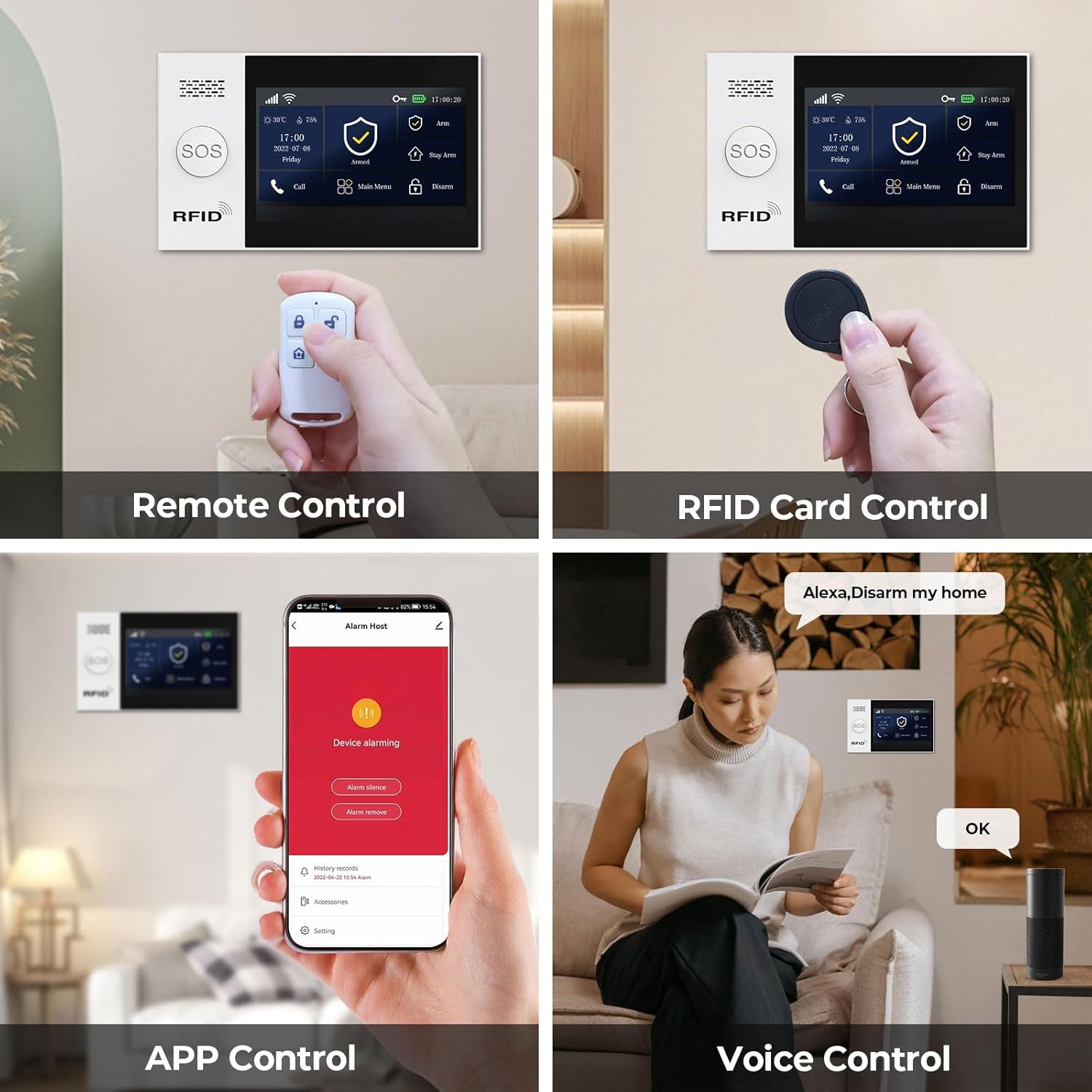
Image 5.1: Depiction of various control methods for the PGST A107F system, including remote control, RFID card, smartphone app, and voice commands via smart assistants.
5.2 App Control and Alerts
The Tuya or Smart Life app allows you to manage your security system from anywhere. You will receive instant push notifications and phone calls directly to your smartphone when sensors are triggered or motion is detected.

Image 5.2: A smartphone screen showing real-time alert messages from the PGST A107F security system app, indicating triggered sensors or SOS events.
5.3 SOS Išė
In an emergency, activate the SOS function by pressing the dedicated SOS button on the main panel or remote. The system will immediately send a distress signal and call pre-set emergency contacts.

Image 5.3: An SOS button, highlighting its utility for elderly individuals or in emergency situations, triggering an immediate alert.
5.4 Scheduling Arm/Disarm
You can program up to four sets of timing for automatic arming and disarming through the app, aligning with your daily schedule.
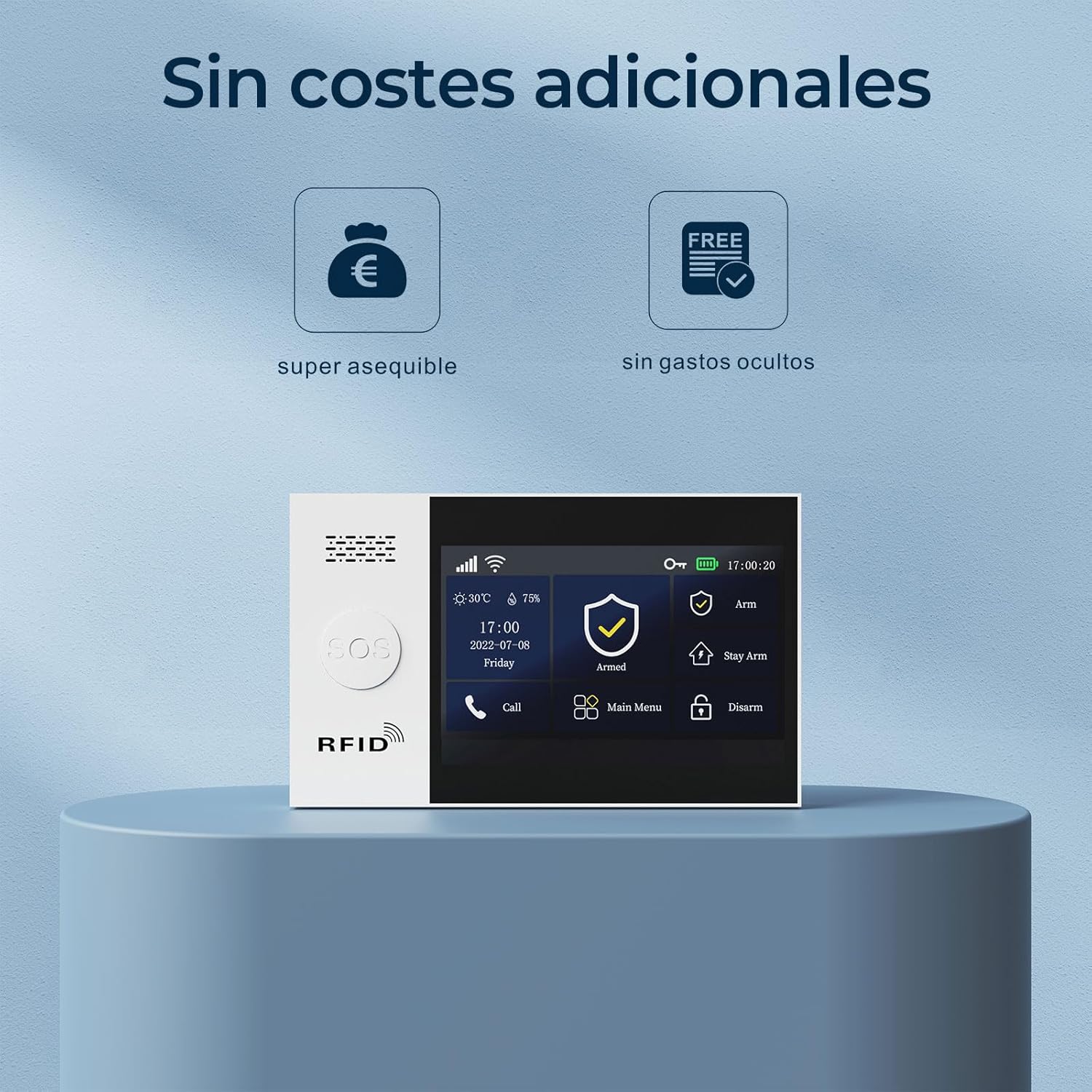
Image 5.4: The Smart App Remote Control interface demonstrating the scheduling feature for automatic arming and disarming of the PGST A107F system at specific times.
5.5 Preset Alarm Calls
Configure up to five family numbers to receive alarm calls. This ensures that alerts are not missed and appropriate action can be taken quickly.
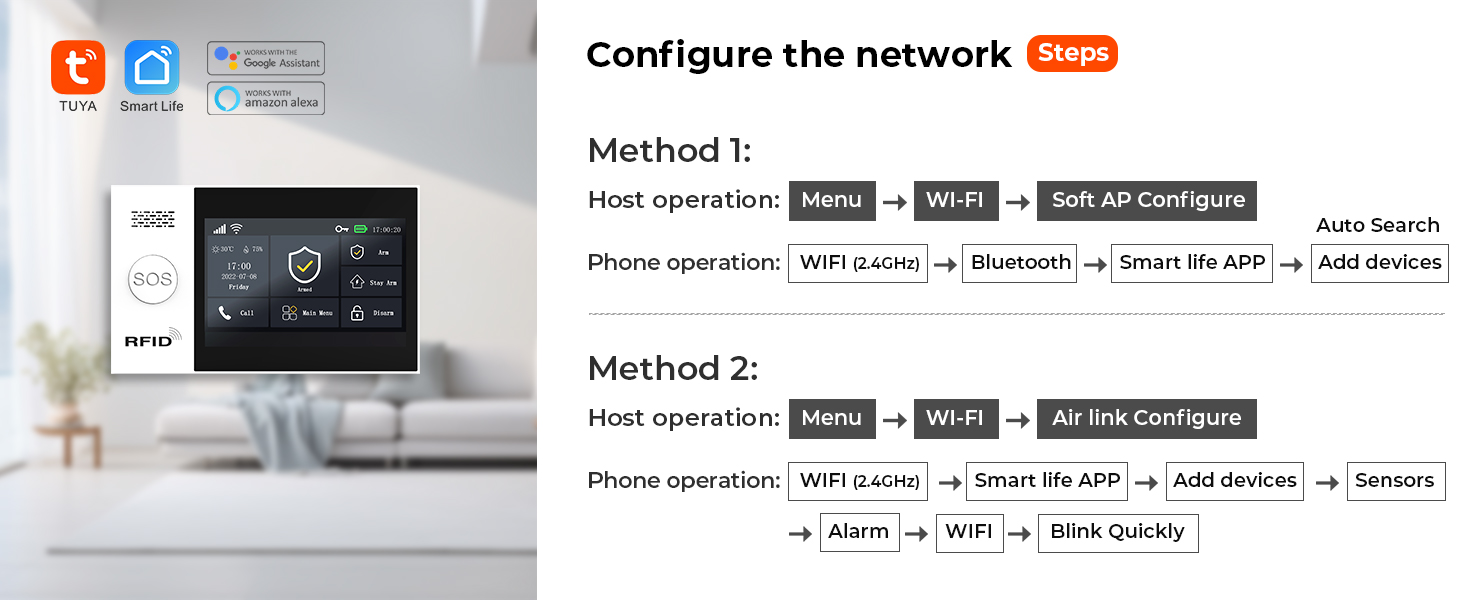
Image 5.5: A visual representation of the 'Preset Five Alarm Calls' feature, showing a user receiving an alert on their phone and a list of contacts who will also be notified.
6. Itọju
Regular maintenance ensures optimal performance of your security system:
- Ninu: Fi aṣọ rírọrùn tí ó gbẹ nu pánẹ́ẹ̀lì àti àwọn sensọ̀ náà. Má ṣe lo àwọn ohun ìfọmọ́ tàbí àwọn ohun èlò ìfọ́mọ́.
- Ṣayẹwo Batiri: Periodically check the battery status of wireless sensors through the app or main panel. Replace batteries as needed (Alkaline batteries are used).
- Awọn imudojuiwọn famuwia: Check the app regularly for available firmware updates for the main panel to ensure the latest features and security enhancements.
- Ibi sensọ: Ensure sensors remain securely mounted and free from obstructions.
7. Laasigbotitusita
If you encounter issues with your PGST A107F system, refer to the following common problems and solutions:
| Isoro | Owun to le Fa | Ojutu |
|---|---|---|
| System not connecting to Wi-Fi | Incorrect Wi-Fi password; Router too far; 5GHz Wi-Fi network | Verify password; Move panel closer to router; Ensure 2.4GHz Wi-Fi is used. |
| Àwọn sensọ̀ kò fa ìró ìró | Low sensor battery; Sensor out of range; System disarmed | Replace sensor battery; Relocate sensor closer to panel; Arm the system. |
| Ko si awọn iwifunni app | App permissions disabled; Phone not connected to internet; App not running in background | Enable app notifications; Check phone's internet connection; Allow app to run in background. |
| SOS function not calling contacts | No 4G SIM card; Incorrectly set emergency numbers | Ensure 4G SIM card is inserted and active; Verify emergency contact numbers in settings. |
For further assistance, please contact PGST customer support.
8. Awọn pato
| Ẹya ara ẹrọ | Ẹ̀kúnrẹ́rẹ́ |
|---|---|
| Brand | PGST |
| Nọmba awoṣe | PGST A107F |
| Asopọmọra Technology | Wireless (Wi-Fi, 4G) |
| Awọn ẹrọ ibaramu | Smartphone, Tablet (Tuya/Smart Life App) |
| Orisun agbara | Okun Itanna |
| Iru fifi sori ẹrọ | Dabaru-Ni |
| Iru Itaniji | Audio & Motion, App Push Notifications, Phone Calls, SMS |
| Ọna Iṣakoso | App, Remote Control, RFID Card, Voice (Alexa, Google) |
| Ọna ẹrọ | Motion Sensor, Door/Window Magnetic Sensor |
| Batiri Cell Tiwqn | Alkaline (for sensors) |
| Awọn Iwọn Nkan (L x W x H) | 8 x 6 x 4 inches |
| Iwọn Nkan | 1.34 iwon |
| UPC | 704444490037 |
9. Atilẹyin ọja ati Support
The PGST A107F Home Alarm System comes with a 1-odun atilẹyin ọja lati ọjọ ti o ra. Atilẹyin ọja yi ni wiwa awọn abawọn iṣelọpọ ati ailagbara labẹ lilo deede.
For technical support, warranty claims, or any questions regarding the use of your system, please contact PGST customer service through the retailer where you purchased the product or visit the official PGST webojula fun alaye olubasọrọ.
Jọwọ ṣe idaduro ẹri rira rẹ fun ijẹrisi atilẹyin ọja.