
Ọrọ Iṣaaju
The Roxicosly 7-inch Digital Calendar Day Clock is designed to clearly display the time, date, and day of the week, along with various reminders and customizable features. This device aims to assist individuals who may benefit from a clear and consistent display of daily information.
Ṣeto
Package Awọn akoonu
- 1 x Roxicosly Digital Calendar Day Clock
- 1 x Adapter AC
- 1 x USB Charging Cable (55 inches/140 cm)
- 1 x Itọsọna olumulo
Agbara Lori
Connect the provided AC adapter to the clock's power input and plug it into a wall outlet. The clock requires continuous power for operation. For backup during power outages, insert 2 AAA batteries (not included) into the battery compartment. These batteries will save time and settings but will not power the display or alarms.

olusin 1: Ẹyìn view of the clock with power input and control buttons.

Figure 2: Power connection and battery backup for settings.
Awọn Eto Ibẹrẹ
Upon first power-on, you may need to set the correct time, date, and preferred language. Use the navigation buttons (Menu, Up, Down, Left, Right, Select) located on the side or back of the clock to navigate through the settings menu. Refer to the included User Manual for detailed step-by-step instructions on setting these parameters.
Awọn ilana Iṣiṣẹ
Awọn ipo ifihan
The clock features a 7-inch 1024x600P HD display. It can show the full time, date, day of the week, and six distinct time periods (MORNING, NOON, AFTERNOON, EVENING, NIGHT, MIDNIGHT, BEFORE DAWN) with corresponding icons. There are 12 different display themes with multiple background colors to choose from.
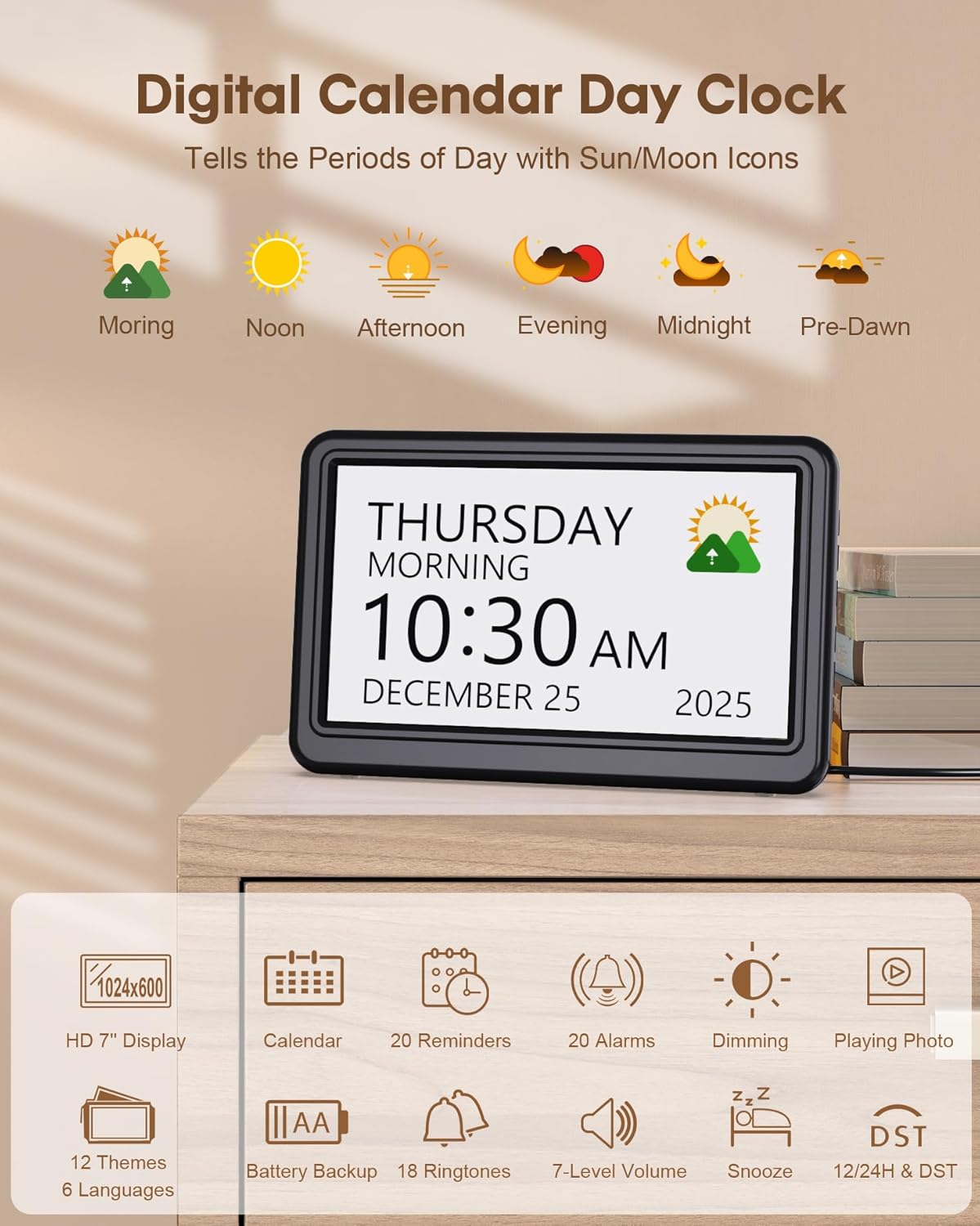
Figure 3: Main display showing time periods with icons.

Olusin 4: Examples of different display themes.
Video 1: Demonstrates various display modes and settings of the digital calendar clock.
Alarms and Custom Reminders
The clock supports up to 20 alarms and 20 custom reminders. Alarms can be set for daily, weekdays, weekends, or specific days of the week. Reminders can be customized with specific words and clear icons for activities such as medication, daily tasks, or appointments. The clock offers 18 ringtones with 7-level volume adjustment. A snooze function allows for 3, 5, or 9-minute delays.
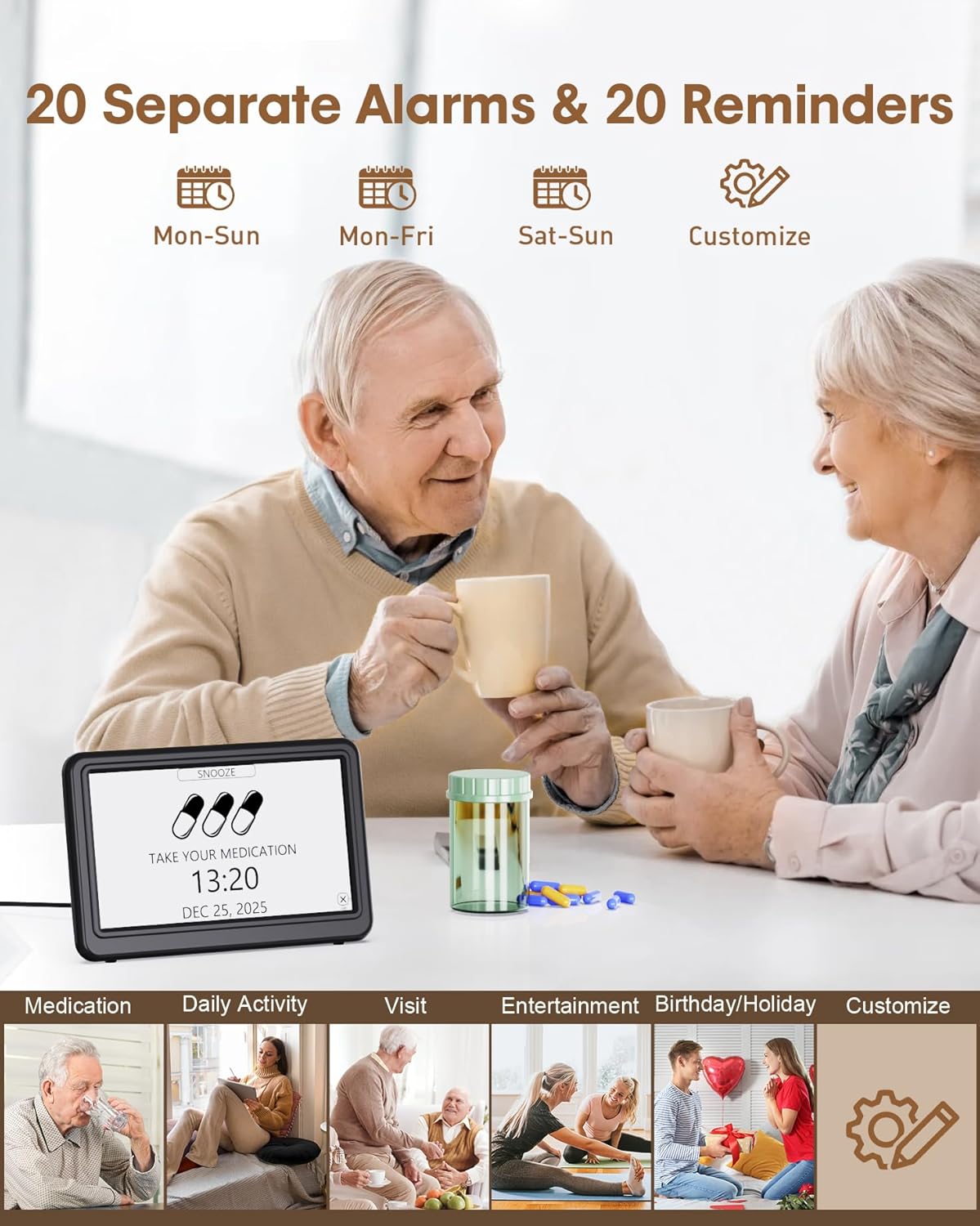
Figure 5: Clock displaying a reminder, illustrating its use for daily activities.
Video 2: Shows how to set alarms and custom reminders on the dementia clock.
Brightness and Night Dimming
The display brightness is adjustable across 10 levels, from 10% to 100%. You can set separate brightness levels for daytime and nighttime, with the clock automatically adjusting at designated times. Pressing the top button can also turn off the screen.

Figure 6: Brightness adjustment levels and night dimming feature.
Language Support and Daylight Saving Time (DST)
The clock supports 6 languages: English, French, German, Italian, Spanish, and Japanese. It also features automatic Daylight Saving Time adjustment in March and November, which can be toggled on or off via the DST button.
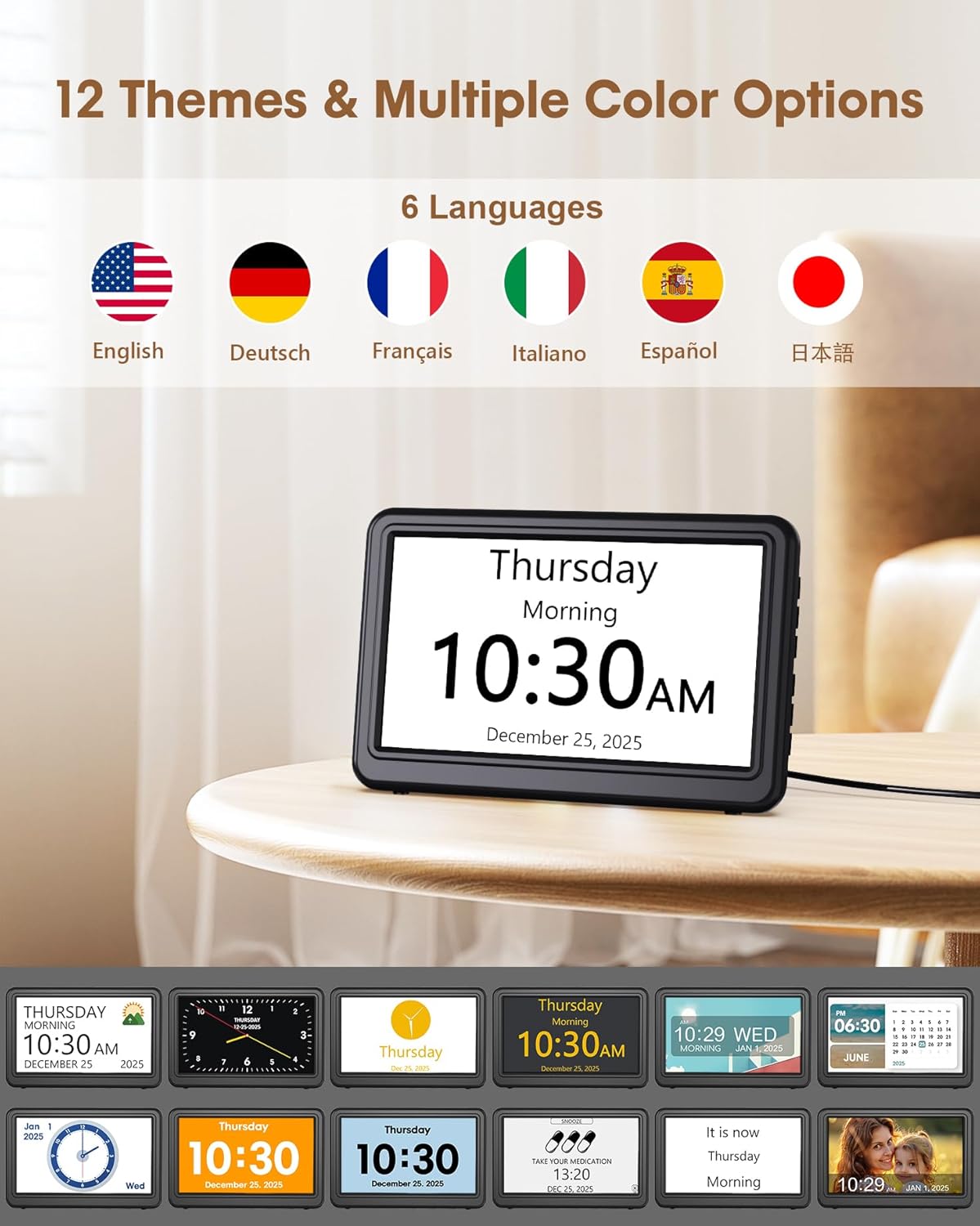
Figure 7: Language selection options.
Sisisẹsẹhin Fọto
The clock can function as an HD electronic photo frame. Insert an SD card or USB flash drive (up to 64GB, not included) into the designated slot on the back of the clock to display photos.

Figure 8: Photo playback feature.
Itoju
To clean the clock, use a soft, dry cloth. Avoid using abrasive cleaners or solvents that may damage the screen or casing. Ensure the clock is unplugged before cleaning. If using battery backup, replace AAA batteries as needed to maintain saved settings during power interruptions.
Laasigbotitusita
- Ko si Ifihan: Ensure the AC adapter is securely connected and plugged into a working outlet. If using battery backup, remember batteries only save settings, they do not power the display.
- Itaniji Ko N dun: Check the alarm settings to ensure it is enabled, the volume is adequate, and the correct time and repeat schedule are set.
- Àkókò/Ọjọ́ tí kò tọ́: Verify the time and date settings in the menu. If Daylight Saving Time is enabled, ensure your region is correctly selected.
- Photo Playback Issues: Ensure the SD card or USB drive is correctly inserted and formatted (FAT/FAT32/exFAT32/NTFS). Check that the files are compatible image formats.
For further assistance, refer to the detailed User Manual included with your product.
Awọn pato
| Ẹya ara ẹrọ | Apejuwe |
|---|---|
| Brand | Roxicosly |
| Awoṣe | B0DXFDQ2BG |
| Àwọ̀ | Dudu |
| Ọja Mefa | 18.2 x 3.81 x 11.9 cm |
| Iwọn Nkan | 331 g |
| Ohun elo | Acrylonitrile Butadiene Styrene (ABS) |
| Ifihan Iru | Oni-nọmba |
| Iwọn Ifihan | 7 inches (1024x600P HD) |
| Awọn itaniji | 20 Alarms & 20 Custom Reminders |
| Awọn ohun orin ipe | 18 Ringtones with 7-level Volume |
| Imọlẹ | 10 Levels Adjustable Brightness & Night Dimming |
| Awọn ipo ifihan | 12 Themes, 6 Time Periods with Icons |
| Atilẹyin Ede | English, French, German, Italian, Spanish, Japanese |
| Pataki Awọn ẹya ara ẹrọ | Auto DST, Snooze Function, Photo Playback (SD/USB up to 64GB) |
Atilẹyin ọja ati Support
For information regarding warranty coverage and customer support, please refer to the official Roxicosly webAaye ayelujara tabi kan si iṣẹ alabara wọn taara. Awọn alaye le ṣee ri ni igbagbogbo ninu Iwe Itọsọna Olumulo ti o wa ninu rẹ tabi lori apoti ọja naa.