
Ọrọ Iṣaaju
Thank you for choosing the TINGUT L011B Corded Landline Telephone. This manual provides detailed instructions for setting up, operating, and maintaining your new telephone. Please read this manual carefully to ensure proper use and to maximize the features of your device.
Package Awọn akoonu
Jọwọ ṣayẹwo package fun awọn nkan wọnyi:
- TINGUT L011B Corded Landline Telephone Unit
- Aimudani
- Okun Aimudani Di
- Tẹlifoonu Line Okun
- Afowoyi Olumulo (iwe-ipamọ yii)
Ṣeto
Nsopọ foonu naa
- Connect one end of the coiled handset cord to the handset and the other end to the handset jack on the side of the telephone base.
- Connect one end of the telephone line cord to the LINE jack on the back of the telephone base.
- So opin miiran ti okun laini tẹlifoonu pọ mọ Jack tẹlifoonu odi rẹ.

Awọn ilana Iṣiṣẹ
Ṣiṣe Ipe
- Gbe foonu soke tabi tẹ awọn Foonu agbọrọsọ button to get a dial tone.
- Tẹ nọmba tẹlifoonu ti o fẹ nipa lilo bọtini foonu.
- Duro fun ipe lati sopọ.
- Lati mu ipe dopin, rọpo foonu tabi tẹ awọn Foonu agbọrọsọ button again if in hands-free mode.
Gbigba Ipe kan
- When the telephone rings, lift the handset or press the Foonu agbọrọsọ bọtini lati dahun ipe.
- Lati mu ipe dopin, rọpo foonu tabi tẹ awọn Foonu agbọrọsọ bọtini.
Ifihan ID olupe
The L011B telephone features a real-time caller display on its large, backlit screen. When a call comes in, the caller's number and other relevant information will be shown on the display, allowing you to identify calls quickly before answering.

Iṣẹ foonu Agbọrọsọ
To use the hands-free speakerphone function, press the Foonu agbọrọsọ button during a call. This allows you to converse without holding the handset, enabling multitasking. Press the button again to switch back to the handset or to end the call.
Siṣàtúnṣe iwọn didun
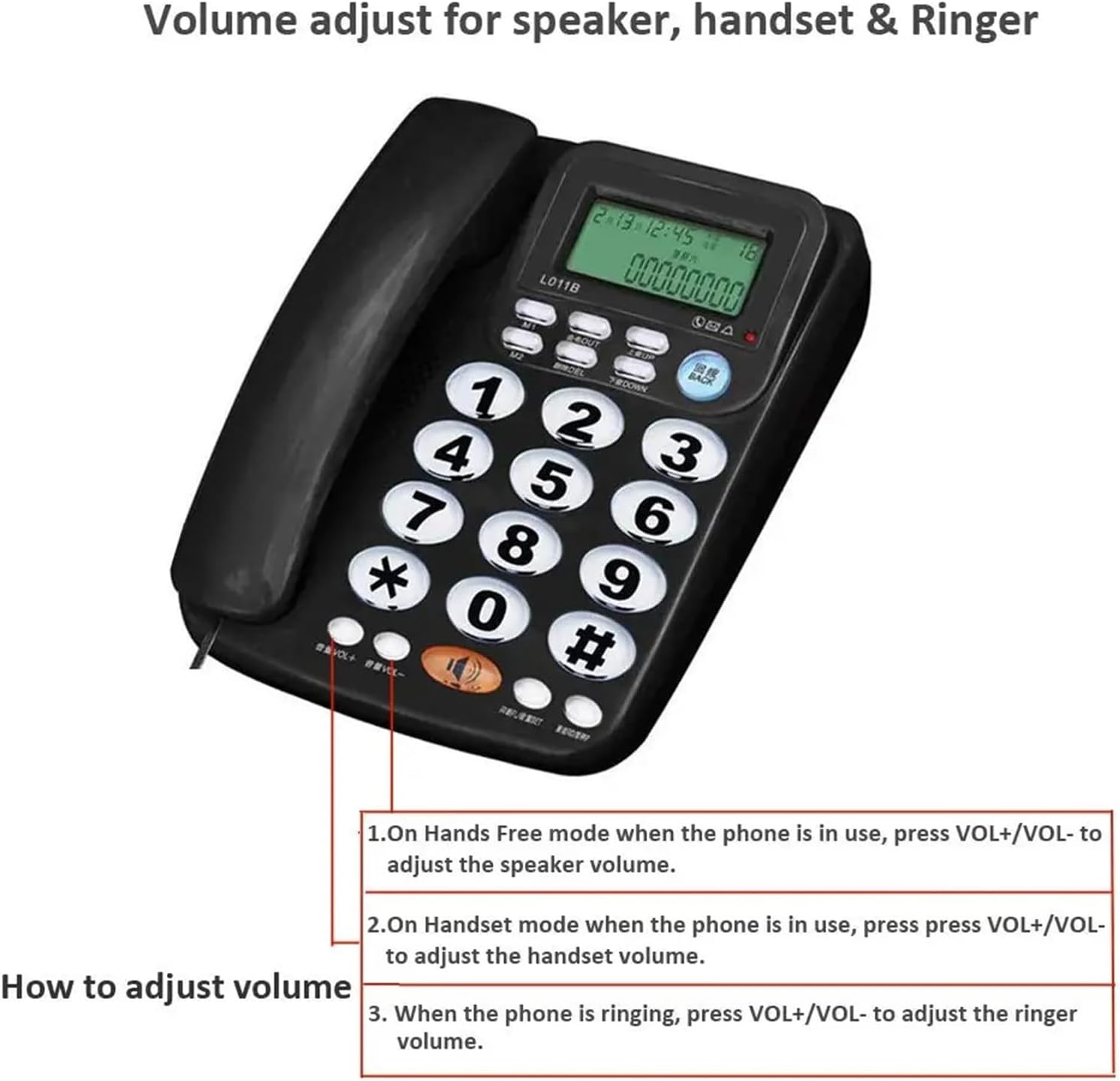
The L011B telephone allows you to adjust the volume for the speaker, handset, and ringer:
- Iwọn didun Agbọrọsọ: When the phone is in hands-free mode, press VOL+ or VOL- lati ṣatunṣe iwọn didun agbọrọsọ.
- Iwọn foonu: When in handset mode during a call, press VOL+ or VOL- to adjust the handset volume.
- Iwọn Ringer: When the phone is ringing, press VOL+ or VOL- lati ṣatunṣe iwọn didun ringer.
Itoju
Ninu
To keep your telephone in optimal condition:
- Wipe the telephone unit with a soft, damp asọ.
- Ma ṣe lo awọn olutọpa abrasive tabi awọn olomi, nitori wọn le ba oju ilẹ jẹ.
- Ensure the telephone is unplugged from the wall jack before cleaning.
Laasigbotitusita
If you encounter any issues with your TINGUT L011B telephone, please refer to the following table for common problems and solutions:
| Isoro | Owun to le Fa | Ojutu |
|---|---|---|
| Ko si ohun orin ipe | Okun laini foonu ti di alaimuṣinṣin tabi ge asopọ. | Rí i dájú pé okùn ìlà tẹlifóònù náà so mọ́ foonu àti ibi tí ó wà ní ògiri. |
| Ko le gbo olupe / Olupe ko le gbo temi | Iwọn didun ti lọ silẹ tabi dakẹ. | Adjust the handset or speaker volume using the VOL+ bọtini. |
| ID olupe ko han | Caller ID service not activated by your telephone provider. | Contact your telephone service provider to ensure Caller ID service is active on your line. |
| Ifihan ti wa ni baibai tabi unreadable | Low light environment. | The display has a backlighting function for low light conditions. Ensure the phone is receiving power if applicable (some Caller ID phones require batteries for display, though not specified for L011B). |
Awọn pato
- Awoṣe: L011B
- Brand: TINGUT
- Iru: Foonu Ilẹ-ilẹ ti okun
- Ohun elo: Ṣiṣu
- Àwọ̀: As Pictures (typically Black)
- Ifihan: Large, Backlit LCD with Caller ID
- Awọn ẹya: Real-time Caller Display, Speakerphone Function, Adjustable Volume (Speaker, Handset, Ringer)