
Ọrọ Iṣaaju
This manual provides essential information for the safe and efficient use of your DOOGEE Smartphone 5G Note 59 Pro+. Please read it thoroughly before operating your device.
Ohun ti o wa ninu Apoti
- DOOGEE Smartphone 5G Note 59 Pro+
- USB Iru-C USB
- Adapter agbara
- SIM Ejector Ọpa
- Quick Bẹrẹ Itọsọna
- Kaadi atilẹyin ọja
Ṣeto
1. Fi kaadi SIM sii ati kaadi MicroSD
Locate the SIM card tray on the side of your device. Use the provided SIM ejector tool to open the tray. Insert your Nano-SIM card(s) and/or a MicroSD card into the designated slots, ensuring correct orientation. Close the tray securely.

Aworan: Iwaju ati sẹhin view of the DOOGEE Smartphone 5G Note 59 Pro+, highlighting its sleek design and camera module.
2. Ibẹrẹ Agbara Tan ati Eto
Press and hold the Power button until the DOOGEE logo appears. Follow the on-screen prompts to select your language, connect to a Wi-Fi network, and set up your Google account. This process will guide you through essential initial configurations.
Ṣiṣẹ ẹrọ rẹ
Ipilẹ Lilọ kiri
Your device features a responsive touchscreen. Use gestures such as tap, swipe, pinch-to-zoom, and long-press to navigate the interface. The power button is located on the right side, and volume buttons are typically above it.
Android 15 System
The DOOGEE Note 59 Pro+ runs on the latest Android 15 operating system, offering enhanced privacy features, improved performance, and a user-friendly interface. Explore the app drawer, notification panel, and quick settings for efficient device management.

Image: Depiction of the Android 15 operating system, showcasing its compatibility with popular applications like Instagram, TikTok, Facebook, and YouTube.
Išẹ ati Ibi ipamọ
Equipped with an T8200 5G Octa-core Processor and 36GB RAM (including virtual RAM), your device ensures smooth multitasking and efficient app performance. The 512GB internal storage provides ample space for your apps, photos, and videos, expandable up to 2TB with a MicroSD card.

Image: Diagram illustrating the T8200 5G Octa-core Processor, highlighting its 2 Super Cores (Cortex A76 2.3GHz) and 6 Efficient Cores (Cortex A55 2.1GHz) on a 6nm chipset.
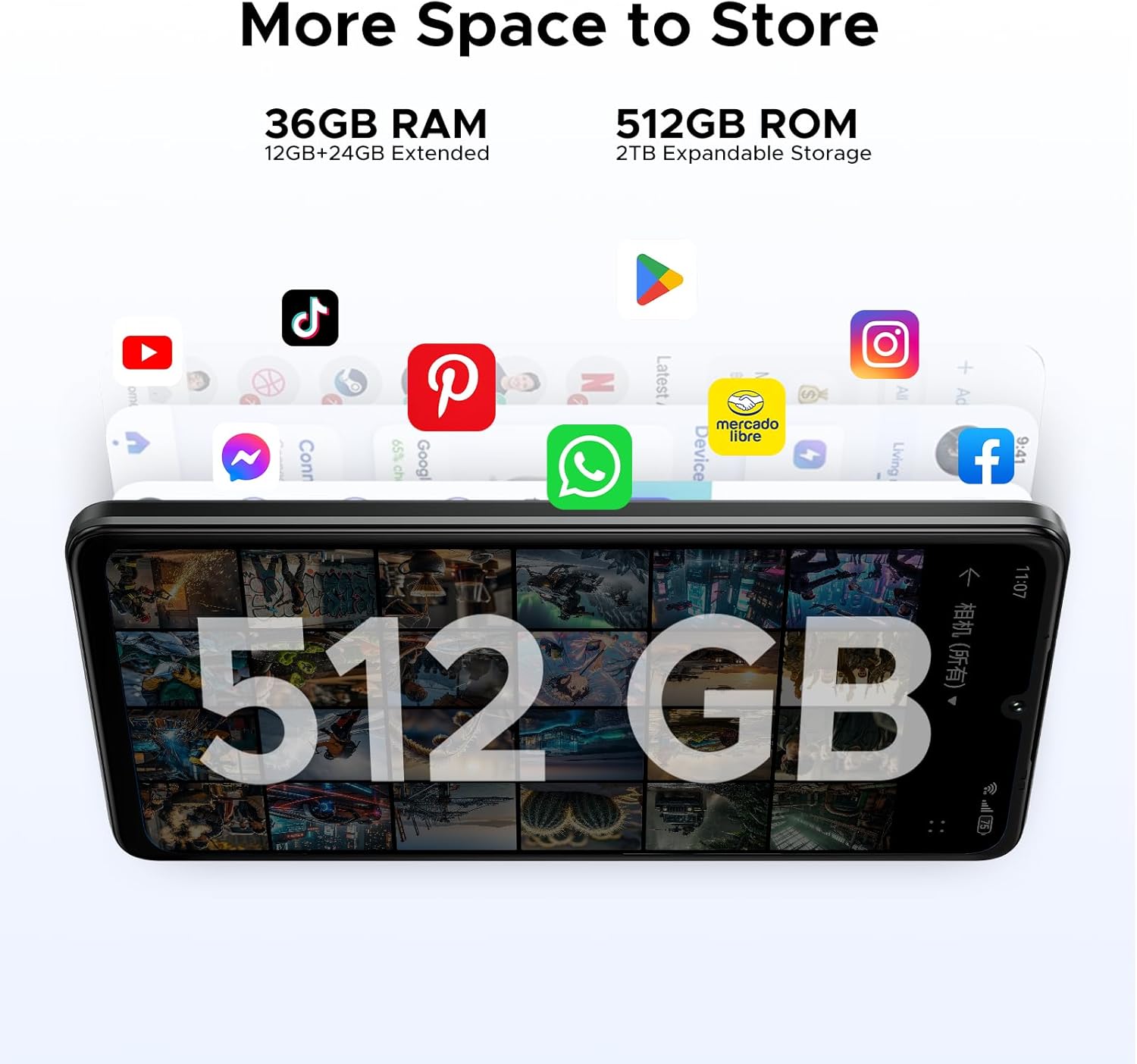
Image: Visual representation of the device's storage capabilities, featuring 36GB RAM (12GB+24GB Extended) and 512GB ROM with 2TB expandable storage, suitable for various applications.
Awọn ẹya kamẹra
Capture high-quality photos and videos with the 50MP AI Main Camera. The 8MP Front Camera is ideal for selfies and video calls. Explore various camera modes and settings for optimal results.

Image: Diagram showing the placement and specifications of the 50MP AI Main Camera and 8MP Front Camera on the smartphone.
Display and Battery
Enjoy a vibrant visual experience on the 6.75-inch HD+ IPS display with a 120Hz refresh rate, providing smooth scrolling and responsive touch. The 6250mAh battery offers extended usage times, including up to 1266 hours standby, 36.3 hours calling, and 27 hours music playing.

Image: Illustration highlighting the 6.75-inch IPS Display with a 120Hz refresh rate and 720*1600 resolution, designed for an immersive viewiriri iriri.
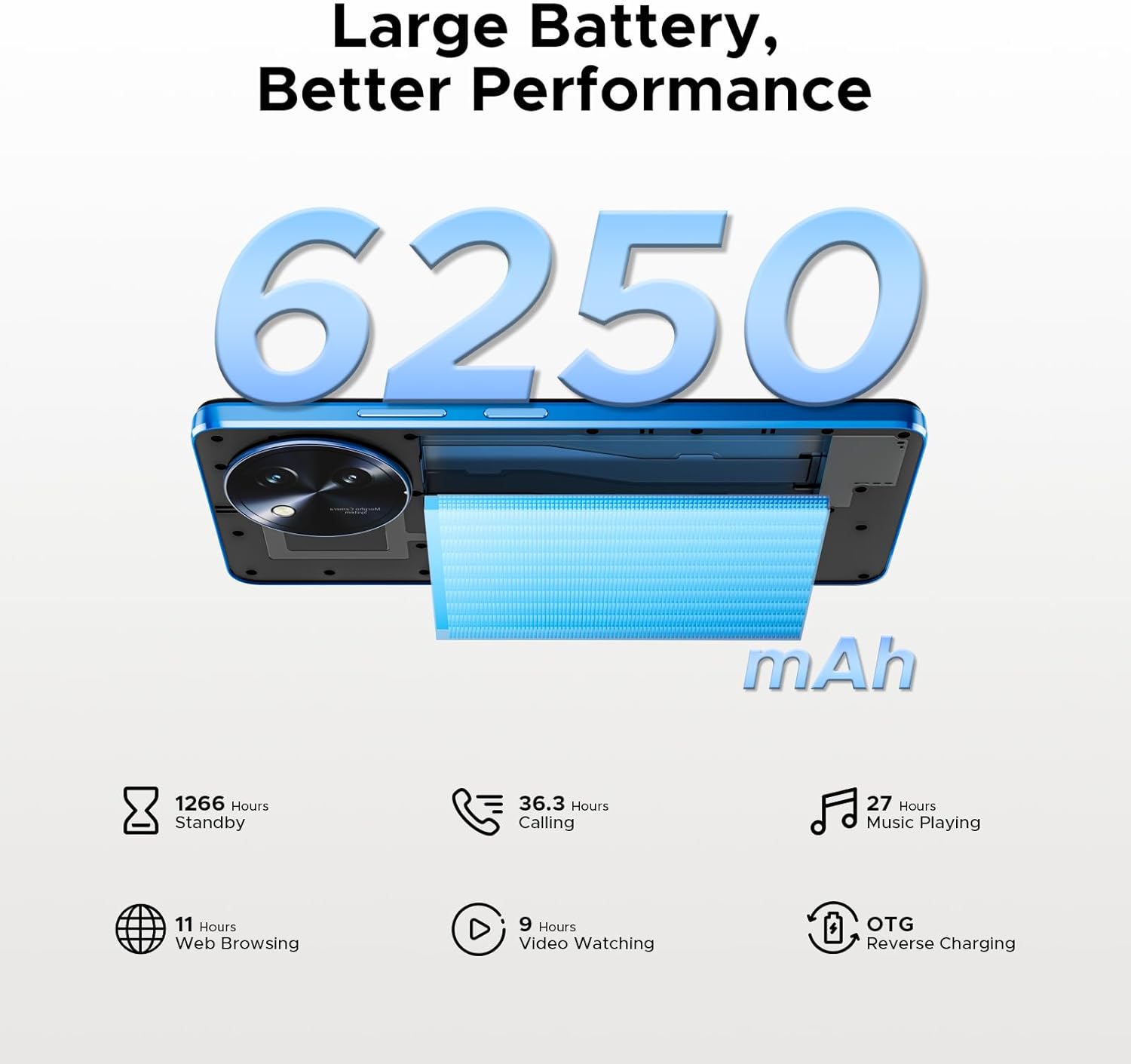
Image: Visual representation of the 6250mAh battery, detailing its impressive usage statistics such as 1266 hours standby, 36.3 hours calling, 27 hours music playing, 11 hours web browsing, and 9 hours video watching, along with OTG reverse charging capability.
Connectivity and Other Features
The device supports 5G connectivity for fast internet speeds. It also includes NFC for contactless payments, OTG for connecting external devices, facial unlocking, fingerprint sensor, and dual SIM support.

Image: Display of the smartphone's slim 8.6mm design and lightweight 199g build, available in Midnight Black, Sapphire Blue, and Rococo White color options.
Itoju
Ninu Ẹrọ Rẹ
Lo asọ rirọ, ti ko ni lint lati nu iboju ati ara foonu rẹ mọ. Yago fun lilo awọn kẹmika lile tabi awọn ohun elo abrasive. Fun abori smudges, die-die damp cloth with water or a screen cleaner designed for electronics can be used.
Awọn imudojuiwọn Software
Regularly check for and install software updates to ensure your device has the latest features, security patches, and performance improvements. Navigate to Settings > System > System update to check for available updates.
Itọju Batiri
To prolong battery life, avoid extreme temperatures. Charge your device using the original charger and cable. It is recommended to keep the battery level between 20% and 80% for optimal longevity.
Laasigbotitusita
Wọpọ Oran ati Solusan
| Oro | Ojutu |
|---|---|
| Ẹrọ kii yoo tan-an | Rii daju pe batiri ti gba agbara. Tẹ mọlẹ bọtini Agbara fun o kere ju iṣẹju 10 lati fi ipa mu tun bẹrẹ. |
| Poor signal or no network | Check SIM card insertion. Try restarting the device. Verify network settings and contact your carrier if issues persist. |
| Awọn ohun elo kọlu tabi didi | Clear app cache (Settings > Apps > [App Name] > Storage > Clear cache). Update the app. If the problem continues, uninstall and reinstall the app. |
| Batiri n ṣan ni kiakia | Reduce screen brightness. Close unused apps. Disable unnecessary features like Bluetooth or GPS when not in use. Check battery usage in settings to identify power-hungry apps. |
Atunto ile-iṣẹ
If your device experiences persistent issues, a factory reset can resolve them. Warning: This will erase all data on your device. Back up important data before proceeding. Go to Settings > System > Reset options > Erase all data (factory reset).
Awọn pato
| Ẹya ara ẹrọ | Ẹ̀kúnrẹ́rẹ́ |
|---|---|
| Ọja Mefa | 6.61 x 3.05 x 0.34 inches |
| Iwọn Nkan | 7.2 iwon (203 Giramu) |
| Nọmba awoṣe ohun kan | NOTE59PRO+ |
| Awọn batiri | 1 9V batteries required. (included) |
| Miiran àpapọ awọn ẹya ara ẹrọ | Ailokun |
| Human Interface Input | Afi ika te |
| Olupese | DOOGEE |
| Ọjọ Akọkọ Wa | Oṣu Karun ọjọ 20, Ọdun 2025 |
| Agbara Ibi ipamọ Iranti | 512 GB |
| Iwọn ifihan iboju duro | 6.75 inches |
| Brand | DOOGEE |
| Iwon iboju | 6.75 inches |
| Alailowaya ti ngbe | Ṣiṣi silẹ fun Gbogbo Awọn Olukọni |
| Odun | 2025 |
| Apakan Ipin | 5:3 |
Atilẹyin ọja ati Support
Alaye atilẹyin ọja
Your DOOGEE Smartphone 5G Note 59 Pro+ comes with a standard manufacturer's warranty. Please refer to the warranty card included in your product packaging for specific terms and conditions. Keep your proof of purchase for warranty claims.
Onibara Support
For technical assistance, troubleshooting, or warranty inquiries, please visit the official DOOGEE website or contact their customer support. Contact information can typically be found on the DOOGEE brand store page or in the quick start guide.
You can visit the official DOOGEE Store for more information: Ile itaja DOOGEE lori Amazon