
JUNJIEUNVO YYK-Q16 PRO
JUNJIEUNVO Q30 Bluetooth Earphones User Manual
Model: YYK-Q16 PRO
1. Ifihan
Thank you for choosing the JUNJIEUNVO Q30 Bluetooth Earphones. These earphones are designed to provide a superior audio experience with advanced features such as an intelligent color touch screen, Active Noise Cancellation (ANC), and Environmental Noise Cancellation (ENC). This manual will guide you through the setup, operation, and maintenance of your new earphones.
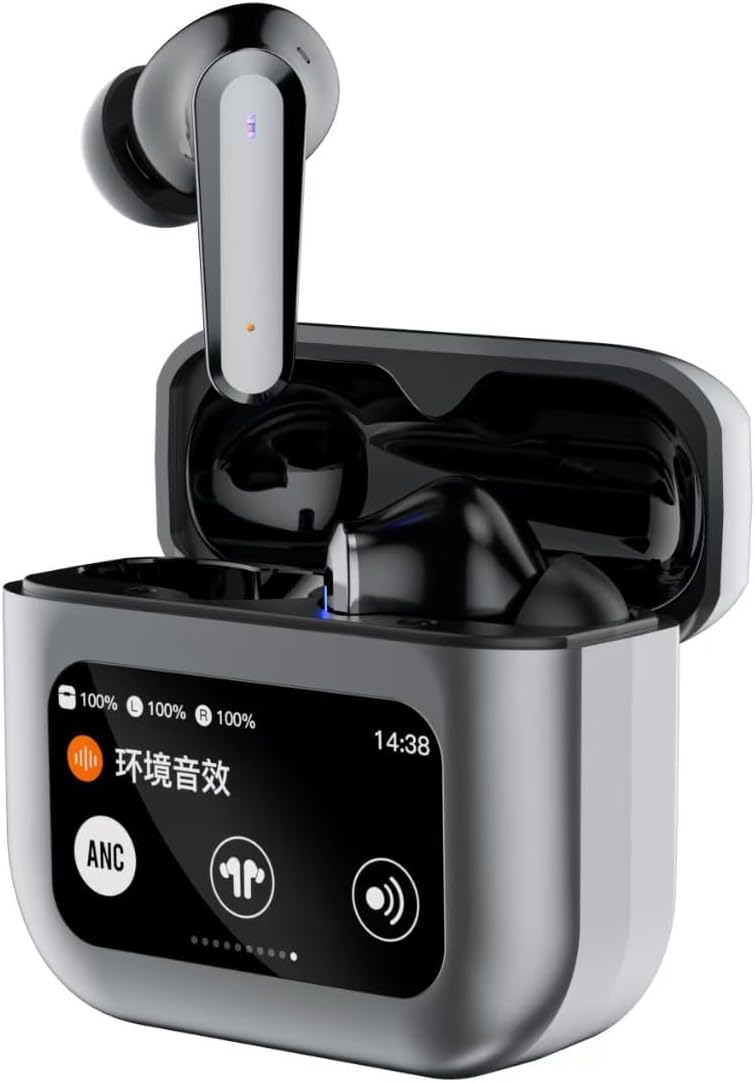
Image 1.1: JUNJIEUNVO Q30 Bluetooth Earphones in their charging case, showcasing the intelligent color touch screen.
2. Package Awọn akoonu
Jọwọ ṣayẹwo package fun awọn nkan wọnyi:
- JUNJIEUNVO Q30 Bluetooth Earphones (Left and Right)
- Charging Case with Intelligent Color Touch Screen
- Okun Ngba agbara USB
- Itọsọna olumulo
- Awọn Iwọn Italolobo Eti lọpọlọpọ (S, M, L)
3. Alaye Aabo pataki
- Má ṣe tú tàbí yí àwọn agbekọri tàbí àpótí gbigba agbara padà.
- Keep the device away from extreme temperatures, humidity, and liquids.
- Yago fun ifihan pẹ si awọn ipele iwọn didun giga lati ṣe idiwọ ibajẹ igbọran.
- Lo okun gbigba agbara ti a pese nikan tabi iwe-ẹri deede.
- Sọ ẹrọ naa ati batiri rẹ ni ifojusọna ni ibamu si awọn ilana agbegbe.
4. Eto
4.1. Ngba agbara si Earphones ati Case
Ṣaaju lilo akọkọ, gba agbara ni kikun awọn agbekọri ati apoti gbigba agbara.
- So okun gbigba agbara USB pọ mọ ibudo gbigba agbara lori apoti naa ati si orisun agbara kan.
- Iboju ifọwọkan lori ọran naa yoo han ipo gbigba agbara.
- Gbe awọn agbekọri sinu apoti gbigba agbara. Wọn yoo bẹrẹ gbigba agbara laifọwọyi.
- Gbigba agbara ni kikun maa n gba to wakati mẹta.
4.2. Sisopọ Bluetooth
Lati so awọn agbekọri rẹ pọ mọ ẹrọ kan:
- Rii daju pe awọn agbekọri ti gba agbara ati inu apoti gbigba agbara.
- Ṣii ideri apoti gbigba agbara. Awọn agbekọri yoo tẹ ipo sisopọ laifọwọyi.
- Lori ẹrọ rẹ (foonuiyara, tabulẹti, ati be be lo), jeki Bluetooth.
- Wa fun available Bluetooth devices and select "Q30" from the list.
- Once connected, the earphones will indicate successful pairing, and the touch screen on the case may show connection status.
4.3. Wọ awọn Earphones
For optimal sound quality and comfort, choose the ear tips that best fit your ears. Insert the earphones gently into your ear canal and rotate them slightly until they feel secure and comfortable.
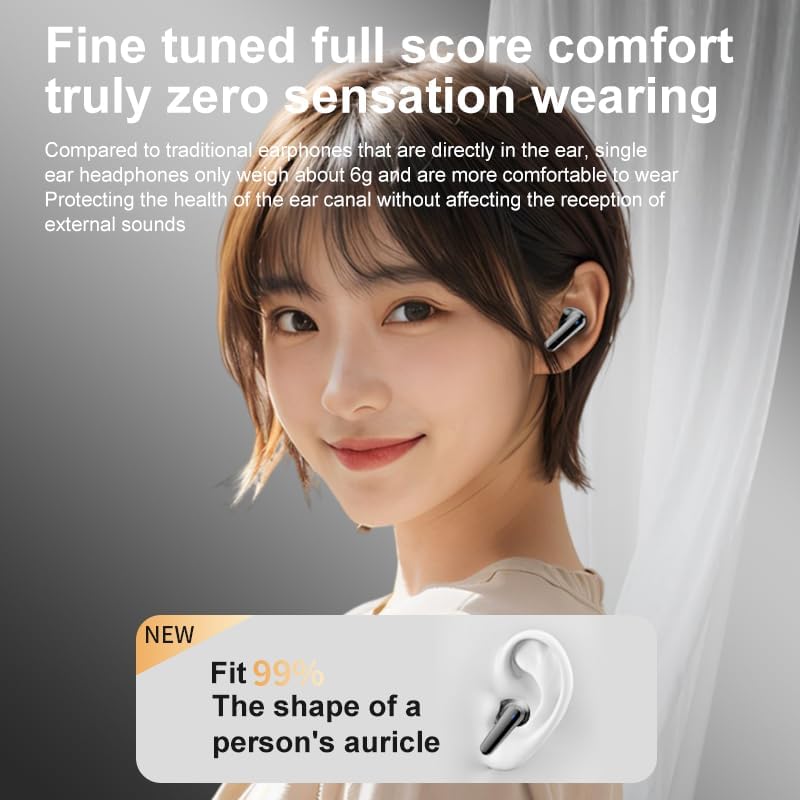
Image 4.1: Illustration of proper earphone fit for comfort and sound.
5. Awọn ilana Iṣiṣẹ
5.1. Agbara Tan / Paa
- Agbara Tan: Open the charging case lid, or take the earphones out of the case. They will power on automatically.
- Agbara Pa: Place the earphones back into the charging case and close the lid. They will power off automatically.
5.2. Awọn iṣakoso Fọwọkan (Earbuds)
The earphones feature touch-sensitive areas for various functions:
- Ṣiṣẹ/Daduro: Fọwọ ba ẹyọkan lori boya agbekọri.
- Orin t’okan: Fọwọ ba lẹẹmeji lori agbekọri ọtun.
- Tẹlẹ Orin: Fọwọ ba lẹẹmeji lori agbekọri osi.
- Idahun/Ipe Ipari: Fọwọ ba ẹyọkan lori boya agbekọri.
- Kọ Ipe: Tẹ mọlẹ boya agbekọri fun iṣẹju 2.
- Mu Oluranlọwọ Ohun ṣiṣẹ: Fọwọ ba meteta lori boya agbekọri.
- Switch ANC/ENC Modes: Press and hold the left earbud for 2 seconds to cycle through ANC On, Transparency Mode, and ANC Off.
5.3. Intelligent Color Touch Screen Functions (Charging Case)
The charging case features a full-color touch screen for advanced control and settings. Swipe left or right to navigate through the menus.

Aworan 5.1: Pariview of the intelligent color touch screen functions on the charging case.
- Iṣakoso Orin: Play, pause, skip tracks directly from the screen.
- Atunse iwọn didun: Control the playback volume.
- Agbẹgbẹ: Select from preset equalizer modes or customize your sound profile.
- Pattern Selection (Mode Select): Choose different audio modes, such as gaming or movie mode.
- Lock Wallpaper: Ṣe akanṣe abẹlẹ iboju.
- Eto akoko: Adjust the device's time.
- Imọlẹ iboju: Satunṣe imọlẹ ifihan.
- Iṣẹ́ ògùṣọ̀: Activate a small flashlight feature.
- Èdè: Yi ede ifihan pada.
- Find Earphone: Locate misplaced earbuds by emitting a sound.
- Iṣẹ kamẹra: Láti ọ̀nà jíjìn lo ẹ̀rọ ìdènà kámẹ́rà fóònù rẹ.
- Ipe ohun: Initiate or manage voice calls.
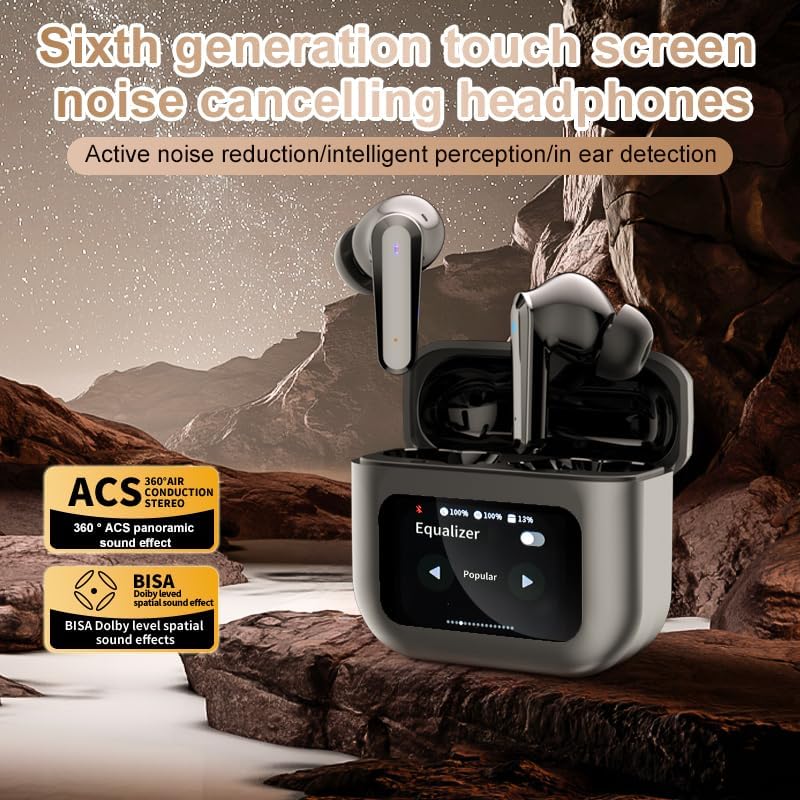
Image 5.2: The touch screen displaying equalizer settings for audio customization.
5.4. Active Noise Cancellation (ANC) and Environmental Noise Cancellation (ENC)
The Q30 earphones feature both ANC for reducing ambient noise and ENC for clear call quality.
- ANC: Reduces external low-frequency noise, ideal for travel or noisy environments. Activate via earbud touch control or the charging case screen.
- Ipo akoyawo: Allows you to hear your surroundings without removing the earphones. Cycle through modes using the earbud touch control.
- ENC: Enhances voice clarity during calls by filtering out background noise from your microphone. This feature is automatically active during calls.

Image 5.3: The touch screen interface for selecting various modes, including noise cancellation options.
6. Itọju
6.1. Ninu
- Rọra nu awọn agbekọri ati apoti gbigba agbara pẹlu asọ, gbẹ, asọ ti ko ni lint.
- Maṣe lo awọn afọmọ abrasive, ọti-lile, tabi awọn nkan ti kemikali.
- Nu awọn imọran eti nigbagbogbo pẹlu ipolowoamp cloth and allow them to dry completely before reattaching.
- Ensure charging contacts on both earphones and case are clean and free of debris.
6.2. Ibi ipamọ
- Nigbati o ko ba si ni lilo, tọju awọn agbekọri sinu apoti gbigba agbara wọn lati daabobo wọn ki o jẹ ki wọn gba agbara.
- Tọju ni itura, aye gbigbẹ, kuro lati orun taara ati awọn iwọn otutu to gaju.
7. Laasigbotitusita
| Isoro | Owun to le Fa | Ojutu |
|---|---|---|
| Awọn agbekọri ko so pọ | Awọn agbekọri ko si ni ipo sisopọ; Bluetooth kuro lori ẹrọ; jade ti ibiti o. | Ensure earphones are in pairing mode (open case lid). Turn Bluetooth on your device. Move device closer to earphones. |
| Ko si ohun lati earphones | Iwọn ti o kere ju; earphones ko sopọ; media duro. | Increase volume on device and earphones. Reconnect earphones. Check if media is playing. |
| Foonu agbekọri kan ko ni ohun | Low battery; connection issue. | Place both earphones back in the case, close, then reopen to reset connection. Ensure both are charged. |
| Ngba agbara ko gba agbara | Faulty cable; power source issue. | Gbiyanju okun USB miiran ati adapter agbara. Rii daju pe awọn asopọ wa ni aabo. |
| Iboju ifọwọkan ko dahun | Ibùgbé software glitch. | Restart the case by closing and reopening it, or allow the battery to drain and recharge. |
8. Awọn pato
| Ẹya ara ẹrọ | Ẹ̀kúnrẹ́rẹ́ |
|---|---|
| Orukọ awoṣe | YYK-Q16 PRO (Q30) |
| Ẹya Bluetooth | V5.4 + EDR |
| Chip | Blue Flood |
| Awọn Ilana atilẹyin | AVRCP V1.6, A2DP V1.3, HFP V1.7, Simultaneous LE and BR / EDR |
| Ariwo Iṣakoso | Ifagile Ariwo Nṣiṣẹ (ANC), Ifagile Ariwo Ayika (ENC) |
| Akoko Sisisẹsẹhin | O fẹrẹ to awọn wakati 8 (ni iwọn 80%) |
| Akoko Iduro | wakati meji 80 |
| Akoko gbigba agbara | O fẹrẹ to awọn wakati 1.5 |
| Alailowaya Ijinna | 10 mita |
| Agbara Agbekọri Agbekọri | 40mAh |
| Ngba agbara Batiri Case | 500mAh |
| Mabomire Rating | IPX5 (Earfoonu) |
| Ipalara | 32 ohm |
| UPC | 884613749491 |
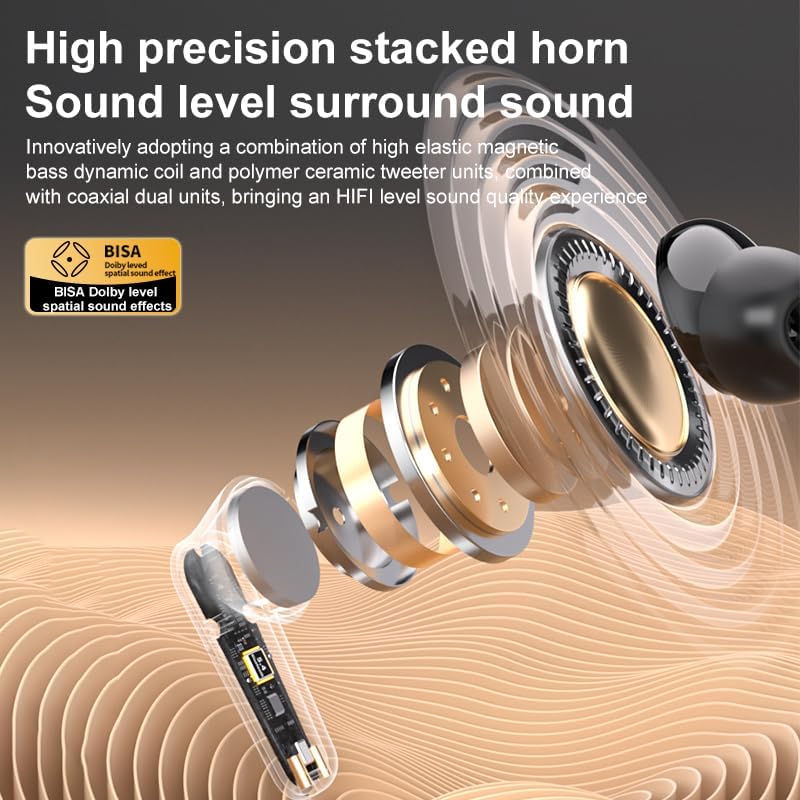
Aworan 8.1: alaye view of the high-precision stacked horn and internal components for sound delivery.
9. Atilẹyin ọja ati Support
For warranty information or technical support, please refer to the warranty card included with your product or contact the manufacturer directly. Please have your model number (YYK-Q16 PRO) and purchase details ready when contacting support.
Manufacturer: UNVO
Ask a question about this manual
Ask about setup, troubleshooting, compatibility, parts, safety, or missing instructions. Manuals+ will review the question and use this page’s manual context to help answer it.