
Ọrọ Iṣaaju
This manual provides detailed instructions for the safe and efficient use of your boAt Airdopes Plus 311 True Wireless Stereo (TWS) Earbuds. Please read this guide thoroughly before using the product to ensure optimal performance and longevity. Keep this manual for future reference.

Image: boAt Airdopes Plus 311 TWS Earbuds in Midnight Blue, showcasing the earbuds and charging case.
Ohun ti o wa ninu Apoti
Upon unboxing your boAt Airdopes Plus 311, you should find the following items:
- boAt Airdopes Plus 311 Earbuds
- Alailowaya Ngba agbara Case
- USB Iru-C Ngba agbara USB
- Additional Ear Cushions (S, M, L sizes)
- Itọsọna olumulo

Image: The boAt Airdopes Plus 311 earbuds nestled within their charging case.
Ọja Pariview
The boAt Airdopes Plus 311 features a minimalistic glass design and is equipped with 10mm dynamic drivers for boAt Signature Sound. Each earbud includes dual microphones with ENx Technology for clear voice calls.

Aworan: A sunmọ-soke view of the boAt Airdopes Plus 311 earbuds, highlighting their design and in-ear form factor.
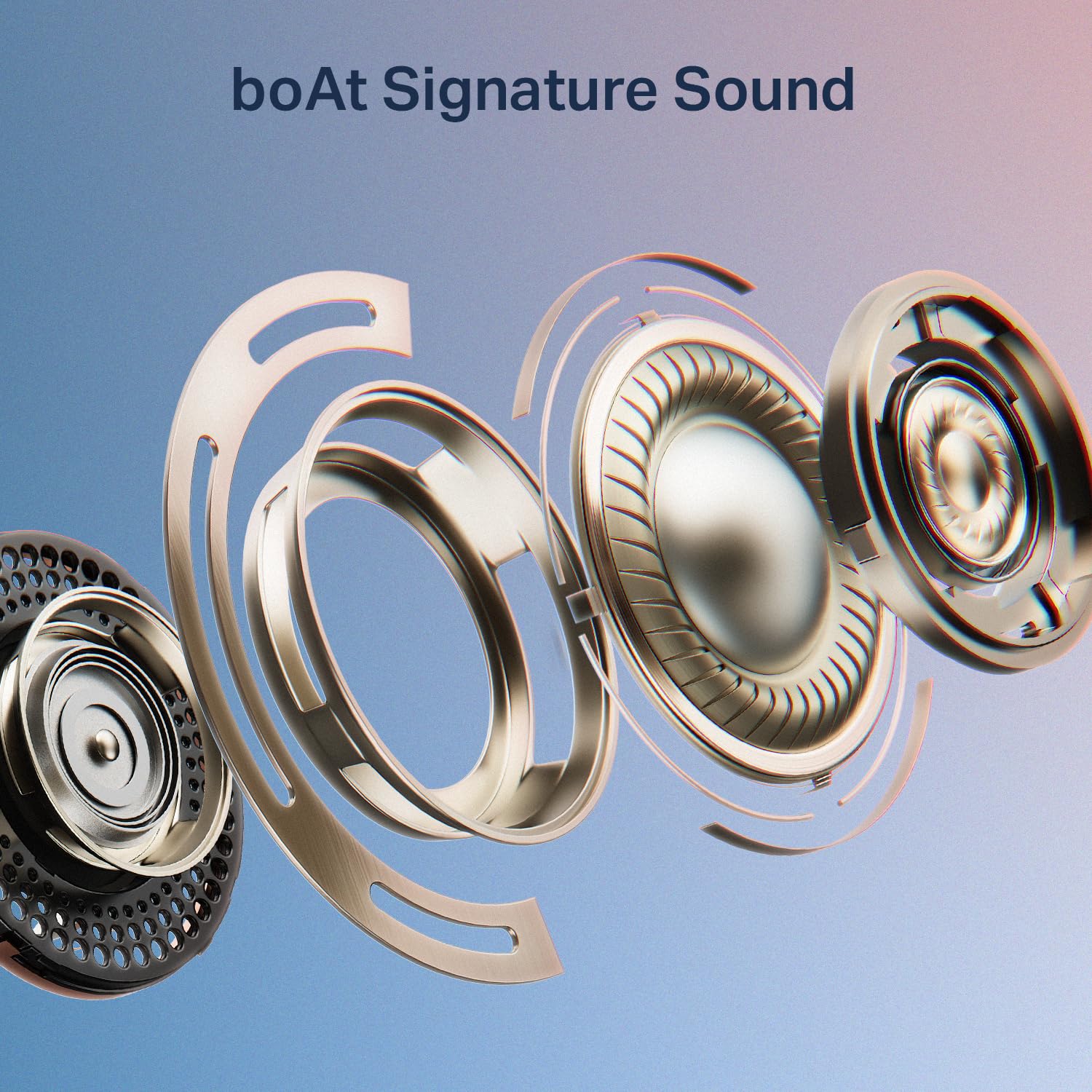
Image: An exploded diagram illustrating the internal components of a boAt Airdopes Plus 311 earbud, emphasizing the boAt Signature Sound driver.
Ṣeto
1. Ngba agbara si Earbuds ati Ọran
Before first use, fully charge the Airdopes Plus 311 earbuds and their charging case. The case provides additional charges for extended playtime.
- Connect the provided USB Type-C cable to the charging port on the case and a compatible USB power source.
- Atọka LED lori ọran naa yoo ṣafihan ipo gbigba agbara.
- Gbigba agbara ni kikun gba to wakati mẹta.
- The ASAP Charge feature allows for 150 minutes of playback with just 10 minutes of charging.
- The earbuds offer up to 50 hours of total playback time with the charging case.
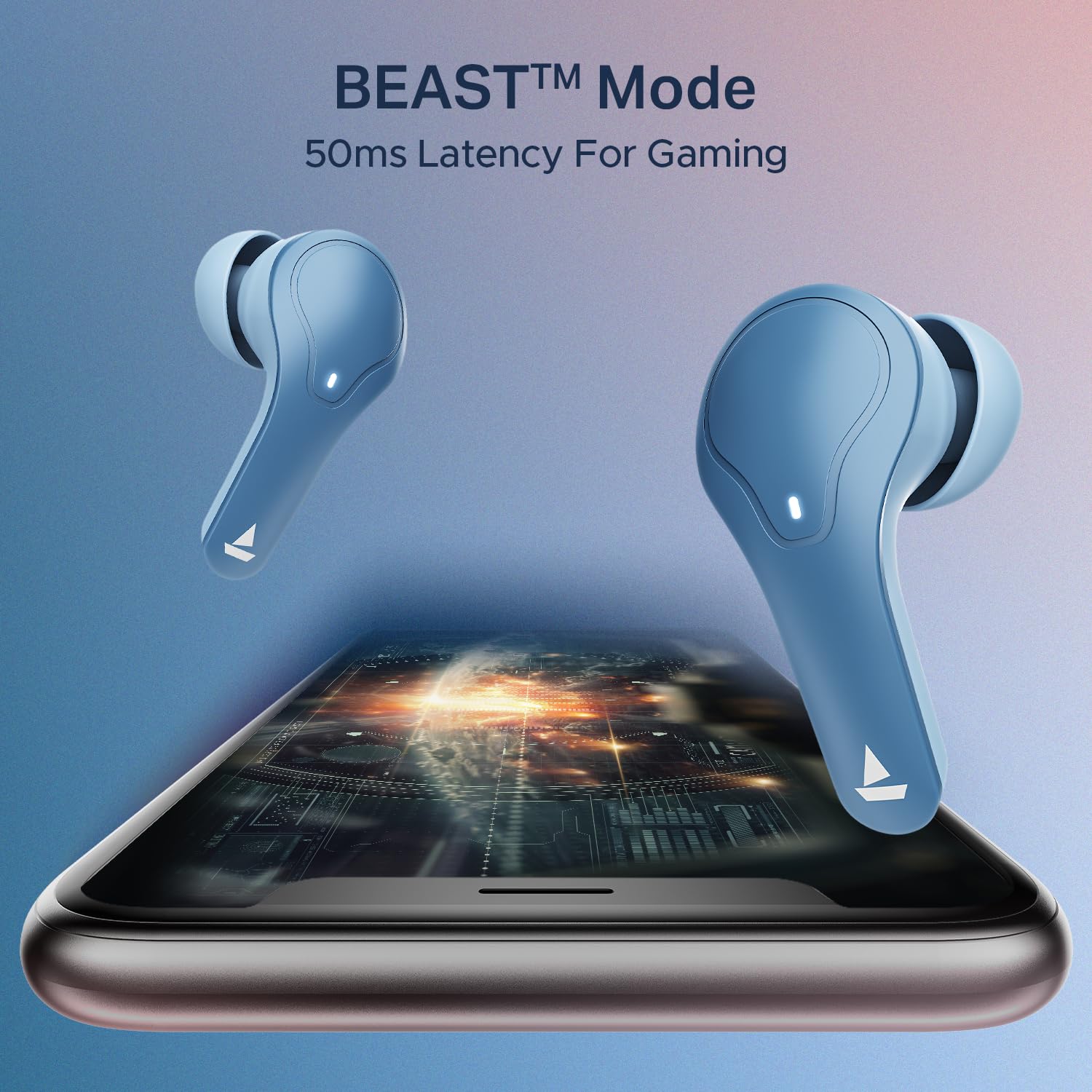
Image: The boAt Airdopes Plus 311 charging case, highlighting the Type-C charging port.

Image: Visual representation of the boAt Airdopes Plus 311's 50 hours of total playback and ASAP Charge capability (10 minutes charge for 150 minutes playback).
2. Sisopọ pẹlu Ẹrọ Rẹ
The Airdopes Plus 311 features Insta Wake N’ Pair (IWP) technology for seamless connectivity.
- Pipọpọ akọkọ:
- Ṣii ideri ti apoti gbigba agbara. Awọn agbekọri yoo tan ina laifọwọyi ati tẹ ipo sisopọ pọ sii.
- Lori ẹrọ rẹ (foonuiyara, tabulẹti, kọǹpútà alágbèéká), mu Bluetooth ṣiṣẹ.
- Wa fun "Airdopes Plus 311" in the list of available Bluetooth devices and select it to connect.
- Nígbà tí o bá ti so pọ̀, o máa gbọ́ ìpè ohùn kan, àmì LED tó wà lórí àwọn ètí ìgbọ́rọ̀ náà yóò sì yípadà.
- Tun so pọ:
- Once paired, the earbuds will automatically connect to the last paired device when you open the case lid (if Bluetooth is enabled on the device).
The earbuds utilize Bluetooth v5.3 for stable connectivity up to a range of 10 meters.

Image: A smartphone screen displaying the Bluetooth connection interface with the boAt Airdopes Plus 311 earbuds.
Awọn ilana Iṣiṣẹ
The Airdopes Plus 311 earbuds feature intuitive touch controls for managing your audio and calls.
| Iṣe | Išẹ |
|---|---|
| Tẹ ẹyọkan (Afikun Osi/Ọtun) | Mu orin ṣiṣẹ/Danuduro, Dahun/Pari ipe |
| Tẹ ni kia kia lẹẹmeji (Ẹkọ Atẹti ọtun) | Next Track |
| Tẹ ni kia kia lẹẹmeji (Agbohun Akọkọ osi) | Ti tẹlẹ Track |
| Long Press (Left/Right Earbud, 2 seconds) | Mu Oluranlọwọ Ohun ṣiṣẹ |
| Long Press (Left/Right Earbud, 3 seconds during call) | Kọ Ipe |
| Tẹ ni kia kia Meta (Apa osi/Ati Ọtun) | Toggle BEAST™ Mode (Low Latency Gaming) |
Oluranlọwọ ohun: Activate your device's voice assistant (Google Assistant, Siri) with a long press on either earbud. This allows for hands-free control and information retrieval.
Ipo BEAST™: For an enhanced gaming experience, triple tap either earbud to activate BEAST™ Mode, which provides 50ms low latency audio.

Aworan: Afihan akojọpọasing key features of the boAt Airdopes Plus 311, including Dual Mics with ENx Technology, 50 hours playback, boAt Signature Sound, BEAST™ Mode for gaming, and Minimalistic Glass Design.
boAt Hearables App
Enhance your experience by downloading the boAt Hearables App. The app provides additional features and controls for your Airdopes Plus 311.

Image: A smartphone displaying the boAt Hearables App with a QR code for easy download. Scan the QR code to access the app.
Ṣe igbasilẹ ohun elo naa nibi: boAt Hearables App
Itoju
Proper care ensures the longevity and optimal performance of your Airdopes Plus 311.
- Ninu: Mọ awọn afikọti nigbagbogbo ati apoti gbigba agbara pẹlu asọ ti o gbẹ, asọ ti ko ni lint. Yago fun lilo awọn kẹmika lile tabi awọn ohun elo abrasive.
- Omi Resistance: The earbuds are IPX4 rated, meaning they are resistant to dust, sweat, and splashes. Do not submerge them in water or expose them to heavy rain. Ensure they are dry before placing them back in the charging case.
- Ibi ipamọ: Nigbati o ko ba si ni lilo, tọju awọn afikọti sinu apoti gbigba agbara wọn lati daabobo wọn ki o jẹ ki wọn gba agbara. Tọju ni itura, aye gbigbẹ kuro lati orun taara ati awọn iwọn otutu to gaju.
- Itọju Batiri: Láti pa agbára batiri mọ́, má ṣe tú àwọn ètí àti àpótí náà jáde nígbà gbogbo. Gba agbára wọn nígbà gbogbo, kódà bí wọn kò bá tiẹ̀ ń lò ó nígbà gbogbo.

Image: A collage highlighting features including IPX4 Dust, Sweat & Splash Resistant rating for the boAt Airdopes Plus 311.
Laasigbotitusita
If you encounter any issues with your Airdopes Plus 311, refer to the following common solutions:
- Àwọn etí tí kò ń tan:
- Rii daju pe apoti gbigba agbara ati awọn agbekọri ti gba agbara ni kikun.
- Place the earbuds back in the case, close the lid, and then open it again.
- Awọn agbekọri ti ko so pọ:
- Rii daju pe Bluetooth ti ṣiṣẹ lori ẹrọ rẹ.
- Ensure the earbuds are in pairing mode (LED indicator flashing).
- Forget "Airdopes Plus 311" from your device's Bluetooth list and try pairing again.
- Rí i dájú pé àwọn agbekọri náà wà láàárín ìpele Bluetooth tí ó tó mítà 10.
- Agbekọri agbekọri kan ṣoṣo ti n ṣiṣẹ:
- Place both earbuds back into the charging case, close the lid, wait a few seconds, and then open it again.
- Ṣàyẹ̀wò bóyá àwọn ètí àgbélébù méjèèjì ti gba agbára.
- Try resetting the earbuds (refer to the full product manual for specific reset instructions if needed).
- Iwọn kekere tabi didara ohun ti ko dara:
- Ṣatunṣe iwọn didun lori ẹrọ rẹ mejeeji ati awọn agbekọri.
- Ensure the ear tips are properly sealed in your ear canal. Try different sized ear cushions.
- Nu eyikeyi idoti kuro lati awọn agbohunsoke agbekọri.
- Awọn iṣoro gbigba agbara:
- Ṣàyẹ̀wò okùn gbigba agbara ati adapter fun ibajẹ.
- Rii daju pe ibudo gbigba agbara lori ọran naa jẹ mimọ ati laisi idoti.
- Gbiyanju okun gbigba agbara ti o yatọ tabi orisun agbara.
For further assistance, please contact boAt customer support.
Awọn pato
| Ẹya ara ẹrọ | Ẹ̀kúnrẹ́rẹ́ |
|---|---|
| Orukọ awoṣe | Airdopes Plus 311 |
| Nọmba awoṣe | 1000003677 |
| Brand | boAt |
| Gbigbe Eti | Ninu Eti |
| Fọọmù ifosiwewe | Ninu Eti |
| Ariwo Iṣakoso | Active Noise Cancellation (Note: This specification refers to the general capability. The product features ENx Technology for clear call microphones, not active noise cancellation for listening.) |
| Ọna Iṣakoso | Fọwọkan |
| Batiri Apapọ Life | Awọn wakati 50 (pẹlu apoti gbigba agbara) |
| Igba agbara Batiri | Awọn wakati 1.5 |
| Audio Driver Type | Awakọ Yiyipo (10mm) |
| Iwọn Igbohunsafẹfẹ | 20 Hz - 20 kHz |
| Ohun elo apade | Gilasi |
| Awọn ẹrọ ibaramu | Awọn foonu alagbeka, Kọǹpútà alágbèéká, Awọn tabulẹti |
| Omi Resistance Ipele | IPX4 (Atako omi) |
| Asopọmọra nẹtiwọki | Bluetooth |
| Ẹya Bluetooth | 5.3 |
| Bluetooth Ibiti | 10 Mita |
| Iwọn Nkan | 45 giramu |
Atilẹyin ọja ati Support
Your boAt Airdopes Plus 311 comes with a 1-odun atilẹyin ọja lati ọjọ ti o ra.
For product-related queries, technical support, or warranty claims, please contact boAt customer service:
- Olubasọrọ Support: +91 (022) 69181920
- Imeeli: info@imaginemarketingindia.com
- Olupese: Imagine Marketing Ltd.
- Adirẹsi: Unit no. 204 & 205, 2nd floor, D-wing & E-wing, Corporate Avenue, Andheri Ghatkopar Link Road, Mumbai, Maharashtra-400093, India.
Jọwọ pa ìwé ẹ̀rí ìrajà rẹ mọ́ gẹ́gẹ́ bí ẹ̀rí ìrajà fún àwọn iṣẹ́ àtìlẹ́yìn.