
DOOGEE U10
Ìwé Ìtọ́sọ́nà Olùlò Tábìlẹ́ẹ̀tì DOOGEE U10 Android 15
Model: U10 | Brand: DOOGEE
Ọrọ Iṣaaju
Welcome to the user manual for your new DOOGEE U10 Android 15 Tablet. This guide provides essential information to help you set up, operate, maintain, and troubleshoot your device. The DOOGEE U10 is a versatile 10-inch tablet designed for both productivity and entertainment, featuring the latest Android 15 operating system, a powerful quad-core processor, and ample ipamọ.
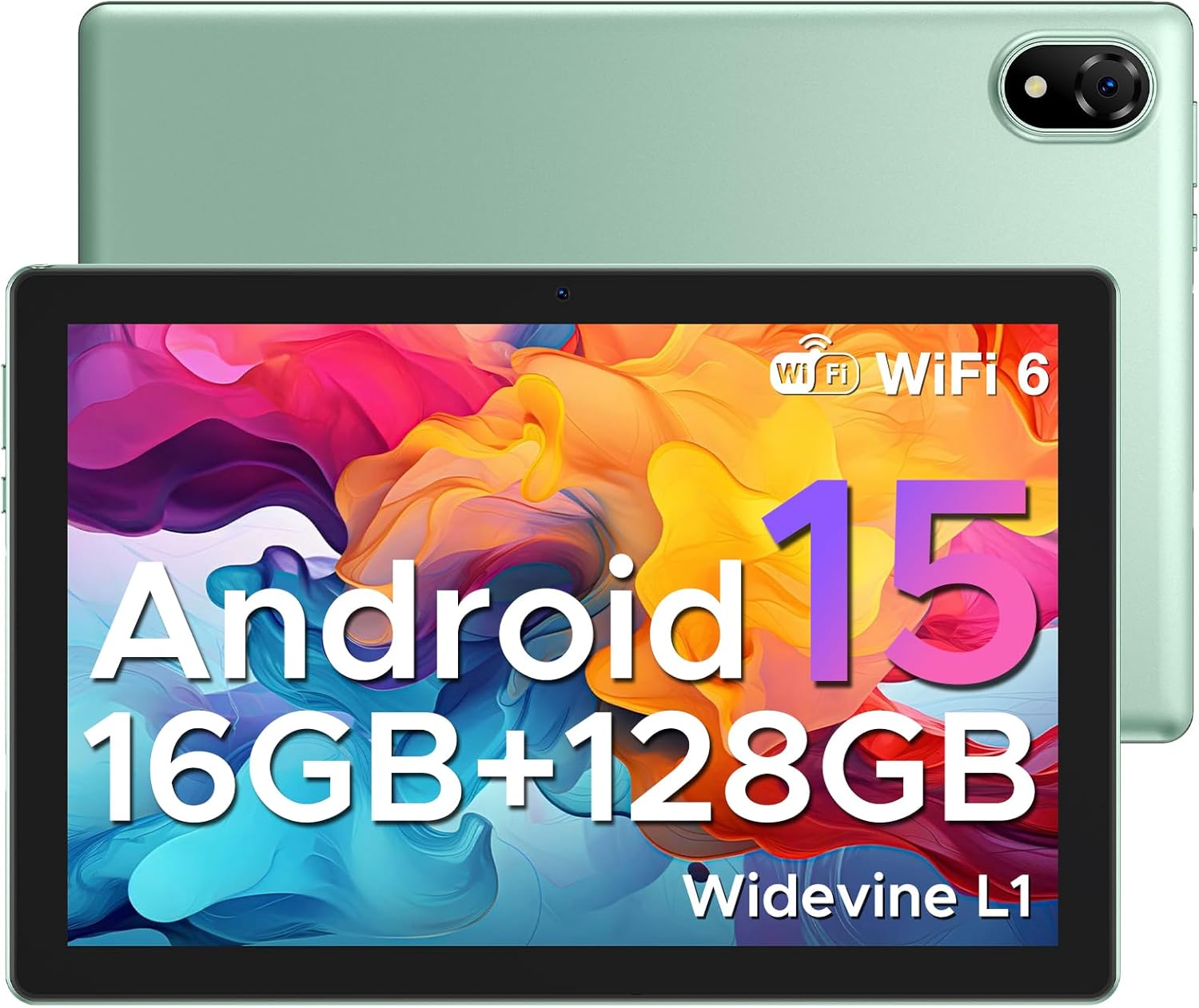
Figure 1: DOOGEE U10 Android 15 Tablet. This image displays the tablet's front with its vibrant display and the sleek green back panel, highlighting its modern design.
1. Eto
1.1 Kini ni Apoti
- 1x DOOGEE U10 Android 15 Tablet
- 1x Type-C USB Cable and Charger
- 1x apoti iṣakojọpọ
- 1x Manual and Warranty Card
1.2 Ni ibẹrẹ idiyele
Before first use, fully charge your DOOGEE U10 tablet. Connect the provided Type-C USB cable to the tablet's charging port and the charger to a power outlet. The battery indicator on the screen will show charging progress.
1.3 Agbara Tan / Pa
- Lati Fi agbara: Tẹ bọtini agbara ti o wa ni ẹgbẹ tabulẹti naa ki o si mu titi aami DOOGEE yoo fi han.
- Lati Paarẹ: Tẹ mọlẹ bọtini agbara titi ti akojọ aṣayan agbara yoo han, lẹhinna yan 'Agbara kuro'.
1.4 Wi-Fi Asopọ
Lati sopọ si nẹtiwọki Wi-Fi:
- Lọ si Eto > Nẹtiwọọki & Intanẹẹti > Ayelujara.
- Tan Wi-Fi.
- Yan nẹtiwọki Wi-Fi ti o fẹ lati inu atokọ naa.
- Tẹ ọrọ igbaniwọle sii ti o ba ṣetan, lẹhinna tẹ ni kia kia Sopọ.

Figure 2: Blazing Speed of WiFi 6. This image highlights the advantages of WiFi 6 connectivity, including wider coverage, better signal penetration, and improved battery life for the tablet.
1.5 Google Account Oṣo
During the initial setup, you will be prompted to sign in with your Google account. This is essential for accessing the Google Play Store, Gmail, and other Google services. If you don't have one, you can create a new account during this process.
2. Ṣiṣẹ rẹ tabulẹti
Ètò Android 15 2.1
The DOOGEE U10 runs on the latest Android 15, offering a smarter, smoother, and safer user experience. Enjoy faster app launches, enhanced privacy controls, and intuitive navigation.

Figure 3: The Latest Android 15 System. This image illustrates the new Android 15 system, highlighting its benefits for a smarter, smoother, and safer user experience with various applications.
2.2 Ifihan Awọn ẹya ara ẹrọ
Your tablet features a 10.1-inch IPS HD display with a resolution of 1280x800 pixels, providing rich colors and sharp details. It also includes a built-in eye protection mode for comfortable viewlakoko lilo igba pipẹ.
- Atilẹyin Widevine L1: Enjoy high-definition streaming content from platforms like Hulu, Prime Video, HBO Max, and YouTube.
- Iboju Pipin: Enhance your productivity by running two applications side-by-side. To activate, open a recent app, tap its icon at the top of the window, and select 'Split screen'.
- Low Blue Light Setting: Protect your eyes by enabling the low blue light mode in display settings.

Figure 4: Widevine L1 Support. This image demonstrates the tablet's Widevine L1 certification, allowing for high-definition streaming from popular services.
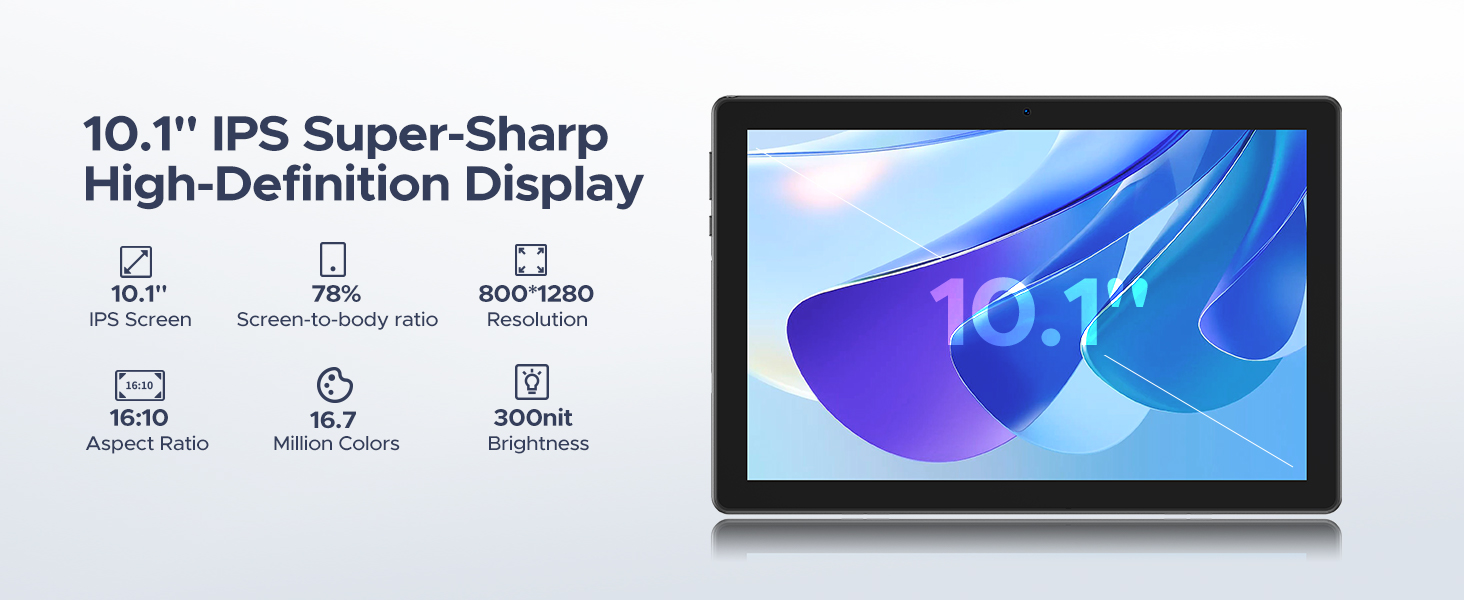
Figure 5: Split Screen Functionality. This image illustrates the tablet's split-screen feature, allowing users to multitask by viewing two applications simultaneously, such as a video call and a map.
2.3 Išẹ ati Ibi ipamọ
The DOOGEE U10 is powered by a 2.0GHz Quad-core RK3562 processor, ensuring smooth performance for various tasks. It comes with 16GB of RAM (4GB physical + 12GB expandable) and 128GB of internal storage. Storage can be expanded up to 2TB using a MicroSD card (sold separately).

Figure 6: 16GB RAM with Memory Extension. This image visually represents the tablet's memory configuration, combining 4GB of basic RAM with an additional 12GB of extended RAM for enhanced performance.

Figure 7: 128GB ROM + Up to 2TB Expandable Storage. This image highlights the tablet's generous internal storage and the capability to expand it significantly using a MicroSD card.
2.4 kamẹra Lilo
The DOOGEE U10 is equipped with an 8MP rear camera and a 5MP front camera, suitable for video calls, online classes, and capturing everyday moments.

Figure 8: Capture Every Detail with Clarity. This image showcases the tablet's dual cameras (8MP main and 5MP front) and their ability to capture clear photos.
2.5 Audio
Experience immersive audio with the tablet's 1217 BOX speaker. Bluetooth 5.0 ensures fast and stable connections for wireless headphones and other audio devices.
2.6 Awọn ẹya ara ẹrọ iṣelọpọ
The tablet comes pre-installed with WPS Office (Word, Excel, PowerPoint), allowing you to stay productive on the go.

Figure 9: Incorporated PC-level WPS Office. This image demonstrates the tablet's pre-installed WPS Office suite, enabling effortless mobile productivity with Word, Excel, and PowerPoint.
2.7 Ṣii silẹ oju
For swift and secure tablet entry, utilize the Face Unlock feature. Set it up in the security settings of your device.

Figure 10: Support Face Unlock. This image illustrates the tablet's face unlock feature, providing effortless and swift entry to the device.
2.8 lilọ System
The tablet supports GPS, Beidou, GLONASS, Galileo, and AGPS for accurate route navigation and destination tracking.

Figure 11: Exact Route Navigation System. This image depicts the tablet being used for navigation in a car, showcasing its seamless destination tracking capabilities.
2.9 Osise Video ọja
Video 1: U10 WiFi 6 Kid Tablets with 5060mAh. This official product video provides an overview of the DOOGEE U10 tablet's key features, including its WiFi 6 connectivity and large 5060mAh battery, demonstrating its suitability for children and general use.
3. Itọju
3.1 batiri Itọju
The tablet is equipped with a 5060mAh battery. To maximize battery life:
- Yago fun awọn iwọn otutu to gaju.
- Ma ṣe jẹ ki batiri ṣan patapata ṣaaju gbigba agbara.
- Yọ agbara gbigba agbara kuro ni kete ti batiri ba ti kun.
- Utilize the smart power-saving mode in settings.

Figure 12: 5060mAh Large Battery. This image highlights the tablet's substantial battery capacity and provides estimated usage durations for various activities.
3.2 Ninu
Lo asọ ti ko ni lint lati nu iboju ati ara tabulẹti naa. Yago fun lilo awọn kẹmika lile tabi awọn ohun elo abrasive.
3.3 Software imudojuiwọn
Regularly check for and install system updates to ensure optimal performance, security, and access to new features. Go to Eto > Eto > Imudojuiwọn eto.
3.4 Ibi Management
To maintain optimal performance, regularly manage your tablet's storage. Delete unnecessary files, aifi si po awọn apps ajeku, ki o si ro gbigbe ti o tobi media files to an external MicroSD card.
4. Laasigbotitusita
| Isoro | Owun to le Fa | Ojutu |
|---|---|---|
| Tablet is slow or lagging | Too many apps running in background, low storage, outdated software. | Close unused apps, clear cache, free up storage, check for system updates. A factory reset may be considered as a last resort. |
| Ko le sopọ si Wi-Fi | Incorrect password, router issue, Wi-Fi disabled. | Double-check password, restart router, ensure Wi-Fi is enabled on tablet. |
| Batiri n ṣan ni kiakia | High screen brightness, many apps running, poor signal. | Reduce screen brightness, close background apps, enable power-saving mode. |
| Awọn ohun elo kọlu | App specific bug, insufficient RAM, outdated app. | Clear app cache/data, update the app, reinstall the app. |
If you encounter issues not listed here, please refer to the official DOOGEE support channels for further assistance.
5. Awọn pato
| Ẹya ara ẹrọ | Ẹ̀kúnrẹ́rẹ́ |
|---|---|
| Awoṣe | DOOGEE U10 Android 15 Tablet |
| Eto isesise | Android 15 |
| isise | RK3562 Quad-core, 2.0 GHz |
| Àgbo | 16GB (4GB physical + 12GB expandable) |
| Ibi ipamọ inu | 128GB |
| Expandable Ibi ipamọ | Up to 2TB (MicroSD card) |
| Iwon iboju | 10.1 inches |
| Ipinnu iboju | 1280 x 800 pixels (800*1280 Pixels Max) |
| Agbara Batiri | 5060mAh (Litiumu Ion) |
| Apapọ batiri Life | Awọn wakati 24 |
| Kamẹra akọkọ | 8MP |
| Kamẹra iwaju | 5MP |
| Asopọmọra | Wi-Fi 6, Bluetooth 5.0 |
| Awọn iwọn (LxWxH) | 9.65 x 0.38 x 6.41 inches |
| Iwọn Nkan | 1.13 iwon (514g) |
| Àwọ̀ | Green (also available in Graphite Gray, Lavender Purple, Dynamic Blue) |
6. Atilẹyin ọja ati Support
DOOGEE is committed to providing excellent customer service and product reliability.
- Ẹri Owo Pada: Enjoy a 30-day money-back guarantee and free returns.
- Atilẹyin ọja to lopin: Your DOOGEE U10 tablet comes with a 2-year limited warranty.
- Atilẹyin Ayelujara: For any inquiries or technical assistance, 24/7 one-on-one online support is available.
- Awọn Eto Idaabobo: Additional protection plans are available for purchase, including a 2-Year Protection Plan and Complete Protect.
For more information or to contact support, please visit the official Ile itaja DOOGEE lori Amazon.

Figure 13: Worry-free Customer Service. This image highlights the customer support features, including a money-back guarantee, limited warranty, and online support.
Ask a question about this manual
Ask about setup, troubleshooting, compatibility, parts, safety, or missing instructions. Manuals+ will review the question and use this page’s manual context to help answer it.