
1. Ifihan
This manual provides detailed instructions for the proper use and care of your Altec Lansing Nanophones ANC 2.0 Wireless Over-Ear Bluetooth Headphones. Please read this manual thoroughly before using the product to ensure optimal performance and longevity.

Image 1.1: Altec Lansing Nanophones ANC 2.0 in Silver.
2. Package Awọn akoonu
Daju pe gbogbo awọn nkan wa ninu apo rẹ:
- Altec Lansing Nanophones ANC 2.0 Wireless Over-Ear Headphones
- USB-C Ngba agbara Cable
- 3.5mm Audio USB
- Afowoyi Olumulo (iwe-ipamọ yii)

Image 2.1: Included USB-C charging cable and 3.5mm audio cable.
3. Ọja Ipariview
Familiarize yourself with the headphone components and controls.
3.1 Headphone Features
- Ifagile Ariwo Nṣiṣẹ (ANC): Dinku ariwo ibaramu fun iriri gbigbọ immersive kan.
- Apẹrẹ folda: Faye gba fun ibi ipamọ iwapọ ati gbigbe.
- Adjustable Headband & Soft Ear Cushions: Ensures a comfortable fit for extended wear.
- Gbohungbohun ti a ṣepọ: Fun awọn ipe ti ko ni ọwọ ati awọn aṣẹ oluranlọwọ ohun.
- Ngba agbara USB-C: For fast and convenient power replenishment.
- Ibamu Iranlọwọ Oluranlọwọ: Access Siri or Google Voice with ease.

Image 3.1: Key features of the Nanophones ANC 2.0 headphones.
3.2 Awọn iṣakoso ati awọn ibudo
Locate the following controls on your headphones:
- Bọtini agbara: Tan/Pa, Mu ṣiṣẹ/Dákẹ́, Dáhùn/Parí ìpè.
- Iwọn didun Soke/Bọtini orin atẹle: Tẹ kukuru fun iwọn didun soke, tẹ gun fun orin atẹle.
- Iwọn didun isalẹ/Bọtini orin ti iṣaaju: Tẹ kukuru fun iwọn didun isalẹ, gun tẹ fun orin iṣaaju.
- Bọtini ANC: Activates/Deactivates Active Noise Cancellation.
- Ibudo Ngba agbara USB-C: Fun sisopọ okun gbigba agbara.
- Jack Audio 3.5mm: Fun asopọ onirin.
- Atọka LED: Ṣe afihan agbara, sisopọ, ati ipo gbigba agbara.

Aworan 3.2: Apa view illustrating the location of controls and ports.
4. Eto
4.1 Ngba agbara si awọn Agbekọri
- Connect the small end of the USB-C charging cable to the USB-C port on the headphones.
- Connect the large end of the USB-C charging cable to a USB power source (e.g., wall adapter, computer USB port).
- The LED indicator will glow red during charging and turn off when fully charged.
- Gbigba agbara ni kikun gba to awọn wakati 2-3.
Akiyesi: Rii daju pe awọn agbekọri ti gba agbara ni kikun ṣaaju lilo akọkọ fun igbesi aye batiri to dara julọ.
4.2 Titan / Pa a
- Lati Fi agbara: Tẹ bọtini agbara ki o si dimu fun iṣẹju-aaya mẹta. Atọka LED yoo tan imọlẹ buluu.
- Lati Paarẹ: Tẹ bọtini agbara naa ki o si di mu fun iṣẹju-aaya marun. Atọka LED naa yoo pa.
4.3 Sisopọ Bluetooth
- Rii daju pe awọn agbekọri ti wa ni pipa.
- Tẹ bọtini agbara ki o si di mu fun awọn aaya 5-7 titi ti ifihan LED yoo fi tan pupa ati buluu ni ọna miiran. Eyi tọka si ipo isopọ.
- Lori ẹrọ rẹ (foonuiyara, tabulẹti, kọmputa), mu Bluetooth ṣiṣẹ ki o wa awọn ẹrọ to wa.
- Select "Nanophones ANC 2.0" from the list of devices.
- Ni kete ti a ba so pọ, Atọka LED yoo filasi buluu laiyara.
- Ti o ba beere fun ọrọ igbaniwọle, tẹ "0000".
Akiyesi: Awọn agbekọri yoo gbiyanju laifọwọyi lati tun sopọ si ẹrọ ti o so pọ to kẹhin nigbati o ba wa ni tan-an.
5. Awọn ilana Iṣiṣẹ
5.1 Sisisẹsẹhin Orin
- Ṣiṣẹ/Daduro: Kukuru tẹ Bọtini Agbara.
- Iwọn didun Up: Kukuru tẹ bọtini Iwọn didun Up.
- Iwọn didun isalẹ: Kukuru tẹ bọtini Iwọn didun isalẹ.
- Orin t’okan: Gun tẹ bọtini didun Up.
- Tẹlẹ Orin: Gun tẹ bọtini Iwọn didun isalẹ.
5.2 Awọn ipe foonu
- Idahun/Ipe Ipari: Kukuru tẹ Bọtini Agbara.
- Kọ Ipe: Gigun tẹ Bọtini Agbara.
- Nọmba Ikẹhin Tun Tun: Tẹ bọtini agbara lẹẹmeji.
5.3 Ifagile Ariwo Nṣiṣẹ (ANC)
- Mu ANC ṣiṣẹ: Press the ANC Button. The ANC LED indicator will light up.
- Muu ANC ṣiṣẹ: Press the ANC Button again. The ANC LED indicator will turn off.
Akiyesi: Using ANC will reduce battery life. The headphones provide up to 20 hours of playtime with ANC active, and up to 30 hours without ANC.
5.4 Iranlọwọ ohun
- Mu Oluranlọwọ Ohun ṣiṣẹ: Triple-press the Power Button to activate Siri or Google Voice (depending on your connected device).
- You can then issue commands through the headphone's microphone.
5.5 Asopọ Onirin
- Insert one end of the 3.5mm audio cable into the headphone's audio jack.
- Insert the other end into your audio device's 3.5mm output.
- The headphones can be used in wired mode even if the battery is depleted.
6. Itọju
6.1 Ninu
- Mu awọn agbekọri nu pẹlu asọ ti o gbẹ.
- Maṣe lo awọn afọmọ abrasive, ọti-lile, tabi awọn nkan ti kemikali.
- Yago fun gbigba ọrinrin sinu eyikeyi awọn ṣiṣi.
6.2 Ibi ipamọ
- Tọ́jú àwọn agbekọri náà sí ibi tí ó tutù tí ó sì gbẹ, tí kò sí ibi tí ó le koko jù.
- When not in use, fold the headphones to protect them and save space.
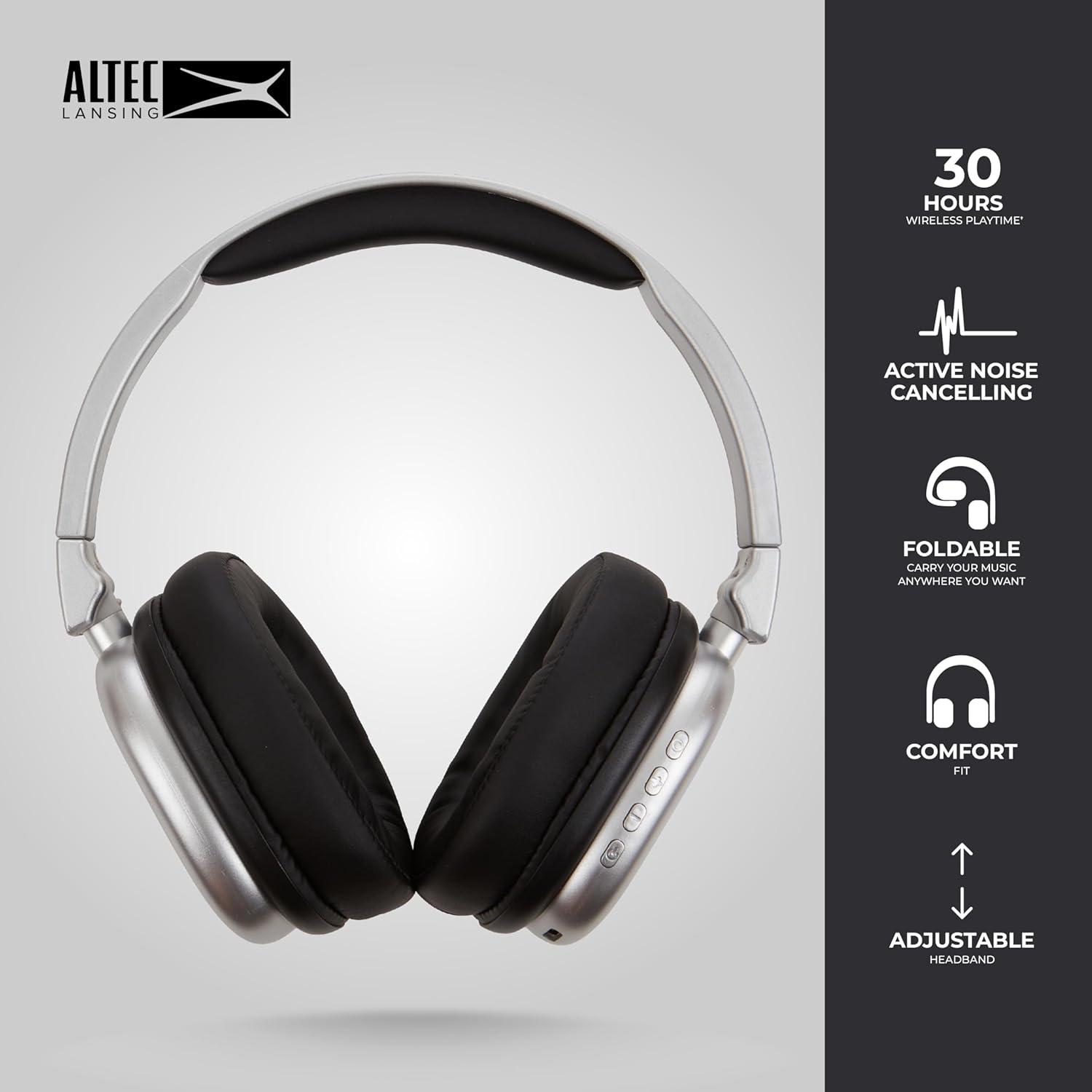
Image 6.1: The foldable design aids in compact storage.
7. Laasigbotitusita
| Isoro | Ojutu |
|---|---|
| Awọn agbekọri ko ṣiṣẹ. | Rii daju pe awọn agbekọri ti gba agbara. Sopọ si orisun agbara nipa lilo okun USB-C. |
| Ko le so pọ nipasẹ Bluetooth. |
|
| Ko si ohun tabi iwọn kekere. |
|
| Active Noise Cancellation not working. | Ensure the ANC button has been pressed and the ANC LED indicator is lit. |
8. Awọn pato
| Orukọ awoṣe | Nanophones ANC 2.0 |
| Nọmba awoṣe | MZX5501-MSIL-STK-6 |
| Brand | Altec Lansing |
| Asopọmọra | Wireless (Bluetooth 4.1), Wired (3.5mm) |
| Gbigbe Eti | Lori-Eti |
| Ariwo Iṣakoso | Ti nṣiṣe lọwọ Noise Ifagile |
| Igbesi aye batiri | Up to 30 hours (wireless), Up to 20 hours (with ANC) |
| Gbigba agbara Port | USB-C |
| Audio Driver Type | Dynamic Driver (1.5" Neodymium) |
| Iwọn Igbohunsafẹfẹ | 20Hz - 20,000Hz |
| Iwọn | 7.05 iwon |
| Ohun elo | Ṣiṣu |
9. Atilẹyin ọja ati Support
9.1 olupese atilẹyin ọja
This product is covered by a manufacturer's warranty. Please refer to the warranty card included in your package or visit the official Altec Lansing webAaye fun alaye atilẹyin ọja ofin ati ipo.
9.2 Onibara Support
For technical assistance, troubleshooting, or product inquiries, please contact Altec Lansing customer support through their official webaaye tabi alaye olubasọrọ ti a pese ninu apoti ọja rẹ.
Webojula: www.alteclansing.com