
Ọrọ Iṣaaju
Thank you for choosing the Strex Digital Kitchen Scale. This precision scale is designed to provide accurate measurements for your culinary needs, from 1 gram up to 10 kilograms. Featuring a clear LCD display, multiple measurement units, and a convenient tare function, this scale simplifies cooking and baking.
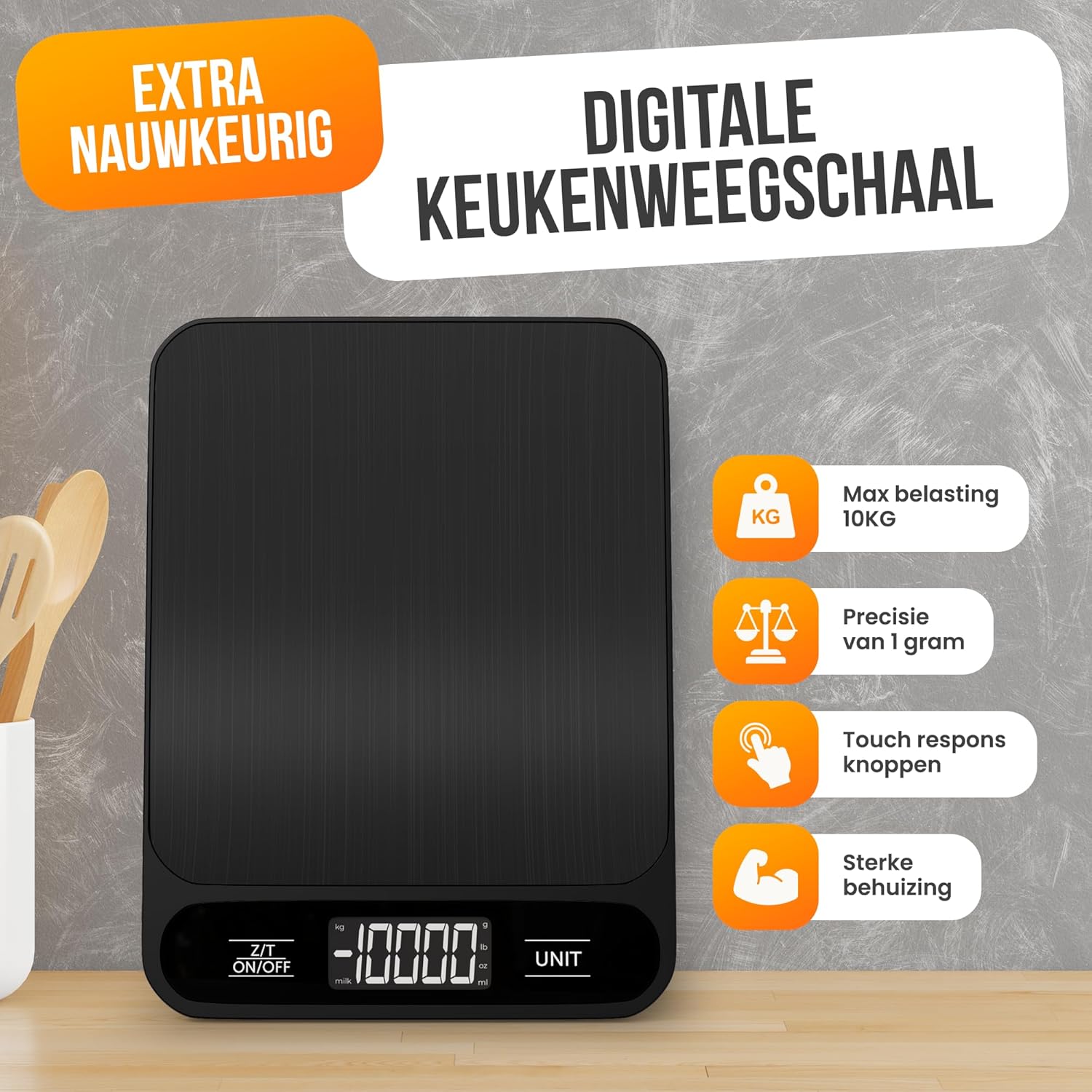
Image: Strex Digital Kitchen Scale, showcasing awọn oniwe-aso dudu oniru ati oni àpapọ.
Key Awọn ẹya ara ẹrọ
- Itọkasi giga: Equipped with four Japanese precision sensors for accurate measurements down to 1 gram.
- Ibi Iwọn Wiwọn: Measures from 1 gram up to 10 kilograms.
- Awọn Ẹka Ọpọ: Supports six different measurement units: grams (g), kilograms (kg), pounds (lb), ounces (oz), milliliters (ml), and milk milliliters (milk ml).
- Iṣẹ ṣiṣe: Easily subtracts the weight of containers, allowing you to measure only the ingredients.
- Ko Ifihan LCD kuro: Bright and easy-to-read digital display for quick and convenient readings.
- Apẹrẹ ti o tọ: Compact, thin, and features a food-grade surface with a water-resistant design for easy cleaning and maintenance.
- Agbara Lilo: Minimal battery consumption for extended use.

Aworan: Alaye view of the scale's features, including the hanging loop for storage, rubber anti-slip feet, the information display, and the battery compartment.
Package Awọn akoonu
Jọwọ ṣayẹwo apoti fun awọn nkan wọnyi:
- 1 x Strex Digital Kitchen Scale (Model SP331)
- 2 x AAA batiri
- 1 x Itọsọna olumulo

Image: The Strex Digital Kitchen Scale, its retail packaging, and the included user manual, illustrating the items found inside the box.
Ṣeto
- Fifi sori batiri:
Locate the battery compartment on the underside of the scale. Open the compartment cover and insert the two included AAA batteries, ensuring correct polarity (+/-). Close the battery compartment cover securely.
- Ibi:
Place the kitchen scale on a hard, flat, and stable surface. Uneven surfaces can affect weighing accuracy.
Awọn ilana Iṣiṣẹ
- Titan/Apapa:
Tẹ awọn Z/T TAN/PA button to turn the scale on. The display will show "0" or "0.0" when ready for use. Press and hold the Z/T TAN/PA bọtini lati pa asekale.
- Aṣayan Ẹka:
Tẹ awọn UNIT button to cycle through the available measurement units: grams (g), kilograms (kg), pounds (lb), ounces (oz), milliliters (ml), and milk milliliters (milk ml). Select the desired unit before weighing.

Image: The scale's LCD display illustrating the different measurement units available for selection.
- Awọn nkan iwuwo:
Place the item directly onto the center of the weighing platform. The weight will be displayed on the LCD screen in the selected unit.
- Iṣẹ ṣiṣe:
To use the tare function, place an empty container on the scale. Press the Z/T TAN/PA button once. The display will reset to "0" or "0.0". You can now add ingredients to the container, and only the weight of the ingredients will be measured.

Image: The digital kitchen scale displaying a weight measurement for a bowl of nuts, highlighting the unit selection feature.
Itọju ati Itọju
- Ninu: The scale features a water-resistant design. Wipe the surface with a damp Aṣọ àti ọṣẹ ìfọṣọ díẹ̀ tí ó bá pọndandan. Má ṣe fi omi rì ìpele náà tàbí kí o lo àwọn ohun ìfọṣọ ìfọṣọ.
- Ibi ipamọ: Store the scale in a cool, dry place. The compact design allows for easy storage.
- Rirọpo Batiri: If the display shows a low battery indicator (e.g., "Lo"), replace both AAA batteries with new ones.
- Mu pẹlu Itọju: Avoid dropping the scale or subjecting it to strong impacts, as this may damage the precision sensors.

Image: A person cleaning the Strex Digital Kitchen Scale, demonstrating its water-resistant properties for easy maintenance.
Laasigbotitusita
| Isoro | Owun to le Fa | Ojutu |
|---|---|---|
| Iwọn ko ni tan-an | Awọn batiri ti o ku tabi ti ko tọ ti fi sori ẹrọ. | Ṣayẹwo polarity batiri. Rọpo awọn batiri ti o ba wulo. |
| Awọn kika ti ko pe | Scale on an uneven surface; item not centered; scale overloaded. | Place scale on a flat, stable surface. Center the item. Ensure weight is within 10kg limit. |
| Ifihan fihan "Lo" | Agbara batiri kekere. | Rọpo awọn batiri AAA mejeeji. |
| Ifihan fihan "O-Ld" | Scale is overloaded (weight exceeds 10kg). | Yọ iwuwo ti o pọ ju kuro lẹsẹkẹsẹ lati yago fun ibajẹ. |
| Scale turns off too quickly | Automatic shut-off feature activated to conserve battery. | This is a normal function. Ensure you complete your weighing tasks within the auto-off timeframe. |
Awọn pato
- Iru ọja: Digital idana asekale
- Brand: Strex
- Nọmba awoṣe: SP331
- Awọn ohun elo: ABS ati Irin Alagbara
- Weighing Precision: 1 giramu
- Iwọn Iwọn: 1 gram to 10 kg
- Awọn Ẹka Iwọn: Grams (g), Kilograms (kg), Pounds (lb), Ounces (oz), Milliliters (ml), Milk Milliliters (milk ml)
- Iru ifihan: LCD
- Awọn batiri ti a beere: 2 x AAA (pẹlu)
- Àwọ̀: Dudu
- Ìwọ̀n Nkan: 230 giramu
- Awọn iwọn: 18.7 x 14 x 1.8 cm (7.36 x 5.51 x 0.71 inches)
- Awọn ẹya pataki: Tare Function, Water-resistant design, Energy-saving auto-off

Image: The Strex Digital Kitchen Scale with its dimensions clearly indicated, showing its compact and slim profile.
Atilẹyin ọja ati Support
For any questions, technical support, or warranty claims, please contact your retailer or the manufacturer directly. Please refer to your purchase documentation for specific warranty terms and contact information.
Olupese: Strex