
1. Ifihan
This manual provides essential information for setting up, operating, and maintaining your TCL 32V5C Smart QLED Full HD Android TV. Please read this manual thoroughly before using your television to ensure proper functionality and safety.
The TCL 32V5C series combines a sleek design with QLED and HDR image quality, powered by the advanced Android TV system. It offers a smart visual experience, allowing you to enjoy movies, streaming applications, and multiplayer games with ease.
2. Alaye Aabo pataki
Nigbagbogbo tẹle awọn iṣọra aabo ipilẹ nigba lilo tẹlifisiọnu yii lati dinku eewu ina, mọnamọna, ati ipalara.
- Ma ṣe fi TV han si ojo tabi ọrinrin.
- Má ṣe ṣí àpótí ìtọ́jú; tọ́ka gbogbo iṣẹ́ ìtọ́jú sí àwọn òṣìṣẹ́ tó péye.
- Rii daju pe fentilesonu to dara ni ayika TV.
- Lo okun agbara nikan ti olupese ti pese.
- Jeki TV kuro lati orun taara ati awọn orisun ooru.
- Fi aṣọ rírọrùn àti gbígbẹ nìkan fọ tẹlifíṣọ̀n náà.
3. Ohun ti o wa ninu Apoti
Daju pe gbogbo awọn paati wa ṣaaju ki o to tẹsiwaju pẹlu iṣeto:
- TCL 32V5C Smart QLED TV
- Isakoṣo latọna jijin
- Okun agbara
- Afowoyi Olumulo (iwe-ipamọ yii)
- TV Stand and Support Screws
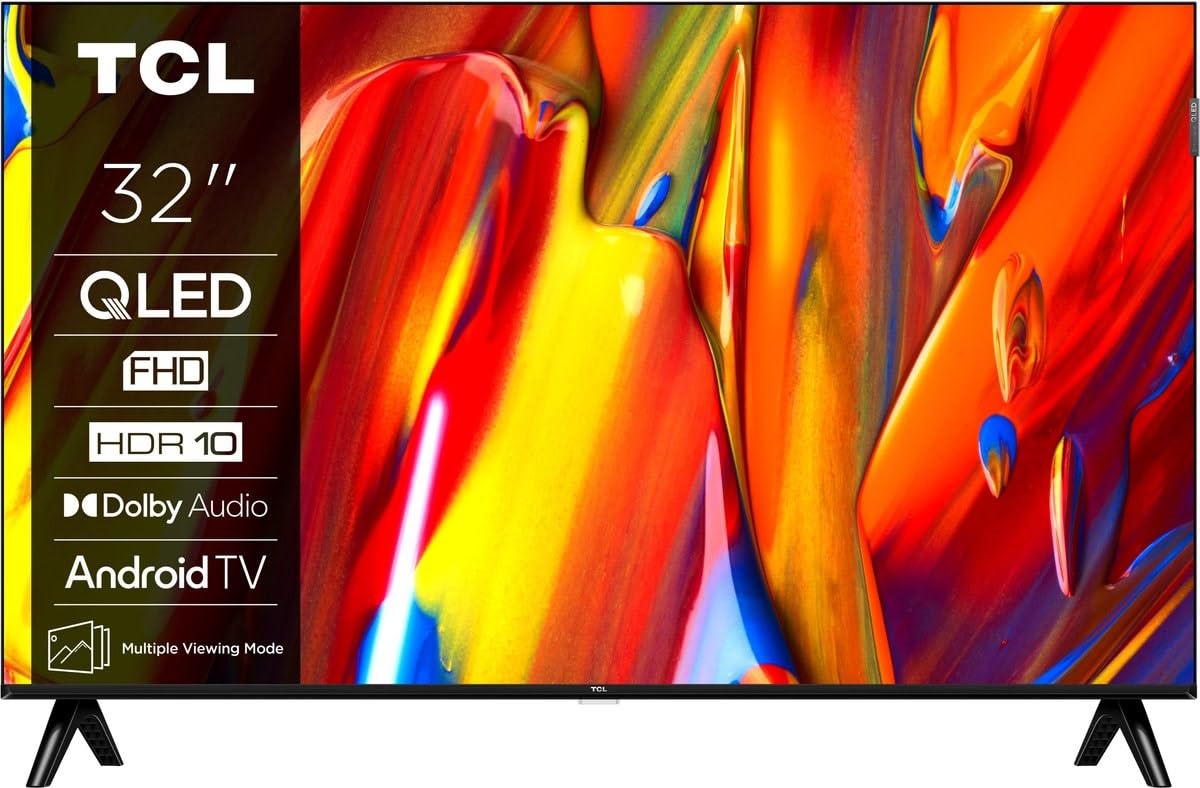
Aworan: Iwaju view of the TCL 32V5C Smart QLED Full HD Android TV, showcasing its slim design and display features.
4. Eto Itọsọna
4.1 So Iduro TV
To attach the included stand:
- Fi oju TV si isalẹ lori rirọ, dada alapin lati ṣe idiwọ ibajẹ iboju.
- Mö awọn imurasilẹ irinše pẹlu awọn iṣagbesori ihò lori isalẹ ti awọn TV.
- Ṣe aabo iduro ni lilo awọn skru ti a pese. Rii daju pe gbogbo awọn skru ti di wiwọ.

Image: Diagram showing the dimensions of the TCL 32V5C TV and the included remote control (RC733A).
4.2 Iṣagbesori odi (aṣayan)
If you choose to wall mount your TV, ensure you use a VESA-compatible wall mount (100 x 100 mm). Consult a professional for installation to prevent damage or injury.
4.3 Nsopọ Agbara
Connect the power cable to the TV's power input and then plug it into a wall outlet. The TV is designed for 220-240V AC, 50/60Hz power supply.
4.4 Nsopọ Awọn ẹrọ ita
Your TCL 32V5C TV offers various connectivity options:
- HDMI: Connect Blu-ray players, game consoles, or set-top boxes using one of the two HDMI ports.
- USB: Use the single USB port for media playback from USB drives.
- Àjọlò: Fún ìsopọ̀ ìkànnì aláwọ̀ tí ó dúró ṣinṣin, so okùn Ethernet pọ̀ mọ́ ibudo LAN.
- Wi-Fi: Sopọ mọ nẹtiwọọki alailowaya ile rẹ fun iwọle intanẹẹti.
- Bluetooth: Pair wireless headphones, soundbars, or other Bluetooth-enabled devices.
5. Ṣiṣẹ TV rẹ
5.1 First-Time Setup and Android TV
Upon first power-on, the TV will guide you through the initial setup process. This includes selecting your language, connecting to Wi-Fi, and logging into your Google account to activate Android TV features.
Android TV provides access to over 400,000 movies and shows from various streaming services. Utilize Google Cast to transfer photos, videos, and music from your smart devices directly to your TV.
5.2 Latọna Iṣakoso Awọn iṣẹ
Use the provided remote control to navigate menus, adjust volume, change channels, and access smart features. Refer to the remote control diagram for specific button functions.
5.3 Dídára Àwòrán àti Ohùn
Your TV features QLED technology, which uses quantum dot materials to deliver exceptional colors and optical properties, enhancing brightness and fine details for a realistic viewing experience. Direct LED backlighting further improves image quality and energy efficiency.
With HDR10 support, the TV displays a wider range of colors and contrasts, bringing more depth to compatible content. Dolby Audio processing ensures clear and immersive sound quality through the integrated speakers.
6. Itọju
Lati rii daju igbesi aye gigun ati iṣẹ to dara julọ ti TV rẹ:
- Ninu iboju: Rọra nu iboju naa pẹlu asọ ti ko ni lint. Fun awọn ami alagidi, fẹẹrẹ dampen asọ pẹlu omi tabi a specialized iboju regede (ma ṣe fun sokiri taara loju iboju).
- Ninu Igbimọ Ile-igbimọ: Use a soft, dry cloth to clean the TV cabinet. Avoid abrasive cleaners or solvents.
- Afẹfẹ: Rí i dájú pé àwọn ihò afẹ́fẹ́ tí ó wà lẹ́yìn TV kò dí.
- Okun Agbara: Ṣayẹwo okun agbara nigbagbogbo fun eyikeyi ibajẹ.
7. Laasigbotitusita
Ti o ba pade awọn ọran pẹlu TV rẹ, tọka si awọn solusan ti o wọpọ wọnyi:
| Isoro | Owun to le Solusan |
|---|---|
| Ko si Agbara | Ṣayẹwo boya okun agbara ti sopọ ni aabo si TV mejeeji ati iṣan ogiri. Rii daju pe iṣan jade jẹ iṣẹ-ṣiṣe. |
| Ko si Aworan, Sugbon Ohun ti wa ni Lọwọlọwọ | Verify the correct input source is selected. Check external device connections (HDMI, etc.). |
| Ko si Ohun, Ṣugbọn Aworan wa | Check the volume level and mute settings. Ensure external audio devices are properly connected and selected. |
| Isakoṣo latọna jijin Ko Ṣiṣẹ | Rọpo awọn batiri. Rii daju pe ko si awọn idena laarin isakoṣo latọna jijin ati sensọ IR ti TV. |
| Awọn oran Asopọ Wi-Fi | Restart your router and modem. Reconnect the TV to the Wi-Fi network in the settings menu. |
For further assistance, please contact TCL customer support.
8. Awọn pato
| Ẹya ara ẹrọ | Ẹ̀kúnrẹ́rẹ́ |
|---|---|
| Brand | TCL |
| Nọmba awoṣe | 32V5C |
| Iwon iboju | 32 inches |
| Ifihan ọna ẹrọ | QLED |
| Ipinnu | 1080p (HD ni kikun) |
| Oṣuwọn sọtun | 60 Hz |
| Pataki Awọn ẹya ara ẹrọ | QLED & Android TV, HDR10, Google Cast |
| Asopọmọra Technology | Bluetooth, Ethernet, HDMI, USB, Wi-Fi |
| Awọn ibudo HDMI | 2 |
| Awọn ibudo USB | 1 |
| Apakan Ipin | 16:9 |
| Awọn iwọn Ọja (D x W x H) | 18P x 71.5l x 46.5H cm (with stand) |
| Ìwúwo Ohun kan (láìsí ìdúró) | 3.1 kilo |
| Boṣewa VESA Mount | 100 x 100 mm |
| Ohun kika | Dolby Audio |
| Tuner Iru | DVB-T2 |
| Àwọ̀ | Dudu |
9. Atilẹyin ọja ati Support
9.1 atilẹyin ọja Alaye
This product comes with a Limited Warranty. Please refer to the warranty card included in the packaging or visit the official TCL website for detailed terms and conditions regarding your specific region.
9.2 Onibara Support
For technical assistance, troubleshooting not covered in this manual, or service inquiries, please contact TCL customer support through their official webaaye tabi alaye olubasọrọ ti a pese ninu iwe atilẹyin ọja rẹ.
O le ri awọn orisun afikun, awọn ibeere ti a beere nigbagbogbo, ati awọn imudojuiwọn sọfitiwia lori Òṣìṣẹ́ TCL Webojula.