
1. Awọn Ilana Aabo pataki
Please read all instructions carefully before using the projector and retain this manual for future reference. Improper use may result in electric shock, fire, or other hazards.
- Má ṣe dí àwọn ihò afẹ́fẹ́. Rí i dájú pé àyè tó wà ní àyíká ẹ̀rọ ìfihàn náà fún afẹ́fẹ́ tó yẹ.
- Ma ṣe fi pirojekito han si ojo tabi ọrinrin lati dena ina tabi mọnamọna.
- Yago fun a wo taara sinu pirojekito lẹnsi nigbati awọn lamp ó ń ṣiṣẹ́, nítorí pé ìmọ́lẹ̀ tó mọ́lẹ̀ lè fa ìpalára ojú.
- Lo awọn asomọ/awọn ẹya ara ẹrọ ti a sọ pato nipasẹ olupese.
- Yọọ pirojekito nigba iji manamana tabi nigba lilo fun igba pipẹ.
- Do not attempt to repair this product yourself. Refer all servicing to qualified service personnel.
2. Eto Itọsọna
2.1 Kini ni Apoti
Jẹrisi pe gbogbo awọn ohun kan wa ninu package:
- HOMPOW Mini Projector
- Isakoṣo latọna jijin
- Adapter agbara
- Okun HDMI
- Itọsọna olumulo
- Kaadi atilẹyin ọja

Image: The HOMPOW Mini Projector shown with its remote control, power adapter, and HDMI cable.
2.2 Ni ibẹrẹ Oṣo
2.2.1 Asopọ agbara
- So ohun ti nmu badọgba agbara si awọn pirojekito ká agbara input ibudo.
- Pulọọgi ohun ti nmu badọgba agbara sinu iṣan itanna to dara.
2.2.2 Placement and Focus
Gbé ẹ̀rọ àgbékalẹ̀ náà sí orí ilẹ̀ tí ó dúró ṣinṣin, tí ó tẹ́jú. Fún ohun tí ó dára jùlọ. viewing, place it perpendicular to the projection surface (wall or screen).
- Ijinna asọtẹlẹ: The recommended projection distance ranges from 3.49 feet to 7.26 feet.
- Iwọn Aworan: This allows for an image size between 40 inches and 120 inches.
- Atunṣe idojukọ: Rotate the focus ring on the projector lens until the image appears clear and sharp.

Image: Visual comparison demonstrating the clarity of 1080P Full HD supported resolution versus 480P.
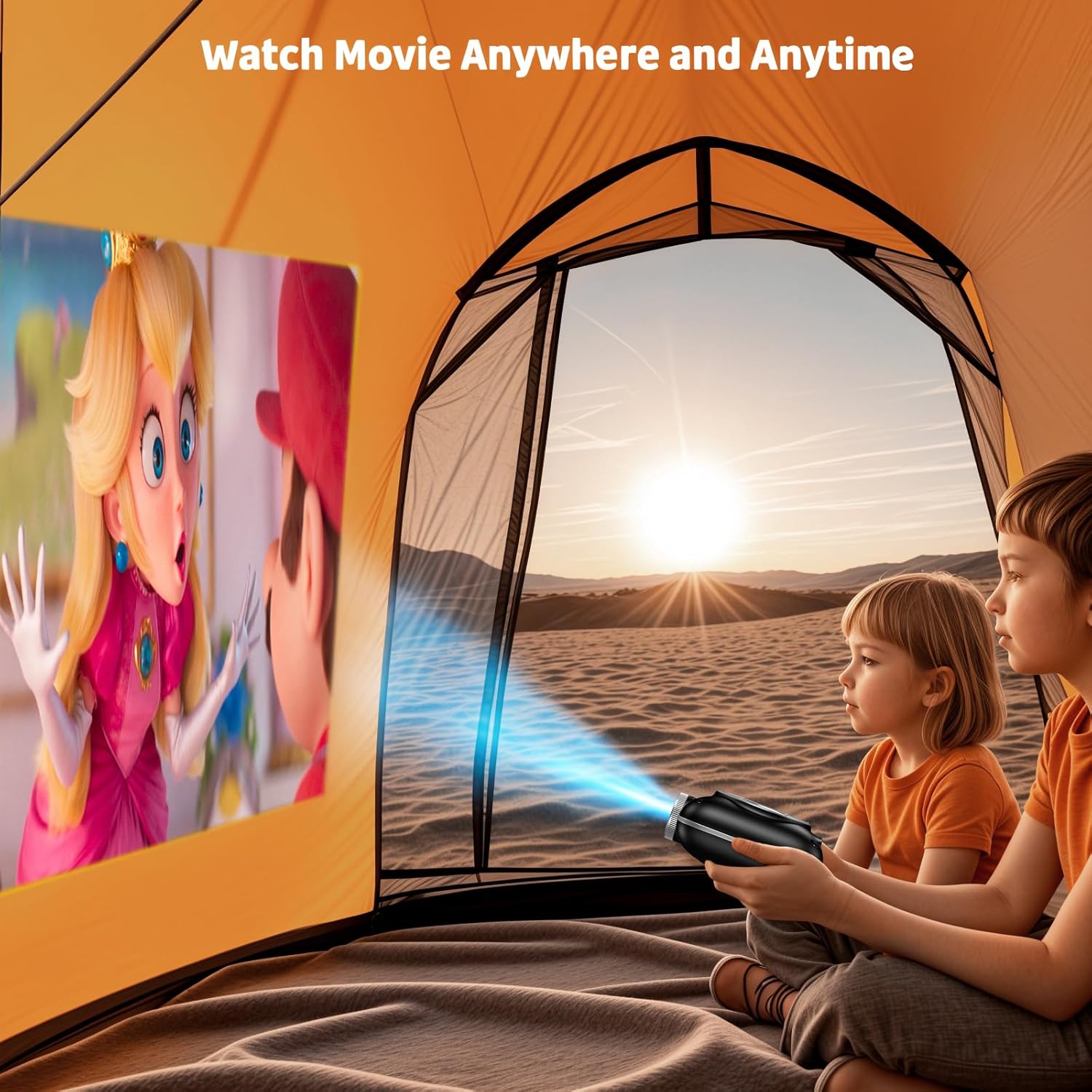
Image: The compact projector projecting a movie inside a tent, highlighting its portability for outdoor use.
3. Awọn ilana Iṣiṣẹ
3.1 Agbara Tan / Pa
Press the power button on the projector or the remote control to turn the device on or off. The projector features an auto-off timer for convenient screen time management.
3.2 Asopọmọra
The HOMPOW Mini Projector offers multiple connectivity options:
- HDMI 2.0 Port: Connect to laptops, TV sticks, gaming consoles (PS4, PS5), and other HDMI-enabled devices using the included HDMI cable.
- Ibudo USB 2.0: So awọn awakọ USB pọ fun ṣiṣiṣẹsẹhin media.
- Two-Way Bluetooth 5.1: Connect external Bluetooth speakers for enhanced audio or use the projector as a Bluetooth speaker to play music from your phone.

Image: The projector highlighting its wireless connectivity features, including WiFi and Bluetooth.

Image: A visual guide illustrating how to connect various devices such as smartphones, tablets, TV sticks, laptops, PS3/PS4, headphones, and USB drives to the projector.
3.3 iboju Mirroring
To mirror your smartphone or tablet screen:
- Fun awọn foonu Android: Use a Micro USB/Type-C to HDMI adapter (sold separately).
- For iPhones/iPads: Use a Lightning to HDMI adapter (sold separately).
- For Streaming Services: Plug in a TV stick (sold separately) for Netflix/Hulu and other HDCP-compliant streaming platforms.
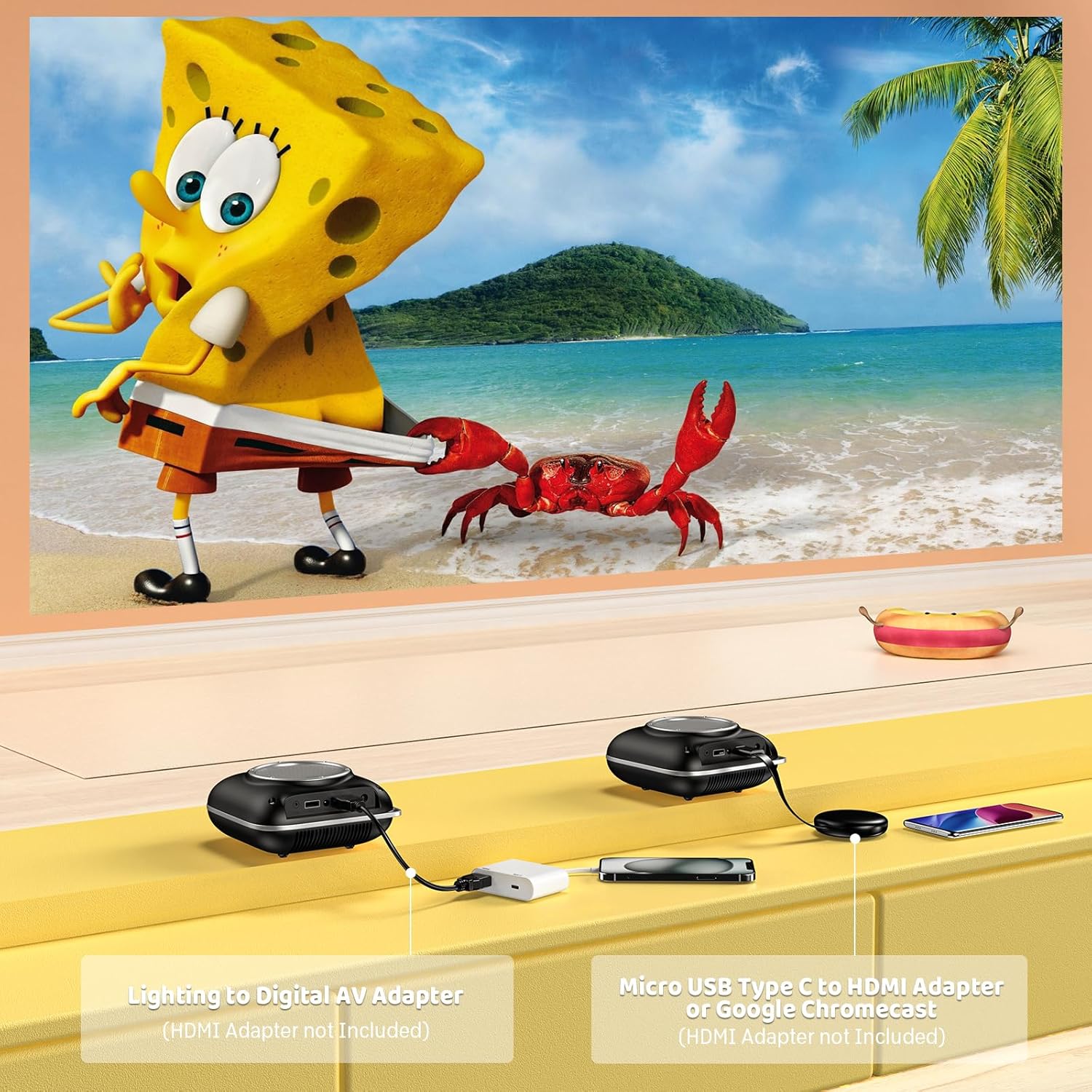
Image: Instructions for connecting mobile devices to the projector using Lightning to Digital AV Adapter for iOS and Micro USB Type-C to HDMI Adapter or Google Chromecast for Android.
3.4 Audio wu
The projector features built-in 5W high-powered stereo speakers. For enhanced sound, utilize the bidirectional Bluetooth 5.1 to connect to external Bluetooth speakers or headphones.

Image: Diagram showing the projector's two-way Bluetooth functionality, allowing connection to an external speaker or functioning as a Bluetooth speaker for a phone.
3.5 Projection Size and Zoom
The projector supports a projection size from 40 to 120 inches. Use the 50%-100% zoom function to adjust the image size without moving the projector.

Image: A visual representation of the 50%-100% zoom function, showing how the projected image size can be adjusted.
4. Itọju
4.1 Ninu
- Lẹnsi: Lo aṣọ rirọ, tí kò ní àwọ̀ tí a ṣe pàtó fún àwọn lẹ́ńsì ojú. Má ṣe lo àwọn ohun ìfọmọ́ra.
- Òde: Wipe the projector's exterior with a soft, dry cloth. Avoid using harsh chemicals or solvents.
- Afẹfẹ: Ensure ventilation openings are free from dust and debris to prevent overheating.
4.2 Ibi ipamọ
When not in use, store the projector in a cool, dry place, away from direct sunlight and extreme temperatures. Use the original packaging or a protective case to prevent dust accumulation and damage.
5. Laasigbotitusita
Tọkasi tabili ni isalẹ fun awọn ọran ti o wọpọ ati awọn ojutu wọn.
| Oro | Owun to le Fa | Ojutu |
|---|---|---|
| Ko si aworan akanṣe | Agbara ko sopọ, orisun titẹ sii ko tọ, fila lẹnsi ti wa ni titan. | Ṣayẹwo asopọ agbara, yan orisun titẹ sii to pe (HDMI/USB), yọ fila lẹnsi kuro. |
| Aworan blurry | Focus not adjusted, projector too close/far. | Adjust the focus ring, ensure projector is within optimal projection distance (3.49-7.26 ft). |
| Ko si ohun | Volume too low, external speaker not connected, audio format unsupported. | Increase volume, connect Bluetooth speaker, check audio format compatibility. |
| Wiwo iboju ko ṣiṣẹ | Incorrect adapter, device compatibility issue. | Ensure correct HDMI adapter for your phone (Micro USB/Type-C for Android, Lightning for iOS). |
| Pirojekito overheating | Blocked ventilation, prolonged use. | Ensure clear space around vents, allow projector to cool down if used for extended periods. |
6. Imọ ni pato
| Ẹya ara ẹrọ | Ẹ̀kúnrẹ́rẹ́ |
|---|---|
| Brand | HOMPOW |
| Awoṣe | B0F43PY223 |
| Ipinnu abinibi | 1280 x 720 (720P) |
| Ipinnu atilẹyin | 1920 x 1080 (1080P Full HD) |
| Asopọmọra Technology | HDMI, USB 2.0, Bluetooth 5.1 (Two-Way) |
| Ifihan Iru | CRT (as per specification, typically LCD for mini projectors) |
| Ipin Itansan | 10000:1 |
| Iwọn Isọtẹlẹ | 40 - 120 inches |
| Jabọ Ijinna | 3.49 - 7.26 Feet |
| Light Orisun Awọn ọna Life | Awọn wakati 50000 |
| Agbọrọsọ ti a ṣe sinu | 5W High-Powered Stereo Speakers |
| Iṣẹ Sún | 50% -100% |
| Awọn iwọn (L x W x H) | 4.9" x 4.9" x 2.1" |
| Iwọn | 0.7 kilo |
| Agbara agbara | 30 Wattis |
| Voltage | 110 Volts |
7. Atilẹyin ọja ati Support
7.1 atilẹyin ọja Alaye
The HOMPOW Mini Projector comes with:
- A 30-day replacement window.
- 2-year repair coverage.
Jọwọ ṣe idaduro ẹri rira rẹ fun awọn iṣeduro atilẹyin ọja.
7.2 Onibara Support
For any questions, troubleshooting assistance, or warranty inquiries, please contact HOMPOW customer support. We offer 24/7 assistance to ensure stress-free ownership.
Contact information can typically be found on the HOMPOW official webaaye ayelujara tabi kaadi atilẹyin ọja ti o wa ninu package rẹ.