
THOMSON B210
THOMSON B210 Bluetooth Soundbar User Manual
Awoṣe: B210
1. Alaye Aabo
Please read all safety instructions carefully before using this product. Retain this manual for future reference.
- Má ṣe fi àmì ohùn sí òjò, ọrinrin, tàbí ooru tó le koko.
- Ma ṣe dina eyikeyi awọn ṣiṣi atẹgun.
- Lo awọn asomọ/awọn ẹya ara ẹrọ ti a sọ pato nipasẹ olupese.
- Unplug the soundbar during lightning storms or when unused for long periods.
- Tọkasi gbogbo iṣẹ si awọn oṣiṣẹ iṣẹ ti o peye.
2. Package Awọn akoonu
Jẹrisi pe gbogbo awọn ohun kan wa ninu package:
- THOMSON B210 Bluetooth Soundbar
- Isakoṣo latọna jijin
- Adapter agbara
- Itọsọna olumulo
- Audio Cables (e.g., Optical, AUX - specific cables may vary)
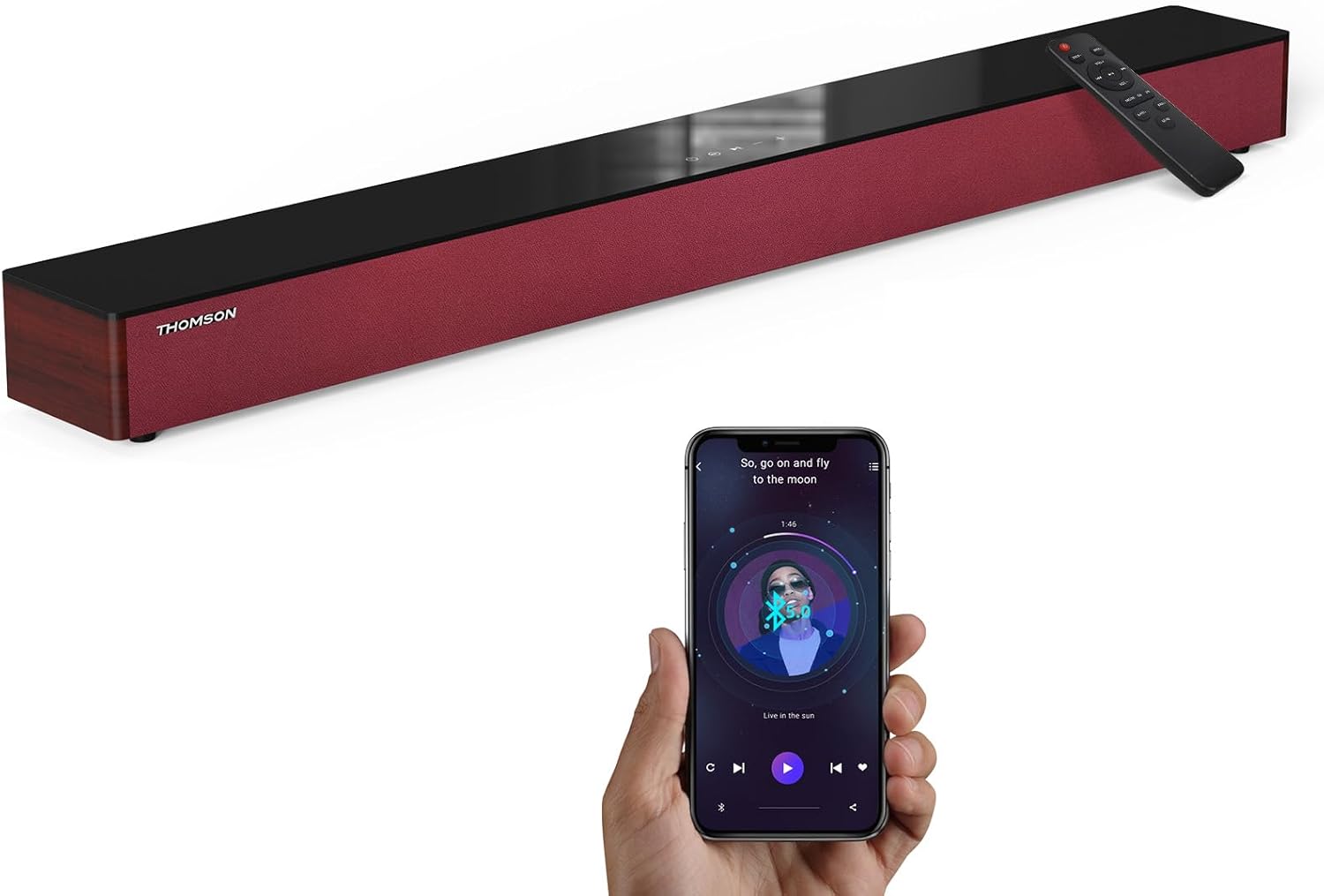
Image: The THOMSON B210 Soundbar, its remote control, and a smartphone demonstrating Bluetooth connectivity.
3. Ọja Ipariview
3.1 Front and Top Panel
The soundbar features intuitive controls on its top panel for easy access.
3.2 Ru Panel Awọn isopọ
The rear panel provides various input ports for connecting to different audio sources.

Aworan: Alaye view of the soundbar's rear connection ports, including AUX IN, COAXIAL, OPTICAL, HDMI ARC, USB, and DC IN.
3.3 Iṣakoso latọna jijin
The included remote control allows for convenient operation of all soundbar functions.

Image: A hand operating the soundbar with its remote control, demonstrating wireless command over the device.
4. Eto
4.1 Ibi
Place the soundbar on a stable, flat surface directly in front of your television for optimal sound dispersion. Ensure there is adequate space around the soundbar for ventilation.
4.2 Asopọ agbara
- Connect the power adapter to the DC IN port on the rear of the soundbar.
- Pulọọgi opin miiran ti oluyipada agbara sinu iṣan ogiri kan.
5. Awọn ilana Iṣiṣẹ
5.1 Agbara Tan / Pa
Press the Power button on the soundbar's top panel or the remote control to turn the unit on or off.
5.2 Iṣakoso iwọn didun
Use the Volume Up (+) and Volume Down (-) buttons on the soundbar or remote control to adjust the audio level.
5.3 Aṣayan titẹ sii
Press the 'MODE' button on the soundbar or remote control to cycle through available input sources: ARC, Optical, AUX, USB, and Bluetooth.
5.4 Awọn ọna oluṣeto
The soundbar offers three distinct equalizer modes to optimize audio for different content types:
- Ipo Orin: Enhances musical clarity and bass.
- Ipo Fiimu: Provides a more immersive cinematic experience.
- Ipo iroyin: Optimizes dialogue for clear speech.
Press the corresponding EQ button on the remote control to select your desired mode.

Image: Visual representation of the soundbar's optimized audio modes for Music, Movie, and News content.
6. Awọn isopọ
The THOMSON B210 Soundbar supports multiple connection types for versatility.

Image: The soundbar demonstrating its compatibility with multiple devices such as projectors, PCs, game consoles, and smartphones.
6.1 Asopọ HDMI ARC
For the best audio quality and control, connect your TV to the soundbar using an HDMI cable via the ARC port.
- Connect one end of an HDMI cable to the HDMI ARC port on your TV.
- Connect the other end to the HDMI ARC port on the soundbar.
- Select 'ARC' as the input source on the soundbar.
6.2 Ìsopọ̀ Opitiki
Use an optical cable for a high-quality digital audio connection.
- Connect one end of an optical cable to the Optical OUT port on your TV or audio device.
- Connect the other end to the OPTICAL port on the soundbar.
- Select 'Optical' as the input source on the soundbar.
6.3 AUX Asopọ
For analog audio devices, use an AUX cable.
- Connect one end of a 3.5mm audio cable to the headphone jack or AUX OUT port on your device.
- So opin keji pọ mọ ibudo AUX IN lori ọpa ohun.
- Select 'AUX' as the input source on the soundbar.
6.4 USB Asopọ
Mu ohun ṣiṣẹ files taara lati ẹrọ ipamọ USB kan.
- Fi awakọ USB sinu ibudo USB lori ọpa ohun.
- Select 'USB' as the input source on the soundbar.
- The soundbar will automatically begin playing compatible audio files.
6.5 Sisopọ Bluetooth
Connect your smartphone, tablet, or other Bluetooth-enabled device wirelessly.
- Turn on the soundbar and select 'Bluetooth' mode using the 'MODE' button. The Bluetooth indicator will flash.
- Mu Bluetooth ṣiṣẹ lori ẹrọ rẹ ki o wa awọn ẹrọ to wa.
- Select 'THOMSON B210' from the list.
- Once paired, the Bluetooth indicator will stop flashing and remain solid.

Image: A family enjoying entertainment with the soundbar, illustrating seamless Bluetooth connectivity from a smartphone.
7. Itọju
Lati rii daju igbesi aye gigun ati iṣẹ to dara julọ ti ọpa ohun orin rẹ, tẹle awọn itọnisọna itọju wọnyi:
- Ninu: Lo asọ ti o rọ, ti o gbẹ lati nu dada ti ọpa ohun. Ma ṣe lo awọn olutọpa omi tabi awọn ohun elo abrasive.
- Ibi ipamọ: Tí o bá ń fi ohun èlò orin pamọ́ fún ìgbà pípẹ́, yọ ọ́ kúrò nínú ẹ̀rọ agbára kí o sì tọ́jú rẹ̀ sí ibi tí ó tutù tí ó sì gbẹ.
- Afẹfẹ: Rii daju pe awọn šiši fentilesonu ko ni idiwọ lati ṣe idiwọ igbona.
8. Laasigbotitusita
If you encounter issues with your THOMSON B210 Soundbar, refer to the following common problems and solutions:
| Isoro | Owun to le Fa | Ojutu |
|---|---|---|
| Ko si agbara | Okun agbara ko sopọ; Agbara iṣan ko ṣiṣẹ | Rí i dájú pé okùn agbára náà so pọ̀ dáadáa; Gbìyànjú ọ̀nà agbára mìíràn. |
| Ko si ohun | Incorrect input source; Volume too low; Mute activated; Cable connection issue | Select correct input source; Increase volume; Deactivate mute; Check audio cable connections |
| Sisopọ Bluetooth kuna | Soundbar not in pairing mode; Device Bluetooth off; Device too far | Ensure soundbar is in Bluetooth mode (flashing indicator); Enable Bluetooth on device; Move device closer to soundbar |
| Isakoṣo latọna jijin ko ṣiṣẹ | Àwọn bátìrì ti dínkù; Ìdènà láàrín ọ̀nà jíjìn àti ibi ìró ohùn | Rọpo awọn batiri iṣakoso latọna jijin; Yọ eyikeyi idena kuro; Rii daju pe latọna jijin wa ni itọkasi si sensọ ohun. |
9. Awọn pato
Detailed technical specifications for the THOMSON B210 Soundbar:
- Awoṣe: B210
- Brand: THỌMSON
- Awọn iwọn ọja: 36.5"D x 4.7"W x 2.9"H (92.7 cm x 11.8 cm x 7.3 cm)
- Ìwọ̀n Nkan: 11 poun (isunmọ 5 kg)
- Agbara Ijade ti o pọju Agbọrọsọ: 50 Wattis
- Iru fifi sori: Tabletop Oke
- Ẹya Bluetooth: 5.3
- Eto Ifihan-si-Noise: 70dB
- Awọn agbọrọsọ: 4 Full Range Speakers, 2 Woofers (Advanced Bass Diaphragms)
- Awọn isopọ ti nwọle: ARC (HDMI), Optical, AUX, USB, Bluetooth

Image: Physical dimensions of the soundbar, showing length, width, and height in centimeters, along with a view ti awọn ibudo ẹhin.

Image: Internal component diagram of the soundbar, detailing its 4 high-performance drivers and 2 advanced bass diaphragms for enhanced audio.
10. Atilẹyin ọja ati Support
THOMSON products are manufactured to high-quality standards. For warranty information and technical support, please refer to the warranty card included with your product or visit the official THOMSON support webojula.
For further assistance, please contact THOMSON customer service.
Ask a question about this manual
Ask about setup, troubleshooting, compatibility, parts, safety, or missing instructions. Manuals+ will review the question and use this page’s manual context to help answer it.