
1. Ifihan
O ṣeun fun riraasing the THINKYA TH-A10 Portable CD Player. This device combines classic CD playback with modern connectivity options, including Bluetooth 5.1, USB, AUX, and optical output. Designed for high-fidelity audio, it features built-in stereo speakers, a rechargeable battery, and anti-skip protection for stable playback. Please read this manual thoroughly before use to ensure proper operation and to maximize your listening experience.

Image: The THINKYA TH-A10 Portable CD Player, highlighting its elegant wooden finish and compact form factor.
2. Ọja Ipariview
2.1 Irinše ati idari
The TH-A10 CD player is designed with user-friendly controls and a robust build. It features a wooden cabinet for enhanced sound quality and reduced resonance.
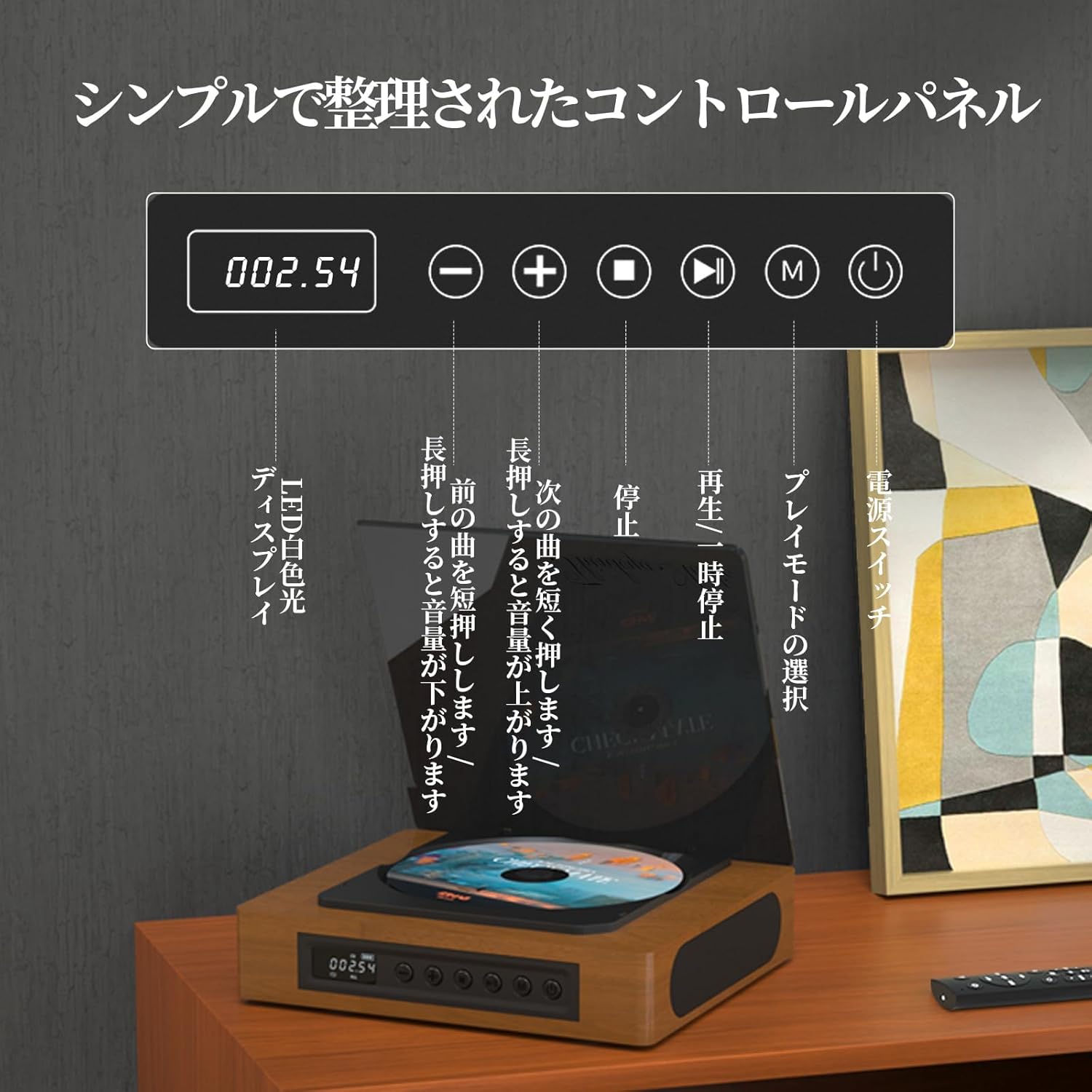
Image: The control panel and LED display of the TH-A10 CD Player. The LED display shows track number and time, while buttons control playback, volume, and mode selection.
Awọn iṣẹ igbimọ Iṣakoso:
- Ifihan LED: Shows current track, time, and mode.
- Agbara Yi pada: Yipada ẹrọ si tan/pa.
- Bọ́tìnnì Ṣíṣe/Sánu duro: Bẹrẹ tabi da duro sẹhin duro.
- Bọ́tìnì Ìsàlẹ̀/Ìtẹ̀síwájú: Tẹ kukuru fun orin iṣaaju, tẹ gun lati dinku iwọn didun.
- Bọ́tìnì Tókàn/Ìgbéga Ìwọ̀n: Tẹ kukuru fun orin atẹle, tẹ gun lati mu iwọn didun pọ si.
- Bọtini Duro: Duro ṣiṣiṣẹsẹhin.
- Bọtini Ipo (M): Selects playback mode (CD, Bluetooth, USB, AUX, Optical).

Aworan: Alaye view of the LED display, indicating operational status and battery level.
2.2 Ru Panel Awọn isopọ
The rear panel provides various ports for external connections.

Image: The rear panel of the TH-A10, displaying the various input/output ports including USB, AUX, Type-C for charging, and Optical output.
Awọn ibudo:
- DC IN (Iru-C): For charging the internal battery or powering the device.
- Ibudo USB: Fun ohun afetigbọ files from a USB memory stick.
- AUX IN/OUT (3.5mm Jack): For connecting external audio devices or outputting audio to headphones/speakers.
- Optical Output (SPDIF): Fun asopọ si ita amplifier or DAC for high-fidelity audio.
3. Eto
3.1 Agbara Lori ati gbigba agbara
- Connect the provided Type-C charging cable to the DC IN port on the rear of the player.
- Connect the other end of the cable to a USB power adapter (not included) or a powered USB port.
- The LED display will indicate charging status. A full charge provides approximately 6 hours of playback.
- Press the Power Switch to turn on the device.

Image: Charging options for the TH-A10, including wall adapter, car charger, and power bank, connected via the Type-C port.
3.2 Ibẹrẹ Ibẹrẹ
Place the CD player on a stable, flat surface. Ensure adequate ventilation around the unit.
4. Awọn ilana Iṣiṣẹ
4.1 CD Sisisẹsẹhin
- Fi rọra ṣii ideri eruku.
- Place a CD (CD, CD-R, CD-RW) onto the spindle, label side up.
- Pa ideri eruku naa.
- Press the 'M' (Mode) button until 'CD' mode is selected.
- Tẹ bọtini Ṣiṣẹ/Sinmi lati bẹrẹ ṣiṣiṣẹsẹhin.
- Use the Previous/Next buttons to skip tracks. Long press for volume adjustment.
Akiyesi: This player does not support Blu-ray discs.

Image: Playback modes (sequential, repeat one, repeat all, random) and the ASP anti-shock function are shown, indicating versatile and stable audio experience.
4.2 Bluetooth Operation (Receive/Transmit)
The TH-A10 supports Bluetooth 5.1 for both receiving and transmitting audio.

Image: The TH-A10's Bluetooth functionality, demonstrating connections to various devices like smartphones, tablets (receiving), and Bluetooth speakers or headphones (transmitting).
4.2.1 Bluetooth Receive Mode:
- Press the 'M' (Mode) button until 'BT' mode is selected. The LED display will show 'BT' and flash, indicating pairing mode.
- Lori foonuiyara tabi tabulẹti, mu Bluetooth ṣiṣẹ ki o wa awọn ẹrọ to wa.
- Select 'TH-A10' from the list to pair. Once connected, the 'BT' indicator will stop flashing.
- You can now play audio from your device through the TH-A10's speakers.
4.2.2 Bluetooth Transmit Mode:
- Rí i dájú pé àwọn agbekọri Bluetooth tàbí agbọrọsọ rẹ wà ní ipò ìsopọ̀.
- Press the 'M' (Mode) button until 'BT' mode is selected.
- The TH-A10 will automatically search for nearby Bluetooth receiving devices.
- Once connected, audio from the CD player (or other selected source) will be transmitted to your Bluetooth headphones/speaker.
4.3 USB Sisisẹsẹhin
- Insert a USB memory stick containing MP3, WMA, or WAV audio files sinu USB ibudo lori ru nronu.
- Press the 'M' (Mode) button until 'USB' mode is selected.
- The player will automatically begin playing audio files lati USB stick.
4.4 AUX Input/Output
4.4.1 AUX Input:
- Connect an external audio device (e.g., smartphone, MP3 player) to the AUX port using a 3.5mm audio cable.
- Press the 'M' (Mode) button until 'AUX' mode is selected.
- Play audio from your external device. The sound will be output through the TH-A10's speakers.
4.4.2 AUX Output (Headphones/External Speakers):
- Connect headphones or external speakers to the AUX port using a 3.5mm audio cable.
- Select your desired playback mode (CD, Bluetooth, USB).
- Audio will be routed to the connected headphones or external speakers.
4.5 opitika o wu
For the highest audio fidelity, use the optical output.
- Connect an optical cable (not included) from the SPDIF Optical Output port on the TH-A10 to an optical input on your amplifier tabi DAC.
- Select the optical input on your ampolùgbéga/DAC.
- Play audio from the TH-A10 (CD, USB, or Bluetooth source).
4.6 Iṣakoso latọna jijin
The included remote control allows for convenient operation from a distance of up to 10 meters.
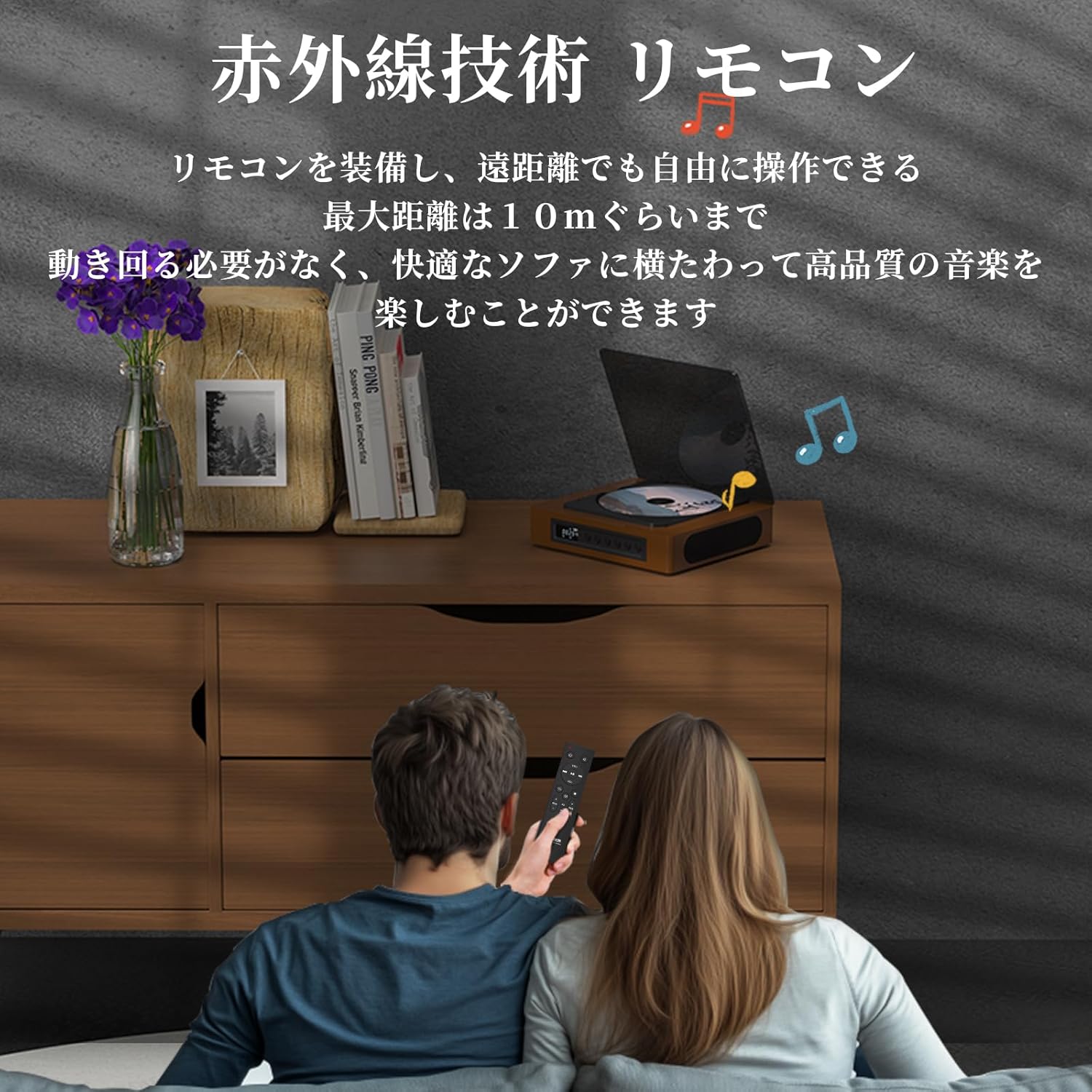
Image: A couple using the remote control for the TH-A10 CD Player, demonstrating its convenience for remote operation.
5. Itọju
5.1 Ninu
- Mu ese ita kuro pẹlu asọ ti o gbẹ.
- Fún lẹ́nsì CD, lo ohun èlò ìfọmọ́ lẹ́nsì CD pàtàkì kan. Má ṣe fọwọ́ kan lẹ́nsì náà tààrà.
- Keep the transparent dust cover clean to prevent dust accumulation on the CD.

Image: The transparent dust cover of the TH-A10, designed to protect the CD mechanism from dust and moisture.
5.2 Ibi ipamọ
When not in use for extended periods, store the player in a cool, dry place away from direct sunlight and extreme temperatures.
6. Laasigbotitusita
| Isoro | Owun to le Fa | Ojutu |
|---|---|---|
| Ko si agbara | Batiri ti gbẹ tán; Okùn agbára kò sopọ̀ mọ́. | Gba agbara batiri naa; Rii daju pe okun agbara naa sopọ mọ daradara. |
| CD ko dun | CD inserted incorrectly; Disc is dirty or scratched; Incorrect mode selected; Blu-ray disc inserted. | Reinsert CD correctly; Clean or replace disc; Select 'CD' mode; Blu-ray discs are not supported. |
| Ko si ohun lati ọdọ awọn agbohunsoke | Volume too low; Mute activated; External headphones/speakers connected to AUX out. | Increase volume; Check mute status; Disconnect external audio devices from AUX out if using internal speakers. |
| Sisopọ Bluetooth kuna | Ẹ̀rọ kò sí ní ipò ìsopọ̀; Kò sí ní ìpele ìsopọ̀; Ìdènà. | Ensure both devices are in pairing mode; Move devices closer; Restart Bluetooth on both devices. |
| Skipping during CD playback | Player is unstable; Disc is damaged; Excessive vibration. | Place player on a stable surface; Clean or replace disc; ASP anti-shock function is active for minor vibrations. |
7. Awọn pato
| Ẹya ara ẹrọ | Ẹ̀kúnrẹ́rẹ́ |
|---|---|
| Nọmba awoṣe | TH-A10 |
| Brand | TINKYA |
| Asopọmọra | Bluetooth 5.1 (Receive/Transmit), USB, AUX (3.5mm), Optical (SPDIF), Type-C (Power) |
| Awọn ọna kika Disiki atilẹyin | CD, CD-R, CD-RW (Not compatible with Blu-ray discs) |
| Awọn ọna kika Audio atilẹyin | MP3, WMA, WAV, APE, FLAC (from USB) |
| Agbara Batiri | 2600mAh |
| Playback Time (Battery) | Approx. 6-8 hours (depending on usage) |
| Awọn agbọrọsọ | Built-in Stereo Speakers (2x50mm Neodymium Iron Boron Magnetic Units) |
| Anti-Shock Protection (ASP) | 60 seconds for CD, 120 seconds for MP3 |
| Awọn iwọn (L x W x H) | 17.8 x 15.8 x 4.85 cm |
| Iwọn | 1.12 kg |
| Awọn ẹya ẹrọ To wa | CD Player, Audio Line, Type-C Charging Cable, Remote Control, Instruction Manual |
8. Atilẹyin ọja ati Support
8.1 atilẹyin ọja Alaye
This THINKYA TH-A10 CD Player comes with a 1-odun atilẹyin ọja from the date of purchase. This warranty covers defects in materials and workmanship under normal use. If the product fails due to a manufacturing defect within this period, we will provide a free replacement. Please retain your proof of purchase for warranty claims.
Akiyesi: Atilẹyin ọja naa ko bo ibajẹ ti o fa nipasẹ ilokulo, ijamba, iyipada laigba aṣẹ, tabi ibajẹ deede.
8.2 Onibara Support
For any questions, technical assistance, or warranty claims, please contact THINKYA customer support through the retailer where you purchased the product. Our team is dedicated to providing prompt and helpful service.