
Ọrọ Iṣaaju
The SVBONY SV406 is a high-performance spotting scope designed for nature observation and outdoor activities. It features an ultra-large 80mm objective lens and FMC multi-coated anti-reflective coating, ensuring bright and clear images. The 20-60x zoom capability allows for quick target acquisition and precise focus adjustment. With an IPX7 waterproof and fogproof rating, it meets a wide range of needs for nature observers and outdoor enthusiasts.
Awọn ẹya pataki pẹlu:
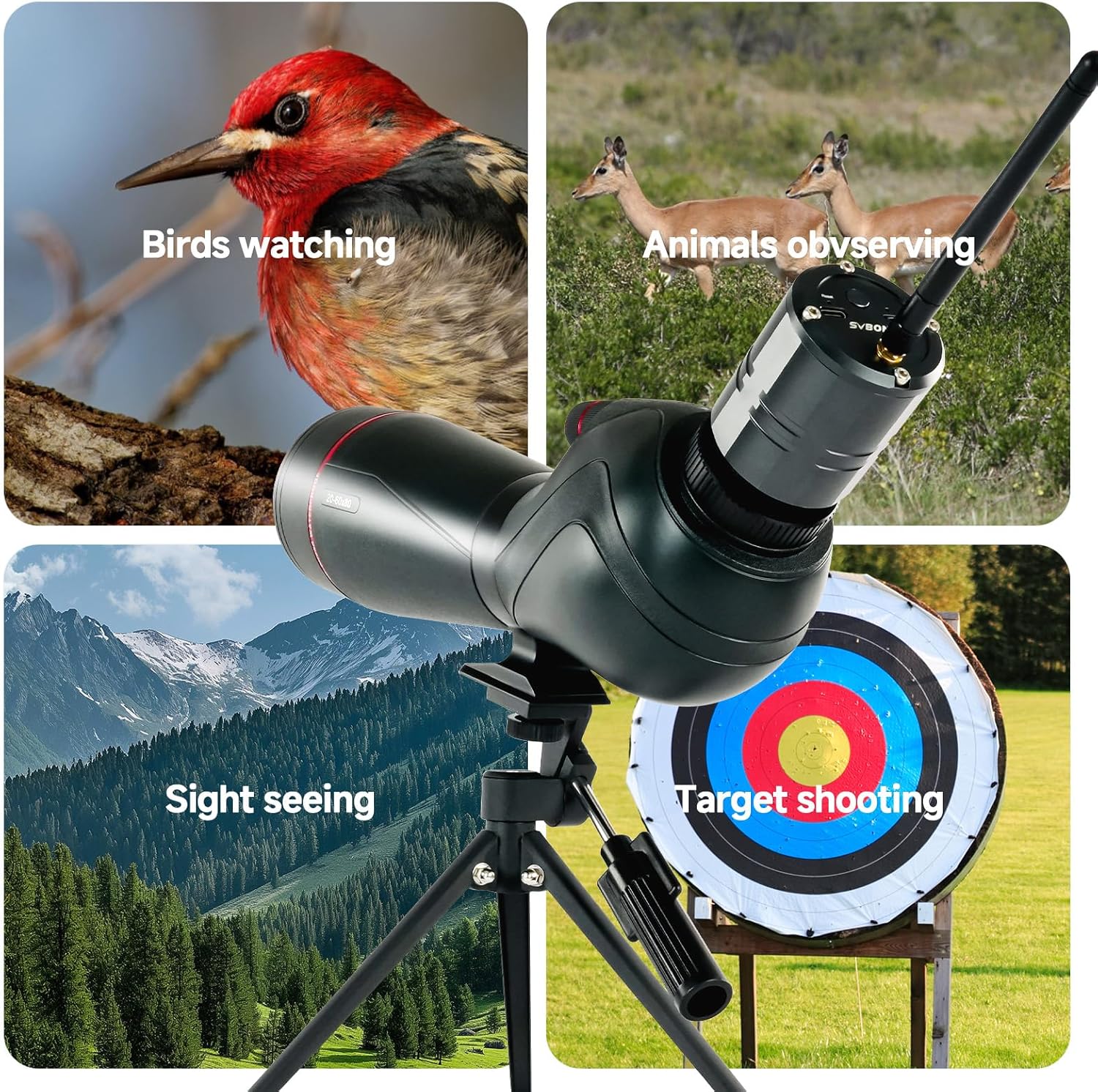
- 20-60x Magnification: Offers versatile zoom for bird watching, target shooting, hunting, wildlife viewing, and photography.
- Ko aaye ti View: The 80mm objective lens combined with a high-precision optical system provides a field of view from 19m to 38m at 1000m, ensuring true color reproduction.
- Rich Detail: Utilizes BAK4 Prism and FMC optical system to enhance light transmission, resulting in true-to-life color reproduction, excellent color fidelity, and edge-to-edge sharpness.
- Ergonomic Viewing: Features a twist-up eyecup system and 21-16mm eye relief for comfortable observation, whether wearing glasses or not.
- Interchangeable Eyepieces: The 1.25-inch T-thread male interface allows seamless integration with the SC001 WiFi Camera and SV135 Zoom eyepiece for enhanced digiscoping functionality.
- Apẹrẹ oju ojo: IPX7 waterproof and nitrogen-purged fogproof construction ensures reliable performance in various challenging weather conditions.
- Dual-Speed Focusing: Equipped with a dual-speed focusing system for rapid coarse adjustment and precise fine-tuning, ideal for tracking moving subjects and achieving critical focus.
Package Awọn akoonu
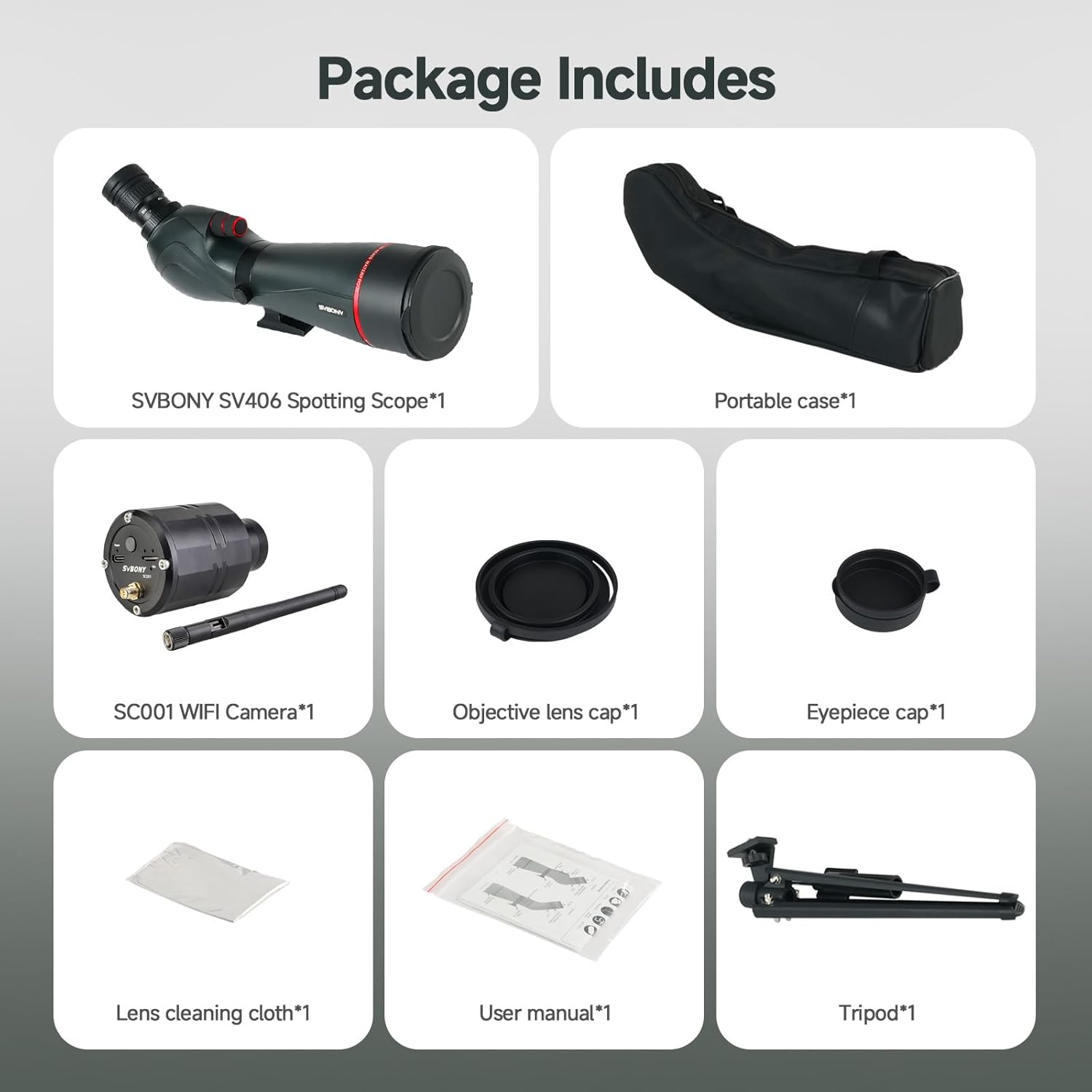
Before proceeding with setup, please ensure all components listed below are present in your package:
- SVBONY SV406 Spotting Scope
- SC001 WiFi Camera
- Tripod to ṣee gbe
- Apo gbigbe
- Ifojusi lẹnsi fila
- Eyepiece fila
- Aṣọ Ninu Aṣọ
- Itọsọna olumulo
Ṣeto
1. So Tripod
- Unfold the legs of the portable tripod to a stable position.
- Locate the mounting screw on the tripod head.
- Align the mounting hole on the base of the spotting scope with the tripod screw.
- Securely fasten the spotting scope to the tripod by turning the screw clockwise until snug. Do not overtighten.
2. Installing the SC001 WiFi Camera
The SC001 WiFi Camera replaces the standard eyepiece for digital viewgbigba ati gbigbasilẹ.
- Remove the eyepiece from the spotting scope by twisting it counter-clockwise.
- Carefully insert the SC001 WiFi Camera into the eyepiece port.
- Twist the camera clockwise to secure it in place. Ensure it is firmly attached.
- Extend the antenna on the SC001 WiFi Camera for optimal signal reception.


Awọn ilana Iṣiṣẹ
1. Siṣàtúnṣe iwọn
The SV406 spotting scope offers a variable magnification from 20x to 60x.
- Rotate the zoom ring on the eyepiece (or SC001 camera if installed) to increase or decrease magnification.
- Start with lower magnification (20x) to locate your subject, then gradually increase to 60x for detailed observation.
2. Fojusi
The dual-speed focusing system allows for both rapid and precise adjustments.
- Use the larger, coarse adjustment knob for quick changes to bring the image into approximate focus.
- Then, use the smaller, fine adjustment knob to achieve critical sharpness and clarity.

3. Using the SC001 WiFi Camera
- Agbara Tan: Press and hold the power button on the SC001 camera until the indicator light illuminates.
- Connect to Mobile Device: On your smartphone or tablet, enable Wi-Fi and search for the SC001 network. Connect to it using the provided password (refer to the SC001 manual for default password).
- Ifilọlẹ App: Open the dedicated SVBONY app (download from your device's app store) to view the live feed, capture photos, or record videos.
- Ibi ipamọ: The camera supports a TF card for storing captured media. Ensure a card is inserted if you wish to record.
4. Atunse Eyecup
The twist-up eyecup allows for comfortable viewpẹlu tabi laisi awọn gilaasi oju.
- Yí ago ojú sókè fún viewláìsí àwọn gíláàsì ojú.
- Yí ago ojú náà sí ìsàlẹ̀ fún viewing with eyeglasses to achieve the full field of view.


Itoju
1. Àwọn Lẹ́ǹsì Mímú
- Use the provided lens cleaning cloth to gently wipe dust or smudges from the objective and eyepiece lenses.
- For stubborn dirt, use a specialized optical lens cleaning solution and a clean, soft cloth. Avoid abrasive materials.
- Never touch the lens surfaces with your fingers.
2. Gbogbogbo Cleaning
- Wipe the body of the spotting scope and SC001 camera with a soft, damp asọ.
- Avoid using harsh chemicals or solvents, as these may damage the finish.
3. Ibi ipamọ
- When not in use, always attach the objective lens cap and eyepiece cap to protect the lenses.
- Store the spotting scope in its carrying bag in a cool, dry place, away from direct sunlight and extreme temperatures.
- If storing for extended periods, consider placing desiccant packets in the carrying bag to absorb moisture.
Laasigbotitusita
| Isoro | Owun to le Fa | Ojutu |
|---|---|---|
| Aworan jẹ blurry tabi ko ni idojukọ | Incorrect focus adjustment; Eyecup not set correctly; Lens dirty | Adjust the dual-speed focus knobs; Adjust the twist-up eyecup; Clean the lenses with the provided cloth. |
| No image or very dark image | Lens caps still on; Insufficient light; Wrong magnification setting | Remove all lens caps; Use in adequate lighting conditions; Adjust magnification to a lower setting. |
| SC001 WiFi Camera not powering on | Batiri kekere; Bọtini agbara ko tẹ ni deede | Charge the SC001 camera via its Type-C port; Press and hold the power button firmly. |
| Cannot connect SC001 WiFi Camera to phone | Incorrect WiFi password; App not installed; Camera too far from device | Verify WiFi password; Download and install the SVBONY app; Ensure camera is within close range of your mobile device. |
| Fogging inside the scope | Extreme temperature changes (rare due to nitrogen purging) | Allow the scope to acclimate to the ambient temperature. If persistent, contact support. |
If you encounter issues not listed here or if the suggested solutions do not resolve the problem, please refer to the comprehensive user manual or contact SVBONY customer support.
Awọn pato
| Ẹya ara ẹrọ | Sipesifikesonu |
|---|---|
| Brand | SVBONY |
| Orukọ awoṣe | SV406+SC001 |
| Ojú Tube Ipari | 470 mm |
| Àpèjúwe Lẹ́ńsì Ojú | Olona-ti a bo lẹnsi |
| Idiwọn lẹnsi Idiwọn | 80 mm |
| Àpèjúwe Àgbékalẹ̀ Tẹ́lískópù | Tripod Oke |
| Idojukọ Iru | Ìfojúsùn Ọwọ́ (Ìyára Méjì) |
| Iwọn Ọja | 1.53 kilo |
| Awọn ẹrọ ibaramu | Camera, Eyepieces |
| Ifojusi Gigun Apejuwe | 20-60 mm |
| Eyepiece Lens Construction | Olona-ti a bo lẹnsi |
| Oke | Tripod Oke |
| Awọn afojusun | 20-60 mm |
| Aaye ti View | 19 Meters (at 1000m) |
| Zoom Index | 20x-60x |
| Olupese Apá Number | FF9355E |
| Nọmba awoṣe | FF9355E-F9373A |
Atilẹyin ọja ati Support
SVBONY products are manufactured to high-quality standards and are warranted against defects in materials and workmanship. Specific warranty terms and duration may vary by region and retailer. Please retain your proof of purchase for warranty claims.
For technical support, troubleshooting assistance, or warranty inquiries, please visit the official SVBONY website or contact their customer service department. Contact information can typically be found on the product packaging or the SVBONY webojula.
