
1. Ifihan
The IRRADIO IR-M3 Classic is a compact and powerful wireless speaker designed for versatile audio experiences. Featuring a 50mm full-range driver and a passive subwoofer, it delivers rich, balanced sound with a nominal power of 10W and musical power of 15W. Its frequency response of 85 Hz-20 KHz ensures deep bass and clear highs, making it suitable for various music genres. This portable Bluetooth speaker is perfect for on-the-go use, offering up to 10 hours of continuous playback thanks to its 2000 mAh battery. Its IPX7 waterproof rating makes it resistant to rain and short immersions, ideal for outdoor adventures. The True Wireless Stereo function allows you to connect two speakers for a complete stereo experience. Additionally, the RGB LED lighting adds a stylish touch, creating engaging atmospheres, while MP3 and WAV file compatibility and USB playback enhance its versatility.
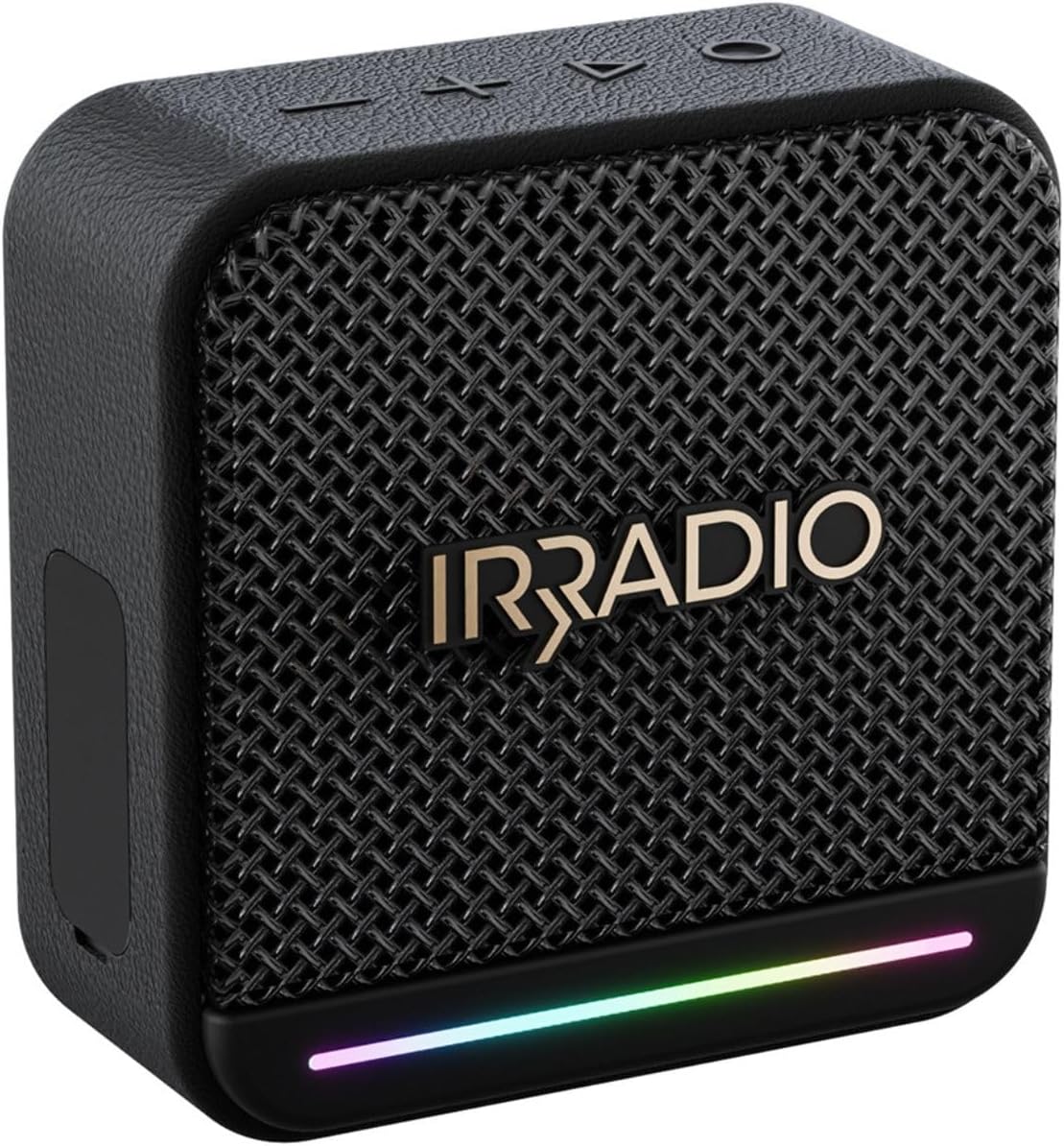
Aworan 1: Iwaju view of the IRRADIO IR-M3 Classic Bluetooth Speaker, showcasing its compact design and RGB LED light strip.
2. Ohun ti o wa ninu Apoti
Upon unboxing your IRRADIO IR-M3 Classic Bluetooth Speaker, please ensure all components are present:
- IRRADIO IR-M3 Classic Bluetooth Speaker
- Charger (USB-C cable)
3. Awọn ẹya Ọja
- Didara Olohun to gaju: Equipped with a 50mm full-range driver and integrated passive subwoofer, delivering 10W nominal power and 15W musical power. Frequency response of 85 Hz-20 KHz for deep bass and clear highs.
- Iwapọ ati Gbigbe: Measuring 10.1 x 10.2 x 4.8 cm and weighing only 306g, it is easy to transport.
- Batiri pipẹ: Integrated 2000 mAh battery provides up to 10 hours of continuous playback. Full recharge in approximately 3.5 hours.
- Apẹrẹ ti ko ni omi: IPX7 waterproof rating ensures resistance to rain and short immersions, making it suitable for outdoor use.
- Ilọsiwaju Asopọmọra: Supports Bluetooth 5.4 for quick and stable connections up to 10 meters.
- Sitẹrio Alailowaya otitọ (TWS): Connect two IR-M3 Classic devices for an immersive stereo sound experience.
- Sisisẹsẹhin to pọ: Compatible with MP3 and WAV file formats, and supports music playback from an external USB drive.
- Ìmọ́lẹ̀ LED RGB tó ń yípadà: Customizable LED lighting adds visual flair and atmosphere to your music.

Image 2: Visual representation of key features including True Wireless Stereo, RGB LED lighting, and 10W power output.

Image 3: The IRRADIO IR-M3 Classic speaker shown with its compact dimensions for easy portability.
4. Eto
- Gbigba agbara si Agbọrọsọ: Before first use, fully charge the speaker using the provided USB-C cable. Connect the USB-C end to the speaker's charging port and the other end to a compatible USB power adapter (not included). The charging indicator will show the charging status.
- Ngba agbara: Press and hold the power button (usually marked with a power symbol) for a few seconds until you hear an audible cue or see the LED indicator light up.
- Mimuuṣiṣẹpọ Bluetooth: Once powered on, the speaker will automatically enter Bluetooth pairing mode. The LED indicator will typically flash to indicate it's ready to pair.
- Sopọ si Ẹrọ Rẹ: Lori foonuiyara, tabulẹti, tabi kọmputa, lọ si awọn eto Bluetooth. Wa fun 'IR-M3 Classic' in the list of available devices and select it to connect. A confirmation sound or steady LED light will indicate a successful connection.
- Sísopọ̀mọ́ra Sitẹrio Alailowaya Otitọ (TWS) (Àṣàyàn): To connect two IR-M3 Classic speakers for stereo sound, ensure both speakers are powered on and in pairing mode. On one speaker, press and hold the TWS button (if available, refer to specific button layout) until they connect. Then, pair your device to the primary speaker.

Image 4: Close-up of the speaker's side panel revealing the protected ports for USB-C charging, USB-A for external drives, AUX-in, and TF card slot.
5. Awọn ilana Iṣiṣẹ
Awọn iṣakoso ipilẹ:
- Titan/Apapa: Tẹ mọlẹ bọtini agbara.
- Iwọn didun Soke/Isalẹ: Lo awọn bọtini '+' ati '-'.
- Ṣiṣẹ/Daduro: Tẹ bọtini Play/Sinmi.
- Itele / Tẹlẹ Orin: Lo awọn bọtini iwaju/sẹhin.
- Aṣayan Ipo: If available, press the 'M' button to switch between Bluetooth, USB, AUX, or TF card modes.
Imọlẹ LED RGB:
The speaker features dynamic RGB LED lighting. Refer to the specific button layout for controls to change lighting modes or turn them off/on. The lights can synchronize with the music, enhancing the listening experience.

Image 5: The IRRADIO IR-M3 Classic speaker displaying its colorful RGB LED lighting feature.
6. Itọju
- Ninu: Use a soft, dry cloth to clean the speaker. For stubborn dirt, a slightly damp A le lo aṣọ. Má ṣe lo àwọn kẹ́míkà líle tàbí àwọn ohun ìfọmọ́ tí ó máa ń pa ara.
- Omi Resistance: The IPX7 rating means the speaker can withstand immersion in water up to 1 meter for 30 minutes. Ensure all port covers are securely closed before exposing the speaker to water. After exposure to water, dry the speaker thoroughly before charging or opening any ports.
- Ibi ipamọ: Tọju agbohunsoke ni itura, aye gbigbẹ kuro lati orun taara ati awọn iwọn otutu to gaju.
- Itọju Batiri: Láti mú kí batiri pẹ́ sí i, má ṣe jẹ́ kí batiri náà máa jáde nígbà gbogbo. Gba agbára rẹ̀ déédéé, kódà bí kò bá tiẹ̀ wà fún ìgbà pípẹ́.
7. Laasigbotitusita
- Ko si Agbara: Ensure the battery is charged. Connect the speaker to a power source using the USB-C cable and try turning it on again.
- Ko si Ohun: Check the volume level on both the speaker and your connected device. Ensure the speaker is correctly paired via Bluetooth or the AUX cable is properly connected.
- Awọn oran Isopọpọ Bluetooth: Make sure the speaker is in pairing mode (LED flashing). Turn off Bluetooth on your device and turn it back on. Try unpairing and re-pairing the speaker. Ensure no other devices are connected to the speaker.
- Ohun Yiyi: Din iwọn didun silẹ lori mejeeji agbọrọsọ ati ẹrọ rẹ. Rii daju pe orisun ohun jẹ didara to dara.
- USB/TF Card Playback Issues: Ṣe idaniloju ohun ohun files are in MP3 or WAV format. Check that the USB drive or TF card is inserted correctly and is not corrupted.
8. Awọn pato
| Ẹya ara ẹrọ | Sipesifikesonu |
|---|---|
| Brand | IRRADIO |
| Nọmba awoṣe | IR-M3 |
| Ọja Mefa | 101P x 48l x 102H mm (10.1 x 4.8 x 10.2 cm) |
| Iwọn Agbọrọsọ | 10.1 centimita |
| Imọ-ẹrọ Ibaraẹnisọrọ Alailowaya | Bluetooth 5.4 |
| Iwọn giga | 10 Mita |
| Orisun agbara | Agbara Batiri |
| Agbara Batiri | 2000 mAh |
| Akoko Sisisẹsẹhin | Titi di awọn wakati 10 (ni iwọn 50%) |
| Akoko gbigba agbara | wakati meji 3.5 |
| Mabomire Rating | IPX7 |
| Ipo Ijade Ohun | Sitẹrio |
| Niyanju Lilo | For smartphones or tablets, For computers, For televisions |
| Awọn ẹrọ ibaramu | Laptop, MP3 Player, Smartphone, Tablet, Television |
| Awọn irinše to wa | Charger (USB-C cable) |
9. Atilẹyin ọja ati Support
The IRRADIO IR-M3 Classic Bluetooth Speaker comes with a limited warranty. For specific details regarding warranty coverage, duration, and terms, please refer to the warranty card included in your product packaging or contact IRRADIO customer support directly. Keep your proof of purchase for warranty claims.
For further assistance, technical support, or service inquiries, please visit the official IRRADIO website or contact their customer service department. Contact information can typically be found in the product packaging or on the brand's official webojula.