
1. Ifihan
Thank you for choosing the JUNJIEUNVO B36 Wireless Over-Ear Headphones. These headphones are designed to provide a superior audio experience with comfort and convenience. Featuring Bluetooth connectivity, premium materials, and intuitive controls, the B36 headphones are suitable for various scenarios including travel, learning, sports, and casual listening. Please read this manual carefully to ensure proper use and maintenance of your new headphones.

Image: B36 Wireless Over-Ear Headphones in a red/rose gold finish, showcasing the premium mesh fabric and silver metal accents.
2. Package Awọn akoonu
Jọwọ ṣayẹwo package fun awọn nkan wọnyi:
- JUNJIEUNVO B36 Wireless Over-Ear Headphones
- Okun Ngba agbara USB
- Itọsọna olumulo

Image: Product packaging displaying the B36 model and key features, including Hi-Res Audio and stereo sound.
3. Awọn ẹya Ọja
- Asopọ Alailowaya: Features Bluetooth technology for seamless pairing with your devices, providing a cable-free listening experience.
- Apẹrẹ Ere: Elegant rose gold pink finish with luxurious mesh fabric headband and polished silver metal accents for sophisticated style.
- Imudara Itunu: Over-ear design with soft cushioned earpads and adjustable headband ensures comfortable extended wear.
- Awọn iṣakoso ogbon: Easy-access buttons on the earcup for convenient volume adjustment, track selection, and call management.
- Agbekale Kọ: Sleek and lightweight construction with rotating earcups for easy storage and transport.

Image: Headphones highlighting STEREO SOUND with 360° surround sound and HD calls.
4. Eto
4.1 Ngba agbara si awọn Agbekọri
Before first use, fully charge your B36 headphones. A full charge takes approximately 2 hours.
- So opin kekere ti okun gbigba agbara USB pọ si ibudo gbigba agbara lori awọn agbekọri.
- So opin okun gbigba agbara USB pọ mọ orisun agbara USB (fun apẹẹrẹ, ibudo USB kọmputa, adapter odi USB).
- Ìmọ́lẹ̀ àmì náà yóò fi ipò agbára ìgbara hàn (fún àpẹẹrẹ, pupa fún agbára ìgbara, àwọ̀ búlúù fún agbára ìgbara gbogbo).
Pataki: Use a standard 5V/0.2A charging head. Avoid high-power or fast-charging plugs without a corresponding power charging cable to prevent overheating and fire hazards.
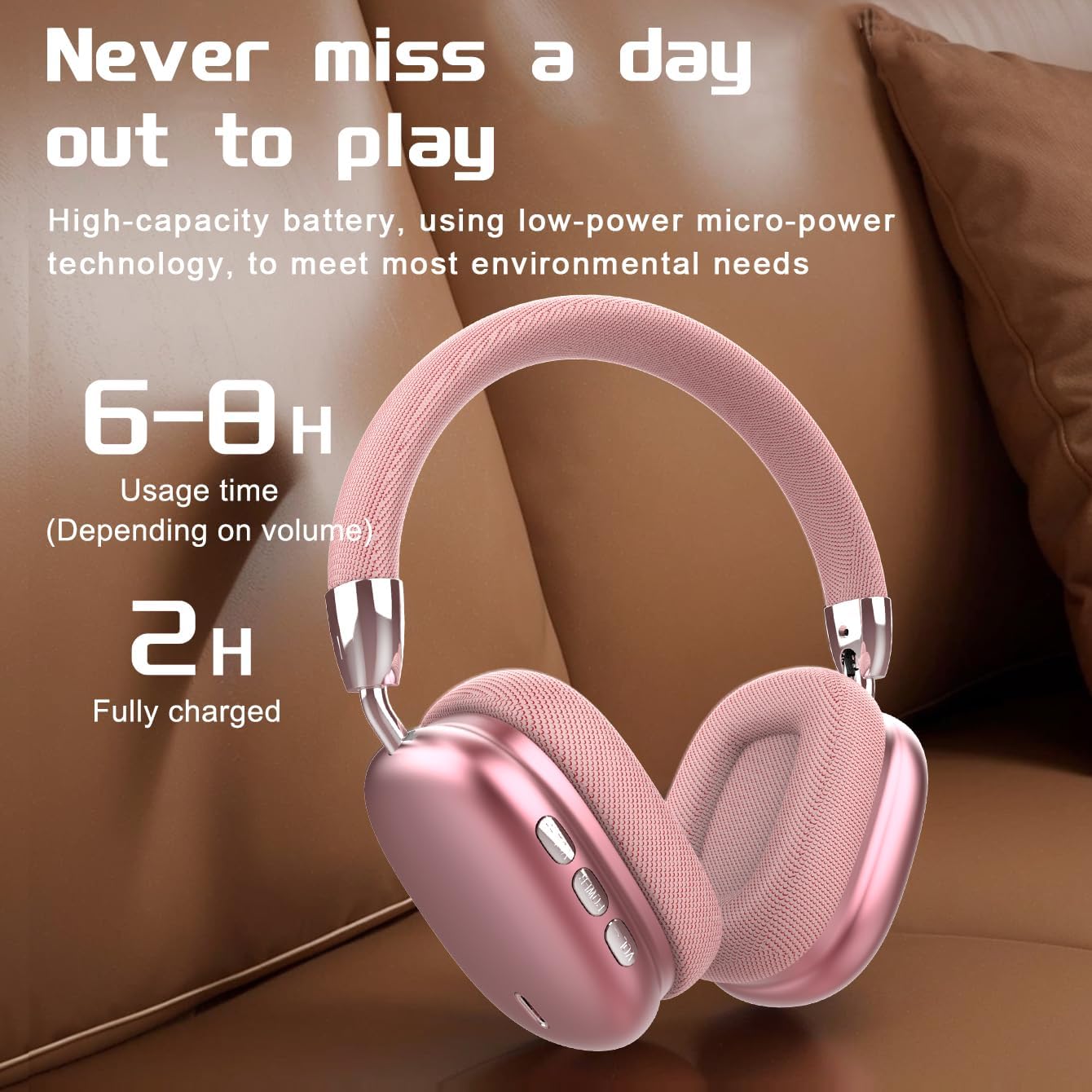
Image: Visual representation of battery life, indicating 6-8 hours of usage and 2 hours for a full charge.
4.2 Titan / Pa a
- Agbara Tan: Press and hold the Power button for approximately 3 seconds until the indicator light flashes.
- Agbara Pa: Tẹ mọlẹ bọtini agbara fun isunmọ awọn aaya 3 titi ti ina olufihan yoo wa ni pipa.
4.3 Sisopọ Bluetooth
The B36 headphones use Bluetooth 5.0 for stable wireless connection up to 33 feet (10 meters).
- Rii daju pe awọn agbekọri ti gba agbara ni kikun ati agbara ni pipa.
- Tẹ bọtini agbara ki o si dimu fun bi iṣẹju-aaya 5-7 titi ti ina ifihan yoo fi tan pupa ati buluu ni ọna miiran, ti o fihan ipo isopọmọ.
- Lori ẹrọ rẹ (foonuiyara, tabulẹti, kọmputa), mu Bluetooth ṣiṣẹ ki o wa awọn ẹrọ titun.
- Select "B36" from the list of available devices.
- Once connected, the indicator light on the headphones will turn solid blue or flash slowly.

Image: Headphones positioned near a laptop and smartphone, illustrating compatibility with various Bluetooth-enabled devices.
5. Awọn ilana Iṣiṣẹ
The B36 headphones feature intuitive on-ear controls for easy management of audio and calls.
5.1 Sisisẹsẹhin Orin
- Ṣiṣẹ/Daduro: Press the Multi-function button (often marked with a play/pause icon) once.
- Orin t’okan: Tẹ mọlẹ bọtini Iwọn didun Up (+).
- Tẹlẹ Orin: Tẹ mọlẹ bọtini Iwọn didun isalẹ (-).
- Iwọn didun Up: Kukuru tẹ bọtini Iwọn didun Up (+).
- Iwọn didun isalẹ: Kukuru tẹ bọtini Iwọn didun isalẹ (-).
5.2 ipe Management
- Idahun/Ipe Ipari: Tẹ bọtini Olona-iṣẹ lẹẹkan.
- Kọ Ipe: Tẹ mọlẹ bọtini iṣẹ-ọpọlọpọ fun iṣẹju-aaya 2.
- Nọmba Ikẹhin Tun Tun: Tẹ bọtini Olona-iṣẹ lẹẹmeji.

Image: A person wearing the B36 headphones, illustrating their suitability for various daily activities.
6. Itọju
6.1 Ninu
- Mu awọn agbekọri nu pẹlu asọ ti o gbẹ.
- Maṣe lo awọn afọmọ abrasive, ọti-lile, tabi awọn nkan ti kemikali.
- Jeki ibudo gbigba agbara laisi eruku ati idoti.
6.2 Ibi ipamọ
- Tọju awọn agbekọri naa ni itura, aye gbigbẹ kuro lati orun taara ati awọn iwọn otutu to gaju.
- When not in use for extended periods, charge the lithium battery at least once every two months to maintain battery health.
- Apẹrẹ ti a ṣe pọ gba laaye fun ibi ipamọ iwapọ.

Image: Headphones on a soft surface, emphasizing the ergonomic design for comfortable, long-term wear.
7. Laasigbotitusita
If you encounter issues with your B36 headphones, please refer to the following common solutions:
- Awọn agbekọri kii yoo tan: Rii daju pe awọn agbekọri ti gba agbara ni kikun.
- Ko le so pọ pẹlu ẹrọ: Make sure Bluetooth is enabled on your device and the headphones are in pairing mode (flashing red and blue). Try turning Bluetooth off and on again on your device.
- Ko si ohun: Check the volume level on both the headphones and your connected device. Ensure the headphones are properly paired.
- Didara ohun ti ko dara/asopọ laarin: Move closer to your connected device to ensure you are within the Bluetooth range (33 feet/10 meters). Avoid obstacles between the headphones and the device.
- Ọrọ gbigba agbara: Ensure the charging cable is securely connected and the power source is working. Use a standard 5V/0.2A charger.
Ti iṣoro naa ba wa, jọwọ kan si atilẹyin alabara.
8. Awọn pato
| Ẹya ara ẹrọ | Sipesifikesonu |
|---|---|
| Orukọ awoṣe | B36 |
| Asopọmọra Technology | Ailokun (Bluetooth) |
| Imọ-ẹrọ Ibaraẹnisọrọ Alailowaya | Bluetooth 5.0 |
| Bluetooth Ibiti | Ẹsẹ 33 (mita 10) |
| Gbigbe Eti | Lori Eti |
| Ariwo Iṣakoso | Fifagile Ariwo |
| Idahun Igbohunsafẹfẹ | 20 Hz |
| Ifamọ | 102 dB |
| Ipalara | 32 ohm |
| Audio Driver Iwon | 40 millimeters |
| Akoko gbigba agbara | Awọn wakati 2 |
| Iwọn Nkan | 310 Giramu (10.9 iwon) |
| Ohun elo | Metal, Plastic, Premium Mesh Fabric |
| Iṣakoso Iru | Wireless (On-ear Controls, Touch) |
| Omi Resistance Ipele | Ko Omi Resistant |

Image: The B36 headphones displayed in three available colors: black, red (pink), and silver.
9. Awọn iṣọra aabo
Please observe the following safety precautions to ensure safe operation and prolong the lifespan of your headphones:
- The charging cable current of the device is 0.2A. Please do not use a high-power charging head for charging. If you use a fast-charging plug head, please equip yourself with a corresponding power charging cable to avoid overheating and catching fire.
- If a product with a lithium battery is not used for a long time, please make sure to charge it at least once every two months.
- The product has a shelf life of one year.
- Ma ṣe fi agbekọri han si awọn iwọn otutu to gaju, ọriniinitutu, tabi olomi.
- Yago fun sisọ tabi tẹriba awọn agbekọri si awọn ipa to lagbara.
- Ma ṣe gbiyanju lati ṣaito tabi tun awọn agbekọri naa pada. Eyi yoo sọ atilẹyin ọja di ofo.
10. Atilẹyin ọja ati Support
The JUNJIEUNVO B36 Wireless Over-Ear Headphones come with a standard manufacturer's warranty. Please refer to your purchase documentation for specific warranty terms and conditions. For technical support, troubleshooting assistance, or warranty claims, please contact the seller or JUNJIEUNVO customer service through the platform where you purchased the product.