
Dytole DY108
Dytole DY108 Wireless Headset User Manual
Model: DY108
Ọrọ Iṣaaju
This manual provides detailed instructions for the proper use, setup, and maintenance of your Dytole DY108 Wireless Headset. Please read this manual thoroughly before using the product to ensure optimal performance and longevity. The Dytole DY108 is designed for professional use, offering advanced features such as AI Noise Cancelling, Bluetooth 5.3 connectivity, and extended battery life for clear communication in various work environments.
Package Awọn akoonu
Upon unboxing your Dytole DY108 Wireless Headset, please verify that all components listed below are present:
- Wireless Headset with Mic x 1
- USB Dongle x 1
- Okun gbigba agbara USB-C x 1
- Ilana olumulo x 1

Image: Contents of the Dytole DY108 Wireless Headset package, including the headset, USB dongle, USB-C charging cable, and user manual.
Ọja Pariview
Familiarize yourself with the various components and controls of your Dytole DY108 Wireless Headset.
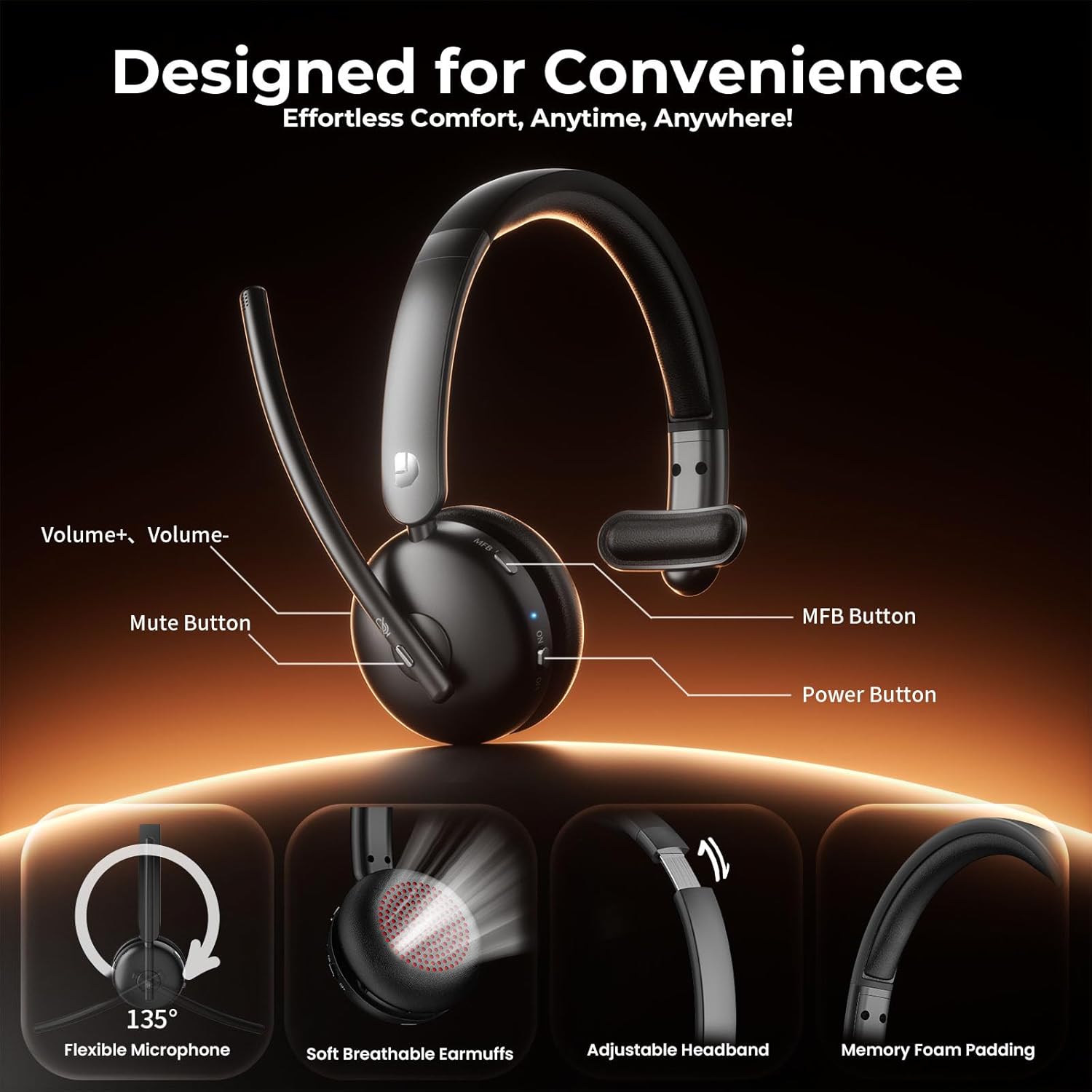
Image: Diagram illustrating the controls of the Dytole DY108 headset, including Volume+ / Volume-, Mute Button, MFB Button, Power Button, Flexible Microphone (135° adjustable), Soft Breathable Earmuffs, Adjustable Headband, and Memory Foam Padding.
- Ariwo Gbohungbohun: 135° adjustable for optimal voice pickup.
- Bọtini Mute: Tẹ lati dakẹ/mu gbohungbohun kuro.
- Awọn bọtini iwọn didun: Ṣe àtúnṣe ipele ìjáde ohùn.
- Bọtini Iṣẹ-pupọ (MFB): Controls power, pairing, call management, and music playback.
- Bọtini agbara: Yi agbekari si tan tabi paa.
- Ibudo Ngba agbara USB-C: Fun gbigba agbara batiri agbekari.
- Atọka LED: Displays status (power, pairing, charging).
- Akọkọ ti o le ṣatunṣe: Fun kan itura ati ni aabo fit.
- Soft Earcup: A ṣe apẹrẹ fun itunu igba pipẹ ti o wọ.
Ṣeto
Ngba agbara si Agbekọri
Before initial use, fully charge your headset. A full charge takes approximately 2 hours and provides up to 65 hours of talk time.
- Connect the provided USB-C charging cable to the charging port on the headset.
- So opin okun miiran pọ si orisun agbara USB (fun apẹẹrẹ, ibudo USB kọnputa, ohun ti nmu badọgba ogiri).
- The LED indicator will show charging status (e.g., solid red while charging, turns off or blue when fully charged).
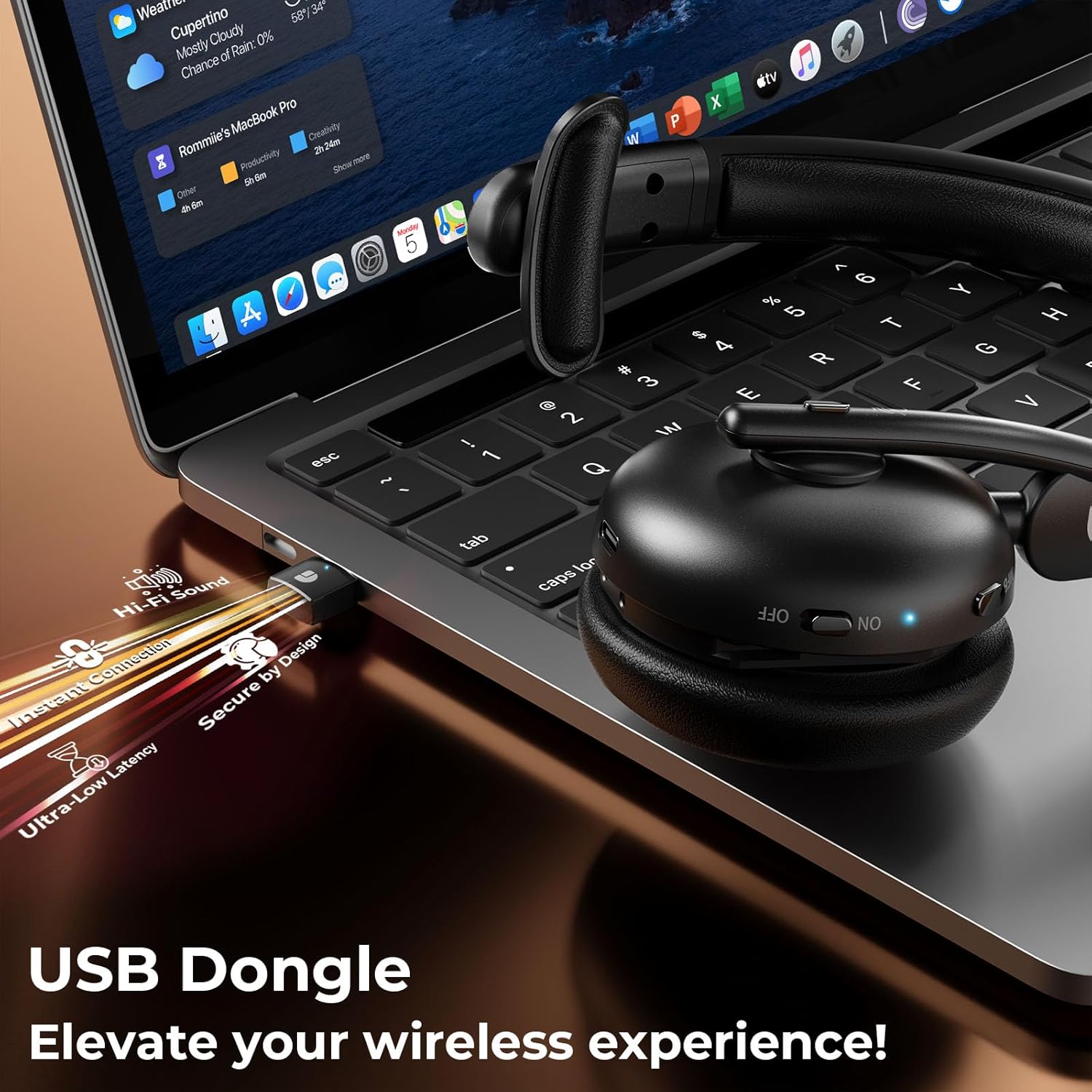
Image: The Dytole DY108 headset connected to a laptop via its USB-C charging cable, illustrating the charging process.

Aworan: inu view of the Dytole DY108 headset highlighting its long-lasting battery, indicating up to 65 hours of use on a single charge.
Nsopọ si Awọn ẹrọ
The Dytole DY108 headset offers two primary connection methods: via Bluetooth 5.3 or the included USB Dongle.
Bluetooth Pairing (for Smartphones, Tablets, Laptops with Bluetooth)
- Rii daju pe agbekari ti gba agbara ati agbara si pipa.
- Press and hold the MFB button for approximately 5-7 seconds until the LED indicator flashes blue and red alternately, indicating pairing mode.
- Lori ẹrọ rẹ, mu Bluetooth ṣiṣẹ ki o wa awọn ẹrọ titun.
- Select "DY108" from the list of available devices.
- Once connected, the LED indicator on the headset will flash blue slowly.
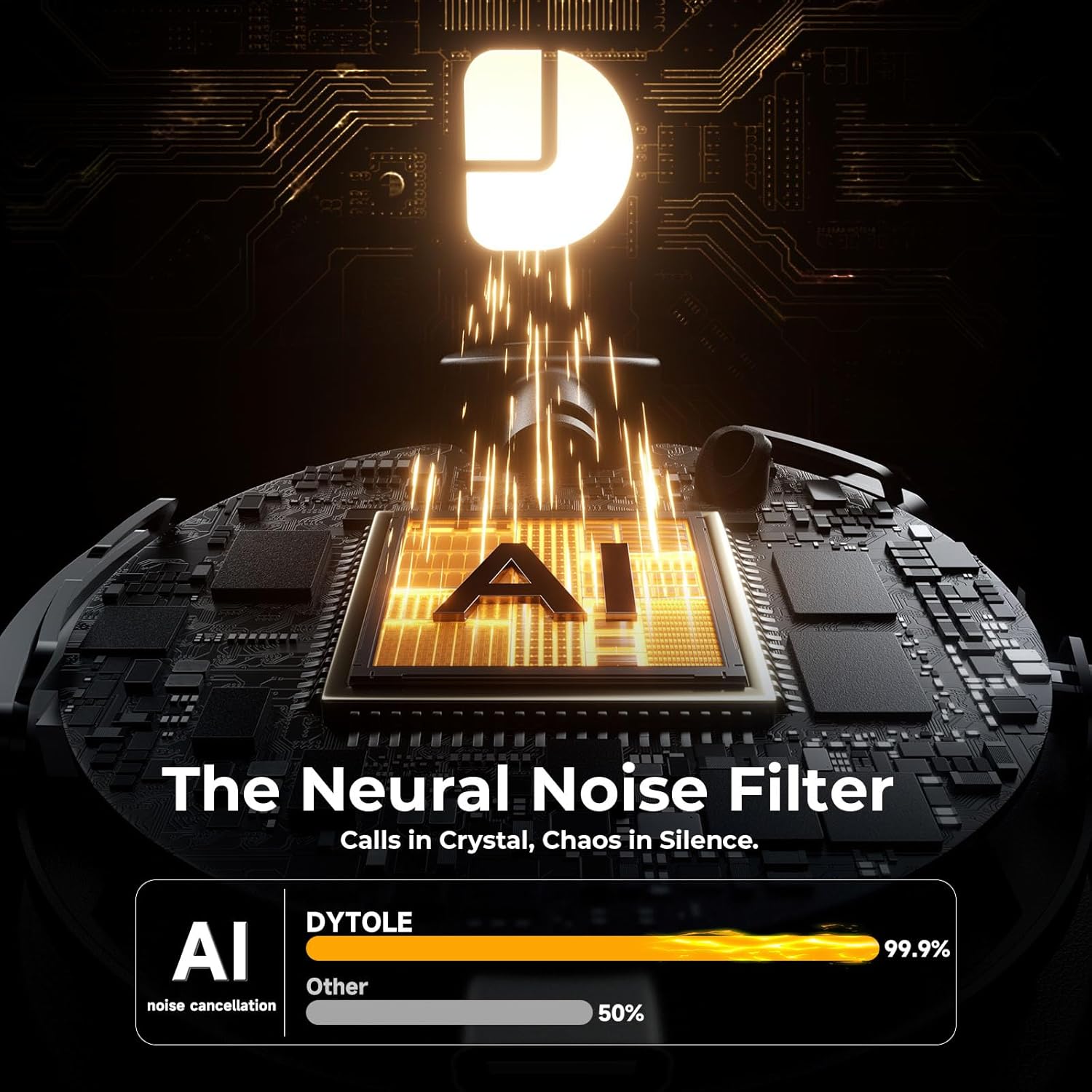
Image: The Dytole DY108 headset surrounded by various devices (smartphone, laptop, tablet), illustrating its universal compatibility and effortless Bluetooth 5.3 pairing.
USB Dongle Connection (for PC/Laptop)
The USB dongle provides a stable and low-latency connection, ideal for PC and laptop use, especially for applications like Teams, Skype, and call centers.
- Fi dongle USB sinu ibudo USB ti o wa lori kọmputa rẹ.
- Power on the Dytole DY108 headset. It will automatically attempt to connect to the dongle.
- The LED indicator on both the headset and the dongle will turn solid blue once connected.
- On your computer, ensure the Dytole DY108 is selected as the default audio input and output device in your sound settings.
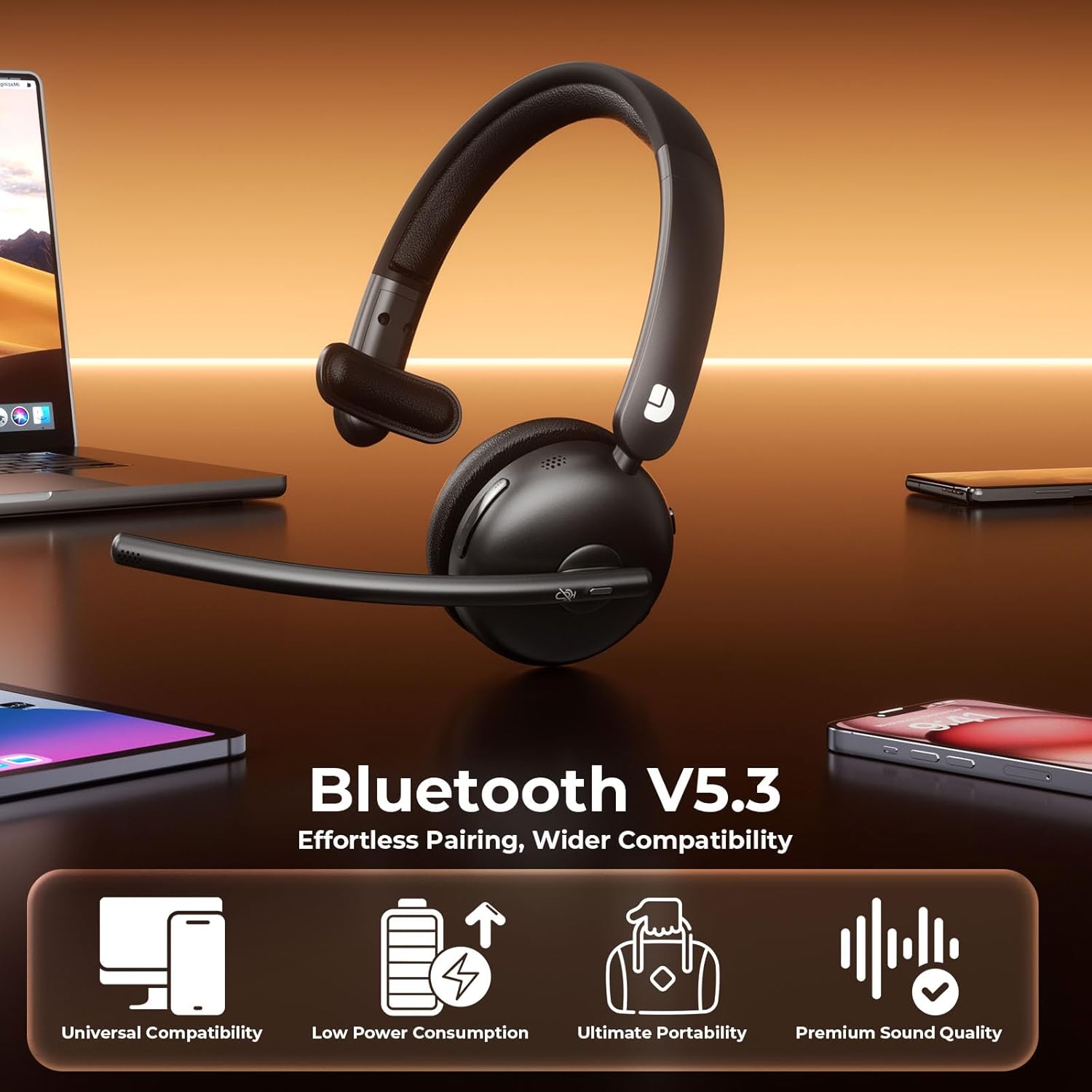
Image: The Dytole DY108 headset with its USB dongle inserted into a laptop, demonstrating the instant and secure connection for an enhanced wireless experience.
Awọn ilana Iṣiṣẹ
Awọn iṣẹ ipilẹ
| Išẹ | Iṣe | Indicator/Result |
|---|---|---|
| Agbara Tan | Gbe agbara yipada si ON. | LED seju bulu. |
| Agbara Paa | Gbe agbara yipada si PA. | LED wa ni pipa. |
| Idahun/Pari Ipe | Tẹ bọtini MFB lẹẹkan. | Call connected/disconnected. |
| Kọ Ipe | Tẹ mọlẹ bọtini MFB fun iṣẹju-aaya 2. | Call rejected. |
| Mu dakẹ/Mu Gbohungbohun | Press the Mute button once. | Microphone muted/unmuted. |
| Iwọn didun soke | Tẹ bọtini Iwọn didun + naa. | Volume increases. |
| Iwọn didun isalẹ | Tẹ bọtini Iwọn didun. | Volume decreases. |
| Mu ṣiṣẹ/Danu Orin duro | Tẹ bọtini MFB lẹẹkan. | Music playback toggled. |
| Next Track | Press and hold Volume+ button for 2 seconds. | Skips to next song. |
| Ti tẹlẹ Track | Press and hold Volume- button for 2 seconds. | Skips to previous song. |
| Mu Oluranlọwọ Ohun ṣiṣẹ | Tẹ bọtini MFB lẹẹmeji. | Voice assistant activated. |
AI Noise Cancelling Feature
The Dytole DY108 headset incorporates advanced AI Noise Cancelling technology to reduce up to 99% of background noise, ensuring crystal-clear voice transmission during calls.
- This feature is automatically active when the microphone is in use.
- Ensure the microphone boom is positioned correctly, approximately 1-2 inches from your mouth, for optimal noise cancellation performance.

Image: The Dytole DY108 headset, showcasing its sleek design and the integrated USB dongle, emphasizing its AI noise-cancelling capabilities for clear communication.
Image: A conceptual diagram illustrating the "Neural Noise Filter" technology of the Dytole DY108 headset, demonstrating its ability to filter out 99.9% of background noise for crystal-clear calls.
Itọju ati Itọju
Proper maintenance ensures the longevity and optimal performance of your Dytole DY108 Wireless Headset.
- Ninu: Use a soft, dry cloth to wipe the headset. For stubborn dirt, a slightly damp asọ le ṣee lo, ṣugbọn rii daju pe ko si ọrinrin ti o wọ awọn ibudo tabi awọn grilles agbọrọsọ. Maṣe lo awọn kẹmika ti o lewu tabi awọn afọmọ abrasive.
- Ibi ipamọ: Nigbati o ko ba si ni lilo, tọju agbekari ni itura, aye gbigbẹ, kuro lati orun taara ati awọn iwọn otutu to gaju.
- Itọju Batiri: Lati tọju igbesi aye batiri, yago fun gbigba agbara agbekari ni kikun nigbagbogbo. Gba agbara rẹ nigbagbogbo, paapaa ti kii ṣe ni lilo igbagbogbo.
- Mimu: Avoid dropping the headset or subjecting it to strong impacts. Do not twist or bend the microphone boom excessively beyond its intended 135° adjustment range.
Laasigbotitusita
If you encounter issues with your Dytole DY108 Wireless Headset, refer to the following common problems and solutions:
| Isoro | Owun to le Fa | Ojutu |
|---|---|---|
| Headset won't turn on. | Batiri kekere. | Gba agbara si agbekari ni kikun. |
| Ko le so pọ nipasẹ Bluetooth. | Headset not in pairing mode; device Bluetooth off; too far from device. | Ensure headset is in pairing mode (flashing blue/red). Turn on device Bluetooth. Move headset closer to device (within 15 meters). |
| Ko si ohun tabi didara ohun ti ko dara. | Volume too low; incorrect audio output selected; headset not connected. | Increase headset and device volume. Select "DY108" as default audio device. Reconnect headset. |
| Gbohungbohun ko ṣiṣẹ. | Microphone muted; incorrect audio input selected; microphone boom not positioned correctly. | Unmute microphone. Select "DY108" as default microphone device. Adjust microphone boom closer to mouth. |
| USB Dongle not connecting. | Dongle not fully inserted; driver issue; headset not powered on. | Ensure dongle is fully inserted. Try a different USB port. Restart computer. Power on headset. |
| AI Noise Cancelling not effective. | Microphone position; extremely loud environment. | Adjust microphone closer to your mouth. While the AI NC is highly effective, extreme noise levels may still be audible. |
If the problem persists after trying these solutions, please contact Dytole customer support for further assistance.
Awọn pato
| Ẹya ara ẹrọ | Ẹ̀kúnrẹ́rẹ́ |
|---|---|
| Orukọ awoṣe | DY108 |
| Asopọmọra Technology | Bluetooth 5.3, 2.4GHz USB Dongle |
| Alailowaya Ibiti | Titi de awọn mita 15 (49 ẹsẹ) |
| Ariwo Iṣakoso | AI Environmental Noise Cancellation (ENC) |
| Igbesi aye batiri | Titi di wakati 65 (akoko ọrọ) |
| Akoko gbigba agbara | Isunmọ. Wakati 2 (USB-C) |
| Gbohungbohun | 135° Adjustable Boom Mic |
| Gbigbe Eti | On Ear (Single-Ear) |
| Ohun elo | Faux Leather, Stainless Steel |
| Iwọn | 10.2 iwon (0.29 kg) |
| Awọn ẹrọ ibaramu | PC, Laptops, Macbooks, Cellphones |
| Iṣeduro Lilo | Business, Customer Service, Remote Work, Call Center, Online Meetings |
Atilẹyin ọja ati Support
Dytole products are designed for reliability and performance. This product comes with a standard manufacturer's warranty. Please refer to the warranty card included in your package for specific terms and conditions.
For technical support, warranty claims, or any inquiries regarding your Dytole DY108 Wireless Headset, please contact Dytole customer service through the contact information provided on the official Dytole webojula tabi rẹ ra Syeed.
Awọn orisun Ayelujara: For additional support, FAQs, and product updates, visit the official Dytole store or support page: Dytole Official Store
Ask a question about this manual
Ask about setup, troubleshooting, compatibility, parts, safety, or missing instructions. Manuals+ will review the question and use this page’s manual context to help answer it.