
Ọrọ Iṣaaju
This manual provides instructions for the safe and efficient operation of your Acouto Portable Electric Heating & Cooling Cup. This device is designed to heat or cool beverages in a portable format, ideal for car use or travel. Please read this manual thoroughly before use and retain it for future reference.
Ọja Pariview
The Acouto Portable Electric Heating & Cooling Cup is a versatile beverage holder capable of both heating and cooling drinks. It features a digital display for temperature monitoring and control, and is powered via a cigarette lighter cable, making it suitable for vehicle use.
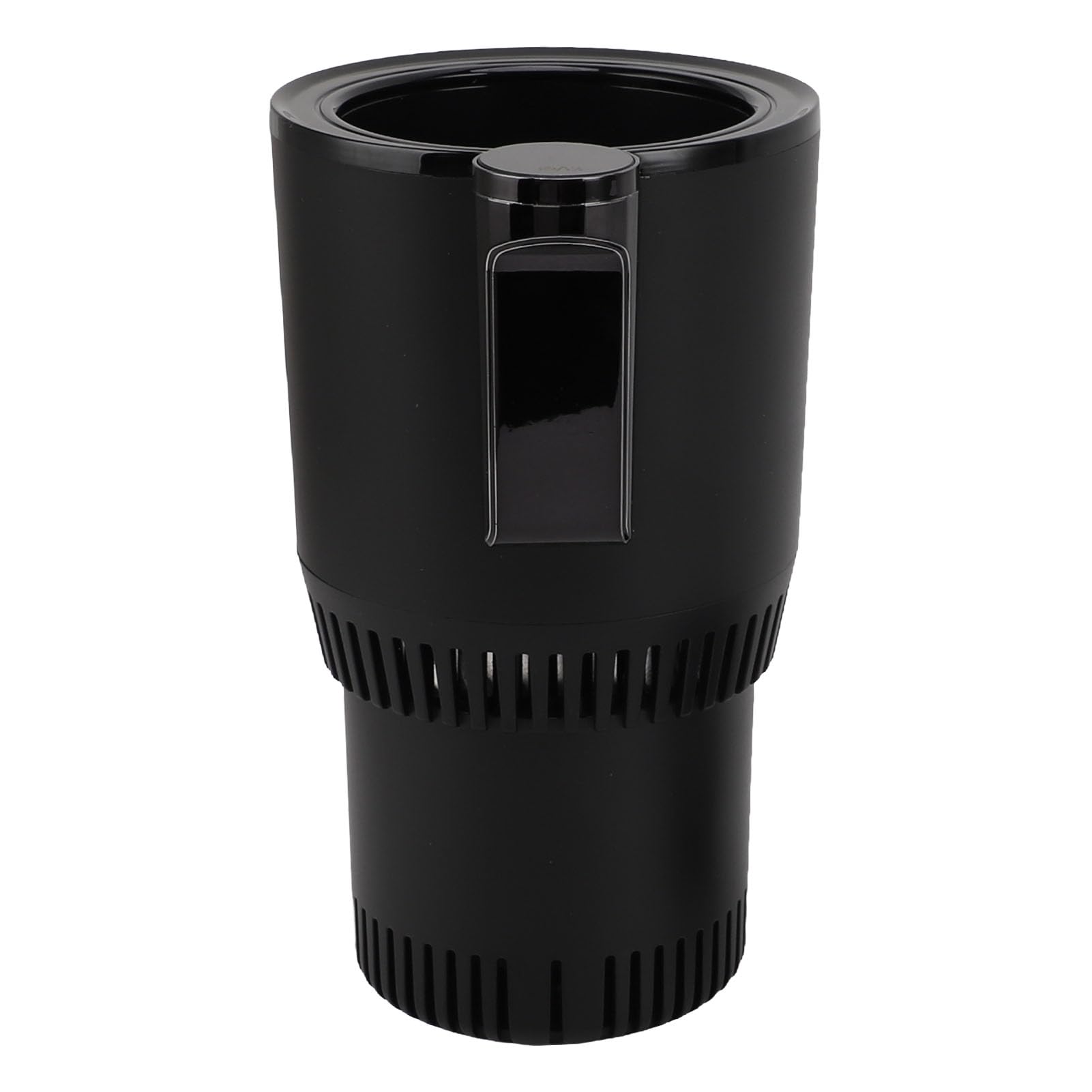
Aworan: Iwaju view of the Acouto Portable Electric Heating & Cooling Cup.
Awọn ẹya pataki:
- Digital Control Display: Clearly shows the current beverage temperature.
- Quick Heating and Cooling: Rapidly adjusts beverage temperature to desired levels.
- Lilo Iṣẹ-pupọ: Operates as a refrigeration cup, insulated cup, or compact car refrigerator.
- Advanced Thermostat Technology: Maintains optimal beverage temperature.
- Apẹrẹ to gbe: Compact and lightweight for easy transport and use in various settings.
Package Awọn akoonu
Jọwọ ṣayẹwo package fun awọn nkan wọnyi:
- 1 x Host (Heating & Cooling Cup Unit)
- 1 x Ipilẹ
- 1 x Itọsọna olumulo
- 1 x Cigarette Lighter Cable

Image: The heating and cooling cup unit, base, and cigarette lighter power cable.
Awọn pato
| Ẹya ara ẹrọ | Ẹ̀kúnrẹ́rẹ́ |
|---|---|
| Brand | Acuto |
| Awoṣe | B0F63V9T76 |
| Iwọn Nkan | 470 giramu |
| Ohun elo | ABS, Aluminiomu Alloy |
| Iṣagbewọle Voltage | 12V |
| Cup Diamita | 7 cm |
| Iwọn ọja | Approx. 11.5 x 9.6 x 16.6 cm (4.5 x 3.8 x 6.5 in) |
| Constant Heating Temperature | 58°C (±5°C, highest up to 72°C) |
| Applicable Beverage Types | Milk tea, standard travel mugs, canned drinks, bottled drinks, milk bottles, bottled mineral water. |

Image: Diagram showing the dimensions of the heating and cooling cup.
Ṣeto
- Yọọ kuro: Ni ifarabalẹ yọ gbogbo awọn paati kuro ninu apoti.
- Assemble Base (if separate): If the base is separate, attach it securely to the main cup unit.
- Ibi: Place the cup unit in a stable location, such as a car cup holder. Ensure proper ventilation around the base.
- So agbara: Insert the cigarette lighter cable into the power port on the cup unit, then plug the other end into your vehicle's 12V cigarette lighter socket.
- Insert Beverage: Place your canned, bottled, or cup-contained beverage into the aluminum alloy inner cup. Ensure the beverage container fits snugly for optimal temperature transfer.

Image: The heating and cooling cup placed in a car's center console cup holder.
Awọn ilana Iṣiṣẹ
- Agbara Tan: Once connected to a 12V power source, the digital display will illuminate.
- Yan Ipo:
- Tẹ awọn Bọtini Itutu (often indicated by a snowflake icon) to activate cooling mode. The display will show the target cooling temperature.
- Tẹ awọn Alapapo Button (often indicated by a wavy lines/steam icon) to activate heating mode. The display will show the target heating temperature.
- Ifihan otutu: The digital display will show the current temperature of the inner cup, allowing you to monitor the beverage's temperature.
- Iṣe Ti o dara julọ: For best results, ensure the beverage container makes good contact with the aluminum alloy inner surface.
- Agbara Pa: To turn off the device, disconnect it from the 12V power source.

Aworan: Oke view of the cup, showing the cooling and heating control buttons.
Itoju
- Ninu: Disconnect the device from power before cleaning. Wipe the interior aluminum alloy cup with a soft, damp asọ. Maṣe fi gbogbo ẹyọ naa bọ inu omi.
- Òde: Mọ ita ita pẹlu asọ ti o gbẹ.
- Afẹfẹ: Ensure the ventilation grilles at the bottom of the unit remain clear of obstructions to prevent overheating.
- Ibi ipamọ: When not in use, store the cup in a dry, cool place away from direct sunlight.

Aworan: Isalẹ view of the cup, highlighting the ventilation grilles.
Laasigbotitusita
| Isoro | Owun to le Fa | Ojutu |
|---|---|---|
| Ẹrọ ti ko ni agbara lori. | Not properly connected to 12V power source; vehicle's cigarette lighter socket is faulty; fuse blown. | Ensure cable is securely plugged in. Check vehicle's cigarette lighter socket with another device. Check vehicle's fuse box. |
| Beverage not heating/cooling effectively. | Poor contact between beverage container and inner cup; ventilation blocked; ambient temperature too extreme. | Ensure beverage container fits snugly. Clear any obstructions from ventilation grilles. Allow more time for temperature change in extreme conditions. |
| Ifihan oni-nọmba ko ṣiṣẹ. | Oro agbara; ti abẹnu ẹbi. | Check power connection. If power is confirmed, contact customer support. |
Alaye Aabo
- Maṣe fi omi inu ọkan sinu omi tabi awọn omi miiran.
- Jeki kuro ni arọwọto awọn ọmọde.
- Use only with a 12V DC power source (vehicle cigarette lighter).
- Ma ṣe dina awọn ṣiṣi atẹgun.
- Avoid touching the inner cup directly when heating, as it can become very hot.
- Do not use the device if the power cable or plug is damaged.
- Má ṣe gbìyànjú láti tú tàbí tún ẹ̀rọ náà ṣe fúnra rẹ. Pe àwọn òṣìṣẹ́ tó mọ̀ nípa iṣẹ́ náà fún iṣẹ́ náà.
Atilẹyin ọja ati Support
This product comes with a standard manufacturer's warranty. Please refer to the warranty card included in your package or contact Acouto customer support for details regarding warranty coverage and service.
For technical support or inquiries, please visit the official Acouto website or contact their customer service department using the information provided with your purchase.