
Ọrọ Iṣaaju
Welcome to the Ambition Zetton Pro user manual. This guide provides essential information for the safe and effective operation of your new wireless rotary tattoo pen machine. Please read thoroughly before use to ensure optimal performance and longevity of your device.
Ọja Awọn ẹya ara ẹrọ
- Engineered for Power Professionals: The Ambition Zetton Pro tattoo gun machine features a premium aluminum construction with a 132mm body and 42mm grip diameter. Its intentionally calibrated 272g weight, enhanced by advanced counterbalance, delivers superior stability for heavy-handed artists or those with larger hands, transforming heft into controlled performance power.
- Marathon-Ready Powerhouse: Boasts a massive 2400mAh battery delivering 8-10 hours of continuous runtime, effortlessly powering through extended sessions. Its oversized OLED screen displays real-time voltage (1-12V adjustable), a built-in timer, and auto-billing that calculates fees via adjustable per-minute rates during pauses, streamlining artists' workflow.
- Innovative Straight Drive Rod: Differentiates the Ambition Zetton Pro tattoo gun with a straight drive bar (versus common right-angle designs) for more direct power transmission, stronger needle strikes, smoother operation, and the classic feel of an old coil machine. The Ambition Zetton Pro tattoo pen is an undisputed workhorse for tattoo artists, excelling particularly in smooth shading performance.
- Dual Swappable Stroke Settings: The tattoo machine is powered by a brushless motor and comes standard with a 4.0mm stroke cam optimized for lining & color packing, plus an included 3.5mm stroke cam that excels in smooth shading. Easily swap between cams in seconds to match every tattooing need. The integrated direct drive system delivers robust power and exceptionally stable output. Throughout operation, the machine consistently maintains remarkably low noise and vibration levels.
- Awọn akoonu Iṣakojọpọ: Includes: 1 Zetton Pro Tattoo Machine, 1 RCA Adapter, 1 Additional 34mm Grip, 1 Accessory Bag (with 3.5mm Stroke Cam), 1 RCA Cord, and 1 USB-C Fast Charging Cable.
Ṣeto
Unpacking ati Ibẹrẹ Ayewo
Carefully remove all components from the packaging. Inspect the machine and accessories for any signs of damage. If any components are missing or damaged, please contact customer support immediately.
Ngba agbara si Batiri naa
Before first use, fully charge the machine's battery. Connect the USB-C fast charging cable to the machine and a 5V/2A charging adapter. Ensure the battery is not completely drained before charging to prolong its lifespan. Charging time is approximately 2-2.5 hours.

Image: The Ambition Zetton Pro's high-capacity 2400mAh battery unit, featuring the OLED display showing voltage, battery level, and timer.
Attaching awọn bere si
The machine comes with a 42mm grip installed and an additional 34mm grip. Choose the grip that provides the most comfortable and stable hold for your tattooing style. To change the grip, simply unscrew the current grip and screw on the desired one until secure.
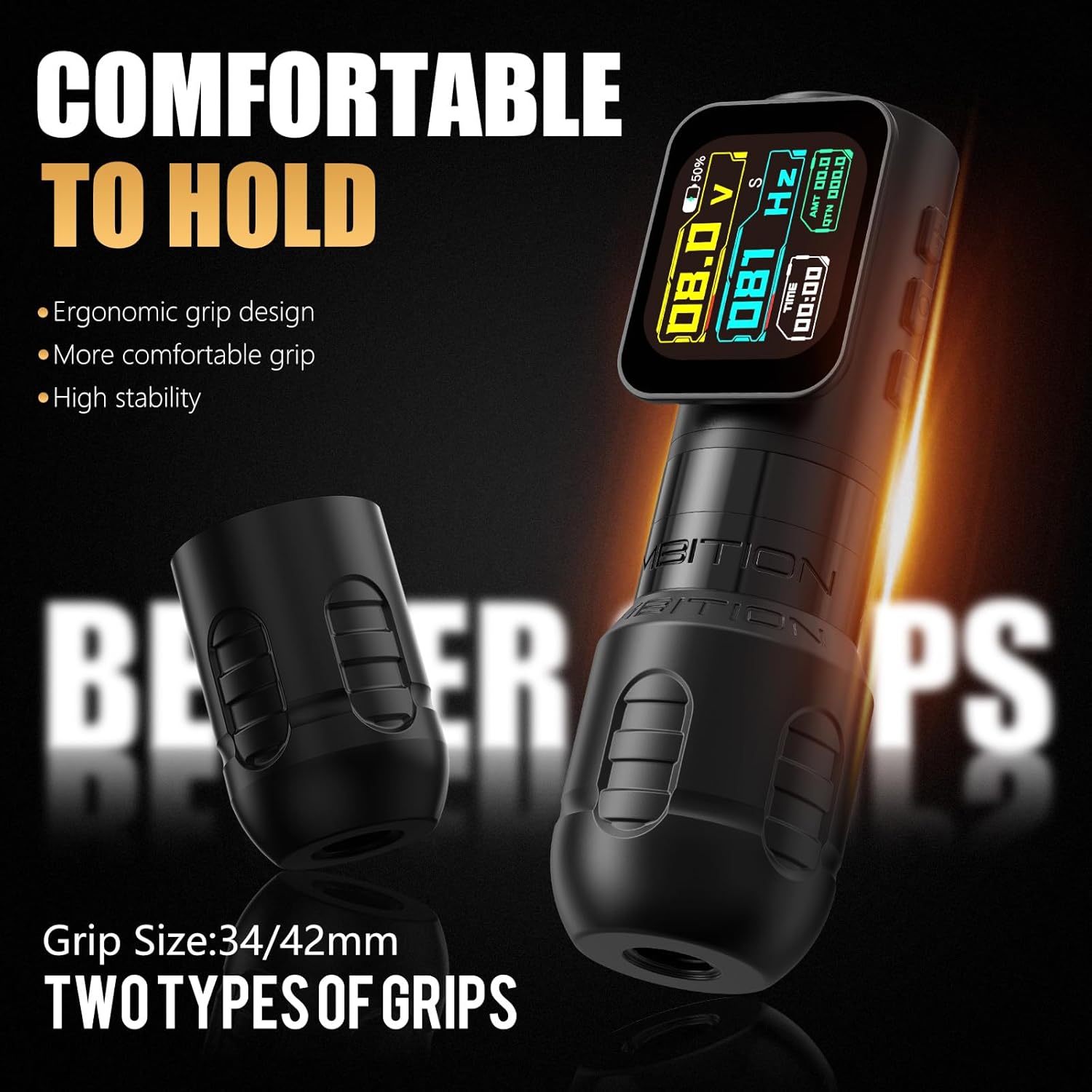
Image: The Ambition Zetton Pro machine body with two interchangeable grips (34mm and 42mm) demonstrating the ergonomic design.
Installing/Swapping Stroke Cams
The machine includes a 4.0mm stroke cam for lining and color packing, and a 3.5mm stroke cam for smooth shading. To swap cams, refer to the accessory bag for the 3.5mm cam and follow the instructions for cam replacement. Ensure the cam is securely fastened before operation.

Aworan: inu view of the Ambition Zetton Pro's direct drive system, highlighting the stroke cam mechanism and indicating the 4.0mm original and 3.5mm extra stroke options.
Needle Cartridge Installation
Insert your preferred needle cartridge into the machine. Twist gently to secure it in place. Ensure the needle is properly seated and aligned.
Awọn ilana Iṣiṣẹ
Titan / Paa
Press and hold the power button to turn the machine on or off. The OLED screen will illuminate upon power-on, displaying current settings.
Voltage Atunṣe
Use the '+' and '-' buttons on the control panel to adjust the output voltage between 1V and 12V. The current voltage will be prominently displayed on the OLED screen.
OLED Screen Functions
The oversized OLED screen provides real-time information including current voltage, a built-in timer for tracking session duration, and an auto-billing function. The auto-billing feature calculates fees based on adjustable per-minute rates during pauses in operation, aiding in professional workflow management.
Igbesi aye batiri
Under normal 8V voltage, the 2400mAh battery provides approximately 5-6 hours of stable operation. Actual battery life may vary based on voltage settings, needle type, and usage intensity.
Itoju
Ninu
After each use, clean the machine thoroughly. Use appropriate tattoo equipment cleaning solutions and follow standard sterilization protocols. Do not immerse the machine in liquid. Ensure all external surfaces are wiped clean and disinfected.
Ibi ipamọ
Store the machine in a clean, dry place away from direct sunlight, extreme temperatures, and high humidity. Keep it in its protective case when not in use to prevent damage.
Laasigbotitusita
Ẹrọ Ko Titan
- Rii daju pe batiri ti gba agbara ni kikun.
- Verify that the battery unit is securely attached to the machine body.
- Tí ìṣòro náà bá ń bá a lọ lẹ́yìn gbígbà agbára, kan si ìrànlọ́wọ́ oníbàárà.
Inconsistent Power/Voltage Awọn iyipada
- Check the battery charge level. A low battery can lead to unstable voltage jade.
- Ensure the needle cartridge is not jammed or improperly installed, which can cause resistance.
- If the problem continues with a fully charged battery and properly installed cartridge, contact support.
Screen Malfunctions
- If the OLED screen displays errors, flickers, or shorts out, immediately power off the device.
- Ensure no moisture has entered the device, as this can cause electronic damage.
- Contact Ambition customer service for assistance, as this may indicate a battery or internal component issue requiring professional repair.
Ariwo Pupọ tabi Gbigbọn
- Verify that the stroke cam and needle cartridge are correctly installed and secured. Loose components can cause increased noise and vibration.
- Ensure the machine is clean and free of debris that might impede smooth operation.
- Tí ìṣòro náà bá ń bá a lọ, kan si olùrànlọ́wọ́.
Awọn pato
| Ẹya ara ẹrọ | Ẹ̀kúnrẹ́rẹ́ |
|---|---|
| Ohun elo | Space aluminum alloy |
| Needle Stroke | 4.0mm (standard), 3.5mm (extra) |
| Mọto | Custom coreless brushless motor |
| Iyara mọto | 10V / 10000rpm |
| Torque | 180g.cm |
| Agbara Batiri | 2400mAh |
| Akoko isẹ | 5-6 hours (at 8V) |
| Akoko gbigba agbara | 2-2.5 wakati |
| O wujade Voltage | 1V-12V |
| Iwọn | 272g |
| Awọn iwọn | 132mm body, 42mm grip diameter |
| Iye gbigbọn | 1.1m/s² |
| Decibels | 45-49dB |
| Nọmba Awoṣe Nkan | AB-ZettonPro-5809dj-1 |
| UPC | 810174734201 |
Atilẹyin ọja ati Support
Alaye atilẹyin ọja
The Ambition Zetton Pro Tattoo Machine is backed by a 1-odun atilẹyin ọja. This warranty covers defects arising from normal use. Please retain your proof of purchase for warranty claims.
Onibara Support
For troubleshooting assistance, repair services, or replacement support, please contact Ambition via official channels. Refer to the product packaging or the Ambition website for the most current contact details. Our support team is dedicated to ensuring your satisfaction and resolving any issues you may encounter.