
Ọrọ Iṣaaju
The Portronics Sound Slick X is a powerful 250W soundbar system designed to enhance your home audio experience. Featuring a 2.1 channel setup with a wired subwoofer, it delivers deep bass and clear sound for movies, music, and gaming. This manual provides detailed instructions for setting up, operating, and maintaining your Sound Slick X soundbar.
Ohun ti o wa ninu Apoti
- Wireless Soundbar (1 unit)
- Wired Subwoofer (1 unit)
- Iṣakoso latọna jijin (ẹyọkan 1)
- Documentation (User Manual, Warranty Card)
Ọja Pariview
Soundbar ati Subwoofer
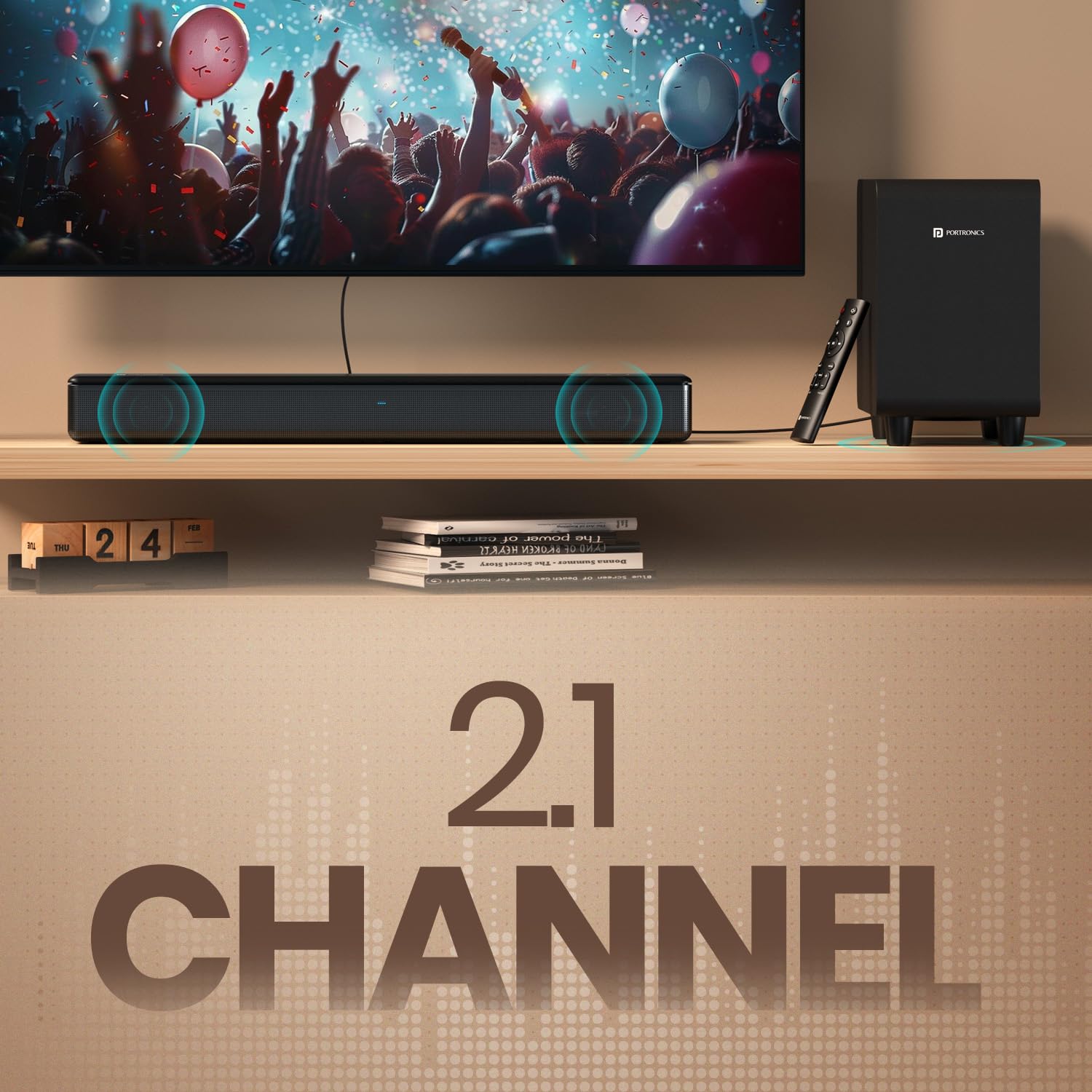
Image: The Portronics Sound Slick X soundbar and its wired subwoofer, showcasing the 2.1 channel setup.
The Sound Slick X system includes a main soundbar unit and a separate wired subwoofer. The soundbar houses the main speakers, while the subwoofer is dedicated to producing deep bass frequencies, enhancing the overall audio impact.
Wired Subwoofer for Deep Bass

Image: Close-up of the wired subwoofer, highlighting its design for deep bass delivery.
The dedicated wired subwoofer ensures powerful, room-filling bass. Connect it to the soundbar using the provided cable for optimal performance.
Ibi iwaju alabujuto ati Latọna jijin

Image: The touch control panel on the soundbar, showing power, volume, and mode selection buttons.

Image: The sleek remote control for the Sound Slick X, featuring dedicated buttons for EQ modes, volume, and input selection.
The soundbar features an intuitive touch control panel on its top surface for basic operations. A comprehensive remote control is also included, allowing for easy adjustment of volume, input modes, and EQ presets from a distance.
Multiport Connectivity

Aworan: Ẹyin view of the soundbar showing the various input ports: AUX In, USB Drive In, HDMI (ARC), Optical In, and Subwoofer output.
The Sound Slick X offers multiple connectivity options including HDMI (ARC), Optical, AUX, and USB, ensuring compatibility with a wide range of devices.
Awọn ilana iṣeto
- Ibi: Place the soundbar on a stable, flat surface directly in front of your TV. Position the wired subwoofer on the floor near the soundbar, ensuring it has adequate ventilation.
- So Subwoofer: Connect the wired subwoofer to the soundbar using the dedicated subwoofer cable.
- Asopọ agbara: Connect the power adapter to the soundbar and then plug it into a wall outlet.
- Agbara Ibẹrẹ Tan: Press the power button on the soundbar or remote control to turn on the device. The LED indicator will light up.
Awọn aṣayan Asopọmọra
Bluetooth 5.3 Asopọ
- Tan-an ohun orin.
- Press the 'Mode' button on the soundbar or the 'Bluetooth' button on the remote control to select Bluetooth mode. The LED indicator will flash blue.
- Lori ẹrọ rẹ (foonuiyara, tabulẹti, kọǹpútà alágbèéká), mu Bluetooth ṣiṣẹ ki o wa awọn ẹrọ to wa.
- Select "Portronics Sound Slick X" from the list. Once paired, the LED indicator will turn solid blue.
HDMI (ARC) Asopọ
- Connect an HDMI cable from the HDMI (ARC) port on the soundbar to the HDMI (ARC) port on your TV.
- Select the HDMI (ARC) input on the soundbar using the 'Mode' button or remote.
- Ensure your TV's audio output is set to HDMI ARC.
Opitika Asopọ
- Connect an optical cable from the OPTICAL IN port on the soundbar to the optical output port on your TV or audio source.
- Select the Optical input on the soundbar using the 'Mode' button or remote.
AUX Asopọ
- Connect a 3.5mm audio cable from the AUX IN port on the soundbar to the audio output port on your device.
- Select the AUX input on the soundbar using the 'Mode' button or remote.
USB Sisisẹsẹhin
- Fi awakọ USB kan ti o ni ohun ti o ni ninu files sinu USB ibudo lori awọn soundbar.
- Select the USB input on the soundbar using the 'Mode' button or remote. The soundbar will automatically begin playing audio files.
Awọn ilana Iṣiṣẹ
Titan / Paa
- Tẹ awọn Agbara button on the soundbar's touch panel or the remote control to turn the unit on or off.
Iṣakoso iwọn didun
- Tẹ awọn Iwọn didun + or Iwọn didun - awọn bọtini lori ọpa ohun tabi isakoṣo latọna jijin lati ṣatunṣe ipele iwọn didun.
Aṣayan Ipo igbewọle
- Tẹ awọn Ipo button on the soundbar or the dedicated input buttons (BT, HDMI, OPT, AUX, USB) on the remote control to switch between input sources.
Àwọn Ìgbékalẹ̀ Olùṣedéédé (EQ)

Image: Display showing different EQ modes: Music Mode, Movie Mode, and News Mode, available on the Sound Slick X.
The Sound Slick X offers multiple EQ presets to optimize audio for different content types:
- Ipo Orin: Enhanced for musical playback.
- Ipo Fiimu: Optimized for cinematic sound effects and dialogue.
- Ipo iroyin: Clearer vocal reproduction for news and talk shows.
Press the corresponding EQ mode buttons on the remote control to select your desired audio profile.
Laasigbotitusita
| Isoro | Owun to le Fa | Ojutu |
|---|---|---|
| Ko si agbara | Okun agbara ko sopọ; Agbara iṣan ti ko tọ. | Rii daju pe okun agbara ti sopọ ni aabo. Gbiyanju iṣan agbara ti o yatọ. |
| Ko si ohun | Incorrect input source selected; Volume too low; Cables not connected properly. | Select the correct input source. Increase volume. Check all audio cables are securely connected. |
| Awọn oran sisopọ Bluetooth | Pẹpẹ ohun ko si ni ipo sisopọ; Ẹrọ ti o jinna pupọ; kikọlu. | Ensure soundbar is in Bluetooth pairing mode (flashing blue LED). Move device closer. Avoid strong interference sources. |
| Isakoṣo latọna jijin ko ṣiṣẹ | Àwọn bátìrì ti dínkù; Ìdènà láàrín ọ̀nà jíjìn àti ibi ìró ohùn. | Rọpo awọn batiri isakoṣo latọna jijin. Yọ awọn idena eyikeyi kuro. |
Awọn pato
| Ẹya ara ẹrọ | Ẹ̀kúnrẹ́rẹ́ |
|---|---|
| Brand | Portronics |
| Orukọ awoṣe | Sound Slick X |
| Nọmba awoṣe | POR-2929 |
| Agbọrọsọ Agbara Ijade ti o pọju | 250 Wattis |
| Asopọmọra Technology | Bluetooth, HDMI, Optical, AUX, USB |
| Ẹya Bluetooth | 5.3 |
| Ipo Ijade Ohun | Ayika |
| Iṣagbesori Iru | Tabletop Oke |
| Ohun elo apade | ABS ṣiṣu |
| Agbọrọsọ Iru | Pẹpẹ ohun pẹlu Ti firanṣẹ Subwoofer |
| Nọmba ti Audio awọn ikanni | 2.1 |
| Ọna Iṣakoso | Latọna jijin, Iṣakoso Fọwọkan |
| Awọn iwọn Nkan (D x W x H) | 60D x 45W x 13.5H |
| Iwọn Nkan | 5850 giramu |
| Awọn ẹrọ ibaramu | Television, Laptop, Smartphone, Projector |
Atilẹyin ọja ati Support
The Portronics Sound Slick X comes with a 1-odun atilẹyin ọja from the date of purchase. For any support or warranty claims, please contact Portronics customer service:
- Imeeli: iranlọwọ@portronics.com
- Foonu: +91 9555-245-245
Jọwọ pa ìwé ẹ̀rí ìrajà rẹ mọ́ fún ìfọwọ́sowọ́pọ̀ àtìlẹ́yìn.
Awọn fidio ọja
Sound Slick X in Action
Video: A demonstration of the Portronics Sound Slick X soundbar and subwoofer playing music, showcasing its audio performance and visual integration with a television setup. This video highlights the sound quality and the physical presence of the system.