
1. Ifihan ati Loriview
The DOOGEE Blade 20 Ultra is a rugged smartphone designed for durability and performance in challenging environments. It features a robust build, a large battery, and advanced camera capabilities, making it suitable for outdoor activities and demanding work conditions.
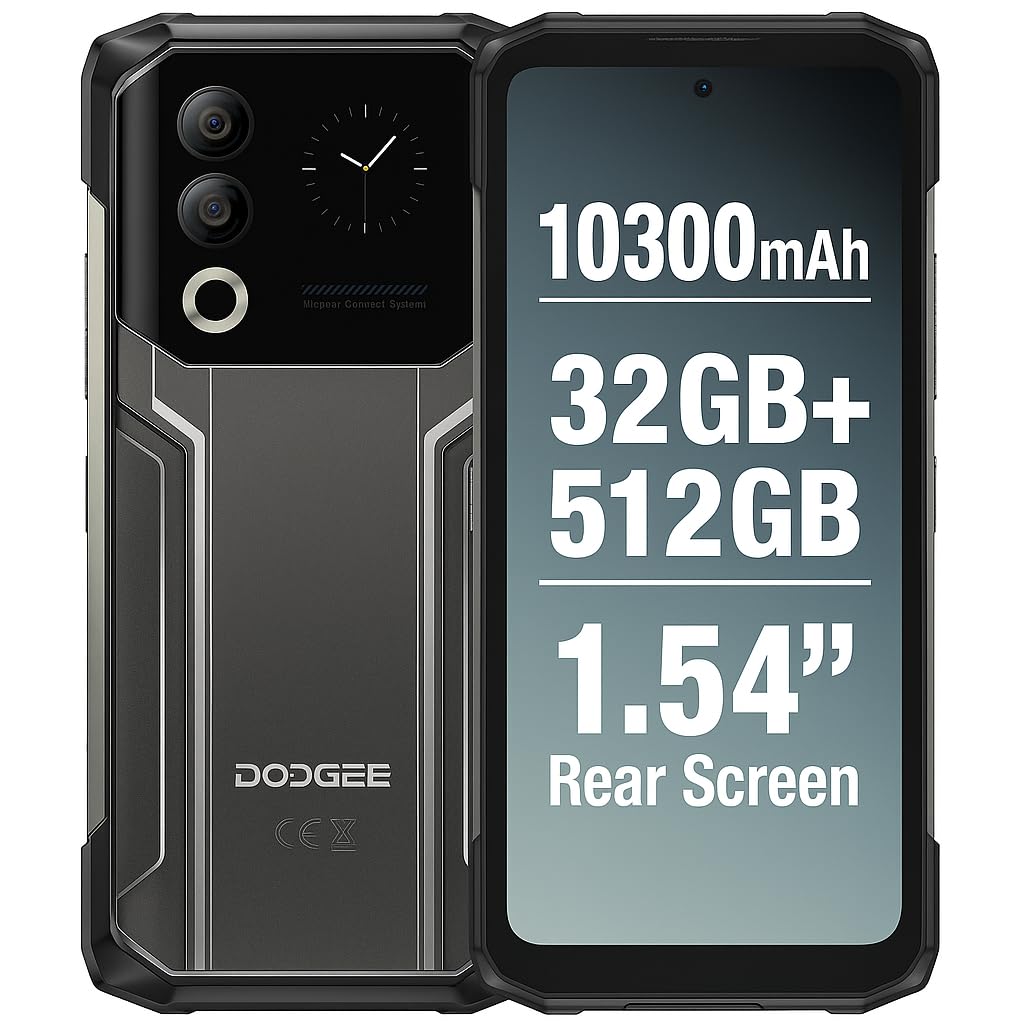
Figure 1: DOOGEE Blade 20 Ultra device overview.
Awọn ẹya pataki:
- Ultra-Rugged Design: IP68/IP69K and MIL-STD-810H certified for water, dust, and shock resistance.
- Iṣe Alagbara: Unisoc T7250 Octa-Core processor with 8GB RAM (expandable to 32GB virtual RAM) and 512GB internal storage (expandable up to 2TB).
- Ifihan Meji: 6.6-inch FHD+ 90Hz main display and an innovative 1.54-inch smart rear display for quick access and customization.
- Batiri pipẹ: 10300 mAh battery with 18W fast charging and OTG reverse charging capability.
- Eto Kamẹra To ti ni ilọsiwaju: 50MP AI main camera and 8MP front camera with multiple shooting modes.
- Imudara Aabo: Side-mounted fingerprint sensor and facial recognition.
- Asopọmọra: NFC with Google Pay support, GPS, Glonass, Galileo, Beidou for accurate navigation.
2. Eto
2.1 Package Awọn akoonu
Ṣaaju ki o to bẹrẹ, rii daju pe gbogbo awọn ohun kan wa ninu apoti:
- 1 x DOOGEE Blade 20 Ultra Smartphone
- 1 x Screen Protector Film (pre-applied or separate)
- Okun USB 1 x (Iru-C)
- 1 x Ọran Idaabobo
- 1 x Ṣaja
2.2 Fifi sori ẹrọ Kaadi SIM ati Kaadi MicroSD
The device supports a triple slot system for two Nano SIM cards and one MicroSD card.
- Wa atẹ kaadi SIM ni ẹgbẹ foonu naa.
- Lo ohun elo ejector SIM ti a pese lati ṣii atẹ.
- Carefully place your Nano SIM cards and/or MicroSD card into the designated slots. Ensure the gold contacts face downwards.
- Rọra Titari atẹ naa pada sinu foonu titi ti o fi tẹ sinu aaye.

Figure 2: Illustration of SIM and MicroSD card installation.
2.3 Gbigba agbara akọkọ
Before first use, it is recommended to fully charge the device. Connect the USB cable to the phone's Type-C port and the charger, then plug the charger into a power outlet. The phone supports 18W fast charging.
2.4 Titan / Pa a
- Lati Fi agbara: Press and hold the Power button (usually on the side) until the DOOGEE logo appears.
- Lati Paarẹ: Tẹ bọtini agbara ki o si dimu, lẹhinna yan 'Pa agbara kuro' lati awọn aṣayan ti o wa lori iboju.
- Lati Tun bẹrẹ: Tẹ bọtini agbara ki o si dimu, lẹhinna yan 'Tun bẹrẹ' lati awọn aṣayan.
3. Ṣiṣẹ ẹrọ naa
3.1 Main Display (6.6" HD+ 90Hz)
The 6.6-inch HD+ display offers a smooth visual experience with a 90Hz refresh rate. Navigate through apps, menus, and content using touch gestures.
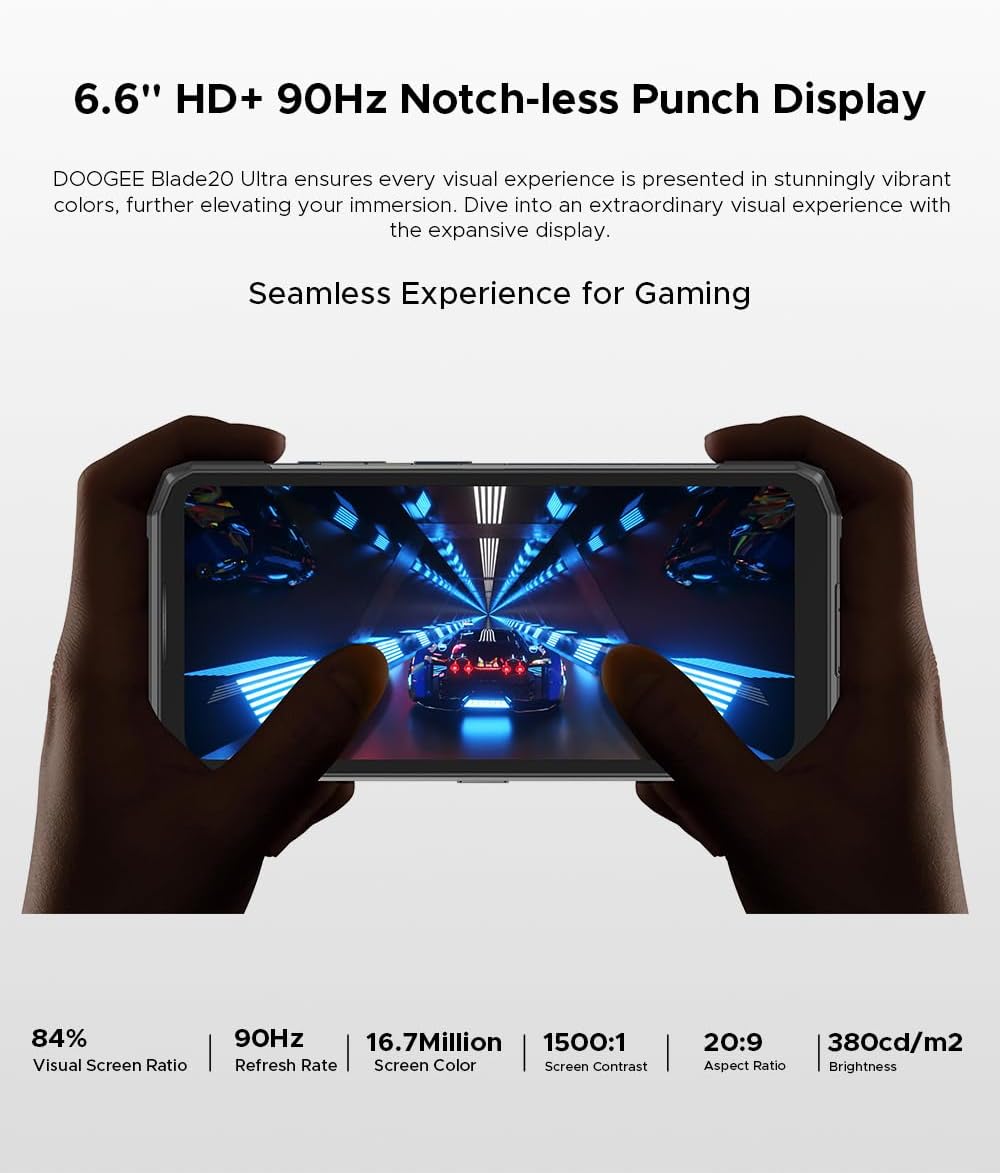
Figure 3: The 6.6-inch HD+ 90Hz main display provides a seamless viewiriri iriri.
3.2 1.54" Smart Rear Display
The innovative 1.54-inch rear display provides quick access to essential functions and customizable backgrounds. Double-tap to activate it.
- Wiwọle yarayara: Control music, view notifications, check the calendar, and answer calls without opening the main screen.
- Awọn ara ẹni: Use the rear display to frame selfies with the main camera.
- Isọdi: Choose from over 16 customizable wallpapers, including dynamic, business, and personalized photo settings.

Figure 4: The 1.54-inch smart rear display offers quick functions and personalization.
3.3 kamẹra Awọn iṣẹ
The DOOGEE Blade 20 Ultra features a 50MP AI main camera and an 8MP front camera. It supports Google Intelligent Camera features.
- Kamẹra akọkọ: 50MP (OV50C40 sensor, F/1.8 aperture) with autofocus and LED flash.
- Kamẹra iwaju: 8MP (Hi-842 sensor, F/2.2 aperture).
- Awọn ọna: Underwater mode, Night Vision, Professional Photography, Beauty Mode, Time-lapse, Portrait Mode, HDR, Panoramic Mode, Filter, Pro Mode.
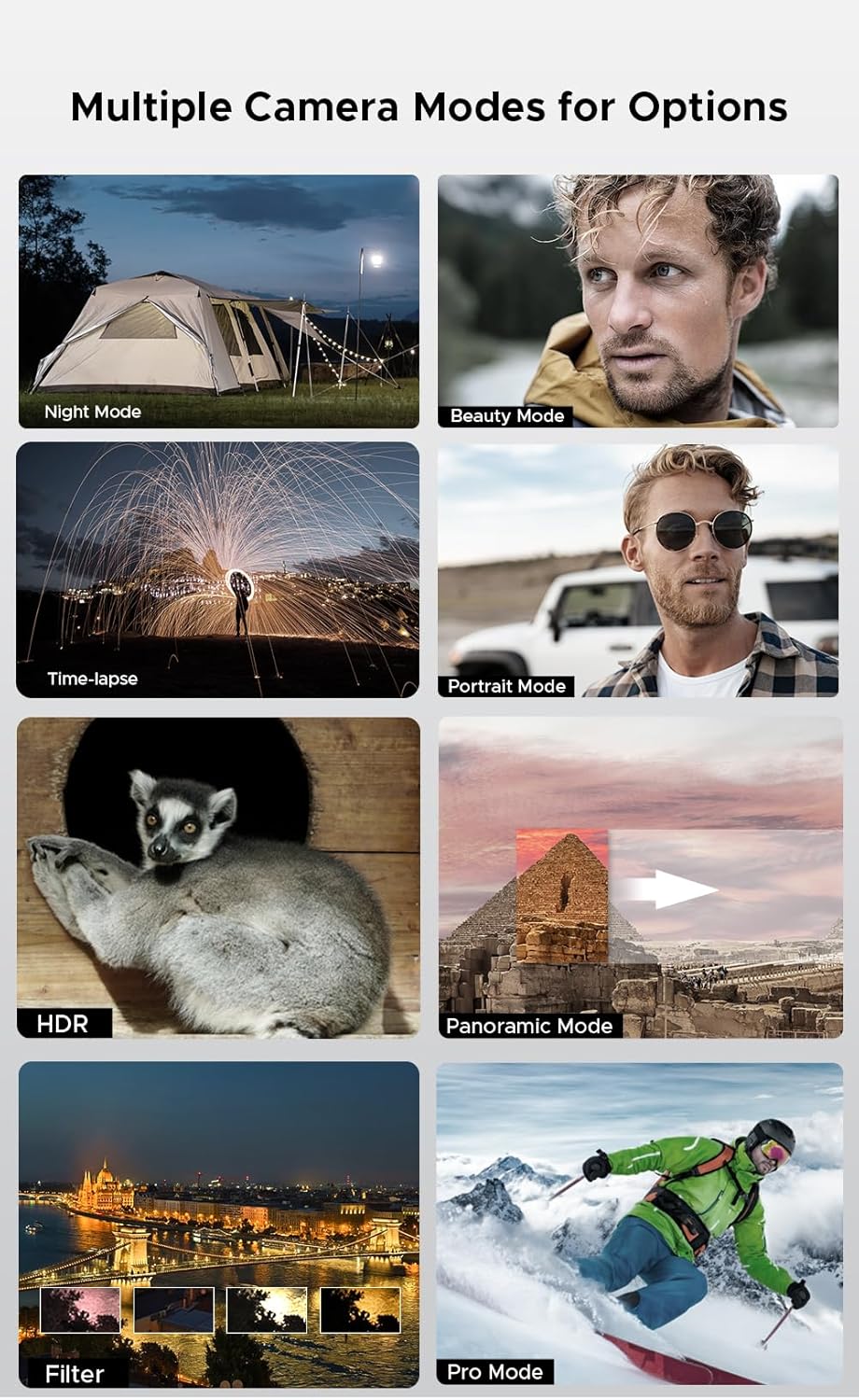
Figure 5: Various camera modes available on the Blade 20 Ultra.
3.4 batiri Management
The device is equipped with a 10300 mAh battery, providing extended usage times.
- Gbigba agbara yiyara: Supports 18W fast charging to quickly replenish battery life.
- Power Bank Function (OTG Reverse Charging): Use your phone to charge other devices.
- Lilo: Titi di wakati 35 ti akoko ọrọ.
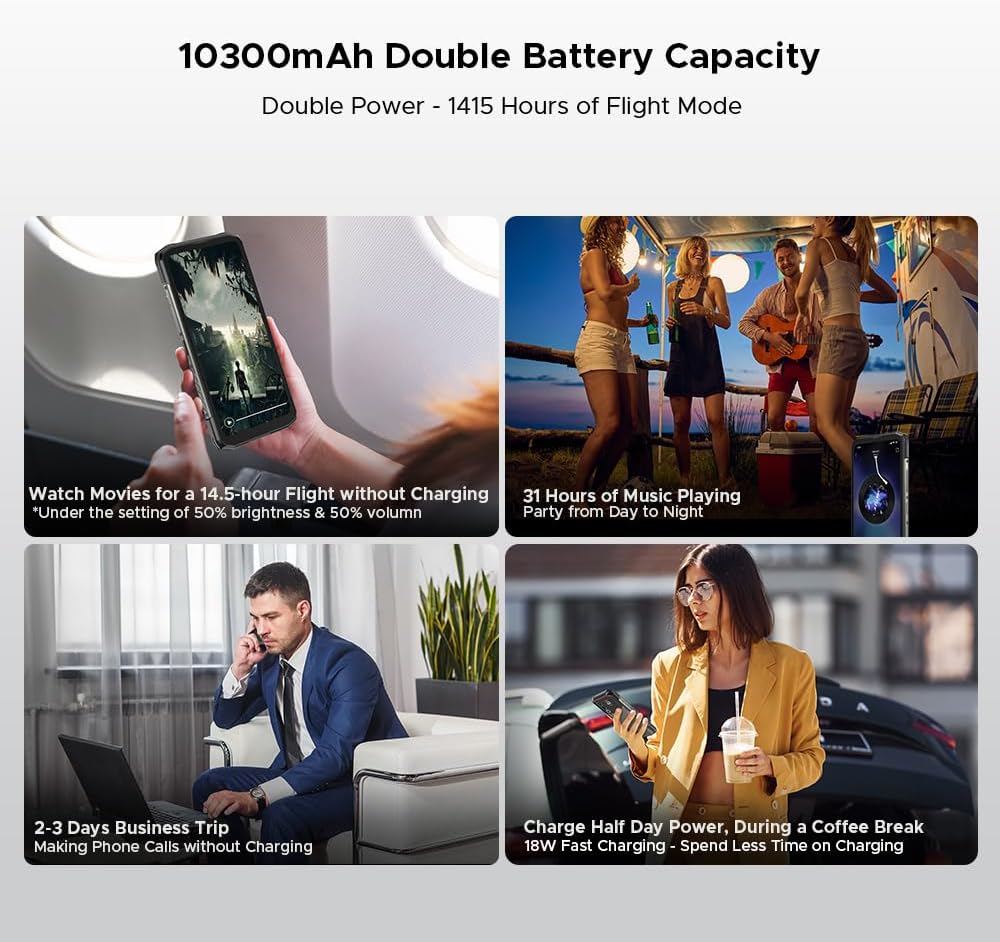
Olusin 6: Examples of extended battery life for various activities.
3.5 Awọn ẹya Aabo
- Sensọ Itẹta Ika ẹgbẹ: Unlock your device quickly and securely using the side-mounted fingerprint sensor.
- Idanimọ oju: Use your face to unlock the phone.
3.6 Asopọmọra ati Lilọ kiri
The Blade 20 Ultra supports various connectivity options and global navigation systems.
- NFC: Supports Near Field Communication for contactless payments (Google Pay) and data transfer.
- Ailokun: GSM, 3G, 4G, Bluetooth, Wi-Fi.
- Lilọ kiri: Integrated GPS, Glonass, Galileo, and Beidou for accurate positioning.

Figure 7: The phone supports multiple global navigation satellite systems.
4. Itọju
4.1 Ninu ẹrọ naa
Lati ṣetọju irisi ẹrọ naa ati iṣẹ ṣiṣe:
- Pa iboju ati ara rẹ pẹlu asọ ti ko ni lint.
- Fun idoti alagidi, die-die dampen awọn asọ pẹlu omi tabi a iboju regede.
- Yago fun lilo awọn kẹmika lile tabi awọn ohun elo abrasive.
- Rí i dájú pé gbogbo àwọn ìbòrí ibudo ti wà ní ìpamọ́ kí o tó fi omi tàbí eruku sí ẹ̀rọ náà.
4.2 batiri Itọju
- Yago fun awọn iwọn otutu to gaju, eyiti o le ba igbesi aye batiri jẹ.
- Do not leave the phone fully charged or fully discharged for extended periods.
- Use only the original charger and cable or certified compatible accessories.
4.3 Software imudojuiwọn
The DOOGEE Blade 20 Ultra runs on Android 14. Regularly check for and install software updates to ensure optimal performance, security, and access to new features. You can usually find this option in the phone's Settings menu under 'System' or 'About phone'.
4.4 Ibi Management
With 512GB of internal storage and support for up to 2TB MicroSD, you have ample space. Periodically review tirẹ files and applications to free up space if needed. Uninstall unused apps and transfer large media files to external storage or cloud services.
5. Laasigbotitusita
This section addresses common issues you might encounter with your DOOGEE Blade 20 Ultra.
5.1 Ẹrọ Ko Titan
- Rii daju pe batiri ti gba agbara. So ṣaja pọ ki o duro fun iṣẹju diẹ ṣaaju ki o to gbiyanju lati tan-an.
- Tẹ bọtini agbara ki o si mu fun o kere ju awọn aaya 10-15 lati fi agbara mu lati tun bẹrẹ.
5.2 Awọn ọran gbigba agbara
- Check if the charger and USB cable are properly connected and undamaged.
- Gbìyànjú láti lo ọ̀nà agbára mìíràn.
- Rii daju pe ibudo gbigba agbara jẹ mimọ ati laisi idoti.
5.3 Network Asopọmọra isoro
- Check if your SIM card is correctly inserted and activated.
- Ensure 'Airplane mode' is off.
- Tun ẹrọ naa bẹrẹ.
- Go to Settings > Network & internet > Mobile network and check network settings.
5.4 Apps jamba tabi didi
- Pa ati tun app naa ṣii.
- Pa cache ati data ti app naa rẹ́ (Eto > Apps > [App Name] > Ibi ipamọ ati cache).
- Rii daju pe ohun elo naa ti ni imudojuiwọn si ẹya tuntun.
- Ti ọrọ naa ba tẹsiwaju, yọ kuro ki o tun fi ohun elo naa sori ẹrọ.
5.5 Atunto ile-iṣẹ
Ti o ba ni iriri awọn ọran sọfitiwia itẹramọṣẹ, atunto ile-iṣẹ le yanju wọn. Ikilọ: Èyí yóò pa gbogbo ìwífún lórí fóònù rẹ rẹ́. Ṣe àtìlẹ́yìn fún àwọn ìwífún pàtàkì kí o tó tẹ̀síwájú.
- Lọ si Eto> Eto> Tun awọn aṣayan.
- Yan 'Nu gbogbo data rẹ (atunṣe ile-iṣẹ)'.
- Jẹrisi ipinnu rẹ ki o tẹ PIN/ọrọ igbaniwọle sii ti o ba ṣetan.
6. Awọn pato
| Ẹya ara ẹrọ | Sipesifikesonu |
|---|---|
| Nọmba awoṣe | Blade 20 Ultra |
| Awọn iwọn | 174 x 81.2 x 15.8 mm |
| Iwọn | 326 g |
| Eto isesise | Android 14 |
| isise | Unisoc T7250 Octa-Core, 1.8 GHz (12 nm) |
| Àgbo | 8 GB (expandable to 32 GB virtual RAM) |
| Ibi ipamọ inu | 512 GB (UFS), expandable up to 2 TB via MicroSD |
| Ifihan akọkọ | 6.6 inches IPS HD+, 90 Hz refresh rate, 1920 x 1080 resolution, 367 PPI |
| Rear Smart Display | 1.54 inches IPS, 240 x 240 pixels |
| Kamẹra ẹhin | 50 MP AI (OV50C40 sensor, F/1.8 aperture) |
| Kamẹra iwaju | 8 MP (Hi-842 sensor, F/2.2 aperture) |
| Agbara Batiri | 10300 mAh |
| Gbigba agbara | Gbigba agbara yara 18W, gbigba agbara iyipada OTG |
| Iho kaadi SIM | Dual Nano SIM + 1 MicroSD (Triple Slot) |
| Asopọmọra | 4G, 3G, GSM, Wi-Fi, Bluetooth, GPS, NFC (Google Pay) |
| Lilọ kiri | GPS, Glonass, Galileo, Beidou |
| Aabo | Side Fingerprint Sensor, Facial Recognition |
| Iduroṣinṣin | IP68/IP69K, MIL-STD-810H (Waterproof, Dustproof, Shockproof) |
| Jack agbekọri | No 3.5mm jack |
7. Atilẹyin ọja ati Support
7.1 atilẹyin ọja Alaye
Your DOOGEE Blade 20 Ultra is covered by a standard manufacturer's warranty. The specific terms and duration of the warranty may vary by region and retailer. Please refer to the warranty card included in your product packaging or contact your point of purchase for detailed information.
7.2 Onibara Support
For technical assistance, troubleshooting beyond this manual, or warranty claims, please contact DOOGEE customer support or the retailer from whom you purchased the device. Keep your proof of purchase handy when contacting support.
Information regarding spare parts availability is not provided at this time.