
Ọrọ Iṣaaju
This manual provides detailed instructions for the safe and effective use of your B-Max BM-L16 LED 50W Professional Ring Light with Large Tripod. Please read this manual thoroughly before operating the device and retain it for future reference. This product is designed to provide high-quality, versatile illumination for various applications, including photography, makeup artistry, content creation, and live streaming.
Ọja Pariview
Key Awọn ẹya ara ẹrọ
- Ijade Agbara giga: 50W (45-70W range) for strong and efficient illumination.
- Imọlẹ Dimmable: Adjustable intensity to suit various lighting requirements.
- Rectangular Format: Provides uniform illumination without harsh shadows.
- Automatic Bivolt: Compatible with 110V and 220V power sources.
- Tripod ti a le ṣatunṣe: Allows height regulation for diverse usage scenarios.
- Iṣakoso latọna jijin Bluetooth: Enables remote photo capture and video recording.
- Phone/Camera Holder: Integrated support for mobile phones or cameras.
- Apejọ Rọrun: Designed for straightforward setup and angle adjustment.
Awọn eroja To wa
- LED Ring Light (19 inches, 400 LEDs)
- Telescopic Tripod (up to 210cm)
- Okun agbara
- Iṣakoso latọna jijin Bluetooth
- Phone/Camera Holder
- Clamps for securing components

Olusin 1: Pariview of the B-Max BM-L16 LED Ring Light components, including the 400 LED panel, clamps, and telescopic tripod. The image also highlights the 45-70W power and 1000LM lumens.
Awọn ilana iṣeto
- Ṣe apejọ Tripod naa: Extend the telescopic tripod legs to a stable position. Adjust the height to your desired level using the locking mechanisms. The tripod can extend up to 210cm.
- So Imọlẹ Iwọn: Securely mount the LED ring light panel onto the top of the tripod. Ensure it is firmly attached using the provided clamps or mounting screw. The luminaire measures 50cm.
- Ṣatunṣe Igun: Utilize the reclinable support to set the desired angle for the light panel. This allows for free adjustment to direct light precisely.
- Sopọ si Agbara: Plug the power cable into the ring light and then into a suitable electrical outlet. The device is automatic bivolt (110V or 220V).
- Ohun elo Oke: Attach your mobile phone or camera to the integrated holder on the ring light. Adjust its position for optimal framing.

Figure 2: The reclinable support mechanism for adjusting the ring light's angle.
Awọn ilana Iṣiṣẹ
- Agbara Tan: Turn on the ring light using the power switch, typically located on the control panel or power cable.
- Ṣatunṣe Iwọn Imọlẹ: Use the dimmer controls to increase or decrease the brightness of the LED light.
- Ṣatunṣe iwọn otutu Awọ: The ring light offers adjustable color temperature. Select between different modes such as White Light (cool), Natural Light (balanced), and Warm Light (warm) to match your environment or desired effect. The temperature range is typically from 2700K to 7500K.
- Pọ Latọna jijin Bluetooth:
- Rii daju pe Bluetooth ti ṣiṣẹ lori foonu alagbeka rẹ.
- Tan isakoṣo latọna jijin Bluetooth.
- Wa fun available devices on your phone and select the remote control to pair.
- Once paired, you can use the remote to trigger your phone's camera for photos or video recording.
- Begin Recording/Shooting: With the light and your device set up, you can now proceed with your video recording, live streaming, or photography sessions.
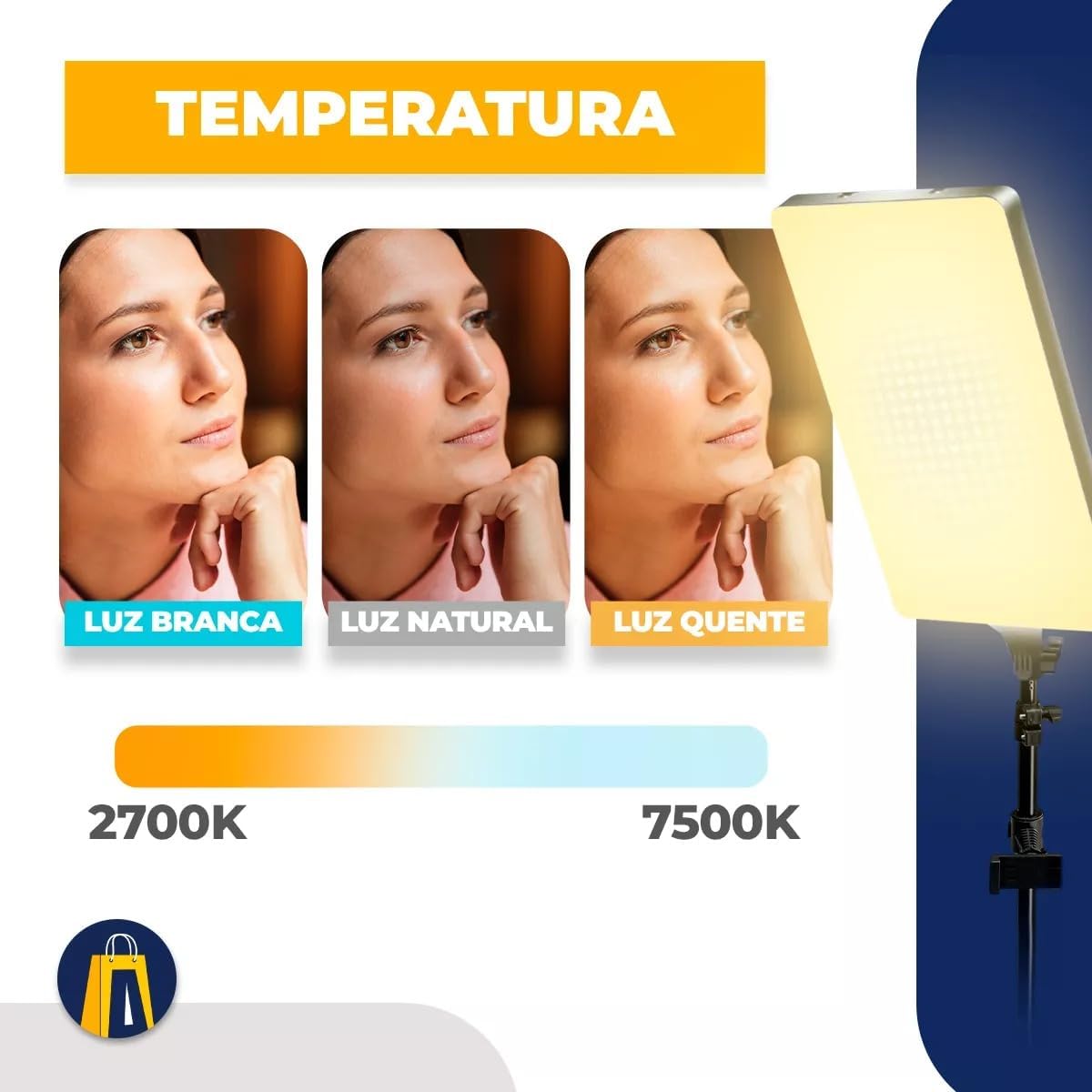
Figure 3: Color temperature options, ranging from 2700K (warm) to 7500K (cool).

Figure 4: Using the Bluetooth remote control for remote photo and video capture.
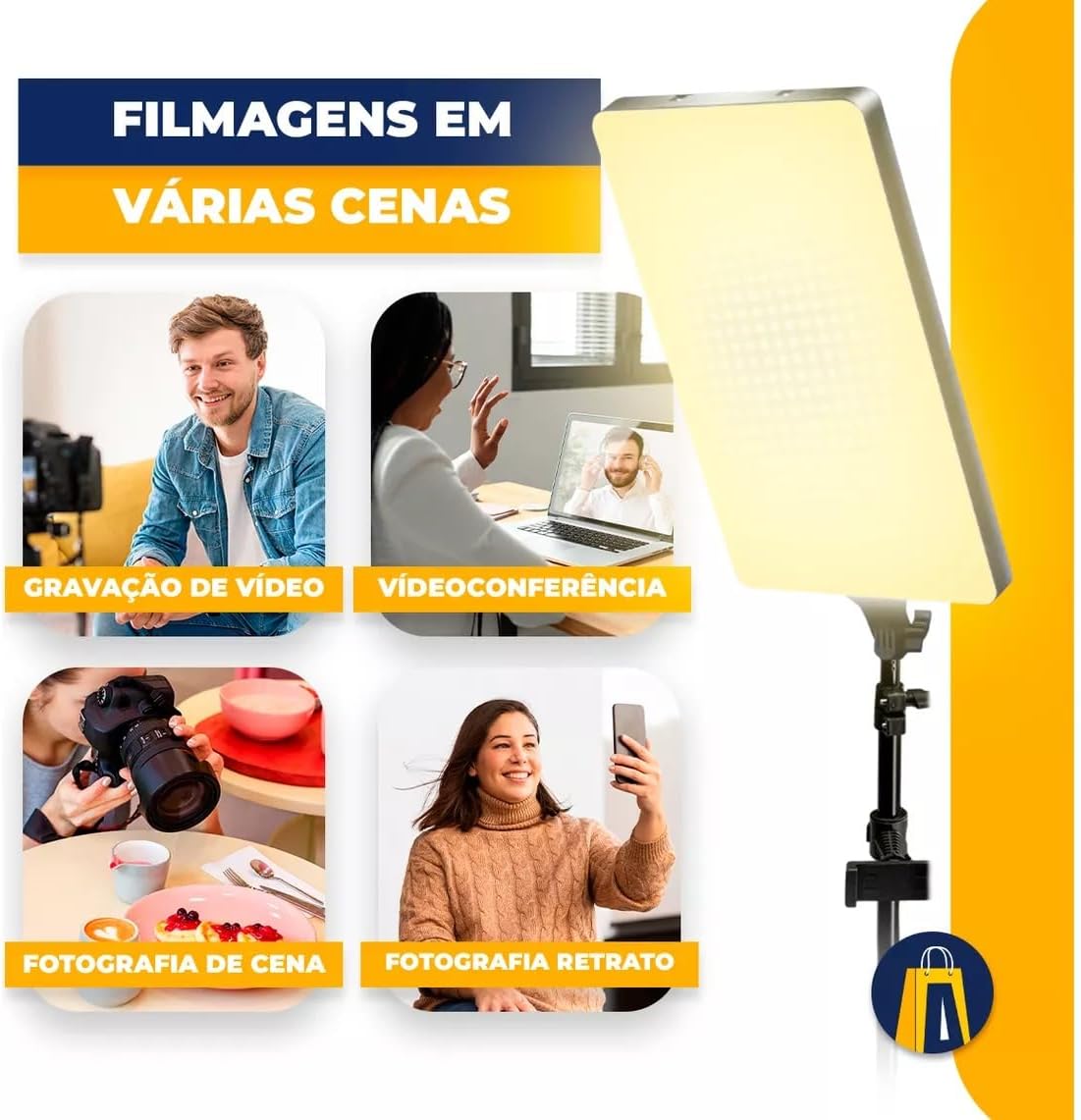
Olusin 5: Examples of diverse applications for the ring light, such as video recording and photography.
Itoju
- Ninu: Ensure the device is unplugged before cleaning. Use a soft, dry cloth to wipe down the LED panel and tripod. Avoid using abrasive cleaners or solvents.
- Ibi ipamọ: When not in use, store the ring light and tripod in a cool, dry place, away from direct sunlight and moisture. Disassemble the tripod for compact storage if needed.
- Itọju USB: Do not bend or crimp the power cable excessively. Always unplug by grasping the plug, not the cable.
Laasigbotitusita
- Imọlẹ Ko Tii:
- Check if the power cable is securely plugged into both the ring light and the electrical outlet.
- Daju pe iṣan agbara jẹ iṣẹ-ṣiṣe.
- Ensure the power switch on the ring light is in the "On" position.
- Bluetooth Remote Not Pairing:
- Make sure the remote control has working batteries.
- Ensure Bluetooth is enabled on your phone and the remote is discoverable.
- Try restarting both your phone's Bluetooth and the remote control.
- Ensure no other devices are actively paired with the remote.
- Imọlẹ aiṣedeede:
- Check for any obstructions in front of the LED panel.
- Ensure the light diffuser is properly in place.
Awọn pato
| Ẹya ara ẹrọ | Ẹ̀kúnrẹ́rẹ́ |
|---|---|
| Awoṣe | BM-L16 |
| Ijade agbara | 50W (45-70W range) |
| Iwọn LED | Awọn LED 400 |
| Lumens | 1000LM |
| Light Panel Iwon | 19 inches (approx. 50cm) |
| Iwọn otutu awọ | Adjustable (2700K - 7500K) |
| Voltage | Bivolt (110V/220V automatic) |
| Irin-ajo Tuntun | Adjustable up to 210cm |
| Iṣakoso | On-device controls, Bluetooth Remote Control |
| Olupese | KAIROS |
| Nọmba apakan | 001 |

Figure 6: Dimensions of the B-Max BM-L16 LED Ring Light and its tripod.

Figure 7: The B-Max BM-L16 LED Ring Light and its packaging, emphasizing its power.
Atilẹyin ọja ati Support
This B-Max BM-L16 LED Ring Light comes with a 90-ọjọ atilẹyin ọja lati ọjọ rira, ibora awọn abawọn iṣelọpọ. Jọwọ ṣe idaduro ẹri rira rẹ fun awọn iṣeduro atilẹyin ọja.
For technical support, troubleshooting assistance, or warranty inquiries, please contact the retailer or manufacturer directly. Refer to your purchase documentation for specific contact information.


