
1. Ifihan
This manual provides essential instructions for the setup, operation, and maintenance of your Donner DEP-16A Digital Piano. Please read this manual thoroughly before using your instrument to ensure proper function and longevity. Keep this manual for future reference.

Image 1.1: The Donner DEP-16A Digital Piano, showcasing its full setup with the included stand and three-pedal unit.
2. Package Awọn akoonu
Verify that all components listed below are included in your package. If any items are missing or damaged, please contact Donner customer support.
- Donner DEP-16A Digital Piano Unit
- Iduro Orin
- Piano Stand (Assembly Required)
- 3-Efatelese Unit
- Adapter agbara
- Ìwé Ìtọ́sọ́nà Olùlò (Ìwé yìí)

Aworan 2.1: exploded view illustrating the main components included in the DEP-16A package: music stand, piano unit, piano stand, pedal unit, power adapter, and user manual.
3. Eto
3.1 Apejọ
- Ṣọra gbogbo awọn paati lati inu apoti naa.
- Assemble the piano stand according to the included diagram. Ensure all screws are securely tightened.
- Place the DEP-16A digital piano unit onto the assembled stand. Secure it using the four screws provided, connecting the piano to the stand.
- Attach the music stand to the designated slot on the piano unit.
- Position the 3-pedal unit in front of the piano.
3.2 Asopọmọra
Connect the necessary cables to the rear panel of the digital piano:
- Adapter agbara: Connect the power adapter to the DC IN port (7) and then to a power outlet.
- Pedal Unit: Connect the pedal cable to the Pedal port (3).
- Agbekọri: For silent practice, connect standard headphones to the Earphone port (6).
- USB MIDI: Connect to a computer or MIDI device using the USB MIDI port (2) for recording or software control.
- USB DISK: Insert a USB flash drive into the USB DISK port (1) for MP3 playback or MIDI recording storage.
- Laini Jade: Use the Line Out port (4) to connect to external amplifiers, mixers, or recording equipment.
- Laini Ni: Use the Line In port (5) to connect external audio sources (e.g., smartphone, MP3 player) to play along with.

Aworan 3.1: alaye view of the DEP-16A's rear connectivity panel, showing ports for USB Disk, USB MIDI, Pedal, Line Out, Mic, Earphone, and DC In.
4. Awọn ilana Iṣiṣẹ
4.1 Agbara Tan / Pa
Tẹ awọn Agbara button located on the control panel to turn the digital piano on or off. The LCD screen will illuminate upon power-on.
4.2 Siṣàtúnṣe iwọn
Lo awọn Iwọn didun knob or buttons on the control panel to adjust the overall output volume of the instrument.
4.3 Yíyan Àwọn Ohùn
The DEP-16A offers 238 different instrument tones. Use the Ohun orin selection buttons or dial to browse and select your desired sound. The selected tone will be displayed on the LCD screen.
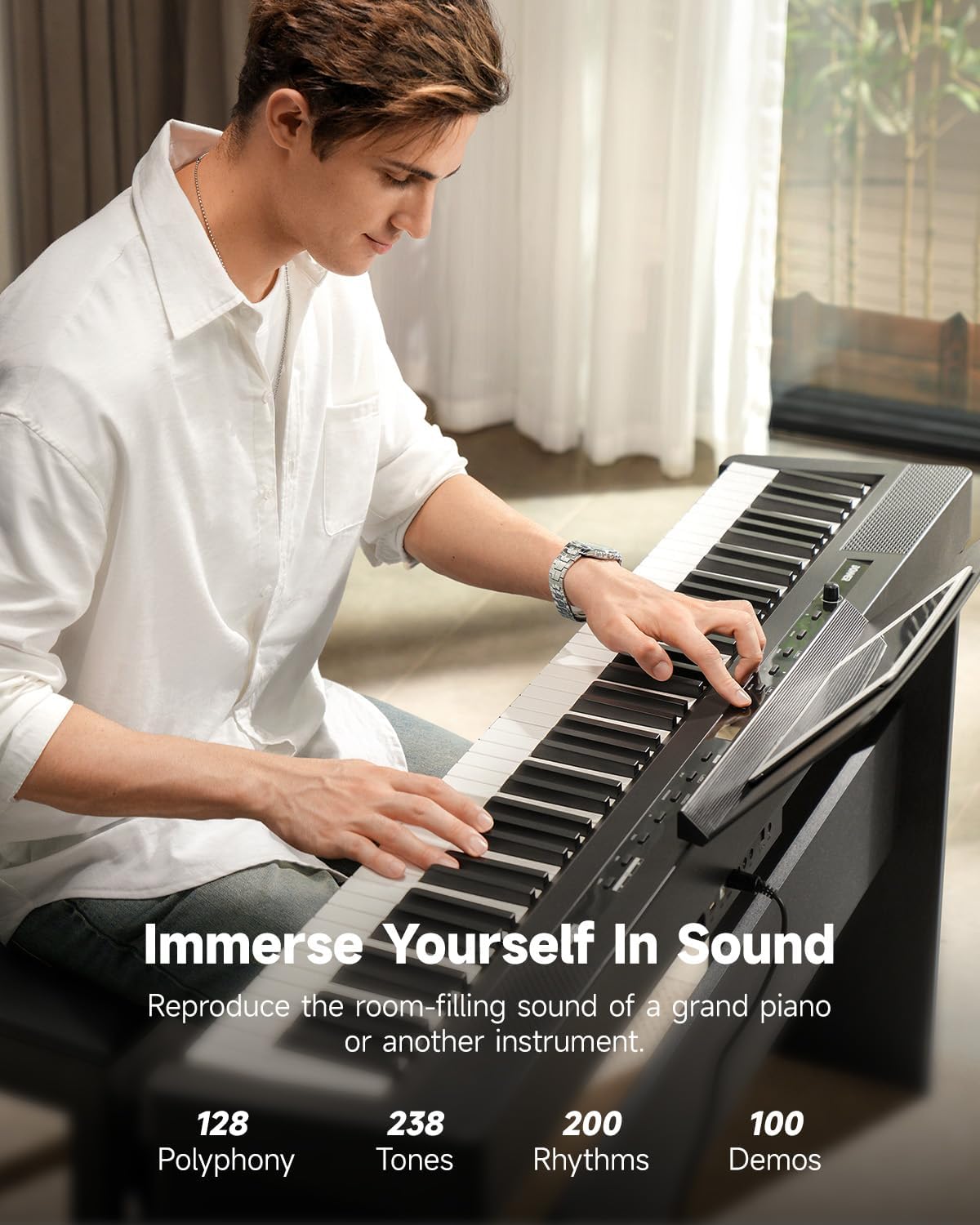
Image 4.1: A musician playing the DEP-16A, illustrating the instrument's sound capabilities including 238 tones and 200-note polyphony.
4.4 Touch Response (Weighted Keys)
The 88 full-sized, hammer-action keys feature adjustable touch response. This allows you to customize how the piano responds to your playing dynamics. Refer to the manual's specific section on touch response settings to adjust sensitivity (e.g., light, medium, heavy) to match your playing style.

Image 4.2: Visual representation of the DEP-16A's touch response curves, demonstrating how key velocity affects sound output from low to high keys.
4.5 Dual-Tone Mode
Activate Dual-Tone mode to layer two different instrument sounds simultaneously. This feature allows for creative sound combinations. Consult the detailed instructions in the full manual for specific steps on activating and selecting tones in Dual-Tone mode.

Aworan 4.3: An lori view of the DEP-16A keyboard, illustrating the dual-tone function where two different sounds can be played across the keyboard simultaneously.
4.6 Metronome and Recording
The DEP-16A includes a built-in metronome for timing practice. It also features a MIDI recording mode, allowing you to record your performances. Recordings can be saved to a connected USB disk.
4.7 Bluetooth MIDI and Audio
Connect your digital piano wirelessly to a tablet, phone, or computer via Bluetooth for MIDI functionality or audio streaming. This enables interactive lessons, music editing, and playing along with external audio.

Image 4.4: A hand interacting with a tablet placed on the music stand, demonstrating the Bluetooth MIDI and audio connectivity for lessons or music editing.
5. Itọju
5.1 Ninu
To clean the digital piano, use a soft, dry cloth. For stubborn dirt, slightly dampen the cloth with water and a mild soap solution, then wipe dry immediately. Avoid using abrasive cleaners, solvents, or waxes, as these can damage the finish.
5.2 Ibi ipamọ
Store the digital piano in a cool, dry place away from direct sunlight, extreme temperatures, and high humidity. Do not place heavy objects on the keyboard. If storing for an extended period, cover the instrument to protect it from dust.
6. Laasigbotitusita
If you encounter issues with your DEP-16A, refer to the following common problems and solutions:
- Ko si Ohun:
- Ṣàyẹ̀wò bóyá agbára náà wà ní titan àti pé a ti gbé ohùn sókè.
- Ensure headphones are not plugged in if you expect sound from the speakers.
- Verify that external speakers/amplifiers are properly connected and powered on if using Line Out.
- Awọn bọtini Ko Dahun:
- Restart the piano.
- Check if any specific mode (e.g., demo mode) is active that might disable normal key input.
- Pedals Not Working:
- Ensure the pedal unit cable is securely connected to the Pedal port.
- Verify the pedal unit is correctly oriented.
- Awọn oran Asopọmọra Bluetooth:
- Rí i dájú pé Bluetooth ṣiṣẹ́ lórí piano àti ẹ̀rọ ìta rẹ.
- Gbiyanju yiyo ati tun so pọ awọn ẹrọ.
- Rii daju pe ko si awọn ẹrọ miiran ti n ṣe idiwọ asopọ Bluetooth.
For further assistance, please contact Donner customer support.
7. Awọn pato
| Ẹya ara ẹrọ | Sipesifikesonu |
|---|---|
| Brand | Donner |
| Nọmba awoṣe | DEP-16A |
| Nọmba ti Awọn bọtini | 88 |
| Iru bọtini | Full-sized, Hammer-action, Weighted |
| Idahun Fọwọkan | Adjustable (4 curves) |
| Awọn ohun orin | 238 |
| Polyphony | 200-akọsilẹ |
| Awọn agbọrọsọ | 2 x15W Ampalifiers |
| Ifihan | Iboju LCD |
| Asopọmọra | USB MIDI, USB Disk, Pedal, Line Out, Line In, Earphone, Bluetooth |
| Awọn ẹya ara ẹrọ | Dual-Tone Mode, MIDI Recording, MP3 Player, Metronome, Transposition, 100 Demo Songs |
| Iwọn Nkan | 41.9 poun (isunmọ 19 kg) |
| Package Mefa | 58.5 x 18.5 x 11.5 inches |

Image 7.1: The DEP-16A Digital Piano with key dimensions (length, height, depth) indicated for portability and placement reference.
8. Atilẹyin ọja ati Support
Your Donner DEP-16A Digital Piano is covered by a manufacturer's warranty. Please refer to the warranty card included in your package or visit the official Donner webAaye fun alaye atilẹyin ọja ofin ati ipo.
For technical support, service, or inquiries, please contact Donner customer service through their official website or the contact information provided with your product. When contacting support, please have your model number (DEP-16A) and purchase information ready.
Official Donner Webojula: www.donnerdeal.com