
eKids 115
eKids Dora Karaoke Microphone with Boombox Instruction Manual
Model: 115 | Brand: eKids
1. Ifihan
Welcome to the eKids Dora Karaoke Microphone with Boombox. This device is designed to provide an interactive and engaging musical experience. It features a wired microphone, built-in music, and Bluetooth connectivity for streaming audio from compatible devices. This manual provides essential information for setup, operation, maintenance, and troubleshooting to ensure optimal performance and enjoyment.
2. Ọja Ipariview
The eKids Dora Karaoke Microphone with Boombox is a portable audio device shaped like Dora's backpack, designed for children aged 3 and up. It combines a speaker with a wired microphone, allowing users to sing along to pre-loaded songs or music streamed via Bluetooth.
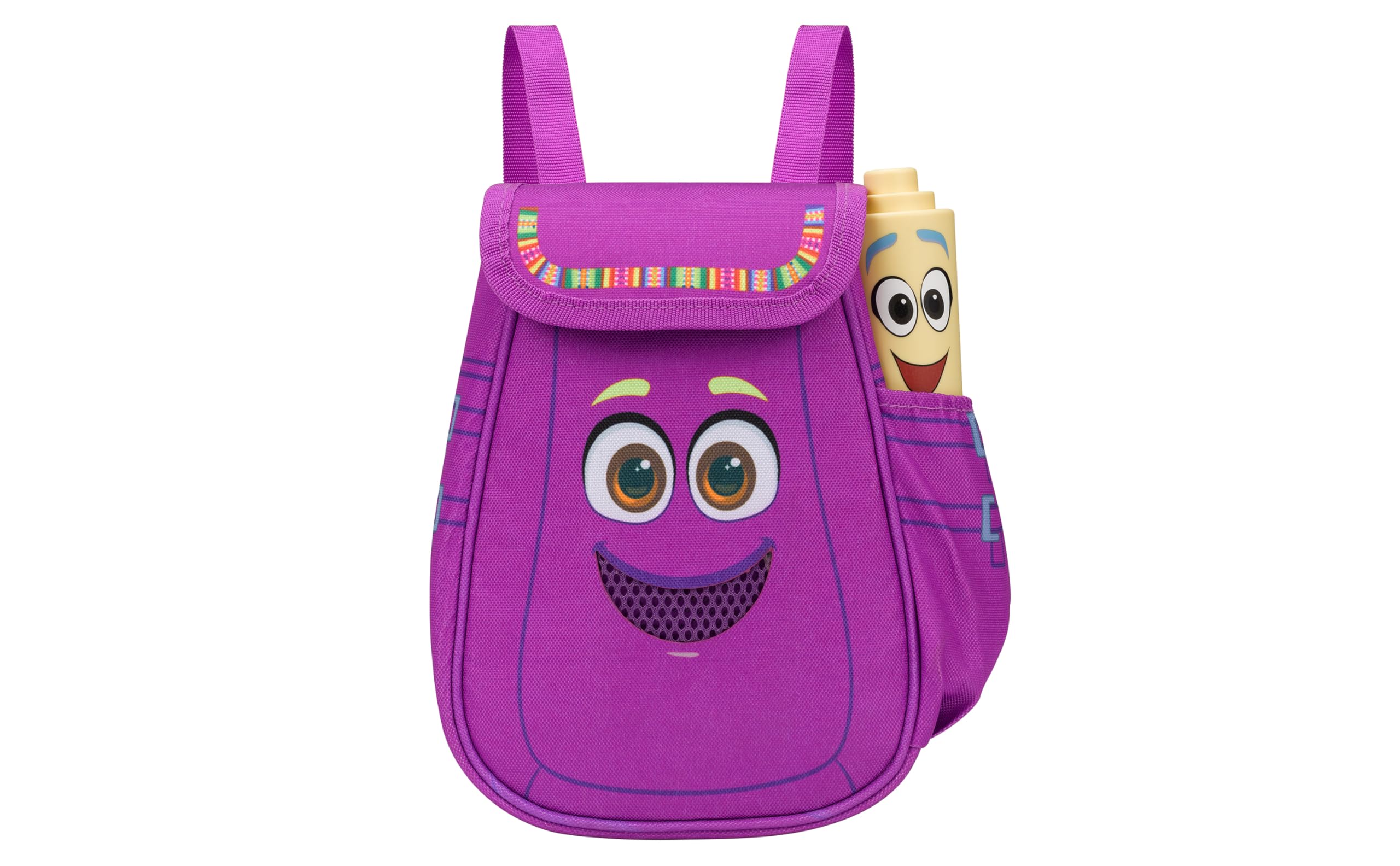
Figure 1: eKids Dora Karaoke Microphone with Boombox.
Awọn ẹya pataki:
- Agbọrọsọ Bluetooth: Connects to any music device via Bluetooth to stream popular karaoke playlists and more. Lightweight and portable, this karaoke boombox is designed for kids aged 3 and up.
- Microphone Karaoke: Includes a wired microphone to amplify your voice for singing.
- Dora Backpack Design: Features cute and colorful graphics inspired by the popular Nickelodeon series.
- Orin ti a ṣe sinu: Contains extended clips of the songs ‘Rainforest Ritmo’, ‘Cake’, and ‘Empanada’.
- Gbigbe: Lightweight design with a built-in handle for easy transport.
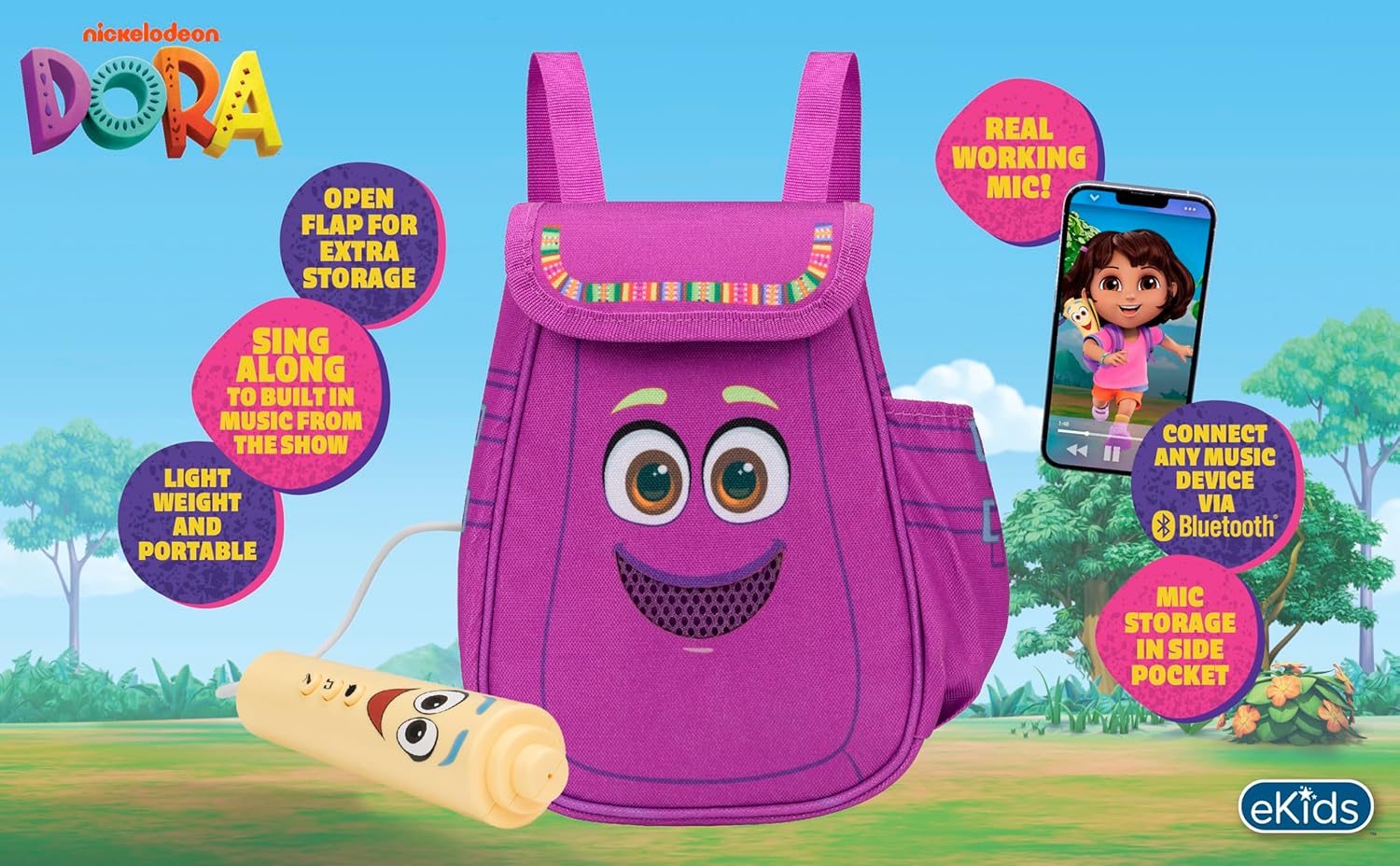
Àwòrán 2: Ìwòran lóríview of the product's key features.
3. Package Awọn akoonu
Rii daju pe gbogbo awọn ohun kan wa lori ṣiṣi silẹ:
- Dora Karaoke Microphone with Boombox (main unit)
- Gbohungbo onina
- Ilana Afowoyi (iwe yii)
- 3 x 'AA' Batteries (included)

Figure 3: Product as packaged, showing the boombox and microphone.
4. Eto
4.1 Fifi sori batiri
- Locate the battery compartment on the back or bottom of the boombox unit.
- Using a Phillips head screwdriver (not included), open the battery compartment cover.
- Insert 3 'AA' batteries, ensuring correct polarity (+/-).
- Rọpo ideri kompaktimenti batiri ki o ni aabo pẹlu dabaru.
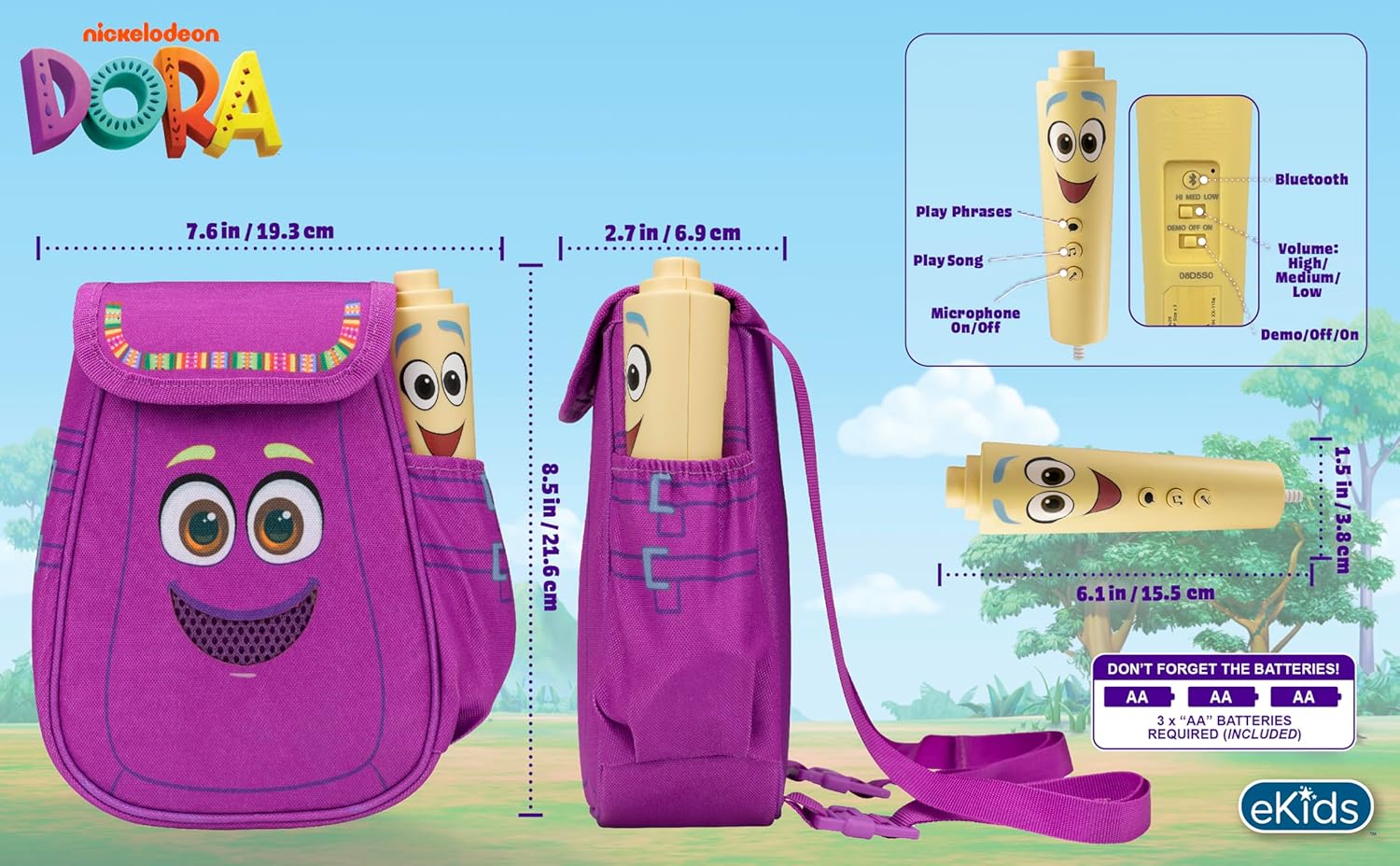
olusin 4: Ẹyìn view of the boombox, indicating battery compartment and control buttons.
4.2 Gbohungbohun Asopọ
The wired microphone is typically pre-connected or plugs into a dedicated port on the boombox. Ensure the microphone cable is securely plugged in.
5. Awọn ilana Iṣiṣẹ
5.1 Agbara Tan / Pa
Locate the Power switch (often labeled ON/OFF or with a power symbol) on the unit. Slide it to the 'ON' position to power on the device. Slide it to 'OFF' to power off.
5.2 Playing Built-in Music
Press the designated 'Play Song' button (refer to Figure 4 for button layout) to cycle through the pre-loaded songs. The unit includes extended clips of 'Rainforest Ritmo', 'Cake', and 'Empanada'.
5.3 Lilo Gbohungbohun
To use the microphone, ensure the 'Microphone On/Off' switch (refer to Figure 4) is in the 'On' position. Speak or sing into the microphone to ampmú kí ohùn rẹ sunwọ̀n síi nípasẹ̀ agbọ́hùnsọ boombox.
5.4 Bluetooth Asopọmọra
To stream music from an external device:
- Rii daju pe apoti boom ti wa ni titan.
- Activate Bluetooth on your external music device (e.g., smartphone, tablet, computer).
- Wa fun available Bluetooth devices and select "eKids Dora" or a similar name.
- Once paired, you can stream audio from your device to the boombox.

Figure 5: Bluetooth connectivity allows streaming from various compatible devices.
5.5 Iṣakoso iwọn didun
Adjust the volume using the 'Volume: High/Medium/Low' switch on the unit (refer to Figure 4).
5.6 Ipo Ririnkiri
The unit may include a 'Demo/Off/On' switch (refer to Figure 4). Set it to 'Demo' for a brief demonstration of features, or 'On' for full functionality.
6. Itọju
- Ninu: Fi aṣọ gbígbẹ tó rọ, tó sì gbẹ nu ẹ̀rọ náà. Má ṣe lo àwọn ohun ìfọṣọ tàbí kí o fi omi wẹ̀ ẹ́.
- Itọju Batiri: Yọ awọn batiri kuro ti ẹyọ naa ko ba ni lo fun akoko ti o gbooro sii lati ṣe idiwọ jijo.
- Ibi ipamọ: Tọju ẹyọ naa ni itura, aye gbigbẹ kuro lati orun taara ati awọn iwọn otutu to gaju.
7. Laasigbotitusita
| Isoro | Ojutu |
|---|---|
| Ko si agbara | Check battery installation and ensure batteries are fresh. Confirm the power switch is in the 'ON' position. |
| Ko si ohun lati agbọrọsọ | Increase the volume. Ensure the microphone is switched 'ON' if using it. If using Bluetooth, check device volume and connection. |
| Gbohungbohun ko ṣiṣẹ | Ensure the microphone is securely plugged in and its 'On/Off' switch is in the 'On' position. |
| Bluetooth ko sopọ | Ensure the boombox is in Bluetooth pairing mode (if applicable, check manual for specific instructions). Turn off and on Bluetooth on your external device. Move devices closer together. |
8. Awọn pato
- Brand: eKids
- Orukọ awoṣe: 115
- Àwọ̀: Dora
- Orisun Agbara: Battery Powered (3 x 'AA' batteries)
- Iye Agbọrọsọ: 1
- Imọ-ẹrọ Asopọmọra: Bluetooth, 3.5mm audio jack (for wired microphone)
- Ìwọ̀n Nkan: 0.52 kilo
- Awọn Iwọn Nkan (D x W x H): 10.63"D x 2.24"W x 8.17"H
- UPC: 092298961934
- Olupese: Awọn apẹrẹ KID
9. Atilẹyin ọja ati Support
Ọja yi wa pẹlu kan 1-odun lopin atilẹyin ọja from the manufacturer, KIDdesigns. For warranty claims or technical support, please refer to the contact information provided with your purchase documentation or visit the eKids official webojula.
For additional product information or to explore other eKids products, visit the Ile itaja ami iyasọtọ eKids.
Ask a question about this manual
Ask about setup, troubleshooting, compatibility, parts, safety, or missing instructions. Manuals+ will review the question and use this page’s manual context to help answer it.