
Holzmann CTF45P_230V
Holzmann CTF45P_230V CNC Milling Machine User Manual
Model: CTF45P_230V
1. Ifihan
The Holzmann CTF45P_230V CNC milling machine is designed for precision work on various materials including wood, plastic, and aluminum. Its modular construction allows for straightforward assembly and operation, making it suitable for a range of applications from shaping to detailed engraving. This manual provides comprehensive guidance to ensure safe and effective use of your machine.
For optimal performance and safety, please read this manual thoroughly before operating the machine and retain it for future reference.
2. Awọn ilana aabo
Adhering to safety guidelines is crucial for preventing accidents and ensuring safe operation.
- Always wear appropriate personal protective equipment (PPE), including safety glasses and hearing protection.
- Rii daju pe agbegbe iṣẹ jẹ mimọ, tan-an daradara, ati laisi awọn idiwọ.
- Verify that the machine is securely placed on a stable surface before operation.
- Disconnect power before performing any maintenance, adjustments, or tool changes.
- Jeki awọn ọwọ ati awọn aṣọ alaimuṣinṣin kuro lati awọn ẹya gbigbe lakoko iṣẹ.
- Do not operate the machine if any components are damaged or malfunctioning.
- Mọ ara rẹ pẹlu ilana idaduro pajawiri.
3. Awọn irinše to wa
The package for your Holzmann CTF45P_230V CNC milling machine typically includes the following items:
- V-bit milling cutter
- 2 x Milling cutters
- 10 x Carving cutters
- 2 x Collets (ER11-6 mm, ER11-1/4 inch)
- 6 x Workpiece clamps

Image: Holzmann CTF45P_230V CNC Milling Machine with various included accessories laid out.
4. Eto
The modular design of the CTF45P_230V facilitates quick and easy setup.
- Ṣii silẹ: Ni ifarabalẹ yọ gbogbo awọn paati kuro ninu apoti.
- Apejọ: Follow the detailed assembly instructions provided in the separate assembly guide (not part of this manual) to construct the machine frame and attach the spindle unit.
- Ibi: Position the machine on a stable, level workbench.
- Asopọ agbara: Connect the machine to a 230V AC power supply.
- Asopọmọra: The machine supports USB interface, Wi-Fi connection, and includes an SD card reader (with a 4 GB TF card) for data transfer. Connect your preferred interface for control.
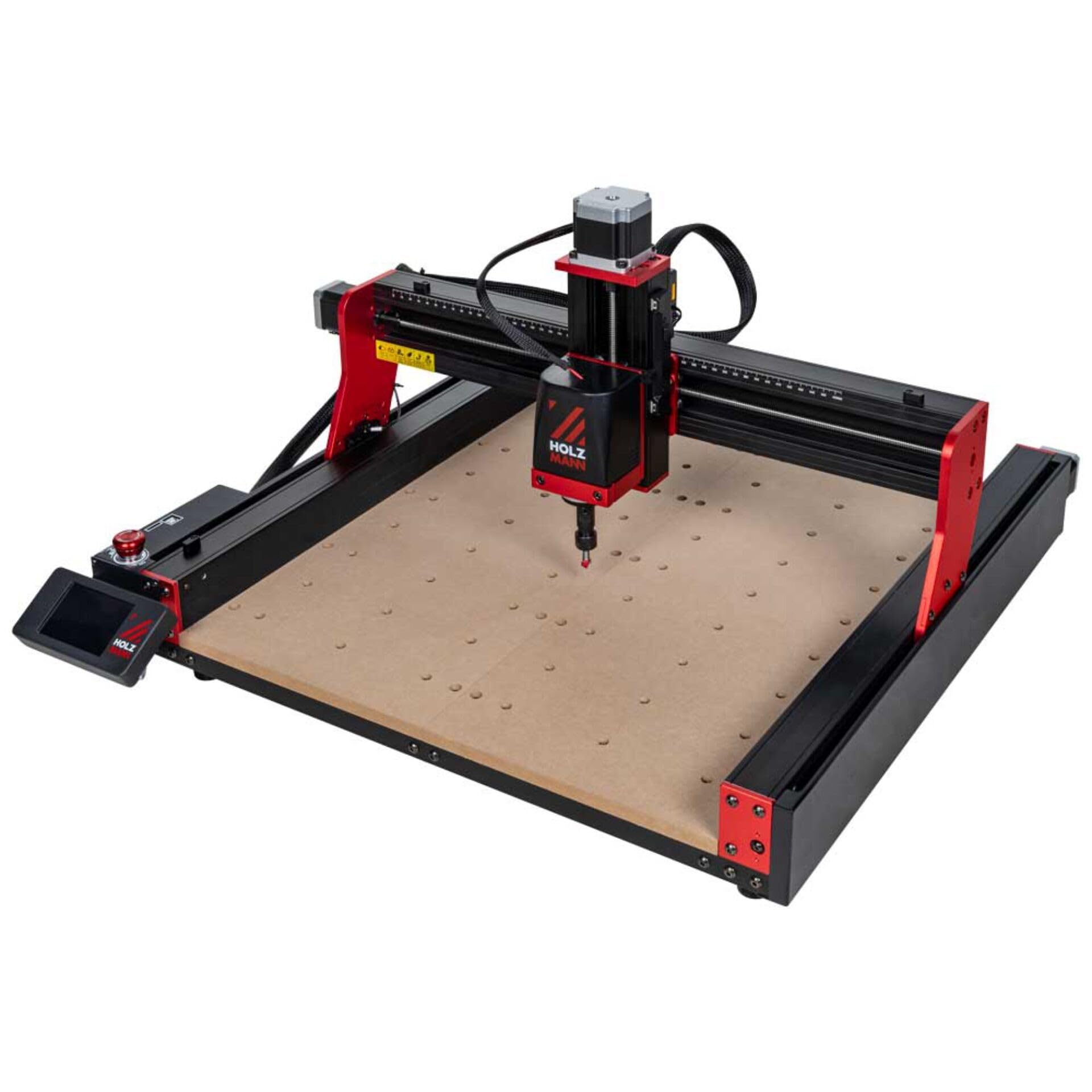
Image: Holzmann CTF45P_230V CNC Milling Machine, showcasing its compact design and work area.
5. Awọn ilana Iṣiṣẹ
Follow these steps for effective operation of your CNC milling machine:
- Igbaradi Ohun elo: Securely fasten your workpiece (wood, plastic, or aluminum) to the work area using the provided clamps.
- Fifi sori ẹrọ: Select and install the appropriate milling or carving cutter into the ER11 collet. Ensure it is tightened securely.
- Eto Software: Utilize supported CAM software such as Candle, Carveco, Artcam, or Easel to design your project and generate G-code.
- File Gbe: Gbe koodu G-gbe file to the machine via USB, Wi-Fi, or SD card.
- Zeroing: Carefully set the X, Y, and Z axis zero points according to your project requirements and material thickness.
- Isẹ: Initiate the milling process through the control interface. Monitor the machine during operation.
- Iyara Spindle: The 80W motor spindle operates up to 8,000 RPM. Adjust spindle speed as necessary for different materials and tools.
- Oṣuwọn Ifunni: The maximum feed rate is 800 mm/min. Adjust for optimal cutting performance.
- Ise Tesiwaju: The machine is designed for a maximum continuous operating time of 6 hours. Allow for cooling periods as needed.
6. Itọju
Regular maintenance ensures the longevity and performance of your CNC milling machine.
- Ninu: After each use, clean the work area, spindle, and guide rails to remove dust, chips, and debris. Use a soft brush or vacuum.
- Lubrication: Periodically lubricate the moving parts, such as lead screws and linear guides, according to the manufacturer's recommendations.
- Ayẹwo Irinṣẹ: Inspect milling cutters and collets for wear or damage before each use. Replace worn tools promptly.
- Awọn Isopọ Itanna: Máa ṣàyẹ̀wò gbogbo àwọn ìsopọ̀ iná mànàmáná déédéé fún wíwà ní ìdúró àti àmì wíwọ.
- Awọn imudojuiwọn sọfitiwia: Keep CAM software and machine firmware updated for optimal compatibility and features.
7. Laasigbotitusita
Abala yii n ṣalaye awọn ọran ti o wọpọ ti o le ba pade ati pese awọn ojutu.
- Ẹrọ ti ko ni agbara:
- Check power cable connection to the machine and outlet.
- Rii daju pe iyipada agbara wa ni ipo "ON".
- Ensure the power supply is providing adequate voltage (230V AC).
- Milling Errors/Inaccuracies:
- Confirm workpiece is securely clamped and not shifting.
- Check tool sharpness and proper installation.
- Verify G-code and CAM software settings are correct for the material.
- Ensure X-Y axis positioning accuracy (0.05 mm) is maintained by checking for loose components or debris on rails.
- Ariwo/Ariwo Pupọ:
- Inspect for loose components or fasteners.
- Check if the tool is properly seated and balanced.
- Reduce feed rate or spindle speed if necessary.
- Connectivity Issues (USB/Wi-Fi):
- Rii daju pe awọn kebulu ti sopọ ni aabo.
- For Wi-Fi, verify network connection and correct settings.
- Restart the machine and computer/device.
8. Awọn pato
| Ẹya ara ẹrọ | Sipesifikesonu |
|---|---|
| Iru | Tabletop CNC Milling Machine |
| Ipo Iṣiṣẹ | Mains powered (230V AC) |
| Working Area (L x W x H) | 460 x 460 x 80 mm |
| Max. Milling Diameter | 10 mm |
| Max. Continuous Operating Time | wakati meji 6 |
| Max. Feed Rate | 800 mm / min |
| XY-Axis Positioning Accuracy | 0.05 mm |
| Supported CAM Software | Candle, Carveco, Artcam, Easel |
| Awọn atọkun | USB, Wi-Fi, SD card reader (+4 GB TF card) |
| Motor Spindle Power | 80 W |
| Motor Spindle Speed | Titi di 8,000 RPM |
| Sound Pressure Level (LWA) | 85 dB(A) |
| Sound Power Level (LpA) | 105 dB(A) |
| Àwọ̀ | Dudu/pupa |
| Iwọn | 158.0 kg |
| Ohun elo | Irin |
9. Atilẹyin ọja ati Support
Specific warranty terms and conditions for the Holzmann CTF45P_230V CNC Milling Machine are not provided in this document. For detailed warranty information, technical support, or service inquiries, please refer to the manufacturer's official website or contact your point of purchase (e.g., Conrad Electronic Sweden).
Ask a question about this manual
Ask about setup, troubleshooting, compatibility, parts, safety, or missing instructions. Manuals+ will review the question and use this page’s manual context to help answer it.