
Ọrọ Iṣaaju
This manual provides instructions for the safe and efficient use of your LanLuk Magnetic Portable Charger Power Bank, Model T3. This device is designed to provide portable power for various electronic devices, including smartphones, smartwatches, and earbuds, through wired and wireless charging methods.
Ọja Pariview
The LanLuk T3 Portable Charger features a 10800mAh battery capacity, multiple output options, and an integrated LCD display for battery status. It includes built-in cables and magnetic wireless charging capabilities.
Awọn ẹya ati Awọn ẹya:
- Awọn okun ti a ṣe sinu: One iOS cable (18W) and one Type-C cable (25W, supports input/output).
- Awọn ibudo USB: One USB-C port (25W PD, supports input/output) and one USB-A port (18W QC 4.0).
- Ngba agbara Alailowaya Oofa: 7.5W for iPhone/AirPods and 3W for Apple Watch.
- Ifihan LCD: Digital screen indicating remaining battery percentage.
- Strong Magnetic Adsorption: For secure wireless charging connection.
- Eto Idaabobo Olona: Guards against overcharge, overvoltage, lori-lọwọlọwọ, ati kukuru iyika.

Aworan: Pariview of the LanLuk T3 Portable Charger, highlighting its internal components, various ports, and built-in cables.

Image: The LanLuk T3 Portable Charger displaying its digital LCD screen and the dedicated charging pad for Apple Watch.
Ṣeto
Gbigba agbara akọkọ ti Bank Power:
Before first use, fully charge the power bank. This typically takes 3-5 hours.
- Connect the power bank to a power source using either the built-in Type-C cable or a USB-C cable plugged into the USB-C port.
- The LCD display will show the charging progress, indicating 100% when fully charged.

Image: The LanLuk T3 Portable Charger connected to a power adapter via its USB-C port for recharging.
Awọn ilana Iṣiṣẹ
Gbigba agbara si awọn ẹrọ rẹ:
The LanLuk T3 offers multiple ways to charge your devices simultaneously.
Ti firanṣẹ Ngba agbara:
- Lilo awọn okun waya ti a ṣe sinu rẹ: Extend the integrated iOS or Type-C cable and connect it directly to your compatible device.
- Lilo awọn ibudo USB: Connect your device's charging cable to the USB-A (18W) or USB-C (25W PD) port on the power bank.
Gbigba agbara Alailowaya:
- For iPhone/AirPods: Place your MagSafe-compatible iPhone (iPhone 12-16 series) or AirPods on the magnetic wireless charging pad. Ensure proper alignment for optimal charging. A MagSafe phone case is required for magnetic attachment if your phone is not directly MagSafe compatible.
- Fun Apple Watch: Place your Apple Watch on the dedicated 3W wireless charging pad.

Image: The LanLuk T3 Power Bank simultaneously charging an iPhone via magnetic wireless, an Apple Watch via its dedicated pad, and other devices via built-in cables and USB ports.
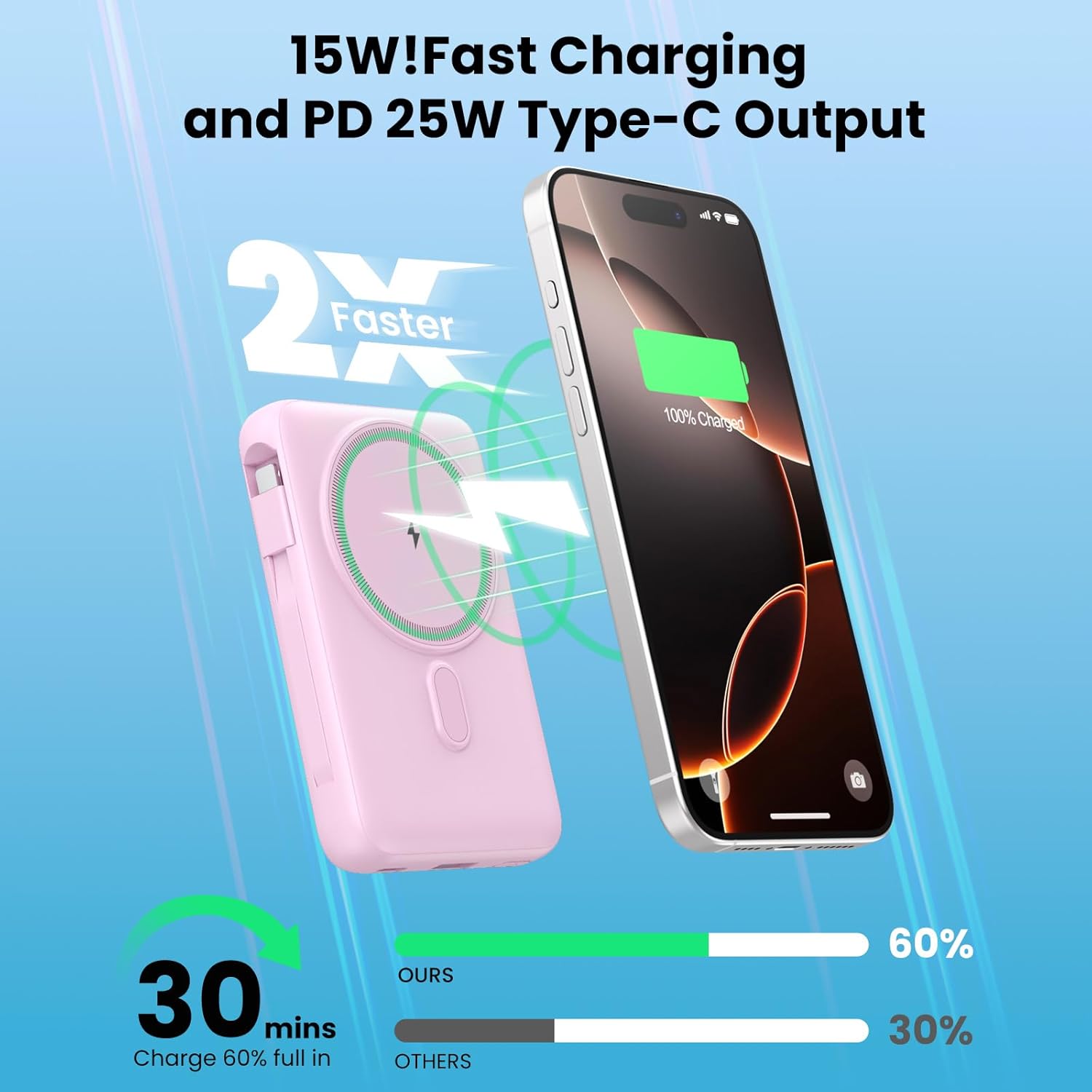
Image: An iPhone securely attached to the LanLuk T3 Portable Charger via its magnetic wireless charging feature.
Ṣiṣayẹwo Ipele Batiri:
The integrated LCD display shows the remaining battery percentage of the power bank, allowing you to monitor its charge status.

Image: An illustration demonstrating the approximate number of charges the LanLuk T3 can provide for various devices like iPhone and AirPods.
Alaye Aabo
The LanLuk T3 Portable Charger is equipped with a smart chip and multi-layer protection system to ensure safe operation. This includes protection against:
- Gbigba agbara ju
- Apọjutage
- Lori-lọwọlọwọ
- Awọn iyika kukuru
- Loju iwọn otutu
- Apọju
- Apọju
To maintain safety and optimal performance, avoid exposing the device to extreme temperatures, direct sunlight, or moisture. Do not disassemble or attempt to repair the device.
Itọju ati Itọju
- Jẹ́ kí páńkì agbára náà gbẹ. Má ṣe fi í sí omi tàbí àwọn ohun míràn.
- Nu ẹrọ naa pẹlu asọ ti o tutu, ti o gbẹ. Yago fun lilo awọn kẹmika lile tabi awọn ohun elo abrasive.
- Tọju banki agbara ni itura, aye gbigbẹ kuro lati orun taara ati awọn iwọn otutu to gaju.
- Gba agbara si banki agbara ni o kere ju lẹẹkan ni gbogbo oṣu mẹta ti ko ba si ni lilo deedee lati ṣetọju ilera batiri.
Laasigbotitusita
Ohun elo Ko Ngba agbara:
- Ensure the power bank itself is charged. Check the LCD display for battery percentage.
- Verify that cables are securely connected to both the power bank and the device.
- For wireless charging, ensure your device is properly aligned on the charging pad. For iPhones, a MagSafe-compatible case or no case is recommended for optimal magnetic connection.
- Try a different cable or USB port.
Gbigba agbara lọra:
- Ensure your device supports fast charging protocols (PD, QC 4.0) to utilize the power bank's full speed capabilities.
- Using multiple outputs simultaneously may reduce individual charging speeds.
- Check if the charging cable is damaged or incompatible.
Magnetic Connection Issues:
- Rí i dájú pé iPhone rẹ bá MagSafe mu (iPhone 12 jara tabi tuntun).
- If using a case, it must be a MagSafe-compatible case for a strong magnetic connection.
- Yọ gbogbo ohun àjèjì kuro laarin foonu ati banki agbara.
Awọn pato
| Ẹya ara ẹrọ | Sipesifikesonu |
|---|---|
| Orukọ awoṣe | T3 |
| Agbara Batiri | 10800mAh |
| Built-in iOS Cable Output | 18W |
| Built-in Type-C Cable Output/Input | 25W |
| USB-C Port Output/Input | 25W PD |
| USB-A Port wu | 18W QC 4.0 |
| Magnetic Wireless Charging (iPhone/AirPods) | 7.5W |
| Magnetic Wireless Charging (Apple Watch) | 3W |
| Lapapọ Awọn abajade | 6 (2 built-in cables, 2 USB ports, 2 wireless pads) |
| Total Inputs | 2 (USB-C port, built-in Type-C cable) |
| Awọn iwọn | 4.37 x 2.8 x 1.02 inches (isunmọ) |
| Iwọn Nkan | 10.2 iwon |
| Ifihan | LED oni-nọmba |
Atilẹyin ọja ati Support
The LanLuk Magnetic Portable Charger Power Bank T3 comes with a 24-month warranty from the date of purchase. For warranty claims or technical support, please contact the seller or manufacturer directly through the platform where the product was purchased.