
1. Ifihan
This manual provides essential information for the safe and efficient installation, operation, and maintenance of your OSRAM ENDURA PRO Outdoor Wall Projector with Sensor. This high-efficiency outdoor wall luminaire features an extensive angle and innovative optical design, providing reliable and secure lighting for various outdoor applications.

Image 1.1: Highly Efficient Lighting. The OSRAM ENDURA PRO LED projector provides uniform and efficient lighting, enhancing security around your property with optimal brightness.
2. Awọn ilana aabo
Please read and understand all safety instructions before installing or operating the product. Failure to follow these instructions may result in electric shock, fire, or other hazards.
- Oṣiṣẹ ti o peye: Gbogbo awọn asopọ itanna gbọdọ jẹ nipasẹ onisẹ ina mọnamọna to peye.
- Ewu Mimu Itanna: Always disconnect power before installation, maintenance, or repair. Caution, risk of electric shock.
- Ewu Strangulation: To reduce the risk of strangulation, ensure that any flexible wiring connected to this luminaire is effectively secured to the wall if the wiring is within reach.
- Iduroṣinṣin ọja: Do not modify or alter the product in any way. Use only original OSRAM accessories and spare parts.
- Ayika Ṣiṣẹ: This product is designed for outdoor use with an IP55 rating. Do not submerge in water.
3. Awọn ẹya Ọja
The OSRAM ENDURA PRO projector is engineered for optimal outdoor lighting performance and durability.
- Iṣe to gaju: Provides bright and uniform illumination, enhancing safety in all outdoor areas.
- Ori Atunse: The luminaire head is adjustable, allowing for precise light orientation to illuminate specific areas and dark corners.
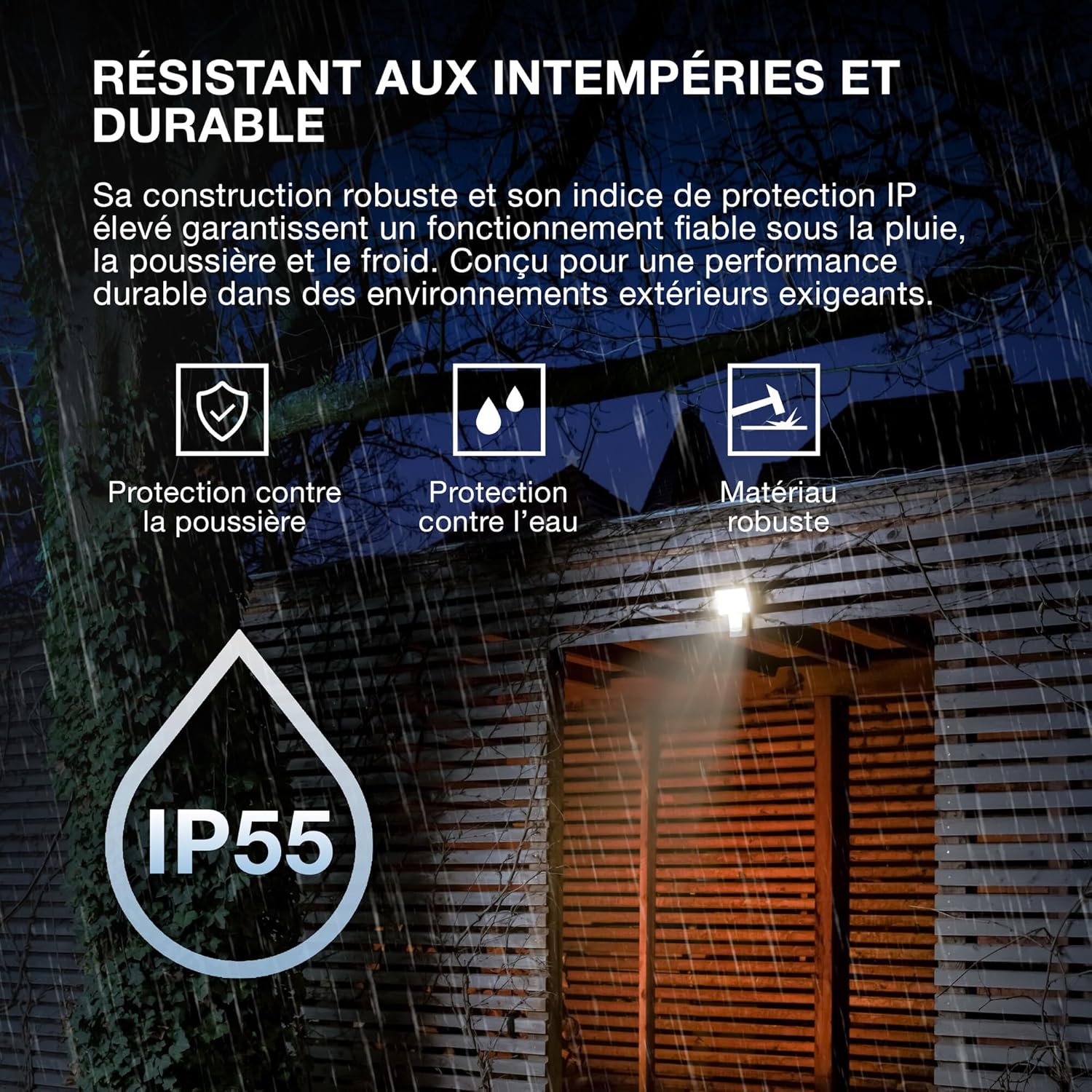
- Ikole ti o lagbara: Features IP55 protection against dust and water jets, and IK05 impact resistance, ensuring reliable operation in various weather conditions.
- Sensọ Iṣọkan: Equipped with a motion and brightness detection sensor for automated operation.
- Awọn ọna ṣiṣe: Offers 4 selectable operating modes, including 6-hour continuous illumination or activation by motion and ambient light.
- Agbara Lilo: A ṣe apẹrẹ fun iṣẹ fifipamọ agbara.

Image 3.1: Weather Resistant and Durable. The robust construction with IP55 and IK05 ratings ensures reliable performance in demanding outdoor environments, protecting against dust, water, and impacts.

Image 3.2: Precisely Adjustable. The pivoting lamp head allows for precise light orientation, directing illumination exactly where needed for efficient and glare-free lighting.
4. Eto ati fifi sori
The OSRAM ENDURA PRO projector is designed for easy and quick installation on walls or ceilings.
4.1. Ṣaaju fifi sori
- Ensure the power supply is disconnected at the main circuit breaker before starting any electrical work.
- Verify that the mounting surface is suitable and can support the weight of the luminaire.
- Consult a qualified electrician for all electrical connections.
4.2. Iṣagbesori Igbesẹ
- Mura Ibi Igbesoke: Choose a suitable location for wall or ceiling mounting.
- Samisi Awọn aaye Liluho: Use the mounting bracket as a template to mark the drilling points on the surface.
- Awọn iho iho: Lu awọn ihò ni awọn aaye ti a samisi ki o si fi awọn plug ogiri ti o yẹ sii (ti o ba jẹ dandan).
- Akọmọ Iṣagbesori to ni aabo: Attach the mounting bracket securely to the wall or ceiling using screws.
- Asopọmọra itanna: Connect the electrical wiring to the luminaire terminals according to local electrical codes. Ensure proper grounding.
- So Luminaire: Mount the luminaire onto the secured bracket.
- Asopọmọra to ni aabo: If the flexible wiring is within reach, secure it effectively to the wall to prevent strangulation hazards.
- Pada Agbara pada: Nígbà tí a bá ti parí ìfisẹ́lé àti gbogbo ìsopọ̀mọ́ra, dá agbára padà sí ẹ̀rọ náà.

Image 4.1: Quick Assembly and Easy Installation. The diagram illustrates both wall and ceiling installation methods, highlighting the 180° detection angle and coverage area for enhanced security.
Aworan 4.2: Awọn iwọn ọja. Detailed dimensions of the luminaire for accurate installation planning.
5. Awọn ilana Iṣiṣẹ
The OSRAM ENDURA PRO projector offers flexible operating modes and an adjustable head for customized lighting.
5.1. Yíyan Àwọn Ìgbésẹ̀ Iṣẹ́
The luminaire features 4 selectable operating modes, typically controlled via a push button or internal switch (refer to the detailed wiring diagram in the packaging for exact control method):
- Motion and Brightness Detection: The light turns on automatically when motion is detected in low ambient light conditions.
- Continuous Illumination (e.g., 6 hours): The light remains on for a set duration, regardless of motion or ambient light.
- Other modes may include variations of detection sensitivity, time-on duration, or ambient light threshold.
5.2. Adjusting the Luminaire Head
The luminaire head can be manually adjusted to direct the light beam as required. Gently pivot the head to the desired angle (up to 60 degrees as indicated in product images) to optimize illumination for your specific area.
6. Itọju
Regular maintenance ensures the longevity and optimal performance of your OSRAM ENDURA PRO projector.
- Ninu: Clean the luminaire regularly with a soft, damp Aṣọ. Má ṣe lo àwọn ohun ìfọṣọ tàbí àwọn ohun èlò ìfọṣọ, nítorí pé wọ́n lè ba ojú ilẹ̀ jẹ́.
- Ayewo: Periodically inspect the luminaire for any signs of damage, such as cracks in the housing or frayed wiring. If damage is found, disconnect power immediately and contact a qualified electrician for repair or replacement.
- Awọn Isopọ Itanna: Ensure all electrical connections remain secure. If any looseness is detected, have it checked by a qualified electrician.
7. Laasigbotitusita
If you encounter issues with your OSRAM ENDURA PRO projector, refer to the following common troubleshooting steps:
| Isoro | Owun to le Fa | Ojutu |
|---|---|---|
| Imọlẹ ko tan | Ko si ipese agbara Sensor not triggered Ipo iṣẹ ti ko tọ | Check circuit breaker and electrical connections. Ensure motion is within sensor range and ambient light is low enough. Verify selected operating mode. |
| Imọlẹ duro nigbagbogbo | Continuous illumination mode selected Constant motion in sensor range Aṣiṣe sensọ | Switch to motion detection mode. Adjust sensor position or sensitivity. Kan si atilẹyin alabara. |
| Ina flickers | Ipese agbara ti ko ni iduroṣinṣin Asopọ alaimuṣinṣin | Consult a qualified electrician to check power supply. Rii daju pe gbogbo awọn asopọ itanna wa ni aabo. |
If the problem persists after attempting these solutions, please contact OSRAM customer support or a qualified electrician.
8. Awọn pato
Key technical specifications for the OSRAM ENDURA PRO Flood Sensor 27W 4000K IP55.
| Ẹya ara ẹrọ | Sipesifikesonu |
|---|---|
| Nọmba awoṣe | 4099854451744 |
| Brand | OSRAM |
| Agbara agbara | 27 Wattis |
| Flux Imọlẹ | 3000 lm (Lumen) |
| Iwọn otutu awọ | 4000K (Cool White) |
| Voltage | 220 Volt (AC) |
| Idaabobo Rating | IP55 (Dust protected, protected against water jets) |
| Atako Ipa | IK05 |
| Ohun elo | Polycarbonate (PC) |
| Awọn iwọn (L x W x H) | 20.1 x 5.6 x 22.5 cm |
| Iwọn | 480 giramu |
| Yipada Iru | Oluwari išipopada |
| Iṣagbesori Iru | Ògiri Ògiri |
| Awọn agbegbe Ohun elo | Outdoor, Parking lots, Squares, Parks, Arcades |
Image 8.1: Performance Options. The OSRAM ENDURA PRO is available in various wattages and luminous fluxes. This model is the 27W version, providing 3000 lumens.

Image 8.2: Product Packaging. The packaging provides an overview of the product, including key specifications and features.
9. Atilẹyin ọja ati Support
For warranty information and customer support, please refer to the documentation included with your product or visit the official OSRAM webojula. Tọju iwe-ẹri rira rẹ bi ẹri rira.
OSRAM Webojula: www.osram.com