
Ọrọ Iṣaaju
Thank you for choosing the MENERESAS M37-B2 Wireless Lavalier Microphone. This 3-in-1 wireless microphone system is designed to provide high-quality audio recording with noise reduction capabilities for various devices, including cameras and Android smartphones. Please read this manual carefully to ensure proper setup, operation, and maintenance of your device.
Package Awọn akoonu
Before proceeding, please verify that all items listed below are present in your package:
- 1 x Agbègbè Gbohungbohun Alailowaya
- 1 x Wireless Receiver (Lightning Connector)
- 1 x Okun Ngba agbara USB
- 1 x Itọsọna olumulo
- 1 x Carrying Pouch (may vary)
Ṣeto
1. Ngba agbara si awọn ẹrọ
The microphone transmitter and receiver are equipped with built-in Lithium Ion batteries. For optimal performance, fully charge both devices before first use.
- Connect the USB charging cable to the charging port on both the transmitter and receiver.
- So opin keji okun USB sinu adapter agbara USB deede (ko si ninu rẹ) tabi ibudo USB kọmputa kan.
- The indicator light will typically show red during charging and turn off or change color when fully charged. Charging usually takes approximately 1-2 hours.
2. Nsopọ si ẹrọ rẹ
The M37-B2 receiver features a Lightning connector for direct compatibility with iOS devices. For Android devices, an appropriate adapter (not included) may be required.
- Agbara Tan: Press and hold the power button on the microphone transmitter until the indicator light illuminates.
- Olugba Sopọ: Plug the receiver directly into the Lightning port of your iOS device or the appropriate port on your Android device (via adapter if necessary).
- Pipọpọ: The transmitter and receiver should automatically pair. A solid blue or green light on both devices typically indicates a successful connection. Refer to the indicator light section for specific meanings.
- Idanwo: Open your recording application (e.g., camera app, voice recorder) and perform a test recording to ensure audio is being captured by the external microphone.
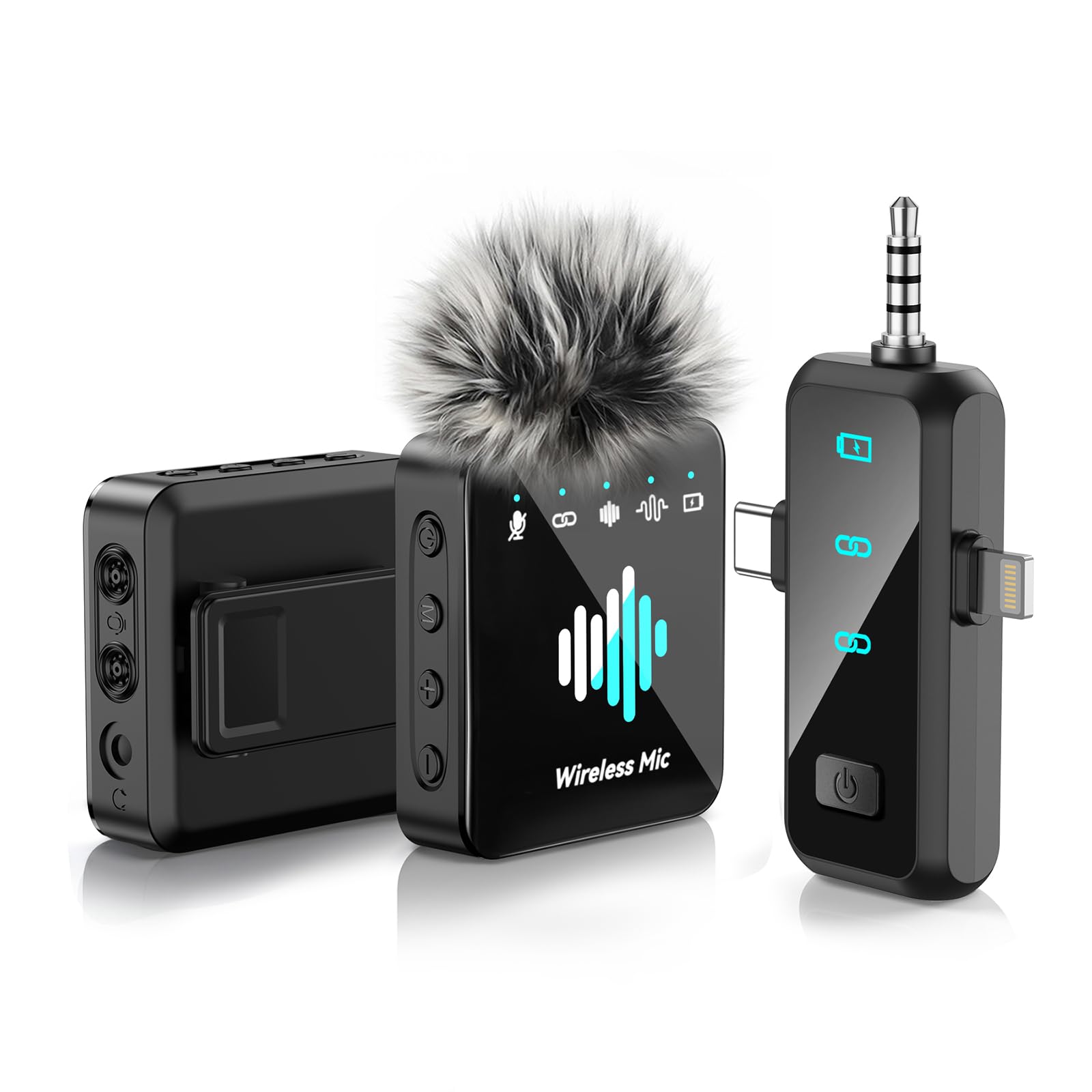
Image: The MENERESAS M37-B2 Wireless Lavalier Microphone system, showing the compact transmitter and receiver units.
Awọn ilana Iṣiṣẹ
1. Agbara Tan / Paa
- Lati Fi agbara: Press and hold the power button on the transmitter for approximately 3 seconds until the indicator light turns on.
- Lati Paarẹ: Press and hold the power button on the transmitter for approximately 3 seconds until the indicator light turns off.
2. Noise Reduction Feature
The M37-B2 features an integrated noise reduction function to minimize ambient sound interference.
- Activate Noise Reduction: Short press the power button on the transmitter once while the device is on. The indicator light may change color or pattern to confirm activation (e.g., from solid blue to flashing blue).
- Deactivate Noise Reduction: Short press the power button again. The indicator light will revert to its original state.
3. Awọn imọlẹ Atọka
Understanding the indicator lights is crucial for proper operation:
- Transmitter (Mic):
- Ri to Blue: Powered on, connected, and ready for recording.
- Buluu didan: Powered on, noise reduction active.
- Pupa didan: Low battery. Please charge immediately.
- Solid Red (while charging): Gbigba agbara ni ilọsiwaju.
- Light Off (while charging): Ti gba agbara ni kikun.
- Olugba:
- Ri to Blue: Powered on and connected to the transmitter.
- Buluu didan: Powered on, searching for transmitter.
Itoju
1. Ninu
To maintain the appearance and functionality of your microphone:
- Use a soft, dry cloth to wipe the surfaces of the transmitter and receiver.
- Ma ṣe lo awọn kẹmika lile, awọn nkanmimu, tabi awọn afọmọ abrasive.
- Yago fun gbigba ọrinrin sinu eyikeyi awọn ṣiṣi.
2. Ibi ipamọ
When not in use, store the microphone system in a cool, dry place, away from direct sunlight and extreme temperatures. Use the provided carrying pouch to protect the devices from dust and scratches.
3. Itọju batiri
To prolong the life of the built-in Lithium Ion batteries:
- Avoid fully discharging the batteries frequently.
- Charge the devices regularly, even if not used for extended periods (e.g., once every 3 months).
- Do not expose the devices to high temperatures, as this can degrade battery performance.
Laasigbotitusita
If you encounter issues with your MENERESAS M37-B2, please refer to the following common problems and solutions:
| Isoro | Owun to le Fa | Ojutu |
|---|---|---|
| Ko si ohun tabi iwọn didun kekere | Microphone not powered on; Not paired; Receiver not fully inserted; Device volume too low; App settings. | Ensure both transmitter and receiver are powered on and paired (solid blue light). Reinsert receiver firmly. Check device volume and app microphone input settings. |
| Dídára ohùn tí kò dára / Dídára ohùn dúró | Interference; Distance too far; Low battery; Noise reduction not active (if desired). | Move away from other wireless devices. Ensure transmitter is within range of receiver. Charge devices. Activate noise reduction feature. |
| Ẹrọ ko sopọ | Transmitter/Receiver not powered on; Pairing failed; Receiver not compatible with device (e.g., Android without adapter). | Ensure both devices are on. Power cycle both devices and try pairing again. Verify receiver compatibility or use appropriate adapter for Android. |
| Aye batiri kukuru | Batiri ti bajẹ; Ko gba agbara ni kikun. | Ensure devices are fully charged before use. Follow battery care guidelines in the Maintenance section. |
Awọn pato
Key technical specifications for the MENERESAS M37-B2 Wireless Lavalier Microphone:
- Nọmba awoṣe: M37-B2
- Brand: MENERESAS
- Okunfa Fọọmu Gbohungbohun: Lavalier
- Imọ-ẹrọ Asopọmọra: RF (Igbohunsafẹfẹ Redio)
- Orisi Asopọmọra: Lightning (for receiver)
- Ẹya Pataki: Idinku Ariwo
- Orisun Agbara: Agbara Batiri
- Iru Batiri: Litiumu Iwon
- Nọmba Awọn Batiri: 3 (Unknown type, included)
- Nọmba awọn ikanni: 1
- Ìwọ̀n Nkan: Isunmọ 5 iwon (0.14 Kilogram)
- Awọn iwọn ọja: 5.24 x 4.33 x 1.54 inches (L x W x H)
- UPC: 792105683980
Atilẹyin ọja ati Support
Atilẹyin ọja to lopin
This product is covered by a limited warranty against defects in materials and workmanship under normal use. The warranty period and terms may vary by region and retailer. Please retain your proof of purchase for warranty claims.
Onibara Support
For technical assistance, troubleshooting beyond this manual, or warranty inquiries, please contact MENERESAS customer support through the retailer's platform or the official MENERESAS website. Please have your model number (M37-B2) and purchase information ready when contacting support.