
Ọrọ Iṣaaju
This manual provides essential instructions for the safe and efficient use of your GT POWER 2 Amps Smart AC Adapter. This adapter is specifically designed for the Jetson Ember Scooter JEMBER-BLK. Please read this manual thoroughly before use and retain it for future reference.
Awọn Itọsọna Aabo pataki
- Use only with the specified Jetson Ember Scooter JEMBER-BLK.
- Ma ṣe fi ohun ti nmu badọgba han si omi, ọrinrin, tabi awọn iwọn otutu to gaju.
- Ma ṣe tuka tabi yi ohun ti nmu badọgba pada.
- Rii daju pe iṣan agbara voltage ibaamu ohun ti nmu badọgba ká input voltage (110 Volts AC).
- Unplug the adapter from the power outlet when not in use or during electrical storms.
- Jeki kuro ni arọwọto awọn ọmọde.
- This adapter features Over Voltage Protection (OVP), Over Current Protection (OCP), and Short Circuit Protection (SCP) for enhanced safety.
Ṣeto
- Ṣayẹwo Adapter: Before first use, visually inspect the AC adapter and its cables for any signs of damage. Do not use if damaged.
- Sopọ si Ile-iṣẹ Agbara: So okùn agbara AC sinu ihò ogiri AC 110V boṣewa kan.
- Connect to Scooter: Insert the barrel connector of the adapter into the charging port of your Jetson Ember Scooter JEMBER-BLK.
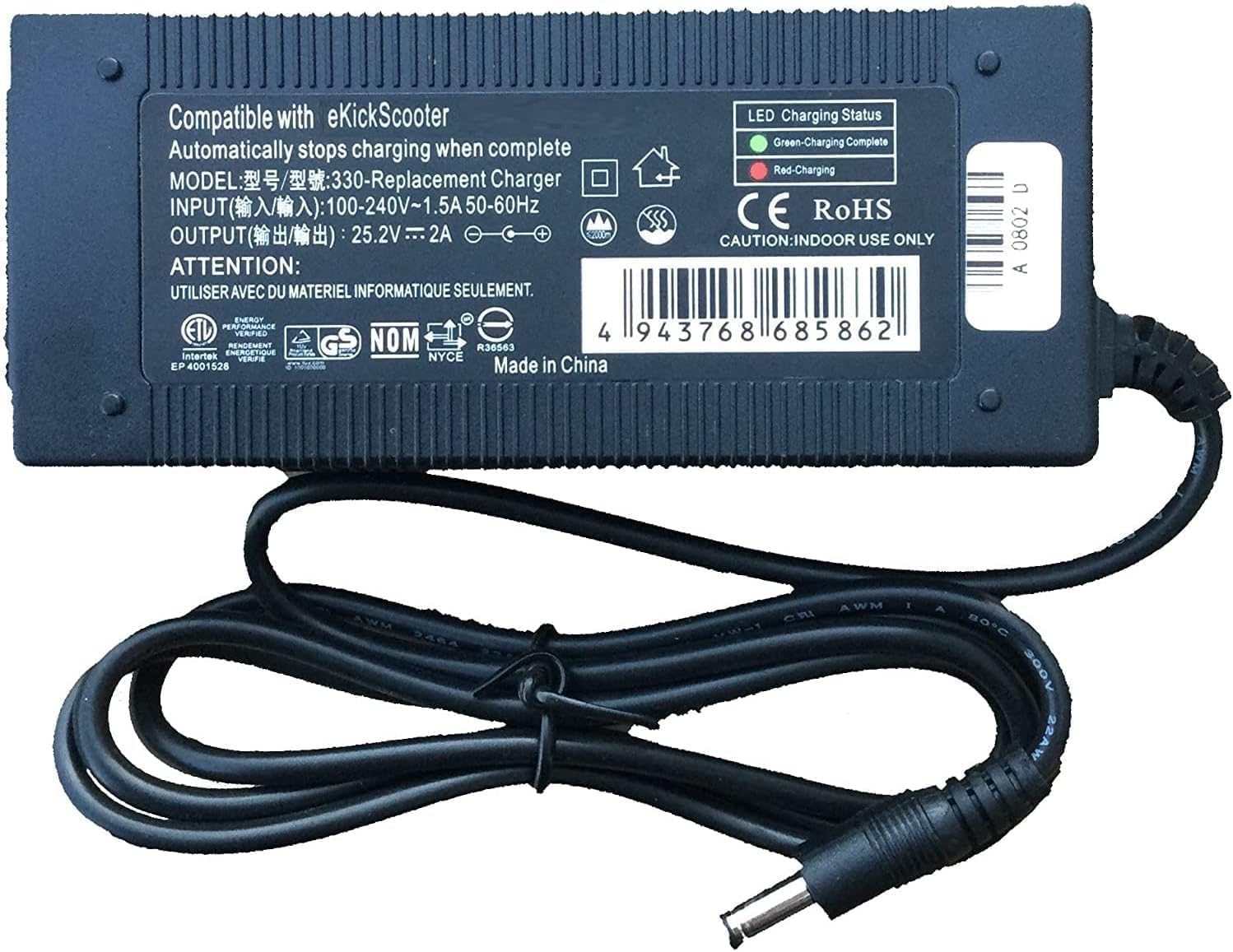
Image 1: GT POWER 2 Amps Smart AC Adapter. Note the LED indicator on the top surface.
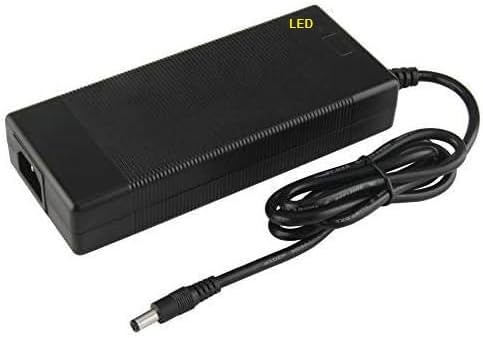
Image 2: Close-up of the barrel connector, which plugs into the scooter's charging port.

Image 3: The detachable AC power cord with a standard US plug.
Awọn ilana Iṣiṣẹ
Once the adapter is properly connected to both the power outlet and your Jetson Ember Scooter, the charging process will begin automatically.
- Atọka LED: The adapter features an LED indicator (refer to Image 1).
- LED pupa: Indicates the scooter battery is currently charging.
- Green Green: Indicates the scooter battery is fully charged or the adapter is connected to power but not to the scooter.
- Akoko gbigba agbara: Charging time will vary depending on the scooter's battery level. Refer to your Jetson Ember Scooter's manual for specific charging duration guidelines.
- Ge asopọ: Once charging is complete (Green LED), first disconnect the barrel connector from the scooter, then unplug the AC power cord from the wall outlet.
Itọju ati Itọju
- Ninu: Ge asopọ ohun ti nmu badọgba lati gbogbo awọn orisun agbara ṣaaju ṣiṣe mimọ. Lo asọ asọ ti o gbẹ lati nu ita. Ma ṣe lo awọn olutọpa olomi tabi awọn olomi.
- Ibi ipamọ: Store the adapter in a cool, dry place away from direct sunlight and extreme temperatures when not in use. Avoid wrapping cables too tightly.
- Itọju USB: Do not bend, twist, or pinch the cables excessively. Avoid placing heavy objects on the cables.
Laasigbotitusita
| Isoro | Owun to le Fa | Ojutu |
|---|---|---|
| No LED light when plugged in. | No power from outlet; loose connection; faulty adapter. | Ṣàyẹ̀wò ibi tí a ti lè rí ihò ògiri pẹ̀lú ẹ̀rọ mìíràn. Rí i dájú pé gbogbo ìsopọ̀ wà ní ààbò. Tí ìṣòro náà bá ń bá a lọ, kan sí olùrànlọ́wọ́. |
| LED is green, but scooter is not charging. | Scooter battery already full; loose connection to scooter; scooter charging port issue. | Verify scooter battery level. Ensure barrel connector is fully inserted. Consult scooter manual for charging port troubleshooting. |
| Adapter naa gbona pupọju. | Overload; poor ventilation; internal fault. | Unplug immediately. Ensure adapter is in a well-ventilated area. Do not use if overheating persists. Contact support. |
Awọn pato
- Brand: AGBARA GT
- Nọmba awoṣe: 330
- Iṣagbewọle Voltage: 110 Volt (AC)
- Ijade lọwọlọwọ: 2 Amps
- Orisi Asopọmọra: Agba
- Awọn ẹrọ ibaramu: Electric Scooter
- Compatible Scooter Model: Jetson EMBER Electric Scooter JEMBER-BLK
- Awọn ẹya pataki: Lori Voltage Protection (OVP), Over Current Protection (OCP), Short Circuit Protection (SCP)
- Imọ-ẹrọ Asopọmọra: USB
- UPC: 800185032755
- ASIN: B0FCFC14ZS
Alaye atilẹyin ọja
This GT POWER AC Adapter comes with a Atilẹyin ọja Ọdun kan lati ọjọ ti o ra. Ni afikun, a Owó Pada fún Ọjọ́ 30 guarantee is offered. This warranty covers manufacturing defects and malfunctions under normal use. It does not cover damage caused by misuse, accident, unauthorized modification, or improper installation.
For warranty claims or returns, please retain your proof of purchase and contact the seller or manufacturer directly.
Onibara Support
If you encounter any issues not covered in the troubleshooting section or require further assistance, please contact the seller or manufacturer for support. Refer to your purchase documentation for contact details.
For more information about GT POWER products, you may visit their official website (if available, link not provided in data).