
1. Ifihan
Thank you for choosing the NAFYRE N11 PRO GPS Drone. This manual provides essential information for the safe operation, setup, and maintenance of your drone. Please read it thoroughly before first use to ensure optimal performance and to prevent damage or injury.
The N11 PRO is a lightweight, foldable GPS drone equipped with a 4K UHD camera, brushless motors, and intelligent flight features. Its design prioritizes ease of use and portability, making it suitable for various outdoor activities.

Image 1.1: NAFYRE N11 PRO Drone highlighting its core features.
2. Awọn Itọsọna Aabo
Operating a drone requires responsibility. Adhere to the following safety guidelines to ensure a safe and enjoyable flight experience:
- Ṣiṣayẹwo Ọkọ ofurufu-ṣaaju: Ṣe àyẹ̀wò drone, remote controller, àti bátìrì fún ìbàjẹ́ èyíkéyìí kí o tó fò ní gbogbo ìgbà.
- Awọn ipo Ayika: Do not fly in strong winds, rain, snow, or fog. Maintain a clear line of sight to the drone.
- Flight Zones: Avoid flying near airports, restricted airspace, power lines, or crowded areas. Respect local regulations and privacy.
- Aabo Batiri: Use only original NAFYRE batteries. Do not overcharge or puncture batteries. Discontinue use if batteries are damaged or swollen.
- Ààbò propeller: Keep hands, face, and loose clothing away from rotating propellers. Ensure propellers are correctly installed and free from obstructions.
- Weight Classification: The N11 PRO weighs under 0.55lb (249g), which typically exempts it from FAA registration requirements in the United States. However, always verify current local regulations.

Image 2.1: The N11 PRO drone's lightweight design, exempting it from FAA registration.
3. Ọja irinše
3.1 Package Awọn akoonu
Daju pe gbogbo awọn nkan wa ninu apo rẹ:
- NAFYRE N11 PRO Drone
- Latọna jijin Adarí
- Intelligent Flight Batteries (x3)
- Okun Ngba agbara USB
- apoju Propellers
- Screwdriver
- Itọsọna olumulo
- Ọran gbigbe
3.2 Drone Overview

Aworan 3.1: Iwaju view of the NAFYRE N11 PRO Drone.
- Awọn ẹrọ atẹgun
- Brushless Motors
- Awọn afihan LED iwaju
- 4K UHD Camera with EIS
- Batiri Kompaktimenti
- Optical Flow Sensor (bottom)
- Bọtini agbara
3.3 Latọna jijin Adarí Loriview
The remote controller provides intuitive control over the drone's flight and camera functions.
- Control Sticks (Left: Throttle/Yaw, Right: Forward/Backward/Left/Right)
- Bọtini agbara
- One-Key Takeoff/Landing Button
- Pada si Ile (RTH) Bọtini
- Fọto/Bọtini Fidio
- Iyara Ipo Yipada
- Dimu foonu
4. Eto ati Igbaradi
4.1 Batiri Ngba agbara ati fifi sori
Ensure all batteries (drone and remote controller) are fully charged before flight.
- Batiri Drone: Connect the drone battery to the USB charging cable and plug into a 5V/2A USB adapter. Charging typically takes 3-4 hours. The LED indicator on the battery will show charging status.
- Batiri Alakoso Latọna jijin: Connect the remote controller to the USB charging cable. The indicator light will show charging status.
- Fifi sori: Insert the fully charged drone battery into the battery compartment until it clicks securely.

Image 4.1: N11 PRO intelligent flight batteries, providing up to 90 minutes of flight time with three batteries.
4.2 Drone Igbaradi
- Tu Awọn apa: Gently unfold the drone's arms until they lock into place.
- Ṣiṣayẹwo Propeller: Ensure all propellers are securely attached and free from damage. Replace any damaged propellers using the provided screwdriver.
4.3 App sori ati Asopọ
Download the official NAFYRE drone app from your device's app store. The app is essential for accessing advanced features and real-time video feed.
- Agbara lori drone ati isakoṣo latọna jijin.
- On your smartphone, connect to the drone's Wi-Fi network (e.g., 'NAFYRE-N11PRO-XXXX').
- Open the NAFYRE app. The app should automatically connect to the drone.
4.4 Idiwọn
Perform calibration before each flight, especially when flying in a new location.
- Kompasi odiwọn: Follow the on-screen instructions in the app to perform compass calibration. This typically involves rotating the drone horizontally and vertically.
- Iṣatunṣe Gyro: Place the drone on a flat, level surface and initiate gyro calibration via the app.
4.5 Gbigba ifihan agbara GPS
For stable outdoor flight and intelligent features, ensure the drone acquires sufficient GPS satellites.
- Place the drone in an open outdoor area.
- Wait for the GPS indicator in the app to show a strong signal (usually 7+ satellites).
- The drone's rear indicator lights will turn solid green when GPS is locked.
5. Awọn ilana Iṣiṣẹ
5.1 Ìgbésẹ̀ àti Ìbalẹ̀
- Ilọkuro bọtini kan: After GPS lock, press the One-Key Takeoff button on the remote controller or in the app. The drone will automatically ascend to a safe height and hover.
- Gbigbe afọwọṣe: Push both control sticks down and outwards to start the motors. Then, gently push the left stick up to ascend.
- Ibalẹ bọtini Ọkan: Press the One-Key Landing button. The drone will descend and land automatically.
- Ibalẹ pẹlu ọwọ: Gently pull the left control stick down to descend. Once landed, push both sticks down and inwards to stop the motors.
5.2 Àwọn Ìṣàkóso Flight
Use the control sticks on the remote controller to maneuver the drone:
- Ọpá Osi (Ifun/Yaw): Gòkè/Sàlẹ̀ fún gíga, Òsì/Ọ̀tún fún yíyípo (yaw).
- Ọpá Ọtun (Pitch/Roll): Up/Down for forward/backward flight, Left/Right for sideward flight.
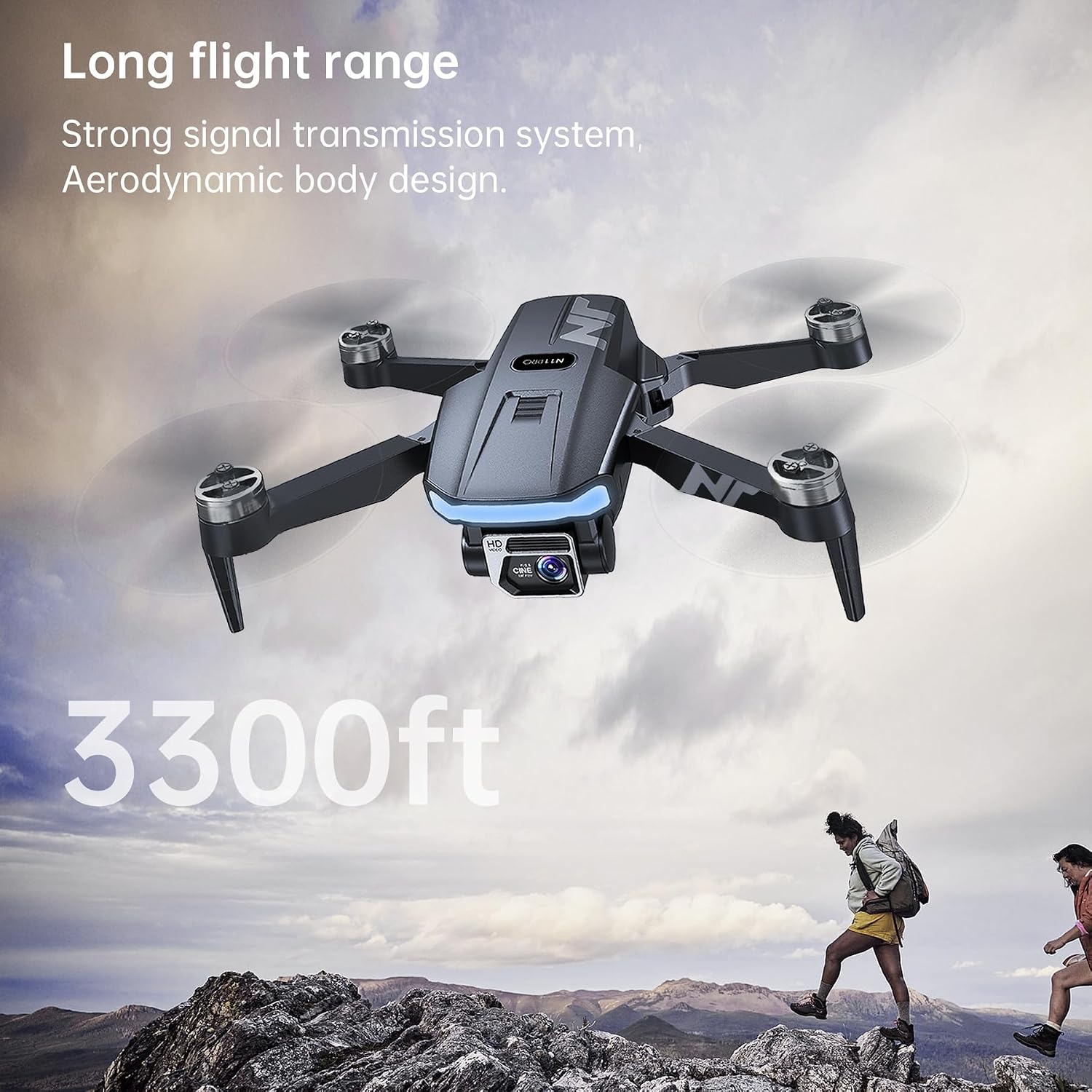
Image 5.1: The N11 PRO drone's extended flight range of 3300 feet.
5.3 Oye ofurufu igbe
The N11 PRO features several GPS-assisted intelligent flight modes:
- Pada si Ile (RTH): The drone will automatically return to its takeoff point if the battery is low, signal is lost, or the RTH button is pressed.
- Tele me kalo: The drone will follow the remote controller or smartphone, recording your movements.
- Tap Fly (Ìfò Ọ̀nà Ìrìnàjò): Tẹ awọn aaye lori maapu ninu app naa, drone naa yoo si fò ni oju ọna ti a yàn.
- Point of Interest (Orbit Flight): Select a central point and radius, and the drone will orbit around it, capturing footage.

Image 5.2: Intelligent Return to Home (RTH) functionality of the N11 PRO drone.
5.4 kamẹra isẹ
The N11 PRO is equipped with an Advanced EIS 4K UHD Camera.
- Fọto/Fidio: Use the dedicated buttons on the remote controller or the app interface to capture photos or start/stop video recording.
- Atunse Gimbal: The camera angle can be adjusted remotely via the app or remote controller.
- EIS (Electronic Image Stabilization): This feature helps reduce blur and shake in your footage, providing smoother video.

Image 5.3: Details of the N11 PRO's 4K UHD camera with EIS.
6. Itọju
Regular maintenance ensures the longevity and optimal performance of your NAFYRE N11 PRO drone.
- Ninu: Lo aṣọ rírọrùn tí ó gbẹ láti nu ara drone àti lẹ́ńsì kámẹ́rà. Yẹra fún lílo àwọn kẹ́míkà líle.
- Rirọpo Propeller: Inspect propellers for cracks or damage after each flight. Replace damaged propellers immediately using the provided screwdriver and spare parts. Ensure correct propeller type (A or B) is installed on the corresponding motor.
- Itọju Batiri: Tọ́jú àwọn bátìrì sí ibi tí ó tutù tí ó sì gbẹ. Má ṣe tú àwọn bátìrì jáde pátápátá fún ìgbà pípẹ́. Gba agbára wọn sí ìwọ̀n 50-60% fún ìtọ́jú ìgbà pípẹ́.
- Ibi ipamọ: When not in use, fold the drone and store it in its carrying case to protect it from dust and physical damage.
7. Laasigbotitusita
Ti o ba pade awọn ọran, tọka si awọn iṣoro ti o wọpọ ati awọn ojutu wọnyi:
| Isoro | Owun to le Fa | Ojutu |
|---|---|---|
| Drone ko ni agbara lori. | Batiri kekere; Batiri ko fi sori ẹrọ ni deede. | Charge battery; Reinstall battery securely. |
| No video feed in app. | Not connected to drone Wi-Fi; App not open. | Connect to drone's Wi-Fi; Restart app. |
| Drone drifts nigba flight. | Improper calibration; Strong wind. | Perform compass and gyro calibration; Avoid flying in strong winds. |
| Àmì GPS kò lágbára tàbí kò sí. | Flying indoors; Obstructions (buildings, trees). | Fly in open outdoor areas; Wait for more satellites. |
| Drone flies away uncontrollably. | Loss of signal; GPS interference; Improper calibration. | Immediately press RTH button; Ensure proper calibration and strong GPS signal before flight. |
8. Awọn pato
| Ẹya ara ẹrọ | Ẹ̀kúnrẹ́rẹ́ |
|---|---|
| Orukọ awoṣe | N11 PRO |
| Brand | NAFYRE |
| Iwọn Nkan | 180 Giramu (6.3 iwon) |
| Ọja Mefa | 4.72"L x 2.95"W x 1.96"H (ti ṣe pọ) |
| Ipinnu Yaworan fidio | 4K UHD |
| Fidio Yaworan kika | MP4 |
| Asopọmọra Technology | Wi-Fi (5G FPV) |
| Iṣakoso Iru | Isakoṣo latọna jijin |
| Agbara Batiri | 2000 mAh (fún bátírì kọ̀ọ̀kan) |
| Akoko ofurufu | Titi di iṣẹju 90 (pẹlu awọn batiri mẹta) |
| Ibiti Iṣakoso | O fẹrẹ to Awọn ẹsẹ 3328 |
| Motor Iru | Aini fẹlẹ |
| Opitika sensọ Technology | CMOS |
| Igbohunsafẹfẹ | 2440–2468mhz |
| Agbara Ijade | 2mW |
9. Atilẹyin ọja ati Support
NAFYRE provides the following support for your N11 PRO drone:
- Atilẹyin ọja Ọdun 1: A 1-year warranty is provided for replacing damaged parts.
- Ẹri Owo Pada 30-ọjọ: A 30-day money-back guarantee is offered for any reason.
For technical assistance, troubleshooting, or warranty claims, please contact NAFYRE customer support through the official website or your purchase platform. Please have your model number (N11 PRO) and purchase details ready.