
1. Ifihan
This manual provides essential information for the safe and efficient operation of your FASTWD Android 15 Tablet 11-inch. Please read this manual thoroughly before using the device and retain it for future reference. This tablet features an 11-inch 2K display, Android 15 operating system, Octa-Core processor, 36GB RAM, 256GB ROM (expandable up to 1TB), 4G LTE, and 5G WiFi connectivity.
2. Alaye Aabo
- Má ṣe fi tábìlẹ́ẹ̀tì náà sí ojú ọjọ́ tí ó le koko, oòrùn tààrà, tàbí ọ̀rinrin gíga.
- Yẹra fún fífi tablet náà sílẹ̀ tàbí kí o fi sí ipa líle.
- Lo awọn ṣaja ti a fọwọsi nikan ati awọn ẹya ẹrọ lati yago fun ibajẹ ati rii daju aabo.
- Pa tabulẹti naa mọ kuro ninu omi ati awọn omi miiran.
- Do not attempt to disassemble or repair the tablet yourself. Contact customer support for assistance.
- Sọ batiri ati ẹrọ naa nu gẹgẹbi ofin agbegbe.
3. Package Awọn akoonu
Upon opening your FASTWD Android 15 Tablet package, please verify that all the following items are included:
- FASTWD Tablet
- Keyboard Bluetooth
- Asin
- Ọran Idaabobo
- Stylus Pen
- Okun Iru-C
- Ṣaja
- Itọsọna olumulo

Image: The FASTWD Android 15 Tablet displayed with its full set of accessories, including the keyboard, mouse, protective case, stylus, and charging components.
4. Ẹrọ Loriview
The FASTWD Android 15 Tablet features a sleek metal body with an 11-inch 2K INCell display. It is designed for both productivity and entertainment.
4.1 ti ara Awọn ẹya ara ẹrọ
- Ifihan: 11-inch 2K UHD INCell display with 120Hz refresh rate.
- Awọn kamẹra: 8MP front camera, 13MP rear camera with LED flash.
- Awọn ibudo: USB Type-C port for charging and data transfer.
- Iho kaadi: Dual SIM card slot, also supports MicroSD card expansion up to 1TB.
- Awọn agbọrọsọ: Mẹrin amplitude speakers for enhanced audio.

Image: A visual representation of the FASTWD tablet's slim design, 11-inch screen, and Type-C charging port.
5. Eto
5.1 Ibẹrẹ Agbara Lori
- Press and hold the Power button located on the side of the tablet until the FASTWD logo appears.
- Tẹle awọn itọnisọna loju iboju lati yan ede rẹ, agbegbe, ati sopọ si nẹtiwọki Wi-Fi kan.
- Sign in with your Google account or create a new one to access the Google Play Store and other services.
5.2 Fifi sori ẹrọ Kaadi SIM ati Kaadi MicroSD
Your tablet supports dual SIM cards for 4G LTE connectivity and a MicroSD card for expanded storage.
- Wa atẹ kaadi SIM/MicroSD ni ẹgbẹ tabulẹti.
- Use the provided SIM ejector tool to gently push into the small hole next to the tray until it pops out.
- Fi kaadi SIM Nano-SIM rẹ àti/tàbí kaadi MicroSD sínú àwọn ihò tí a yàn fún ọ lórí àwo náà. Rí i dájú pé wọ́n wà ní ọ̀nà tó tọ́.
- Fi pẹ̀lẹ́pẹ̀lẹ́ tún fi àwo náà sínú tábìlì náà títí tí yóò fi tẹ ibi tí ó wà.

Aworan: A alaye view of the tablet's SIM card tray, showing slots for two SIM cards and one MicroSD card.
6. Awọn ilana Iṣiṣẹ
The FASTWD tablet runs on Android 15, offering an intuitive and customizable user experience.
6.1 Ipilẹ Lilọ kiri
- Ra soke: Wọle si apo-iwọle app naa.
- Ra si isalẹ: Open the notification panel and quick settings.
- Fọwọ ba: Yan awọn ohun kan tabi ṣii awọn ohun elo.
- Long Tẹ: Wọle si awọn akojọ aṣayan ọrọ-ọrọ tabi gbe awọn aami.
- Fun pọ-si- Sun-un: Adjust zoom level in apps like browser or gallery.
6.2 Àwọn Ẹ̀yà Android 15
Android 15 introduces several enhancements for privacy, security, and user experience:
- Improved Privacy Controls: Granular permissions for apps, allowing you to authorize access more precisely.
- Imudara AI: Intelligent AI features for improved performance and battery life.
- Lilọ kiri afarajuwe: New touch control gestures for a more fluid interaction.
- Global Dark Mode: System-wide dark theme for reduced eye strain and power consumption.
- Face Recognition Unlock: Securely unlock your tablet using facial recognition.
- Awọn iṣakoso obi: Manage screen time and app access for children.
- Iboju Pipin: Use two applications simultaneously side-by-side.
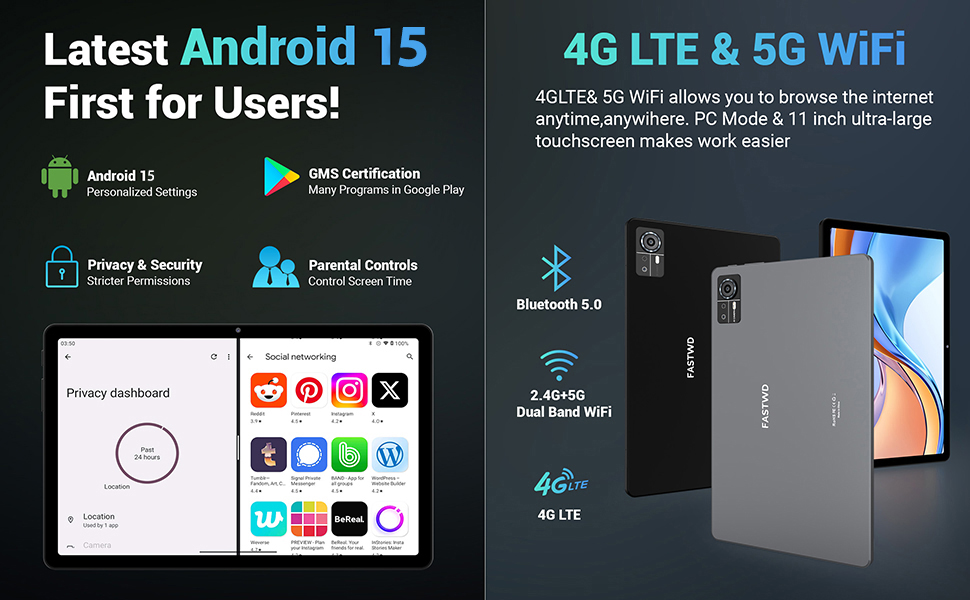
Image: A visual guide to key Android 15 features such as easy app pairing, storage management, quick Bluetooth connection, face recognition unlock, double-tap to wake, and parental control settings.
7. Asopọmọra
Your FASTWD tablet offers versatile connectivity options for internet access and peripheral devices.
7.1 Wi-Fi Asopọ
- Lọ si Eto > Nẹtiwọọki & Intanẹẹti > Wi-Fi.
- Yipada Wi-Fi On.
- Yan nẹtiwọki ti o fẹ lati atokọ ki o tẹ ọrọ igbaniwọle sii ti o ba ṣetan.
- The tablet supports dual-band 2.4G/5G Wi-Fi for stable and fast connections.
7.2 4G LTE Mobile Data
With a compatible SIM card installed, you can access 4G LTE mobile data.
- Ensure your SIM card is correctly installed (refer to Section 5.2).
- Lọ si Eto > Nẹtiwọọki & Intanẹẹti > Nẹtiwọọki alagbeka.
- Mu ṣiṣẹ Mobile data and configure APN settings if required by your carrier.
7.3 Sisopọ Bluetooth
Connect Bluetooth accessories like the included keyboard and mouse.
- Lọ si Eto > Awọn ẹrọ ti a ti sopọ > Bluetooth.
- Yi Bluetooth pada On.
- Fi ẹya ẹrọ Bluetooth rẹ sinu ipo sisọ pọ.
- Select the accessory from the list of available devices and follow any on-screen prompts to complete pairing.
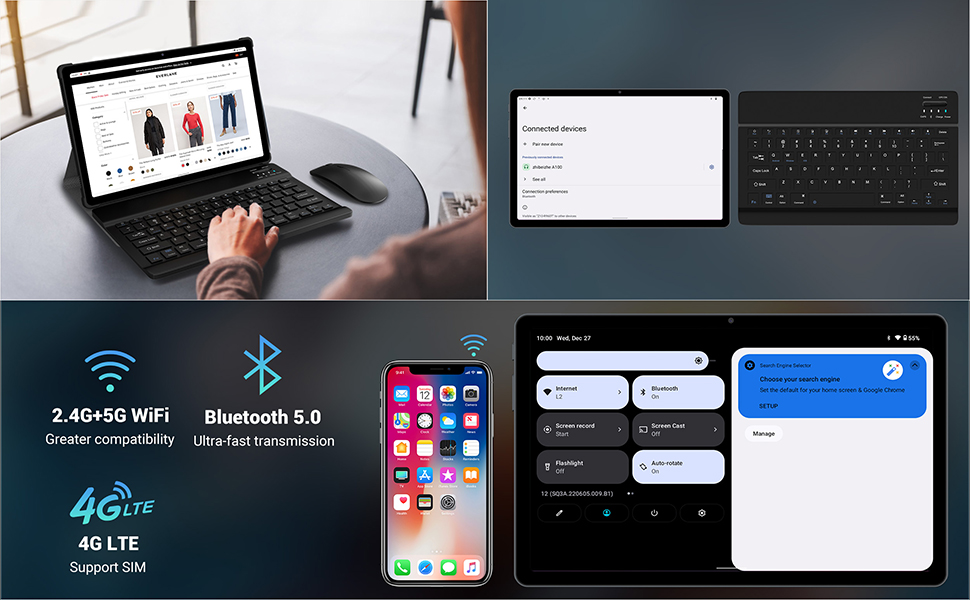
Image: The FASTWD tablet connected to its keyboard and mouse, illustrating its 2.4G+5G WiFi, Bluetooth 5.0, and 4G LTE SIM support for comprehensive connectivity.
8. Kamẹra
The tablet is equipped with an 8MP front camera and a 13MP rear camera for photos and video calls.
- Ṣii awọn Kamẹra ohun elo.
- Fọwọ ba bọtini titiipa lati ya fọto kan.
- Yipada laarin awọn kamẹra iwaju ati ẹhin nipa lilo aami yiyi kamẹra.
- AI post-processing technology enhances photo quality, making images more realistic.

Aworan: A alaye view of the tablet's rear camera, highlighting its 13MP sensor and AI Camera branding.
9. Iṣakoso batiri
The tablet features a 9580mAh battery for extended usage and supports 12W fast charging.
9.1 Gbigba agbara si tabulẹti
- Connect the Type-C cable to the tablet's charging port.
- Plug the other end of the cable into the provided charger, and then into a power outlet.
- Aami batiri loju iboju yoo tọkasi ipo gbigba agbara.
9.2 Batiri Ti o dara ju
- Ṣatunṣe imọlẹ iboju si ipele itunu.
- Pa awọn ohun elo ti ko lo ti nṣiṣẹ ni abẹlẹ.
- Enable battery saver mode in Eto > Batiri.
- Mu Wi-Fi, Bluetooth, tabi GPS ṣiṣẹ nigbati ko si ni lilo.

Image: The FASTWD tablet connected to a Type-C charger, illustrating its 9580 mAh battery and 12W fast charging capability.
10. Ibi ipamọ
The tablet comes with 256GB of internal storage (ROM) and supports expansion up to 1TB via a MicroSD card.
10.1 Ṣíṣàkóso Ìpamọ́
- Láti ṣàyẹ̀wò lílo ibi ìpamọ́, lọ sí Eto > Ibi ipamọ.
- You can free up space by uninstalling unused apps, deleting old files, or moving media to a MicroSD card.
10.2 Ìṣàkóso Ramu
The tablet features 36GB RAM (12GB LPDDR4 + 24GB expandable virtual memory) for smooth multitasking.
- The system automatically manages RAM for optimal performance.
- You can activate additional virtual RAM in the settings if needed for demanding applications.
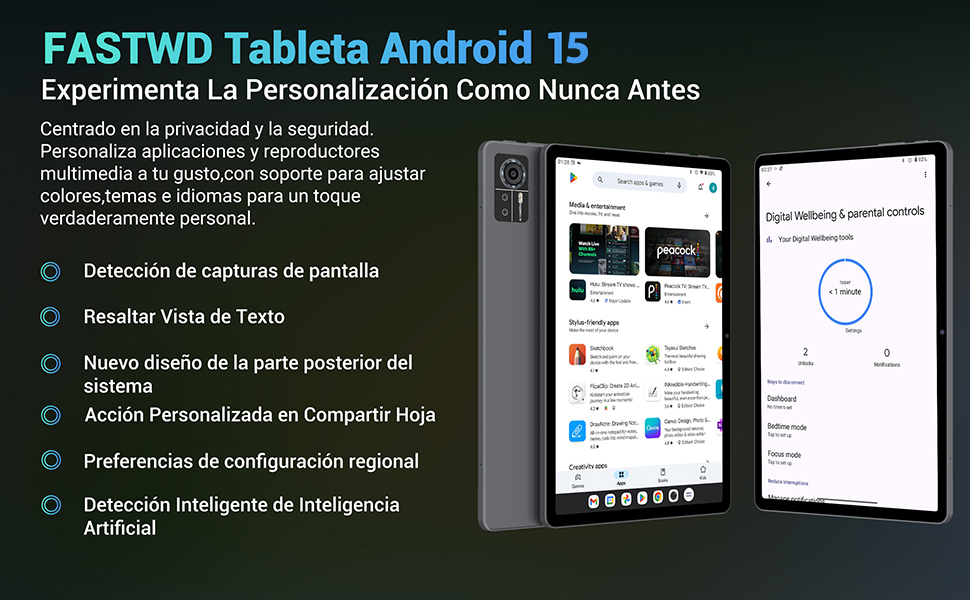
Image: An illustration highlighting the tablet's 36GB RAM (12+24GB), 256GB ROM, and 1TB MicroSD expansion capabilities, alongside its Octa-core processor.
11. Itọju
11.1 Ninu
- Lo asọ ti ko ni lint lati nu iboju ati ara tabulẹti naa.
- Maṣe lo awọn kẹmika lile tabi awọn ohun elo abrasive.
11.2 Software imudojuiwọn
- Ṣayẹwo nigbagbogbo fun awọn imudojuiwọn eto ni Eto > Eto > Imudojuiwọn eto lati rii daju iṣẹ ṣiṣe ati aabo to dara julọ.
12. Laasigbotitusita
Ti o ba pade awọn ọran pẹlu tabulẹti rẹ, tọka si awọn solusan ti o wọpọ wọnyi:
| Isoro | Ojutu |
|---|---|
| Tabulẹti ko ni agbara lori | Rii daju pe batiri ti gba agbara. So ṣaja pọ ki o duro fun iṣẹju diẹ ṣaaju igbiyanju lati tan-an lẹẹkansi. Ti ko ba dahun, tun fi agbara mu bẹrẹ nipa didimu bọtini Agbara fun awọn aaya 10-15. |
| Applications crash or freeze | Close background applications. Clear the cache of the problematic app (Settings > Apps > [App Name] > Storage & cache > Clear cache). Restart the tablet. |
| Isopọ Wi-Fi ti ko dara | Ensure you are within range of the Wi-Fi router. Restart your router and the tablet. Forget the network and reconnect. |
| Ko ri kaadi SIM | Ensure the SIM card is correctly inserted into the tray. Restart the tablet. Verify the SIM card is active with your mobile carrier. |
| Batiri n ṣan ni kiakia | Reduce screen brightness. Disable unused connectivity features (Wi-Fi, Bluetooth, GPS). Close background apps. Check for apps consuming excessive battery in Settings > Battery. |
13. Awọn pato
Detailed technical specifications for the FASTWD Android 15 Tablet 11-inch (Model M986):
| Ẹya ara ẹrọ | Sipesifikesonu |
|---|---|
| Brand | FASTWD |
| Orukọ awoṣe | FASTWD Android 15 Tablet 11 Pulgadas |
| Eto isesise | Android 15 |
| Iyara isise | 2 GHz Octa-Core |
| Àgbo | 36 GB (12GB LPDDR4 + 24GB expandable) |
| Ibi ipamọ inu (ROM) | 256 GB |
| Expandable Ibi ipamọ | Up to 1 TB via MicroSD card |
| Iwon iboju | 11 Pulgadas (Inches) |
| Ipinnu iboju | 2560 x 1440 pixels (2K UHD INCell) |
| Oṣuwọn sọtun | 120 Hz |
| Kamẹra ẹhin | 13 MP |
| Kamẹra iwaju | 8 MP |
| Agbara Batiri | 9580 mAh |
| Battery Life (average) | 8 Hours (video playback) |
| Gbigba agbara | 12W Fast Charging, Type-C Interface |
| Asopọmọra | 4G LTE (Cellular), 5G Wi-Fi (802.11ac), Bluetooth 5.0 |
| Awọn iwọn | 29.7 x 19.6 x 4 cm |
| Iwọn | 1.36 kg |
| Pataki Awọn ẹya ara ẹrọ | Gaming Tablet, Face Recognition, Parental Control, GPS (Beidou, Galileo, Glonass, GPS) |
14. Atilẹyin ọja ati Support
FASTWD offers two years of premium after-sales service and long-term technical support for your tablet.
- Akoko atilẹyin ọja: Awọn ọdun 2 lati ọjọ ti o ra.
- Oluranlowo lati tun nkan se: For any issues or inquiries, please contact the FASTWD after-sales team through your Amazon purchase platform.
- Our support team aims to respond within 24 hours.