
FLAMMA FF20
Ìwé Ìtọ́sọ́nà Olùlò Pẹda Ìlù FLAMMA FF20
Awoṣe: FF20
Ọrọ Iṣaaju
Thank you for choosing the FLAMMA FF20 Drum Looper Pedal. This device combines a powerful looper with versatile drum machine functionalities, designed to enhance your musical creativity. The package also includes a set of durable metal footswitch toppers to improve usability and protect your pedal.
This manual provides detailed instructions for setting up, operating, and maintaining your FF20 pedal and its accessories, ensuring optimal performance and longevity.
Ọja Pariview
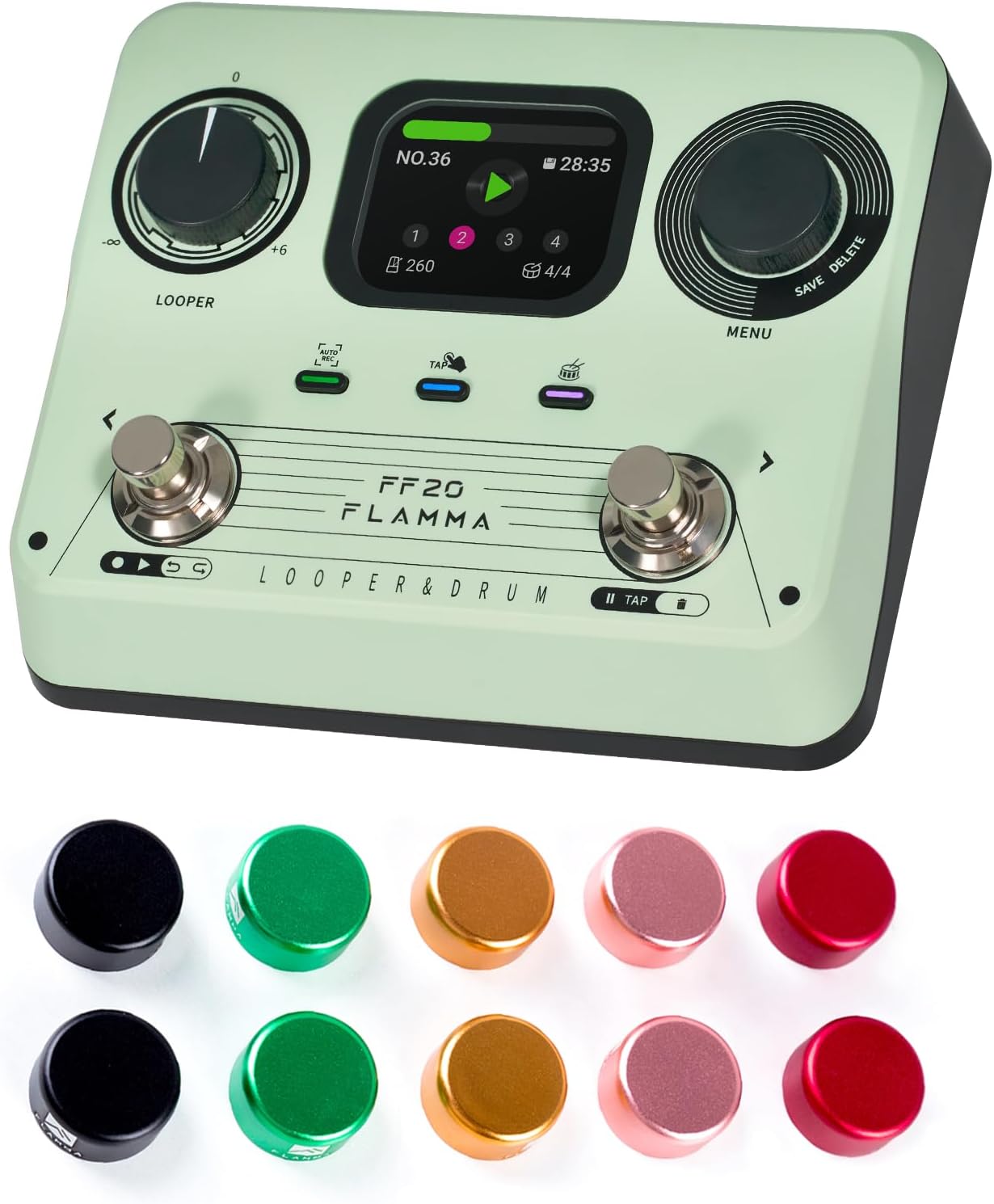
Image: The FLAMMA FF20 Drum Looper Pedal, showcasing its main unit and the accompanying set of colorful metal footswitch toppers.
The FLAMMA FF20 is a compact yet feature-rich pedal designed for guitarists and musicians. It integrates a high-quality looper with a diverse drum machine, all controlled via intuitive footswitches and a clear display.
Awọn ẹya pataki:
- Integrated Looper and Drum Machine: Seamlessly combine looping with rhythmic accompaniment.
- 2-Inch Full-Color Screen: Provides real-time loop and drum information at a glance for easy navigation and parameter adjustment.
- Ikole ti o tọ: The pedal is built for reliability on stage ati ninu awọn isise.
- Included Footswitch Toppers: Enhance the usability and aesthetics of your pedal.
Footswitch Toppers:

Aworan: A sunmọ-soke view of a footswitch topper, highlighting its robust aluminum alloy shell and the protective rubber inlay designed to prevent scratches and ensure a secure fit.
- Ohun elo: Made from high-quality aluminum alloy for durability, with plastic/rubber inlays inside to protect the pedal's footswitch.
- Fifi sori: Designed for easy, tool-free installation by simply pressing firmly onto the footswitch.
- Imudara Lilo: Increases the surface area of the footswitch, making it easier to hit accurately and comfortably, especially during live performances.
- Ẹbẹ ẹwa: Comes in a set of 10 pieces with mixed colors to personalize your pedalboard.
- Awọn iwọn: Approximately 24mm (0.94 inches) outer diameter, 10mm (0.39 inches) inner diameter, and 12mm (0.47 inches) height.
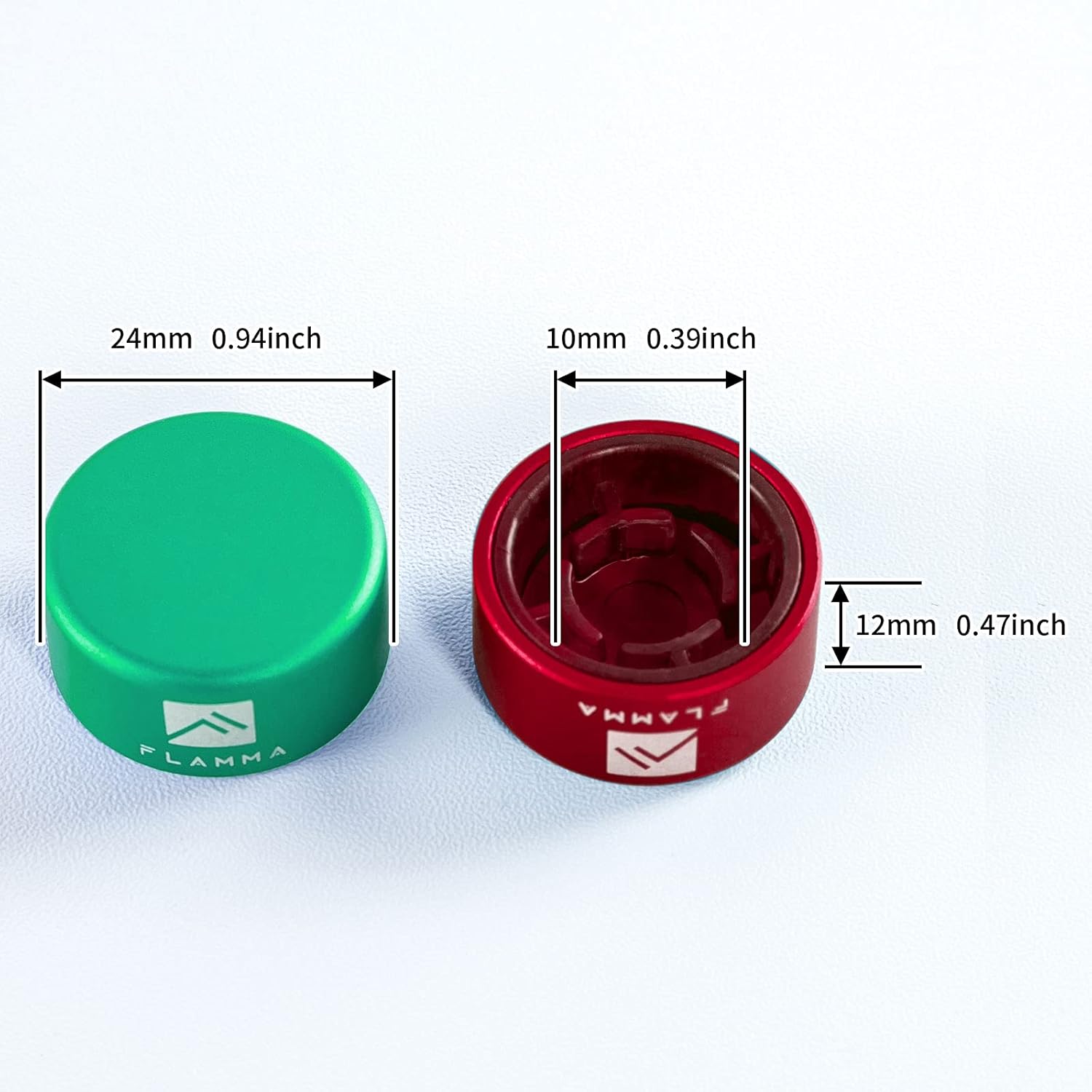
Image: A diagram illustrating the precise dimensions of the footswitch toppers, including outer diameter, inner diameter, and height, for compatibility reference.
Package Awọn akoonu

Aworan: An loriview of the FLAMMA FF20 package contents, including the pedal, user manual, power adapter, USB cable, and logo sticker.
Jọwọ ṣayẹwo package ni pẹkipẹki lati rii daju pe gbogbo awọn nkan wa:
- 1 x FLAMMA FF20 Drum Looper Pedal
- 1 x Itọsọna olumulo (iwe yii)
- 1 x Agbara Adapter
- 1 x Okun USB
- 1 x Logo Sticker
- 10 x Metal Footswitch Toppers
Ṣeto
1. Asopọ agbara:
Connect the included power adapter to the DC IN jack on the pedal and then to a suitable power outlet. Ensure the power supply matches the pedal's voltage requirements (typically 9V DC, center negative).
2. Awọn isopọ ohun:
- Connect your instrument (e.g., guitar) to the INPUT jack of the FF20 pedal.
- Connect the OUTPUT jack of the FF20 pedal to your amplifier, audio interface, or the next pedal in your signal chain.
3. Installing Footswitch Toppers:
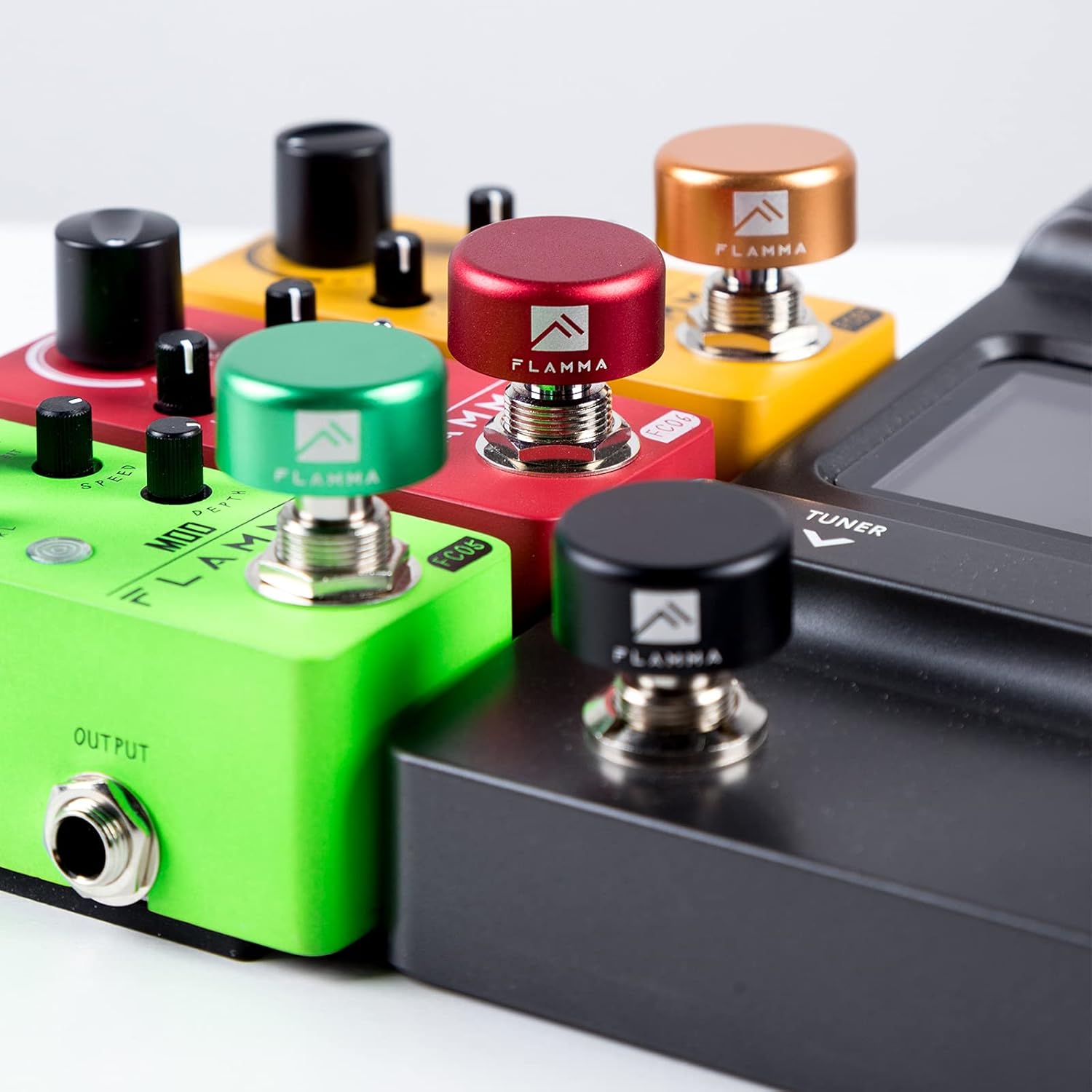
Image: Multiple footswitch toppers of different colors securely installed on various guitar pedals, demonstrating their fit and aesthetic contribution.
The footswitch toppers are designed for easy installation. Simply align the topper with the footswitch of your FF20 pedal (or any standard 10mm footswitch) and press down firmly until it clicks securely into place. No tools are required. The internal rubber inlay will ensure a snug fit and protect the original footswitch.
Operating the FF20 Pedal
Atẹlu olumulo:

Aworan: A alaye view of the FLAMMA FF20's 2-inch full-color screen, showing various display modes for looper status, drum settings, and menu navigation.
The FF20 features a 2-inch full-color screen that displays real-time information for both looper and drum functions. Navigation is typically done via the rotary encoders and footswitches.
Looper Functions:
- Igbasilẹ: Press the designated footswitch to start recording your loop.
- Ṣiṣẹ/Duro: Press the footswitch again to stop recording and start playback, or to stop playback.
- Apọju: While playing, press the footswitch to enter overdub mode and add new layers to your loop.
- Yipada/Túnṣe: Specific controls (refer to on-screen prompts or dedicated buttons/footswitch combinations) allow you to undo or redo the last recorded layer.
- Ko: Hold the footswitch or use a menu option to clear the current loop.
Drum Machine Functions:
- Yan Àpẹẹrẹ: Use the menu/rotary encoder to browse and select from various drum patterns (e.g., "10-COUNTRY" as seen in image).
- Adjust BPM: Modify the tempo (Beats Per Minute) of the drum pattern using the dedicated control or menu.
- Ṣatunṣe Ipele: Control the volume of the drum track relative to your loop.
- Start/Stop Drum: Use a dedicated footswitch or menu option to start or stop the drum pattern.
Saving and Deleting:
The FF20 allows you to save your recorded loops and settings. Use the "SAVE" option visible on the screen, typically accessed via a menu or dedicated button/footswitch combination. Similarly, you can "DELETE" unwanted loops or presets.
Itoju
- Ninu: Use a soft, dry cloth to clean the pedal's surface. For stubborn dirt, a slightly damp cloth can be used, but ensure no liquid enters the jacks or controls. Do not use abrasive cleaners or solvents.
- Ibi ipamọ: Store the pedal in a cool, dry place away from direct sunlight and extreme temperatures. If storing for extended periods, disconnect the power supply.
- Footswitch Toppers: The metal footswitch toppers are durable. Clean them with a soft cloth. If they become loose, re-press them firmly onto the footswitch.
- Yago fun Ipa: Protect the pedal from drops and impacts, which can damage internal components or the screen.
Laasigbotitusita
Ko si Ijade ohun:
- Ensure the power adapter is correctly connected and the pedal is receiving power.
- Check all audio cables (instrument to input, output to amp/interface) for secure connections and proper functionality.
- Verify that the volume levels on the pedal, your instrument, and your amplifier are not set to zero.
Efatelese Ko Dahun:
- Disconnect and reconnect the power supply to perform a soft reset.
- Ensure footswitch toppers are not interfering with the switch mechanism; remove them temporarily to test.
Awọn oran iboju:
- If the screen is blank, check power connections.
- If the display is frozen, try a power cycle (disconnect and reconnect power).
Tí o bá pàdé àwọn ìṣòro tí a kò sọ̀rọ̀ nípa wọn níbí, jọ̀wọ́ wo apá ìrànlọ́wọ́ fún ìrànlọ́wọ́ síwájú sí i.
Awọn pato
| Ẹya ara ẹrọ | Ẹ̀kúnrẹ́rẹ́ |
|---|---|
| Awoṣe | FLAMMA FF20 |
| Ọja Iru | Ilu Looper Efatelese |
| Ifihan | 2-inch Full-Color Screen |
| Footswitch Topper Material | Aluminum Alloy with Rubber Inlays |
| Footswitch Topper Inner Diameter | 10mm (0.39 inches) |
| Footswitch Topper Outer Diameter | 24mm (0.94 inches) |
| Footswitch Topper Height | 12mm (0.47 inches) |
| Ibi ti ina elekitiriki ti nwa | DC 9V (Adapter included, standard for guitar pedals) |
Atilẹyin ọja ati Support
Alaye Atilẹyin ọja:
This product is covered by a standard manufacturer's warranty. Please retain your proof of purchase for warranty claims. For specific warranty terms and conditions, refer to the documentation provided with your purchase or visit the official FLAMMA website. A 30-day return policy is typically offered for new products.
Atilẹyin Onibara:
For technical assistance, troubleshooting, or any questions regarding your FLAMMA FF20 Drum Looper Pedal, please contact FLAMMA customer support. You can typically find contact information on the official FLAMMA webaaye tabi nipasẹ alagbata ti o ti ra ọja naa.
FLAMMA Official Store: Visit FLAMMA Store on Amazon
Ask a question about this manual
Ask about setup, troubleshooting, compatibility, parts, safety, or missing instructions. Manuals+ will review the question and use this page’s manual context to help answer it.