
1. Ifihan
Thank you for choosing the Cillso H97 Wireless Earbuds. This manual provides detailed instructions on how to set up, operate, and maintain your earbuds to ensure optimal performance and longevity. Please read this manual carefully before using the product.

Image: The Cillso H97 Wireless Earbuds in their charging case, displaying the LED battery indicator.
2. Ohun ti o wa ninu Apoti
Nígbà tí o bá ń tú àwọn ohun èlò tí ó wà ní ìsàlẹ̀, rí i dájú pé gbogbo wọn wà ní ìsàlẹ̀:
- Cillso H97 Wireless Earbuds (L/R)
- Ngba agbara Case
- USB-C Ngba agbara Cable
- Iwe afọwọkọ olumulo (iwe yii)

Image: A visual representation of the items included in the product packaging: earbuds, user manual, charging case, and USB-C charging cable.
3. Ọja Ipariview
The Cillso H97 Wireless Earbuds are designed for comfort and high-quality audio. Key features include:
- Bluetooth 5.4 Imọ-ẹrọ: Provides a stable connection, longer transmission range, lower power consumption, and reduced latency.
- Immersive Hi-Fi Stereo Sound: Equipped with 13mm dynamic drivers for deep bass, clear mids, and crisp highs.
- Àwọn Mókrófóònù ENC tó ń fagilé ariwo: Four built-in microphones enhance call clarity by reducing background noise.
- Igbesi aye batiri ti o gbooro sii: Up to 8 hours of playback per charge, with a total of 40 hours using the charging case.
- LED Digital Ifihan: The charging case features an independent LED display to show battery levels for both the case and individual earbuds.
- IPX7 Mabomire Rating: Protects against sweat, rain, and splashes, making them suitable for various activities.
- Sensitive Touch Controls: Manage playback, calls, and voice assistants with simple taps.
- Ergonomic and Lightweight Design: Each earbud weighs 3.5 grams, and the case weighs 32 grams, ensuring comfortable wear and portability.
3.1 irinše ati Atọka
Familiarize yourself with the main components and indicators:
- Awọn afetigbọ: Left (L) and Right (R) earbuds with touch control areas and earbud lights.
- Ngba agbara: Houses and charges the earbuds, features a USB-C charging port and an LED digital display.
- LED Digital Ifihan: Shows the charging case's battery percentage and individual earbud charging status (L/R battery bars).

Aworan: An loriview of the Cillso H97 Wireless Earbuds highlighting key features like Bluetooth 5.4, clear calls, Hi-Fi sound, comfort, IPX7 waterproof, 40H playtime, USB-C charging, and LED display.

Image: The earbuds and charging case with their dimensions and weight, illustrating their compact and lightweight design.
4. Eto
4.1 Gbigba agbara akọkọ
Ṣaaju lilo akọkọ, gba agbara ni kikun awọn agbekọri ati apoti gbigba agbara.
- Gbe awọn afikọti mejeeji sinu ọran gbigba agbara.
- Connect the USB-C charging cable to the charging port on the case and a standard 5V/1A or 5V/2A USB power adapter.
- The LED display on the case will show the charging progress. A full charge for the case takes approximately 1.5 hours.
- The earbud battery indicators on the LED display will show charging status for each earbud.
Note: Please use a standard 5V/1A or 5V/2A charger. Using non-standard chargers may cause charging issues or damage.
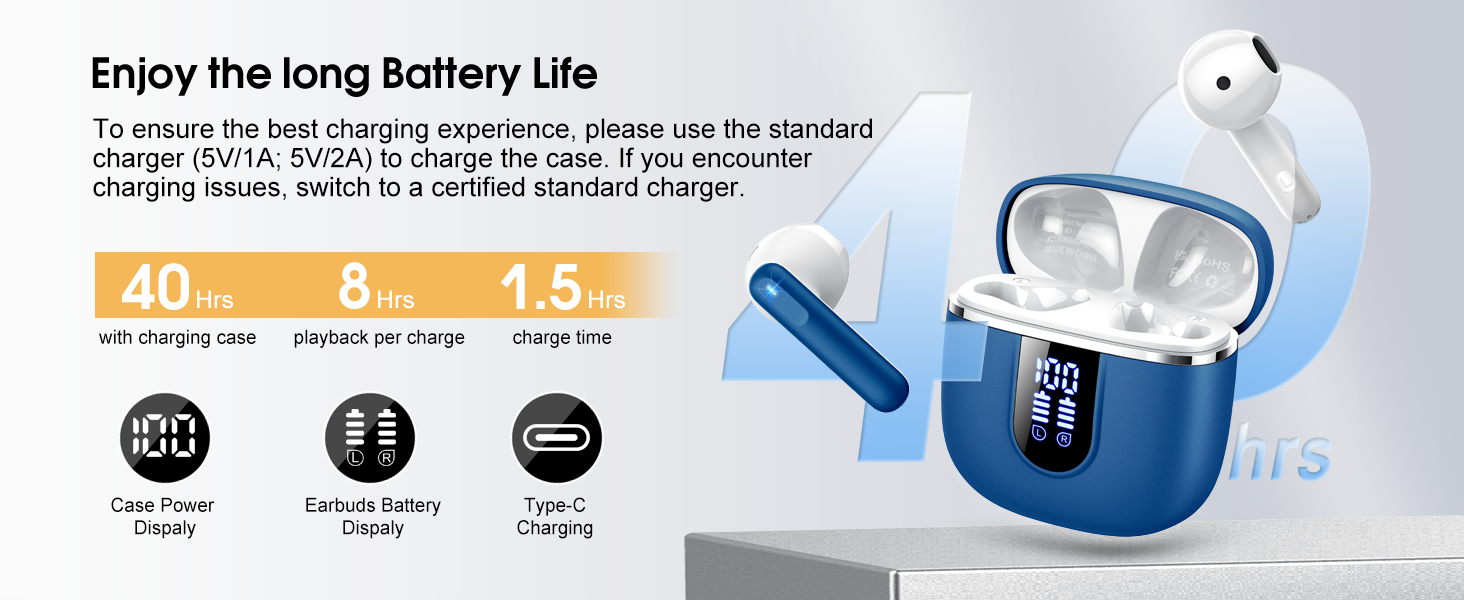
Image: Details on battery life (40 hours with case, 8 hours per charge) and charging time (1.5 hours), along with the LED display for battery status.
4.2 Sisopọ Bluetooth
The earbuds feature a Hall sensor for automatic pairing.
- Pipọpọ igba akọkọ: Ṣii apoti gbigba agbara. Awọn agbekọri yoo tan ina laifọwọyi ati tẹ ipo sisopọ pọ sii.
- Lori ẹrọ rẹ (foonuiyara, tabulẹti, kọǹpútà alágbèéká), mu Bluetooth ṣiṣẹ ki o wa awọn ẹrọ to wa.
- Select "H97" from the list of devices to connect. Once connected, you will hear a confirmation tone.
- Isopọpọ aladaaṣe: After the initial pairing, the earbuds will automatically connect to the last paired device when the charging case is opened (within 15 meters).
- Ipo Earbud Kan: You can use either the left or right earbud independently. Simply take one earbud out of the case, and it will connect. If you take out the other earbud, they will automatically switch to binaural mode. To use a single earbud, place the other back into the charging case.

Image: An illustration explaining how to use the earbuds in single earbud mode or binaural (stereo) mode, and how they automatically switch.
5. Awọn ilana Iṣiṣẹ
5.1 Fọwọkan Iṣakoso
The Cillso H97 earbuds feature sensitive touch controls on each earbud. The functions are as follows:
| Iṣe | Išẹ |
|---|---|
| Tẹ lẹẹmeji (L/R) | Mu orin ṣiṣẹ / sinmi |
| One Tap (L/R) | Idahun/Pari Ipe |
| Tẹ 2s gígùn (L/R) | Kọ Ipe |
| Long Tap 2s (R) | Orin t'okan |
| Long Tap 2s (L) | Orin ti tẹlẹ |
| One Tap (R) | Iwọn didun soke |
| One Tap (L) | Iwọn didun isalẹ |
| Tẹ lẹẹmẹta (R) | Mu Oluranlọwọ Ohun ṣiṣẹ |

Image: A diagram illustrating the various touch control gestures for managing music playback, calls, and voice assistant functions.
5.2 Wọ awọn Earbuds
Fun didara ohun to dara julọ ati itunu, rii daju pe awọn agbekọri ti joko daradara ni awọn eti rẹ.
- Ṣe idanimọ awọn agbekọri Osi (L) ati Ọtun (R).
- Fi rọra fi agbekọri kọọkan sinu odo eti rẹ.
- Adjust the angle until it feels secure and comfortable. The ergonomic design is intended to fit the contours of most ear canals.

Image: Diagrams showing the ergonomic design and recommended angles for wearing the earbuds for a secure and comfortable fit.
5.3 Wide ibamu
The Cillso H97 Wireless Earbuds are compatible with a broad range of Bluetooth-enabled devices.
- Awọn ọna ṣiṣe: Android 4.4 + ati iOS 8.0+
- Ẹya Bluetooth: Bluetooth 4.0 tabi nigbamii
- Awọn ẹrọ: Smartphones (iPhone, Samsung Galaxy, Huawei, Xiaomi, etc.), tablets, and laptops.

Image: Icons representing compatibility with phones, tablets, laptops, and desktops, showing the earbuds connected to a smartphone.
6. Itọju ati Itọju
6.1 Ninu
- Mọ awọn afikọti nigbagbogbo ati apoti gbigba agbara pẹlu asọ ti o gbẹ, asọ ti ko ni lint.
- Ma ṣe lo awọn olutọpa abrasive, ọti-lile, tabi awọn ohun elo kemikali.
- Rí i dájú pé àwọn olùbáṣepọ̀ gbígbóná lórí àwọn ètí àti àpótí náà mọ́ tónítóní kí wọ́n lè gba agbára dáadáa.
6.2 Ibi ipamọ
- Nigbati o ko ba si ni lilo, tọju awọn afikọti sinu apoti gbigba agbara wọn lati daabobo wọn ki o jẹ ki wọn gba agbara.
- Tọju ni itura, aye gbigbẹ, kuro lati awọn iwọn otutu ti o ga julọ ati oorun taara.
6.3 Omi Resistance (IPX7)
The earbuds are rated IPX7 waterproof, meaning they can withstand immersion in water up to 1 meter for 30 minutes. This protects them from sweat, rain, and splashes.
- Do not intentionally submerge the charging case, as it is not waterproof.
- Rí i dájú pé àwọn agbekọri náà gbẹ pátápátá kí o tó fi wọ́n sínú àpótí gbigba agbara láti dènà ìbàjẹ́ sí àwọn olùgbé gbigba agbara.
- Avoid using the earbuds in saunas, steam rooms, or during diving.

Image: An earbud with water splashing on it, illustrating its IPX7 waterproof capability.
6.4 Lori Idaabobo lọwọlọwọ (OCP)
The charging case is equipped with Over Current Protection technology to prevent issues such as overheating, melting, or fire caused by prolonged high current from an external power source. When the current exceeds the power limit, the power source will immediately cut off output to protect the circuitry and device.
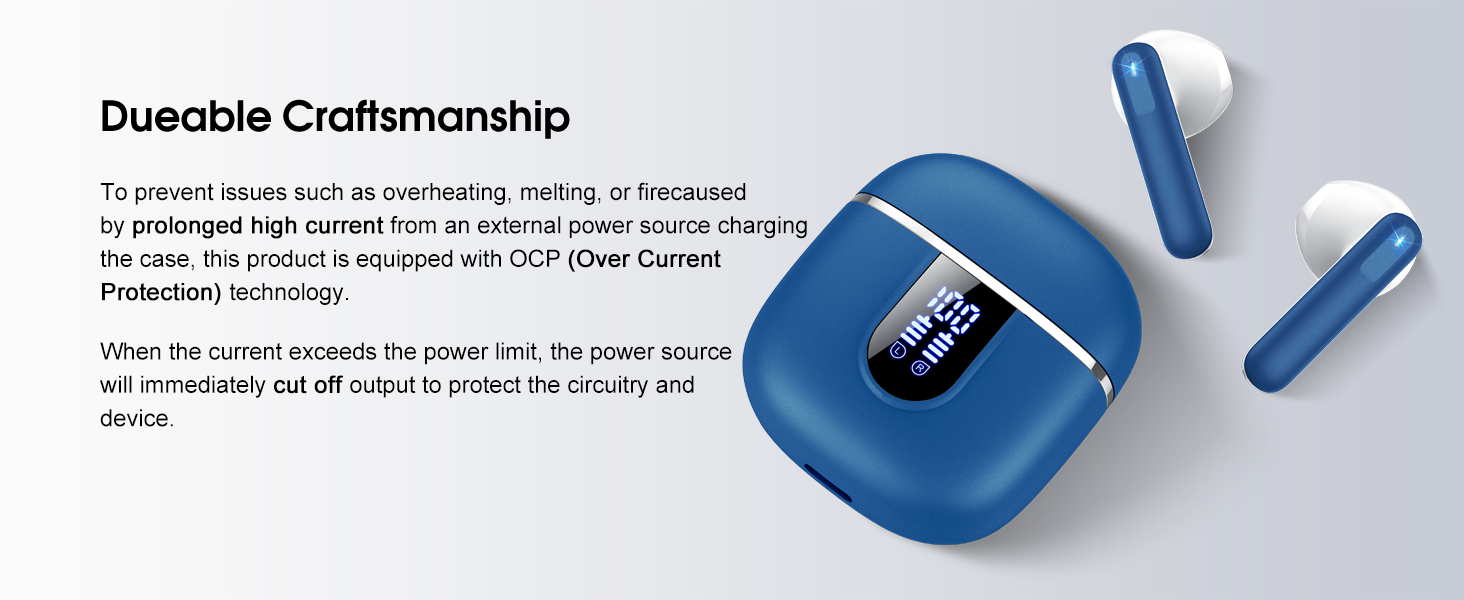
Image: The charging case and earbuds, highlighting the durable craftsmanship and Over Current Protection (OCP) technology.
7. Laasigbotitusita
If you encounter any issues with your Cillso H97 Wireless Earbuds, please refer to the following common problems and solutions:
- No Sound / Disconnection:
- Rii daju pe awọn agbekọri ti gba agbara.
- Check if Bluetooth is enabled on your device and if "H97" is selected.
- Move closer to your device to ensure you are within the 15-meter Bluetooth range.
- Gbiyanju aiṣiṣẹpọ ati tun-pipọ awọn agbekọri pẹlu ẹrọ rẹ.
- Ekọti Ko Ngba agbara:
- Rii daju pe idiyele gbigba agbara ti gba agbara.
- Check that the earbuds are correctly seated in the charging case and the charging contacts are clean.
- Verify the USB-C cable and power adapter are working correctly and meet the 5V/1A or 5V/2A standard.
- Etí ìgbọ́hùn kan ṣoṣo ló ń ṣiṣẹ́:
- Gbe awọn afikọti mejeeji pada sinu apoti gbigba agbara, pa ideri naa, duro fun iṣẹju diẹ, lẹhinna ṣii ideri ki o mu wọn jade papọ.
- Rii daju pe awọn agbekọri mejeeji ti gba agbara.
- If the issue persists, try resetting the earbuds (refer to the full user manual if a specific reset procedure is available, otherwise, unpair and re-pair).
- Awọn iṣakoso Fọwọkan Ko Dahun:
- Rii daju pe awọn ika ọwọ rẹ mọ ati gbẹ.
- Gbìyànjú láti tún àwọn agbekọri náà bẹ̀rẹ̀ nípa gbígbé wọn sínú àpótí náà kí o sì tún yọ wọ́n jáde.
Ti awọn igbesẹ wọnyi ko ba yanju ọran rẹ, jọwọ kan si atilẹyin alabara.
8. Awọn pato
| Ẹya ara ẹrọ | Ẹ̀kúnrẹ́rẹ́ |
|---|---|
| Orukọ awoṣe | H97 |
| Brand | Cillso |
| Asopọmọra Technology | Ailokun (Bluetooth) |
| Ẹya Bluetooth | 5.4 |
| Bluetooth Ibiti | 15 Mita |
| Audio Driver Iwon | 13mm (from description, spec says 14.2mm, using 13mm as it's consistent with marketing) |
| Idahun Igbohunsafẹfẹ | 20Hz - 20kHz (from description) |
| Ifamọ | 110 dB |
| Ipalara | 32 ohm |
| Igbesi aye batiri Earbud | Titi di wakati 8 |
| Lapapọ Akoko Sisisẹsẹhin (pẹlu ọran) | Titi di wakati 40 |
| Akoko gbigba agbara (Ila) | Isunmọ. wakati meji 1.5 |
| Gbigba agbara Port | USB-C |
| Omi Resistance Rating | IPX7 (Earbuds) |
| Iwuwo Earbud | 3.5 giramu (kọọkan) |
| Gbigba agbara Case iwuwo | 32 giramu |
| Awọn ẹrọ ibaramu | iOS 9.0+/Android 5.0+ with Bluetooth 4.0+ |
| Ọna Iṣakoso | Fọwọkan |
9. Atilẹyin ọja ati Support
Cillso products are designed for reliability and performance. For warranty information and customer support, please refer to the warranty card included in your product packaging or visit the official Cillso webojula.
If you have any questions or require assistance, please do not hesitate to contact our customer service team.