
boAt Airdopes Prime 412
boAt Airdopes Prime 412 TWS Earbuds User Manual
Model: Airdopes Prime 412
Ọrọ Iṣaaju
This manual provides detailed instructions for the safe and efficient use of your boAt Airdopes Prime 412 True Wireless Stereo (TWS) Earbuds. Please read this manual thoroughly before using the product to ensure optimal performance and longevity.
Ohun ti o wa ninu Apoti
- TWS Earbuds (Left and Right)
- Ngba agbara Case
- Additional Earmuffs (S, M, L sizes)
- Okun Ngba agbara USB
- Itọsọna olumulo
Ọja Pariview
The boAt Airdopes Prime 412 are True Wireless Stereo earbuds designed for an immersive audio experience. They feature 11mm dynamic drivers, AI-ENx™ Technology for clear calls, multipoint connectivity, and a dedicated gaming mode.

Image: The boAt Airdopes Prime 412 earbuds in their charging case, showcasing the Midnight Black color.
Ṣeto
1. Ngba agbara si Earbuds ati Ọran
Before first use, fully charge the earbuds and the charging case. Connect the provided USB cable to the charging port on the case and a power source. The LED indicator on the case will show charging status.
- A full charge provides up to 50 hours of total playtime.
- ASAP Charge: 10 minutes of charging provides up to 240 minutes of playback.

Image: A visual representation of the earbuds' 50-hour playtime and ASAP Charge feature, showing a person enjoying music.
2. First-Time Pairing (Google Fast Pair)
- Rii daju pe Bluetooth ti foonuiyara rẹ ti ṣiṣẹ.
- Ṣii apoti gbigba agbara pẹlu awọn agbekọri inu.
- A pop-up notification for Google Fast Pair will appear on your Android device.
- Tap "Connect" to pair the earbuds.
- You can personalize the pairing name and locate misplaced buds through this feature.

Image: The Google Fast Pair Service logo, indicating quick and easy pairing for Android devices.
3. Afọwọṣe Sisopọ
- Ṣii apoti gbigba agbara. Awọn agbekọri yoo tẹ ipo sisopọ pọ laifọwọyi.
- On your device, go to Bluetooth settings and search for "Airdopes Prime 412".
- Select "Airdopes Prime 412" to connect.
4. Multipoint Asopọmọra
The Airdopes Prime 412 supports connecting to two devices simultaneously. This allows seamless switching between audio sources, such as taking a call on your phone while listening to music on your laptop.

Image: Illustration of multipoint connectivity, showing the earbuds simultaneously connected to a smartphone (displaying a call) and a tablet (playing music).
5. boAt Hearables App Installation
For enhanced features and customization, download the boAt Hearables App. Scan the QR code or visit the provided link to download.

Image: A smartphone screen displaying the boAt Hearables App with a QR code for scanning and downloading the application. Link: https://l.ead.me/bdAX6k
Awọn ilana Iṣiṣẹ
1. Agbara Tan / Paa
- Agbara Tan: Open the charging case, or long-press the touch control on both earbuds for 3 seconds.
- Agbara Pa: Place the earbuds back into the charging case and close the lid, or long-press the touch control on both earbuds for 5 seconds.
2. Awọn iṣakoso ifọwọkan
The earbuds feature intuitive touch controls. Functions can be customized via the boAt Hearables App.
| Iṣe | Išẹ |
|---|---|
| Tẹ ẹyọkan (Afikun Osi/Ọtun) | Mu orin ṣiṣẹ/Danuduro, Dahun/Pari ipe |
| Tẹ ni kia kia lẹẹmeji (Ẹkọ Atẹti ọtun) | Next Track |
| Tẹ ni kia kia lẹẹmeji (Agbohun Akọkọ osi) | Ti tẹlẹ Track |
| Long Press 2 seconds (Left/Right Earbud) | Mu Oluranlọwọ Ohun ṣiṣẹ |
| Tẹ ni kia kia Meta (Apa osi/Ati Ọtun) | Toggle BEAST Mode (Gaming Mode) |
3. Calling Functions (AI-ENx™ Technology)
The Airdopes Prime 412 features 4 microphones with AI-ENx™ Technology for clear voice calls by reducing environmental noise.

Aworan: Ohun exploded view diagram of an earbud highlighting the 4 microphones and AI-ENx™ Technology for enhanced call clarity.
4. Gaming Mode (BEAST Mode)
Activate BEAST Mode for a low-latency gaming experience (60ms). This reduces audio delay, providing a competitive edge in games.
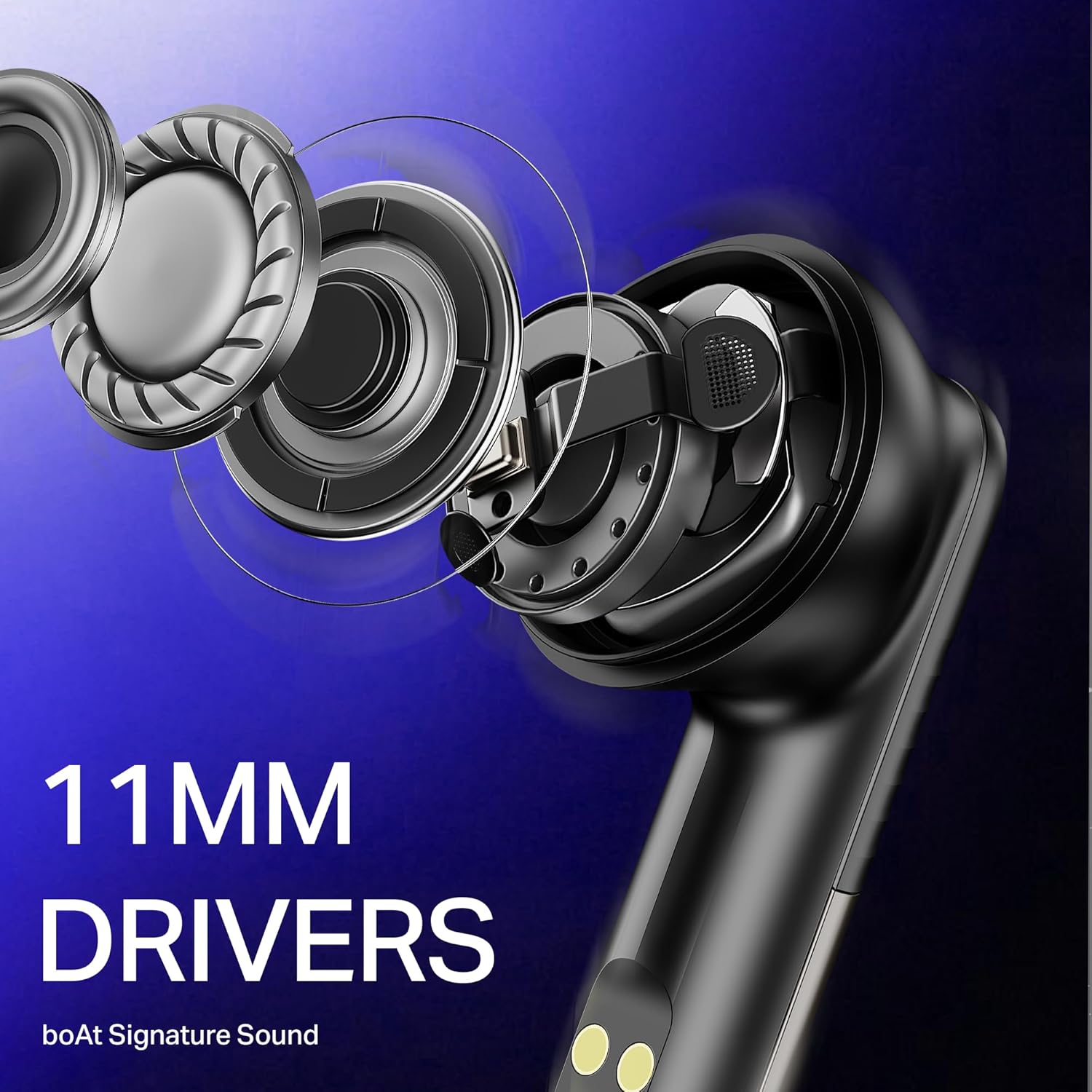
Image: The boAt Airdopes Prime 412 earbuds next to a smartphone displaying a first-person shooter game, emphasizing the low-latency BEAST Mode for gaming.
Itoju
1. Ninu
- Mọ awọn afikọti nigbagbogbo ati apoti gbigba agbara pẹlu asọ ti o gbẹ, asọ ti ko ni lint.
- Yọ awọn imọran eti kuro ki o sọ wọn di mimọ pẹlu ọṣẹ kekere ati omi, lẹhinna gbẹ daradara ṣaaju ki o to tun ṣe.
- Ma ṣe lo abrasive ose tabi epo.
2. Ibi ipamọ
- Tọju awọn agbekọri naa sinu apoti gbigba agbara wọn nigbati ko si ni lilo lati daabobo wọn ati jẹ ki wọn gba agbara.
- Yago fun titoju ni iwọn otutu tabi ọriniinitutu giga.
3. Omi Resistance (IPX5)
The Airdopes Prime 412 are IPX5 rated, meaning they are resistant to sweat and light splashes of water. They are not designed for submersion in water. Ensure earbuds are dry before placing them back in the charging case.
Laasigbotitusita
| Isoro | Owun to le Solusan |
|---|---|
| Earbuds ko so pọ | Ensure earbuds are charged. Turn off and on Bluetooth on your device. Forget "Airdopes Prime 412" from your device's Bluetooth list and try pairing again. |
| Agbekọri agbekọri kan ṣoṣo ti n ṣiṣẹ | Place both earbuds back in the case, close the lid, wait a few seconds, then open again. Ensure both earbuds are charged. |
| Iwọn kekere tabi didara ohun ko dara | Adjust volume on your device. Ensure ear tips are correctly sized and sealed in your ear. Clean any debris from the earbud nozzles. |
| Ngba agbara ko gba agbara | Ṣàyẹ̀wò okùn USB àti adapter agbára. Rí i dájú pé ibudo gbigba agbara mọ́ tónítóní àti pé kò ní ìdọ̀tí kankan. |
| Connectivity issues (disconnections) | Ensure your device is within the 10-meter Bluetooth range. Avoid obstacles between the earbuds and your device. Update the boAt Hearables App and earbud firmware if available. |
Awọn pato
| Ẹya ara ẹrọ | Ẹ̀kúnrẹ́rẹ́ |
|---|---|
| Orukọ awoṣe | Airdopes Prime 412 |
| Nọmba awoṣe | PB0004 |
| Ẹya Bluetooth | v5.4 |
| Bluetooth Ibiti | 10 Mita |
| Audio Driver Type | Yiyi Awakọ |
| Awakọ Iwon | 11 mm |
| Awọn gbohungbohun | 4 Mics with AI-ENx Technology |
| Total Playtime | Titi di awọn wakati 50 |
| ASAP idiyele | Igbara agbara iṣẹju 10 = igbara ṣiṣiṣẹ iṣẹju 240 |
| Ipo ere | BEAST Mode (60 ms low latency) |
| Omi Resistance | IPX5 |
| Ọna Iṣakoso | Fọwọkan, App |
| Awọn ẹrọ ibaramu | Smartphones, Laptops, Tablets, Smart TVs |
| Iwọn | 50 giramu |
| Ohun elo | Ṣiṣu |
Atilẹyin ọja
The boAt Airdopes Prime 412 comes with a 1-odun atilẹyin ọja from the date of purchase. Please retain your proof of purchase for warranty claims. The warranty covers manufacturing defects but does not cover damage caused by misuse, accidents, or unauthorized modifications.
Atilẹyin
For further assistance, technical support, or warranty claims, please contact boAt customer service. You can find contact details on the official boAt website or through the boAt Hearables App.
Manufacturer: Imagine Marketing Limited
Unit no. 204 & 205, 2nd floor, D-wing & E-wing,Corporate Avenue, Andheri Ghatkopar Link Road,
Mumbai, Mumbai City, MH 400093 IN