
Ọrọ Iṣaaju
This manual provides detailed instructions for the setup, operation, maintenance, and troubleshooting of your OnePlus Buds 4 wireless earbuds. Please read this manual thoroughly to ensure proper use and to maximize your listening experience.
Package Awọn akoonu
Daju pe gbogbo awọn ohun kan wa ninu apoti ọja rẹ:
- OnePlus Buds 4 Earbuds (Left and Right)
- Ngba agbara Case
- USB-C Ngba agbara Cable
- Awọn iwọn pupọ ti Awọn ohun-ọṣọ (S, M, L)
- Iwe afọwọkọ olumulo (iwe yii)
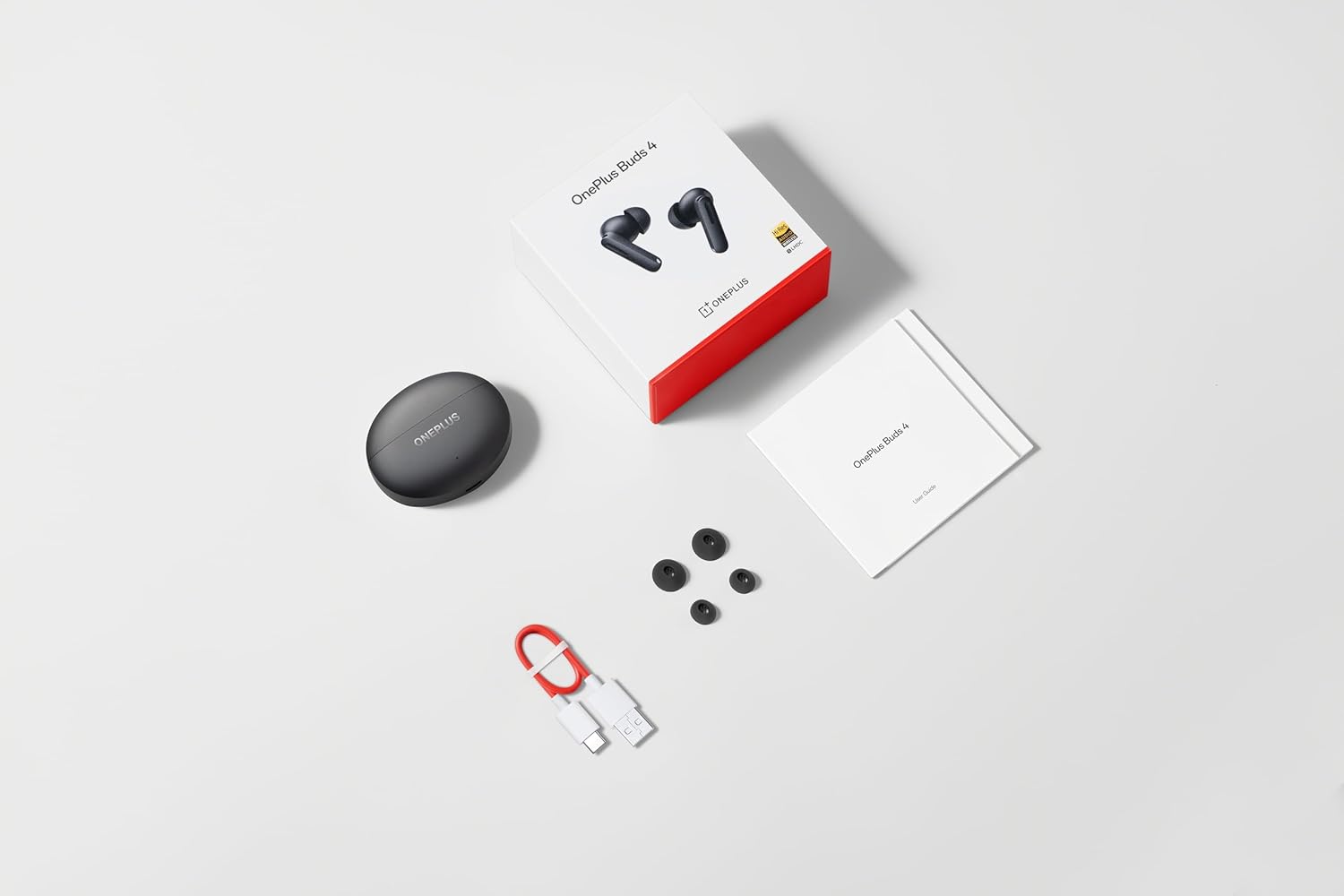
Image: The retail package contents for the OnePlus Buds 4, showing the earbuds, charging case, USB-C cable, and various ear tip sizes.
Ọja Pariview
The OnePlus Buds 4 are advanced wireless in-ear headphones designed for high-quality audio and active noise cancellation. They feature an ergonomic design for comfort and secure fit, housed in a compact charging case.

Image: The OnePlus Buds 4 earbuds resting inside their open charging case. The earbuds and case are in Storm Gray, with the OnePlus logo visible on the case.

Image: This image shows the front perspective of the OnePlus Buds 4 earbuds and their charging case, highlighting the sleek Storm Gray finish.
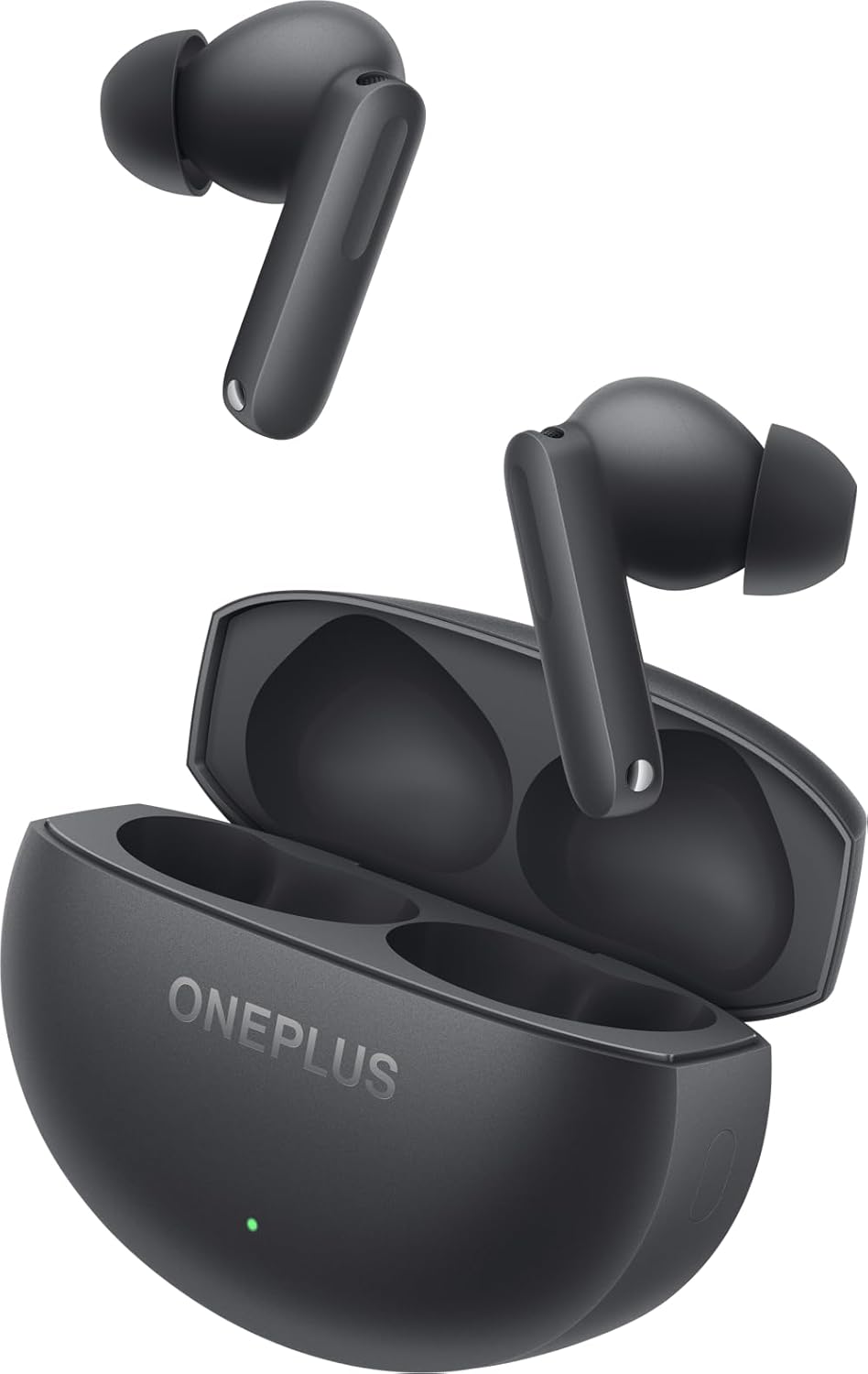
Image: The image features the two OnePlus Buds 4 earbuds separated from their charging case, showcasing wọn oniru.
Ṣeto
Gbigba agbara ni ibẹrẹ
Before first use, place both earbuds into the charging case and connect the case to a power source using the provided USB-C cable. Ensure the indicator light on the case illuminates, signifying charging. A full charge is recommended for optimal battery performance.
Sisopọ pẹlu Ẹrọ Rẹ
- Rí i dájú pé àpótí gbigba agbara náà ní agbára tó.
- Open the charging case with the earbuds inside. The indicator light will flash white, indicating pairing mode.
- Lórí fóònù alágbèéká rẹ tàbí ẹ̀rọ Bluetooth, lọ sí àwọn ètò Bluetooth.
- Select "OnePlus Buds 4" from the list of available devices.
- Once connected, the indicator light on the case will turn off.
For subsequent connections, the earbuds will automatically connect to the last paired device when the case is opened.
Installing the HeyMelody App
For advanced features, customization, and firmware updates, download and install the HeyMelody app from your device's app store. This app allows you to personalize touch controls, adjust sound profiles, and manage noise cancellation settings.
Selecting the Right Ear Tips
Choosing the correct ear tip size is crucial for sound quality, noise cancellation, and comfort. Experiment with the included small, medium, and large ear tips to find the best fit for your ears. A good seal will enhance bass response and active noise cancellation effectiveness.

Image: This image illustrates the different sizes of silicone ear tips included with the OnePlus Buds 4, essential for a comfortable and secure fit.
Awọn ilana Iṣiṣẹ
Awọn iṣakoso ifọwọkan
The OnePlus Buds 4 feature intuitive touch controls on the stem of each earbud. These controls can be customized via the HeyMelody app.

Image: A close-up image of a single OnePlus Buds 4 earbud, indicating the specific area for touch controls on the stem.
- Tẹ ni kia kia Mu orin ṣiṣẹ/Daduro, Dahun/Pari ipe.
- Tẹ lẹẹmeji: Orin t'okan, Kọ ipe.
- Meteta Tẹ ni kia kia: Ti tẹlẹ orin.
- Tẹ mọlẹ: Switch between Active Noise Cancellation, Transparency Mode, and Noise Cancellation Off.
- Swipe Up/Down (on stem): Ṣatunṣe iwọn didun.
Ifagile Ariwo ti nṣiṣe lọwọ (ANC) ati Ipo akoyawo
The earbuds offer advanced noise control features:
- Ifagile Ariwo Nṣiṣẹ (ANC): Dinku ariwo ibaramu fun iriri gbigbọ immersive kan.
- Ipo akoyawo: Gba ọ laaye lati gbọ awọn agbegbe rẹ lakoko ti o n gbadun ohun rẹ, imudara imo ipo.
Switch between these modes by pressing and holding the touch area on either earbud, or through the HeyMelody app.

Image: This graphic depicts the concept of Active Noise Cancellation, showing how the OnePlus Buds 4 reduce ambient sound for an immersive listening experience.
Audio Awọn ẹya ara ẹrọ
The OnePlus Buds 4 are equipped with features to deliver high-fidelity audio:
- Hi-Res Audio and LHDC 5.0: Supports high-resolution audio codecs for detailed and clear sound reproduction.
- Immersive 3D Spatial Audio: Provides a multi-directional sound experience, enhancing immersion in music and videos.

Image: An image highlighting the Hi-Res Audio and LHDC 5.0 capabilities of the OnePlus Buds 4, indicating high-fidelity sound reproduction.
Image: This graphic illustrates the immersive 3D Spatial Audio feature, suggesting a multi-directional sound experience provided by the earbuds.
Calls and Gaming
The earbuds feature enhanced voice cancellation for clear calls and low-latency connectivity for an optimized gaming and video watching experience.
Ngba agbara si Earbuds rẹ ati Ọran
To charge the earbuds, place them into the charging case. The earbuds will begin charging automatically. To charge the case, connect the provided USB-C cable to the charging port on the back of the case and to a power adapter (not included).

Image: The rear of the OnePlus Buds 4 charging case, clearly showing the USB-C port for charging.
The charging case provides extended battery life, allowing for over 24 hours of total listening time with multiple recharges of the earbuds.
Itọju ati Itọju
- Ninu: Mọ awọn afikọti nigbagbogbo ati apoti gbigba agbara pẹlu asọ ti o gbẹ, asọ ti ko ni lint. Maṣe lo awọn kẹmika lile tabi awọn ohun elo abrasive.
- Italolobo Eti: Remove and clean ear tips with water and mild soap if necessary. Ensure they are completely dry before reattaching.
- Ibi ipamọ: Nigbati o ko ba si ni lilo, tọju awọn afikọti sinu apoti gbigba agbara wọn lati daabobo wọn ki o jẹ ki wọn gba agbara.
- Omi Resistance: The earbuds are water-resistant (IP55 rated), meaning they can withstand splashes and sweat. They are not designed for swimming or submersion in water. Ensure the earbuds are dry before placing them back in the charging case.
Laasigbotitusita
If you encounter issues with your OnePlus Buds 4, refer to the table below for common problems and solutions.
| Isoro | Owun to le Fa | Ojutu |
|---|---|---|
| Ko si ohun lati agbekọri | Low battery; Not paired; Volume too low. | Charge earbuds; Re-pair with device; Increase device volume. |
| Earbuds ko so pọ | Out of range; Pairing mode not active; Interference. | Ensure earbuds are in pairing mode (open case); Move closer to device; Turn off other Bluetooth devices. |
| Ifagile Ariwo ti nṣiṣe lọwọ ko munadoko | Improper ear tip fit; ANC mode not active. | Try different ear tip sizes for a better seal; Ensure ANC is enabled via touch control or app. |
| Ngba agbara ko gba agbara | Cable issue; Power source issue. | Check USB-C cable connection; Try a different power adapter or USB port. |
| Agbohungbohun kan ko ni ohun | Earbud not connected; Low battery. | Place both earbuds in the case, close, then reopen; Ensure both earbuds are charged. |
Awọn pato
| Ẹya ara ẹrọ | Ẹ̀kúnrẹ́rẹ́ |
|---|---|
| Orukọ awoṣe | OnePlus Buds 4 |
| Nọmba awoṣe | E513A |
| Asopọmọra Technology | Bluetooth 5.4 |
| Ariwo Iṣakoso | Ti nṣiṣe lọwọ Noise Ifagile |
| Audio Driver Iwon | 11 millimeters |
| Iwọn Igbohunsafẹfẹ | 40 Hz - 20,000 Hz |
| Ifamọ | 100 dB |
| Ipalara | 18 ohm |
| Ọna Iṣakoso | Awọn iṣakoso ifọwọkan |
| Omi Resistance Ipele | IP55 (Earbuds) |
| Ìgbésí Ayé Bátìrì (Earbuds + Páìlì) | Ju wakati 24 lọ (pẹlu ọran gbigba agbara) |
| Awọn ẹrọ ibaramu | Smartphones, Laptops, Desktops, Gaming Consoles, Tablets, Televisions |
Alaye Aabo
Please observe the following safety guidelines to prevent damage to your device or personal injury:
- Idaabobo igbọran: Yago fun gbigbọ ni awọn ipele iwọn didun giga fun awọn akoko gigun lati dena ibajẹ igbọran.
- Aabo awakọ: Do not use earbuds while driving or cycling in situations where it may distract you or pose a hazard.
- Itọju Batiri: Do not attempt to replace the battery yourself. Do not expose the device to extreme temperatures or direct sunlight.
- Idasonu: Sọ ẹrọ naa ati awọn batiri rẹ ni ibamu si awọn ilana agbegbe. Ma ṣe sọ lẹnu pẹlu idoti ile.
Atilẹyin ọja ati Support
Your OnePlus Buds 4 are covered by a limited warranty. For detailed warranty terms and conditions, please refer to the warranty card included in your package or visit the official OnePlus support website. For technical assistance or customer service, please contact OnePlus customer support.


