
Ọrọ Iṣaaju
The NEWSKILL Aton V2 Gaming Headset offers versatile connectivity options including 2.4G wireless, Bluetooth 5.0, and a wired USB-C connection, ensuring compatibility across multiple platforms. Designed for an immersive audio experience, it features 50mm neodymium drivers, a flexible retractable microphone for clear communication, and customizable RGB lighting. This manual provides essential information for setting up, operating, and maintaining your headset.
1. Package Awọn akoonu
- NEWSKILL Aton V2 Gaming Headset
- USB-C si USB-A Ngba agbara/Okun data
- 2.4G USB Alailowaya Dongle
- Itọsọna olumulo
2. Ọja Ipariview (Controls and Ports)
Familiarize yourself with the various controls and ports on your NEWSKILL Aton V2 headset for optimal use.

This image displays the control layout on the left earcup, including the volume adjustment wheel, power button, microphone mute switch, and a button for managing RGB lighting effects.

The underside of the left earcup features the USB-C port for charging and wired connection, alongside the dedicated port for the retractable microphone.
- Bọtini agbara: Located on the left earcup. Used to power the headset on/off and enter Bluetooth pairing mode.
- Roller Iwọn didun: A scroll wheel on the left earcup for adjusting audio output volume.
- Bọ́tìnì dídákẹ́kọ̀ọ́ gbohungbohun: A dedicated button on the left earcup to quickly mute or unmute the microphone.
- RGB Control Button: Cycles through RGB lighting modes or turns the lighting off.
- Ibudo USB-C: For charging the headset and establishing a wired connection.
- Ibudo gbohungbohun: Where the retractable microphone extends from.
3. Eto ati Asopọ
3.1. 2.4G Wireless Connection (PC, PS5, Nintendo Switch Docked)
- Insert the 2.4G USB wireless dongle into an available USB port on your device (PC, PS5, or Nintendo Switch dock).
- Tẹ mọlẹ Bọtini agbara on the headset for 3 seconds to turn it on.
- The headset will automatically attempt to connect to the dongle. A solid indicator light on the headset signifies a successful connection.
- Rii daju pe agbekari ti yan bi iṣelọpọ ohun ati ẹrọ titẹ sii ninu awọn eto eto rẹ.
3.2. Bluetooth 5.0 Connection (Mobile Devices, Nintendo Switch Handheld)
- Tẹ mọlẹ Bọtini agbara on the headset for 3 seconds to turn it on.
- To enter Bluetooth pairing mode, press and hold the Bọtini agbara for an additional 5 seconds until the indicator light flashes rapidly (usually blue/red).
- On your mobile device or Nintendo Switch (in handheld mode), navigate to the Bluetooth settings and search for available devices.
- Select "NEWSKILL Aton V2" from the list to pair. A solid blue indicator light confirms a successful connection.
3.3. Asopọ onirin (USB-C)
- Connect one end of the provided USB-C cable to the USB-C port on the headset.
- Connect the other end of the USB-C cable to an available USB-C port on your device.
- The headset will function as a wired audio device. No battery power is required for wired operation.
4. Awọn ilana Iṣiṣẹ
4.1. Agbara Tan / Paa
- Agbara Tan: Tẹ mọlẹ Bọtini agbara fun 3 aaya.
- Agbara Pa: Tẹ mọlẹ Bọtini agbara for 5 seconds until the indicator light turns off.
4.2. Atunse iwọn didun
- Yiyi awọn Roller iwọn didun upwards to increase the volume.
- Yiyi awọn Roller iwọn didun downwards to decrease the volume.
4.3. Gbohungbohun Lilo
- Extend Microphone: Gently pull the microphone out from its port on the left earcup. Adjust its position for optimal voice pickup.
- Retract Microphone: Push the microphone back into its port until it is fully stored.
- Pakẹ́/Yipadanu: Tẹ awọn Bọtini Muti gbohungbohun once to toggle mute on or off. An indicator light (if present) may show the mute status.
This image shows the headset with its flexible, omnidirectional microphone extended from the left earcup, positioned for clear voice communication.

The headset is shown with the microphone retracted, demonstrating its discreet storage when not in use.
4.4. RGB Lighting Iṣakoso
- Tẹ awọn Bọtini Iṣakoso RGB to cycle through various lighting effects or to turn the RGB lighting off.

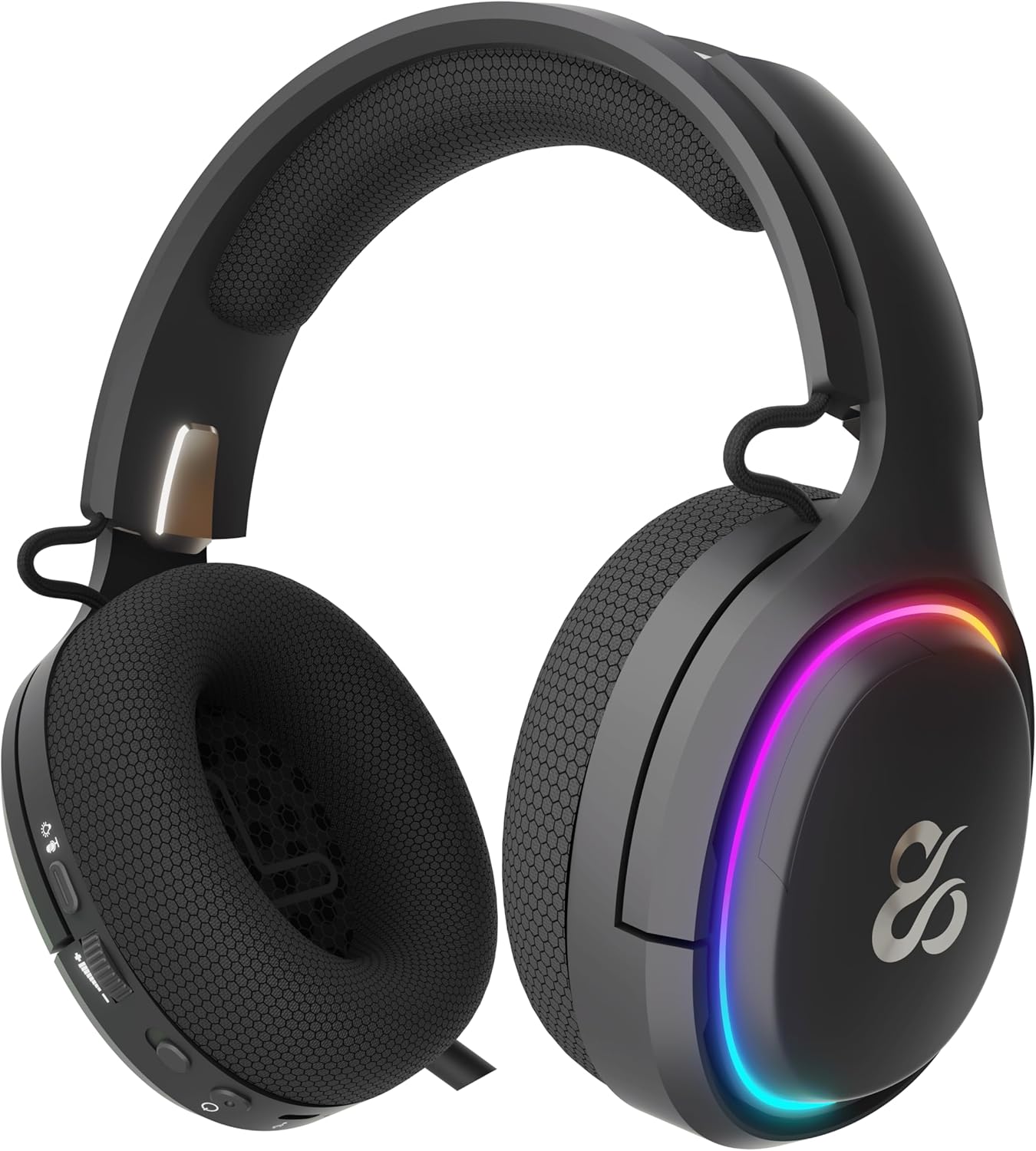
The earcup's outer ring illuminates with a colorful RGB light effect, customizable via the dedicated control button.
4.5. Gbigba agbara
- Connect the provided USB-C cable to the headset's USB-C port and to a power source (e.g., computer USB port, USB wall adapter).
- The indicator light will show the charging status (e.g., red for charging, off or green for fully charged).
- A full charge provides up to 60 hours of use without RGB lighting, or 38 hours with RGB lighting enabled.
5. Itọju
5.1. Ninu
- Use a soft, dry, lint-free cloth to clean the headset.
- Yẹra fun lilo awọn kẹmika ti o lewu, awọn nkan mimu mimọ, tabi awọn ohun ọṣẹ ti o lagbara.
- Ma ṣe fi agbekari sinu omi tabi fi han si ọrinrin pupọ.
5.2. Ibi ipamọ
- Tọju agbekari naa ni itura, aye gbigbẹ kuro lati orun taara ati awọn iwọn otutu to gaju.
- Yago fun gbigbe awọn nkan ti o wuwo sori agbekari lati yago fun ibajẹ.
6. Laasigbotitusita
- Ko si Ohun:
- Check the headset's volume roller and ensure it is not at the minimum setting.
- Verify the headset is properly connected (2.4G dongle inserted, Bluetooth paired, or USB-C cable secure).
- Confirm the correct audio output device is selected in your computer or console's sound settings.
- Rii daju pe agbekari ti gba agbara.
- Gbohungbohun Ko Ṣiṣẹ:
- Ensure the microphone is extended and not muted (check the mute button).
- Verify the correct audio input device is selected in your computer or console's sound settings.
- Ṣe idanwo gbohungbohun pẹlu ohun elo miiran tabi ẹrọ.
- Awọn oran Asopọmọra:
- For 2.4G wireless, try re-inserting the USB dongle and restarting the headset.
- For Bluetooth, unpair the headset from your device and then re-pair it. Ensure no other Bluetooth devices are interfering.
- For wired connection, ensure the USB-C cable is fully inserted at both ends.
- Awọn ọran gbigba agbara:
- Rí i dájú pé okùn USB-C kò bàjẹ́ àti pé ó so mọ́ ara rẹ̀ dáadáa.
- Gbiyanju ibudo USB ti o yatọ tabi ohun ti nmu badọgba agbara.
7. Awọn pato
- Nọmba awoṣe:
- NS-HS-ATONV2
- Asopọmọra:
- Alailowaya 2.4G, Bluetooth 5.0, USB-C onirin
- Awọn awakọ:
- 50mm Neodymium Magnets
- Gbohungbohun:
- Omnidirectional, Retractable
- Igbesi aye batiri:
- Up to 60 hours (without RGB), 38 hours (with RGB)
- Ibudo gbigba agbara:
- USB-C
- Awọn ẹrọ ibaramu:
- PC, PlayStation 5 (PS5), Nintendo Switch, Mobile Phones
- Awọn iwọn:
- 10 x 270 x 21 cm
- Ìwúwo:
- 860 g
8. Alaye Aabo
- Yago fun gbigbọ gigun ni iwọn giga lati ṣe idiwọ ibajẹ igbọran.
- Do not expose the headset to water, moisture, or extreme temperatures.
- Má ṣe gbìyànjú láti tú agbekọri náà ká tàbí láti yí i padà. Èyí lè sọ àtìlẹ́yìn náà di òfo kí ó sì fa ìbàjẹ́.
- Keep the headset and its accessories out of reach of children and pets.
- Sọ batiri naa ni ifojusọna ni ibamu si awọn ilana agbegbe.
9. Atilẹyin ọja ati Support
This product is covered by a manufacturer's warranty. For detailed warranty information, technical support, or service inquiries, please refer to the official NEWSKILL website or contact their customer service department. Please retain your proof of purchase for warranty claims.