
SVITOO PL002
Ìwé Ìtọ́sọ́nà Olùlò Tábìlẹ́ẹ̀tì Android 15 SVITOO PL002
Awoṣe: PL002
1. Ifihan
This manual provides essential information for setting up, operating, and maintaining your SVITOO PL002 Android 15 Tablet. Please read this guide thoroughly to ensure optimal performance and longevity of your device. Keep this manual for future reference.
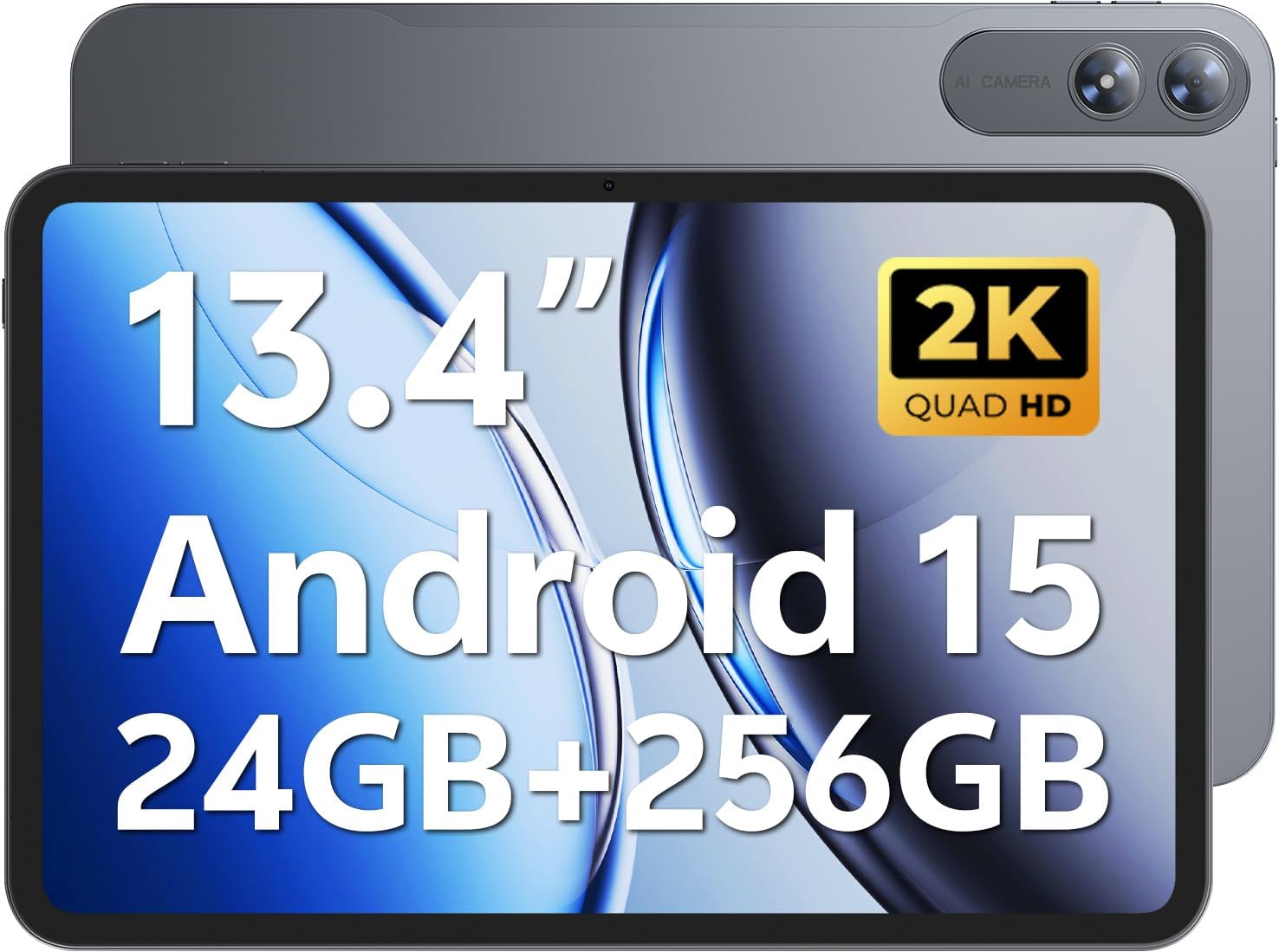
Image 1.1: SVITOO PL002 Android 15 Tablet, showcasing its sleek design and dual cameras.
Package Awọn akoonu
- SVITOO PL002 Android 15 Tablet
- Protective Case with Magnetic Bracket
- USB-C Ngba agbara Cable
- Power Adapter (18W Fast Charging)
- Afowoyi Olumulo (iwe-ipamọ yii)
2. Ọja Ipariview
The SVITOO PL002 tablet features a 13.4-inch FHD IPS display, an Octa-Core processor, 24GB RAM, 256GB internal storage, and runs on Android 15. It is designed for versatile use, from entertainment to productivity.

Aworan 2.1: Pariview of the SVITOO PL002 tablet's main features.
Awọn ohun elo ti ara
While a detailed diagram is not available, the tablet typically includes:
- Bọtini agbara: Ó wà ní ẹ̀gbẹ́, a máa ń lò ó láti tan/pa tàbí jí/sùn ẹ̀rọ náà.
- Awọn bọtini iwọn didun: Ti o wa nitosi bọtini agbara, fun atunṣe ipele ohun.
- Ibudo Iru-C USB: Fun gbigba agbara ati gbigbe data.
- Jack agbekọri 3.5mm: For wired audio output.
- Iho kaadi MicroSD: For storage expansion.
- Kamẹra iwaju: Fun awọn ipe fidio ati awọn selfies.
- Awọn kamẹra ẹhin: Fun yiya awọn fọto ati awọn fidio.
- Awọn agbọrọsọ: Agbohunsoke meji fun ifihan ohun.
3. Eto
3.1 Gbigba agbara akọkọ
Ṣaaju lilo akọkọ, gba agbara si tabulẹti ni kikun nipa lilo okun USB-C ti a pese ati ohun ti nmu badọgba agbara. Tabulẹti ṣe atilẹyin gbigba agbara iyara 18W.
3.2 Agbara Tan / Pa
- Lati Fi agbara: Press and hold the Power button until the SVITOO logo appears.
- Lati Paarẹ: Tẹ ki o si mu awọn Power bọtini, ki o si yan "Power pipa" lati awọn aṣayan loju iboju.
- Lati Sun/Ji: Ni kukuru tẹ bọtini agbara.
3.3 Protective Case and Screen Protector
The tablet comes with a pre-installed screen protector and a protective case. The case features a magnetic bracket that automatically wakes the tablet when opened and puts it to sleep when closed.

Image 3.1: The smart wake-up case and pre-installed screen protector for convenience.
3.4 Wi-Fi Asopọ
- Lọ si Eto > Nẹtiwọọki & Intanẹẹti > Wi-Fi.
- Yipada Wi-Fi On.
- Yan nẹtiwọki ti o fẹ lati inu akojọ.
- Tẹ ọrọ igbaniwọle sii ti o ba ṣetan, lẹhinna tẹ ni kia kia Sopọ. The tablet supports dual-band Wi-Fi (2.4GHz/5GHz).
3.5 Google Mobile Services (GMS) Setup
Your SVITOO PL002 tablet is GMS certified, providing full access to the Google ecosystem. During initial setup, follow the on-screen prompts to sign in with your Google account or create a new one. This enables access to Google Play Store, Gmail, YouTube, Google Maps, and other Google applications.

Image 3.2: GMS certification ensures access to a wide range of Google applications.
4. Awọn ilana Iṣiṣẹ
4.1 Basic Navigation (Android 15)
The tablet runs on Android 15, offering an intuitive user interface. Swipe gestures are commonly used for navigation:
- Ile: Ra soke lati isalẹ ti iboju.
- Pada: Ra lati osi tabi ọtun eti iboju.
- Awọn ohun elo aipẹ: Fa soke lati isalẹ ki o si dimu.
- Àwọn ìfitónilétí/Ètò kíákíá: Ra si isalẹ lati oke iboju naa.
4.2 Ifihan Awọn ẹya ara ẹrọ
The 13.4-inch IPS Incell display provides a 1920x1200 resolution with a 16:10 aspect ratio and a 178° viewing angle. It features a smooth 60Hz refresh rate for fluid visuals.

Image 4.1: The 13.4-inch 2K IPS display offers vibrant colors and sharp details.
4.3 Išẹ ati Ibi ipamọ
The tablet is powered by a Unisoc T7250 Octa-Core processor, ensuring smooth multitasking. It comes with 24GB RAM (6GB physical + 18GB virtual) and 256GB internal storage, expandable up to 1TB via a MicroSD card (sold separately).

Image 4.2: The Unisoc T7250 Octa-Core processor provides efficient performance.

Aworan 4.3: Ample storage and expansion options for your files ati awọn ohun elo.
4.4 Awọn kamẹra
The tablet features a 13MP rear camera for high-quality photos and videos, and an 8MP front camera for clear video calls and selfies.

Image 4.4: Capture moments with the tablet's dual cameras.
4.5 batiri Management
Equipped with a 10,000mAh battery, the tablet provides extended usage times. It supports USB-PD 18W fast charging for quick recharges.

Image 4.5: The 10,000mAh battery provides long-lasting power.
4.6 Audio
The tablet features dual speakers for immersive sound and includes a 3.5mm headphone jack for private listening.
4.7 Pataki Awọn ẹya ara ẹrọ
- Widevine L1 ti ni ifọwọsi: Enjoy full HD streaming on platforms like Netflix, Disney+, Prime Video, and Hulu.
- Ṣii silẹ oju: Securely and quickly unlock your tablet using facial recognition.
- Split-Screen Multitasking: Run two applications side-by-side for enhanced productivity.
- Wireless Casting (Screen Mirroring): Cast your tablet's screen to compatible smart TVs for a larger viewiriri iriri.
- Ipo Idaabobo Oju: Reduces blue light emission to minimize eye strain during prolonged use.
- Awọn iṣakoso obi: Manage usage time and app access for children.
- GPS ti a ṣe: Provides navigation capabilities for travel and location services.

Image 4.6: Widevine L1 certification enables high-definition content streaming.

Image 4.7: Key operational features including multitasking, casting, security, and navigation.
5. Itọju
5.1 Ninu
Lati nu tabulẹti rẹ, lo asọ ti ko ni lint. Fun agidi smudges, die-die dampen awọn asọ pẹlu omi tabi a iboju regede pataki apẹrẹ fun Electronics. Yago fun lilo awọn kẹmika lile, awọn ohun elo abrasive, tabi ọrinrin pupọ.
5.2 Ibi ipamọ
Store the tablet in a cool, dry place away from direct sunlight and extreme temperatures. If storing for an extended period, ensure the battery is charged to approximately 50% to preserve battery health.
5.3 Software imudojuiwọn
Ṣayẹwo nigbagbogbo fun ati fi awọn imudojuiwọn eto sori ẹrọ lati rii daju pe tabulẹti rẹ ni awọn ẹya tuntun, awọn abulẹ aabo, ati awọn ilọsiwaju iṣẹ. Lọ si Eto > Eto > Imudojuiwọn eto.
6. Laasigbotitusita
This section addresses common issues you might encounter with your SVITOO PL002 tablet.
6.1 Táblẹ́ẹ̀tì Kò Tan
- Ensure the battery is charged. Connect the tablet to the charger and wait a few minutes before attempting to power it on again.
- Tẹ mọlẹ bọtini Agbara fun o kere ju iṣẹju 10-15 lati tun fi agbara mu bẹrẹ.
6.2 Unable to Connect to Wi-Fi
- Rí i dájú pé Wi-Fi ti ṣiṣẹ́ nínú Eto > Nẹtiwọọki & Intanẹẹti > Wi-Fi.
- Rii daju pe o n tẹ ọrọ igbaniwọle Wi-Fi to tọ sii.
- Tun olulana Wi-Fi rẹ bẹrẹ ati tabulẹti.
- Try connecting to a different Wi-Fi network to determine if the issue is with the tablet or your network.
6.3 Applications Freeze or Crash
- Close and reopen the problematic application.
- Ko kaṣe app ati data sinu Eto > Awọn ohun elo > [Orukọ App] > Ibi ipamọ & kaṣe.
- Rii daju pe ohun elo naa ti ni imudojuiwọn si ẹya tuntun rẹ lati Ile itaja Google Play.
- Tun tabulẹti bẹrẹ.
6.4 o lọra Performance
- Pa awọn ohun elo abẹlẹ ti ko wulo.
- Pa data ti a fi pamọ kuro ninu awọn ohun elo ati eto naa.
- Ensure sufficient storage space is available. Delete unused apps or files.
- Tun tabulẹti naa bẹrẹ nigbakugba.
7. Awọn pato
| Ẹya ara ẹrọ | Sipesifikesonu |
|---|---|
| Awoṣe | PL002 |
| Eto isesise | Android 15 |
| Iwọn Ifihan | 13.4 inches |
| Ipinnu iboju | 1920 x 1200 Pixels (FHD IPS Incell) |
| isise | Unisoc T7250 Octa-Core (1.8 GHz) |
| Olupilẹṣẹ Graphics | Mali-G57 |
| Àgbo | 24GB (6GB + 18GB foju) |
| Ibi ipamọ inu | 256GB |
| Expandable Ibi ipamọ | Titi di 1TB nipasẹ MicroSD (ti a ta ni lọtọ) |
| Kamẹra ẹhin | 13MP |
| Kamẹra iwaju | 8MP |
| Agbara Batiri | 10,000mAh |
| Gbigba agbara | USB-C, 18W Fast Charging |
| Alailowaya Asopọmọra | 802.11ax (Dual-Band Wi-Fi 2.4GHz/5GHz), Bluetooth 5.0 |
| Awọn iwọn (LxWxH) | 9.7 x 6.4 x 0.4 inches |
| Iwọn Nkan | 3.58 poun (isunmọ 1.62 kg) |
8. Atilẹyin ọja ati Support
8.1 atilẹyin ọja Alaye
The SVITOO PL002 tablet comes with a One Year Protection warranty from the date of purchase. This warranty covers manufacturing defects and ensures quality assurance. Please note that the warranty does not cover damage caused by misuse, accidents, natural disasters, or other force majeure events.

Image 8.1: SVITOO's commitment to quality and customer support.
8.2 Onibara Support
For any questions, technical assistance, or warranty claims, please contact SVITOO customer support through your Amazon order details. Navigate to your order history on Amazon and select the option to "Contact Seller" for assistance.