
Ọrọ Iṣaaju
Thank you for choosing the Dyurwa ZY02 Portable Bluetooth Speaker. This manual provides essential information for setting up, operating, and maintaining your speaker to ensure optimal performance and longevity. The Dyurwa ZY02 offers wireless stereo sound, IPX7 waterproofing, dynamic RGB lights, and TWS pairing capabilities, making it ideal for various environments including outdoors, home parties, travel, and beach use.
Ohun ti o wa ninu Apoti
- 1 x Dyurwa Bluetooth Speaker
- 1 x Itọsọna olumulo
- 1 x Power Cable (Micro USB)
Ṣeto
Gbigba agbara si Agbọrọsọ
Before first use, fully charge your Dyurwa ZY02 speaker. Connect the included Micro USB cable to the charging port on the speaker and a compatible USB power adapter (not included). A full charge typically takes 2-3 hours. The speaker features up to 12 hours of playtime, which may vary based on volume levels and light settings.

Image: The Dyurwa ZY02 speaker highlighting its 12-hour battery life, with a note that continuous playtime is achieved under 50% volume and light-off settings.
Asopọ Bluetooth
- Agbara Tan: Tẹ mọlẹ bọtini agbara (⏻) on the speaker until you hear an audible prompt and the LED indicator flashes.
- Mu Bluetooth ṣiṣẹ: On your mobile phone, tablet, or other Bluetooth-enabled device, go to the Bluetooth settings and enable Bluetooth.
- Yan Ẹrọ: Look for 'Dyurwa ZY02' in the list of available devices and select it to pair.
- Ìmúdájú: Nígbà tí o bá ti so pọ̀ dáadáa, o máa gbọ́ ohùn ìjẹ́rìísí, àmì LED náà yóò sì di àwọ̀ búlúù tó lágbára.

Image: The Dyurwa ZY02 speaker wirelessly connected to a smartphone and a television, illustrating its Bluetooth 5.3 rock-solid connection for instant, skip-free pairing.
Otitọ Alailowaya Sitẹrio (TWS) Sisopọ
To achieve a true stereo sound experience, you can pair two Dyurwa ZY02 speakers together:
- Rii daju pe awọn agbohunsoke mejeeji wa ni titan ati pe wọn ko sopọ si eyikeyi ẹrọ Bluetooth miiran.
- On one speaker (this will be the primary speaker), press and hold the TWS pairing button (often indicated by an infinity symbol or two interlocking circles) for a few seconds.
- Agbọrọsọ akọkọ yoo wa agbọrọsọ keji. Ni kete ti o ba ti sopọ mọ ọ, iwọ yoo gbọ ohùn idaniloju kan.
- Now, connect your device to the primary speaker via Bluetooth as described above. Both speakers will play audio in stereo.
Ṣiṣẹ Agbọrọsọ
Awọn iṣẹ bọtini
The Dyurwa ZY02 features intuitive controls on its top panel:
- Bọ́tìnì Agbára (⏻): Tẹ mọlẹ lati fi agbara tan/pa a. Tẹ kukuru lati ṣayẹwo ipo batiri.
- Bọtini Ipo (M): Short press to switch between Bluetooth, AUX, or TF Card modes.
- Iwọn didun isalẹ (-): Tẹ kukuru lati dinku iwọn didun. Tẹ gun fun orin iṣaaju.
- Bọ́tìnì Play/Dúró (▶): Tẹ kukuru lati mu ṣiṣẹ tabi daduro orin duro.
- Iwọn didun soke (+): Tẹ kukuru lati mu iwọn didun pọ si. Tẹ gun fun orin atẹle.
- TWS/Connect Button (∞): Press and hold for TWS pairing. Short press to disconnect TWS.
- Bass Button (BASS): Short press to activate/deactivate enhanced bass mode.
- Bọ́tìnì ìmọ́lẹ̀ (💡): Short press to cycle through dynamic RGB light modes.

Image: The Dyurwa ZY02 speaker showcasing its control panel with buttons for power, mode, volume, play/pause, TWS, bass, and light functions.
Dynamic RGB Light Show
Enhance your listening experience with the speaker's dynamic RGB light show. Press the Light button (💡) to cycle through various colored light modes that sync to the beat of your music. Customize the light effects to match your preference and elevate the atmosphere of any gathering.

Image: The Dyurwa ZY02 speaker with its dual drivers illuminated by vibrant, dynamic RGB lights, demonstrating the light show feature.
Itoju
Idaabobo omi (IPX7)
The Dyurwa ZY02 speaker boasts an IPX7 waterproof rating, meaning it can be submerged in up to 1 meter of water for 30 minutes. This makes it suitable for use in the shower, at the beach, by the pool, or during outdoor activities like hiking and kayaking. Ensure the charging port cover is securely closed before exposing the speaker to water.
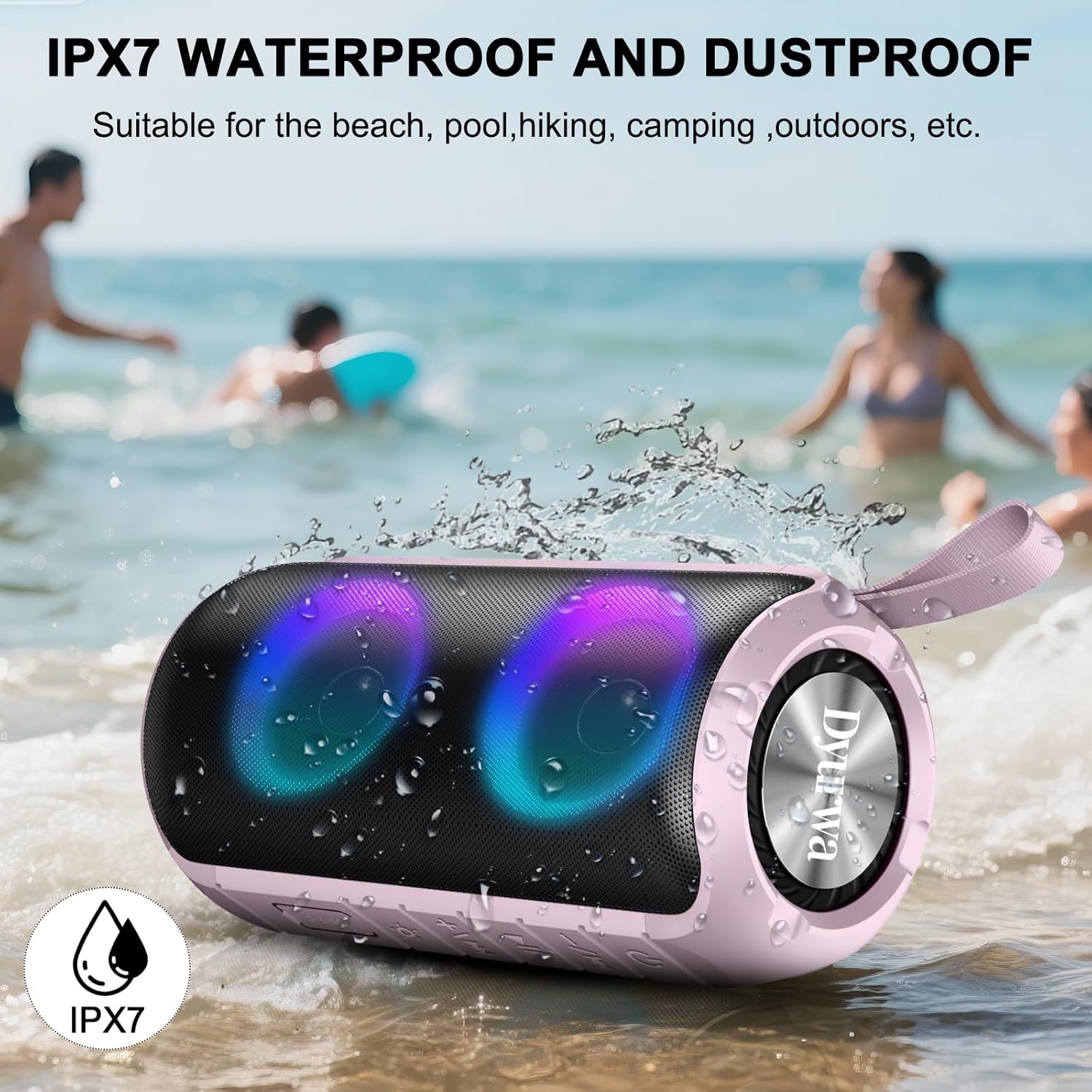
Image: The Dyurwa ZY02 speaker being splashed with water at a beach, illustrating its IPX7 waterproof and dustproof capabilities.
Ninu ati Ibi ipamọ
Lati nu agbọrọsọ rẹ nu, lo asọ, damp cloth. Avoid using harsh chemicals or abrasive cleaners. Store the speaker in a cool, dry place away from direct sunlight and extreme temperatures when not in use for extended periods.
Laasigbotitusita
- Agbọrọsọ kii yoo tan: Rii daju pe agbọrọsọ ti gba agbara ni kikun. Sopọ mọ orisun agbara ati gbiyanju lẹẹkansi.
- Ko le so pọ nipasẹ Bluetooth: Make sure the speaker is in Bluetooth pairing mode (flashing LED). Check that Bluetooth is enabled on your device and that the speaker is within range (up to 33 feet/10 meters). Forget previous pairings on your device and try pairing again.
- Ko si ohun: Check the volume levels on both the speaker and your connected device. Ensure the speaker is correctly paired and not in another mode (e.g., AUX, TF Card).
- Didara ohun ti ko dara: Move the speaker closer to your device to improve Bluetooth signal. Ensure there are no obstructions between the speaker and your device.
- Awọn oran sisopọ TWS: Ensure both speakers are fully charged and not connected to any other device. Follow the TWS pairing instructions carefully.
Awọn pato
| Ẹya ara ẹrọ | Ẹ̀kúnrẹ́rẹ́ |
|---|---|
| Brand | Dyurwa |
| Orukọ awoṣe | ZY02 |
| Asopọmọra Technology | Bluetooth 5.3 |
| Agbọrọsọ Iru | Ita gbangba |
| Pataki Ẹya | Music Player, RGB Lights, TWS Pairing, IPX7 Waterproof |
| Awọn ẹrọ ibaramu | Smartphone, Tablet, Computer |
| Agbọrọsọ Agbara Ijade ti o pọju | 180 Wattis |
| Akoko ere | Up to 12 hours (varies by volume/light settings) |
| Akoko gbigba agbara | 2-3 wakati |
| Omi Resistance Ipele | IPX7 mabomire |
| Ọja Mefa | 2.54"D x 5"W x 4"H |
| Iwọn Nkan | 1.36 iwon |
| Awọn batiri | 1 Batiri kan nilo (pẹlu) |
Atilẹyin ọja ati Support
For warranty information or technical support, please refer to the contact details provided on the product packaging or visit the official Dyurwa webojula. Tọju iwe-ẹri rira rẹ bi ẹri rira fun eyikeyi awọn ibeere atilẹyin ọja.