
1. Ifihan
The Truefree HF10 Hybrid Active Noise Cancelling Headphones are designed to provide an immersive audio experience with advanced noise cancellation technology. This manual provides essential information for setting up, operating, and maintaining your headphones.

Image: Truefree HF10 headphones in black.
2. Ohun ti o wa ninu Apoti
- HF-10 ANC Headphones
- USB-C Ngba agbara Cable
- 3.5mm Audio USB
- Itọsọna olumulo

Image: Box contents of the Truefree HF10 headphones.
3. Ọja Ipariview
The Truefree HF10 headphones feature a foldable design for portability, adjustable headband for comfort, and soft protein leather ear cups with memory foam padding for extended wear. Controls are located on the earcups.

Image: Right earcup controls and ports.

Image: Soft and breathable ear cushions.
4. Eto
Asopọ Bluetooth
- Rii daju pe awọn agbekọri ti gba agbara.
- Power on the headphones to enter pairing mode (indicator light will flash).
- Lori ẹrọ rẹ (foonuiyara, tabulẹti, kọmputa), jeki Bluetooth.
- Select "TRUEFREE HF-10" from the list of available devices to connect.
- Once connected, the indicator light will change, and a voice prompt will confirm.
Asopọ Meji
The HF10 headphones support simultaneous connection to two devices, allowing seamless switching between audio sources.
Video: Instructions on how to connect Truefree HF10 headphones to two devices simultaneously.
App Asopọ
Enhance your experience by connecting your HF10 headphones to the Truefree App. The app allows for custom EQ settings, ANC mode adjustments, and other features.
Video: Guide on operating the Truefree HF10 headphones via the companion app.
5. Awọn ilana Iṣiṣẹ
Awọn ọna Ifagile Ariwo ti nṣiṣe lọwọ (ANC).
The HF10 headphones feature Hybrid Active Noise Cancellation, reducing external noise by up to 45dB. You can switch between various modes:
- ANC imudara: Automatically adjusts noise cancellation based on your surroundings.
- Ipo inu ile: Optimized for indoor environments.
- Ipo ita: Optimized for outdoor environments.
- Commute Mode: Optimized for public transport and commuting.
- Ipo akoyawo: Allows you to hear your surroundings without removing the headphones.

Image: User experiencing ANC on Truefree HF10 headphones.
Spatial Audio & Deep Bass
Equipped with 40mm dynamic drivers, the headphones deliver rich bass and clear audio. Spatial audio enhances the listening experience with a 360° surround sound effect.
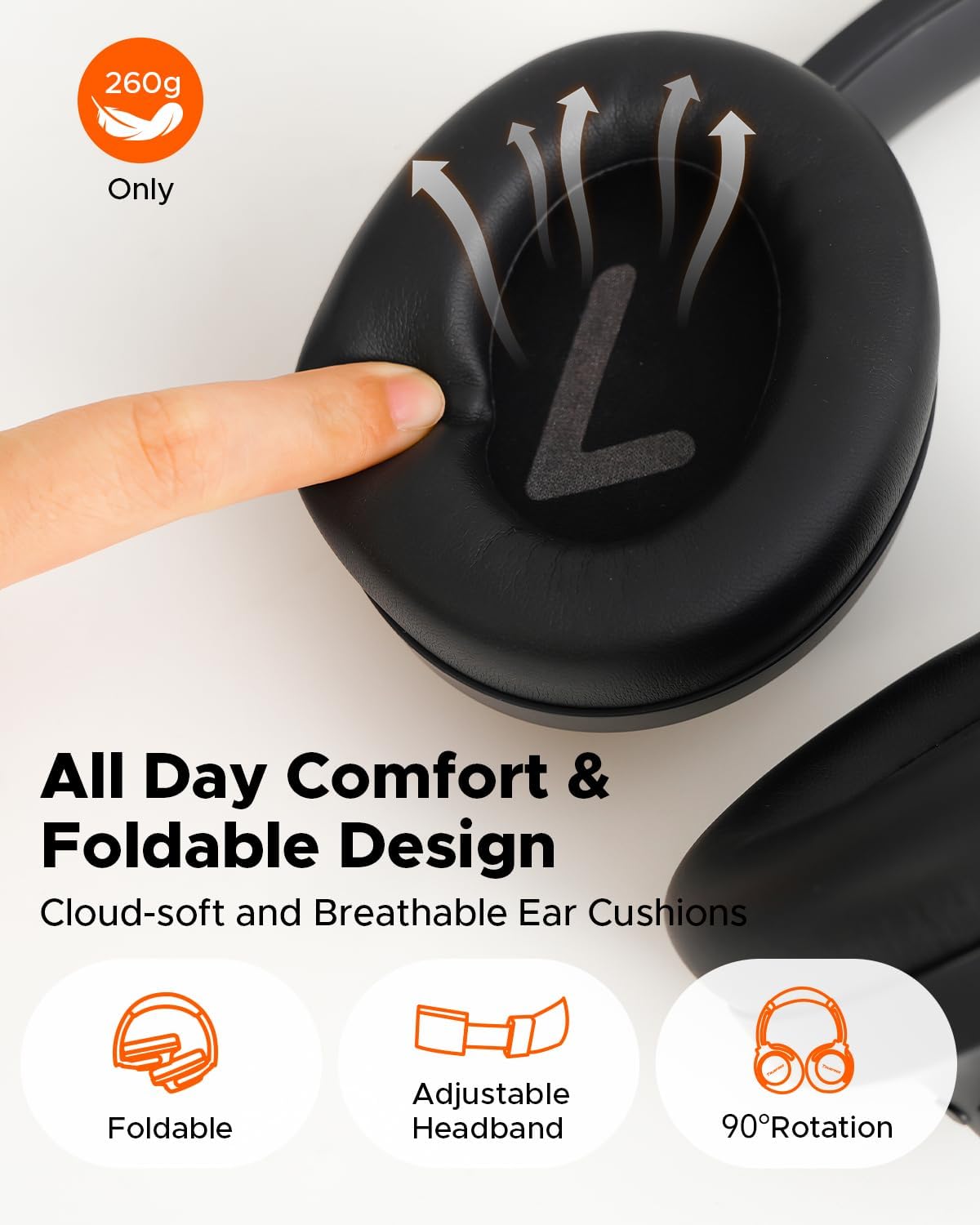
Image: Illustration of 40mm dynamic drivers and spatial audio.
Low-Lairi Game Ipo
Activate Game Mode for ultra-low latency (70ms) during wireless use, ensuring synchronized audio for gaming. Wired mode offers zero delay.
AI-Enhanced Calls
Four microphones combined with an AI Environmental Noise Cancellation (ENC) algorithm ensure clear voice capture and reduced background noise during calls.
6. Gbigba agbara ati batiri Life
The HF10 headphones offer extended playtime:
- Up to 125 hours of playback with ANC off.
- Up to 85 hours of playback with ANC on.
A quick 10-minute charge provides up to 8 hours of listening. Recharge via the included USB-C cable or use the 3.5mm AUX cable for continuous audio.

Image: Battery life and rapid charging details.
7. App Iṣakoso
The Truefree App provides comprehensive control over your HF10 headphones, including:
- Customizable EQ settings and sound presets.
- Adaptive EQ for personalized sound.
- ANC/Transparency/Normal mode switching.
- Game Mode activation.
- "Find My Earbuds" feature to locate misplaced headphones.
- Voice prompt language selection and volume adjustment.
- Awọn imudojuiwọn famuwia.

Image: Custom sound tuning options via the app.
8. Itọju
- Clean earcups regularly with a soft, dry cloth.
- Avoid exposing headphones to extreme temperatures or moisture.
- Tọju ni itura, ibi gbigbẹ nigbati ko si ni lilo.
- Ma ṣe lo abrasive ose tabi epo.
9. Laasigbotitusita
Awọn agbekọri atunto
If you experience connectivity issues or other malfunctions, performing a factory reset may resolve the problem.
Video: How to reset the Truefree HF10 headphones.
Awọn ọrọ to wọpọ
- Ko si Agbara: Rí i dájú pé àwọn agbekọri ti gba agbára ní kíkún.
- Ko le So pọ: Ensure headphones are in pairing mode and not connected to another device. Delete previous pairing records on your device and try again.
- Didara Ohun Ko dara: Check audio source, adjust EQ settings in the app, or try a different audio cable if using wired mode.
- ANC Ko munadoko: Ensure earcups form a good seal around your ears. Adjust ANC modes in the app.
10. Awọn pato
| Ẹya ara ẹrọ | Ẹ̀kúnrẹ́rẹ́ |
|---|---|
| Orukọ awoṣe | Truefree HF-10 |
| Ariwo Iṣakoso | Arabara Nṣiṣẹ Noise Ifagile |
| Asopọmọra Technology | Alailowaya (Bluetooth 6.0), Ti firanṣẹ (3.5mm AUX) |
| Akoko iṣere (ANC Pipa) | Titi di wakati 125 |
| Akoko iṣere (ANC Titan) | Titi di wakati 85 |
| Gbigba agbara kiakia | 10-minute charge for 8 hours play |
| Awọn awakọ | 40mm Yiyi Awakọ |
| Pataki Awọn ẹya ara ẹrọ | Adjustable Headband, Foldable, Multipoint Pairing, Spatial Audio, App Control, Low-Latency Game Mode, AI ENC Calls |
| Iwọn | 14.8 iwon |
| Ohun elo | Plastic, Polyurethane (PU) |
11. Atilẹyin ọja ati Support
Truefree offers the following support for the HF10 headphones:
- Atilẹyin fun awọn oṣu 12: Covers manufacturing defects.
- 30 Ọjọ Owo Pada Ẹri: For returns within 30 days of purchase.
- 24 Hours Customer Service: For technical assistance and inquiries.
For further assistance, please refer to the official Truefree webojula tabi kan si atilẹyin alabara.