
DOOGEE U11 Android 16 Tablet
Ìwé Ìtọ́sọ́nà Olùlò Tábìlẹ́ẹ̀tì DOOGEE U11 Android 16
Model: U11 Android 16 Tablet
1. Ifihan
Thank you for choosing the DOOGEE U11 Android 16 Tablet. This manual provides essential information for setting up, operating, and maintaining your device. Please read it carefully to ensure optimal performance and longevity of your tablet.
The DOOGEE U11 is an 11-inch tablet featuring the latest Android 16 operating system, Gemini AI, a Unisoc T7200 Octa-Core processor, 16GB RAM (4GB physical + 12GB virtual), 128GB internal storage expandable up to 2TB, and an 8580mAh battery. It is designed for a smooth and immersive user experience, supporting HD streaming with Widevine L1 certification.
2. Ohun ti o wa ninu Apoti
Jọwọ ṣayẹwo awọn awọn akoonu ti rẹ package. Ti awọn ohun kan ba nsọnu tabi bajẹ, kan si alagbata rẹ.
- DOOGEE U11 Android 16 Tablet
- USB Iru-C USB
- Adapter agbara
- SIM Ejector Ọpa
- Awọn ọna Bẹrẹ Itọsọna / olumulo Afowoyi
3. Ni ibẹrẹ Oṣo
3.1 Titan ati Paa
- Lati Fi agbara: Press and hold the Power button (located on the side) until the DOOGEE logo appears.
- Lati Paarẹ: Tẹ bọtini agbara ki o si di mu titi akojọ aṣayan agbara yoo fi han. Yan 'Pa agbara'.
- Lati Tun bẹrẹ: Tẹ bọtini agbara ki o si di mu titi akojọ aṣayan agbara yoo fi han. Yan 'Tun bẹrẹ'.
3.2 Iṣeto ni ibẹrẹ
Lori agbara akọkọ, tabulẹti yoo ṣe itọsọna fun ọ nipasẹ ilana iṣeto akọkọ:
- Aṣayan ede: Yan ede ti o fẹ julọ.
- Asopọ Wi-Fi: Connect to a Wi-Fi network to access the internet. This is required for many setup steps and software updates.
- Akọọlẹ Google: Sign in with your Google account or create a new one. This is necessary for downloading apps from the Google Play Store and syncing data.
- Ọjọ & Akoko: Ṣeto ọjọ ati akoko to pe, tabi gba nẹtiwọki laaye lati ṣeto laifọwọyi.
- Aabo: Set up a screen lock (PIN, pattern, password, or Face ID).
- Face ID Setup: The tablet supports Face ID for convenient unlocking. Follow the on-screen instructions to register your face. Ensure good lighting and hold the tablet at eye level during registration.
4. Awọn ilana Iṣiṣẹ
4.1 Ipilẹ Lilọ kiri
- Fọwọkan: Fọwọ ba aami kan lati ṣii ohun elo kan tabi yan ohun kan.
- Ra: Swipe across the screen to navigate between home screens, scroll through lists, or view akoonu.
- Fun pọ-si- Sun-un: Use two fingers to pinch in or out on images, web pages, or maps to zoom.
- Long Tẹ: Tẹ mọlẹ ohun kan fun awọn aṣayan diẹ ẹ sii tabi lati gbe.
4.2 Key Awọn ẹya ara ẹrọ ati awọn iṣẹ

The DOOGEE U11 runs on the latest Android 16 system, offering enhanced app permission controls and stronger privacy protection.
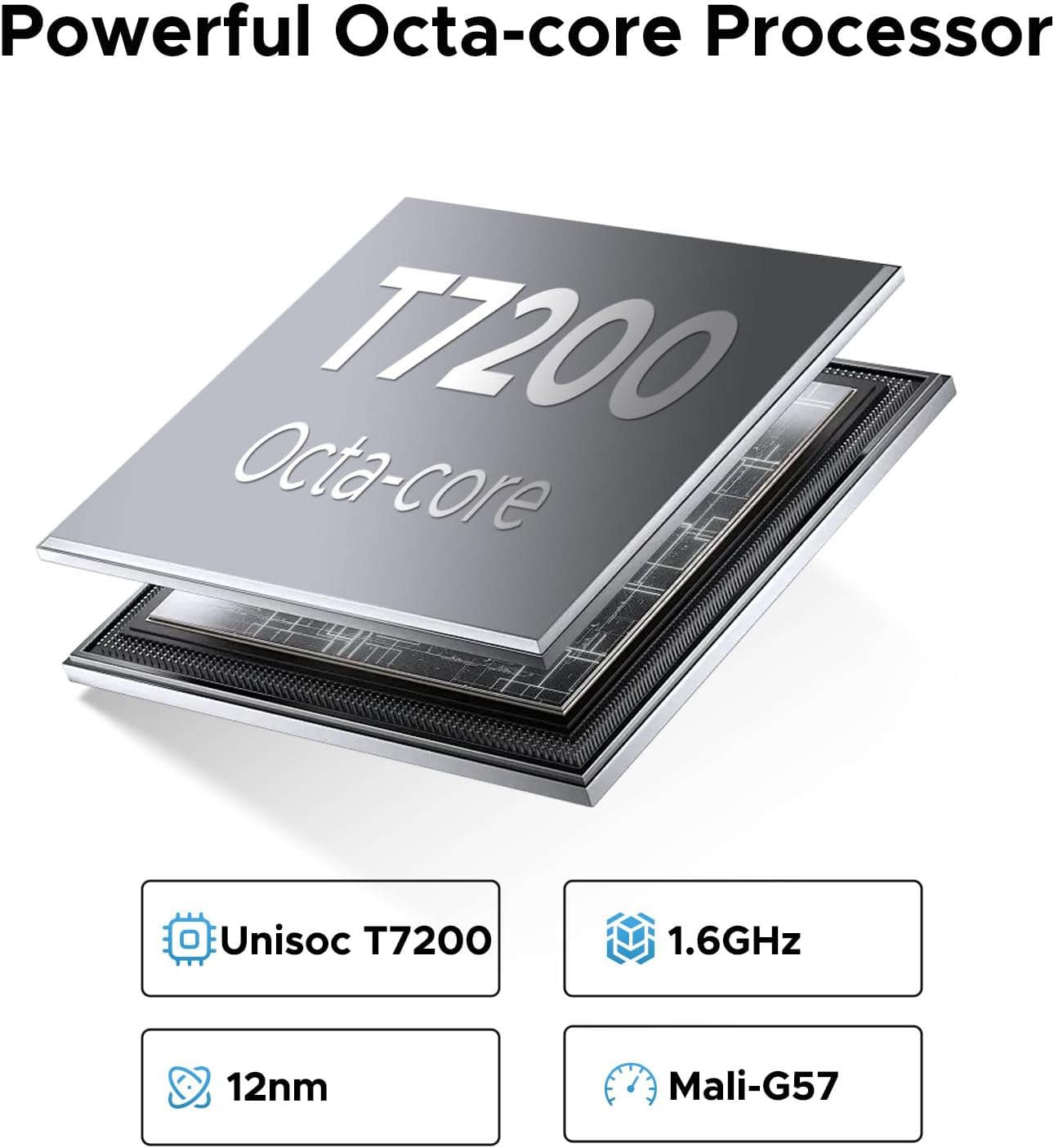
Powered by the Unisoc T7200 Octa-Core processor, ensuring smooth performance for multitasking and gaming.

Equipped with a large 8580mAh battery for extended usage times, perfect for long video playback or music sessions.
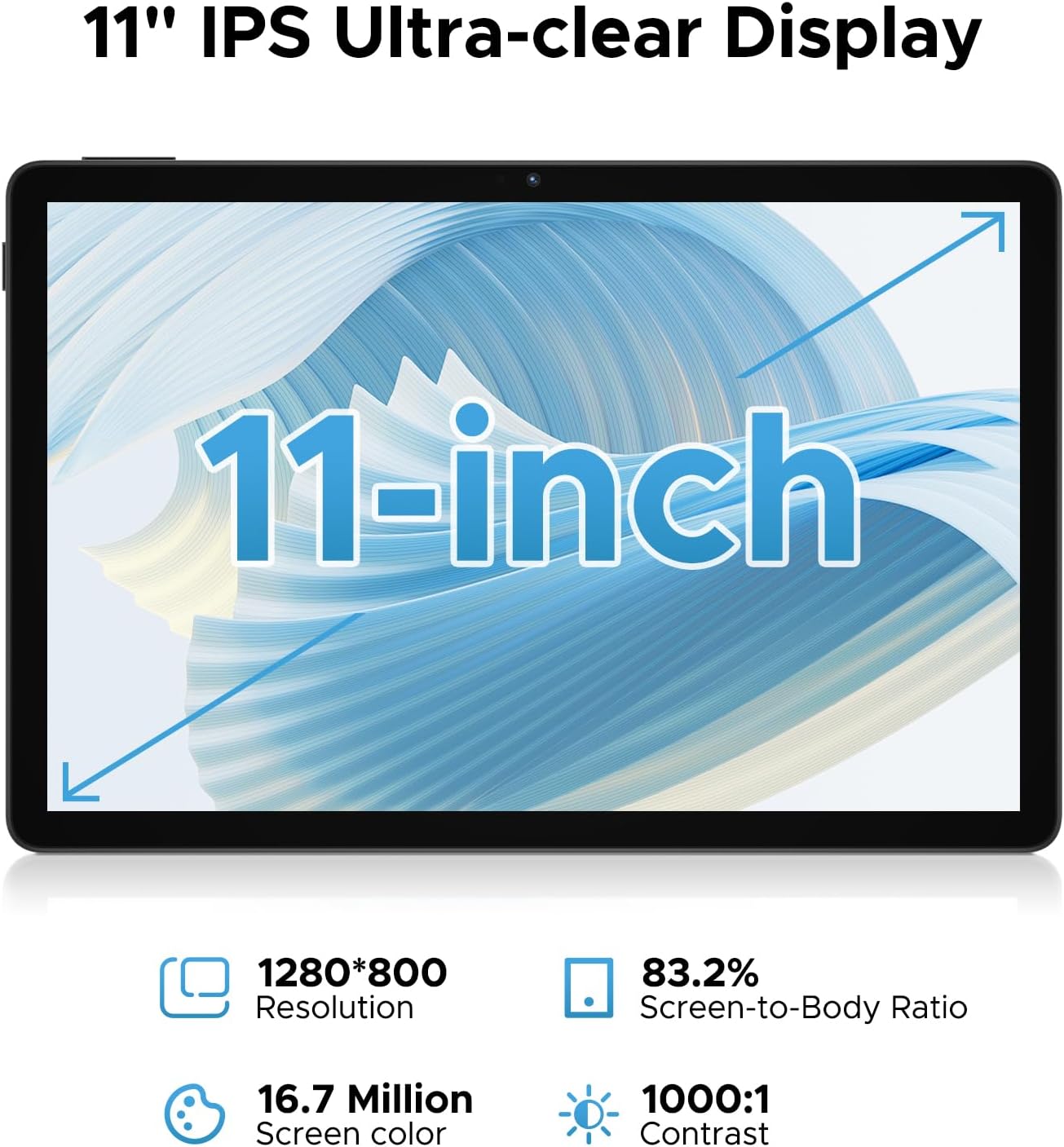
The 11-inch Full HD IPS screen with a 90Hz refresh rate provides a vibrant and smooth visual experience.

Features 16GB RAM (4GB LPDDR4X + 12GB virtual RAM) and 128GB internal storage, expandable up to 2TB via TF card.

Equipped with a 13MP rear camera and a 5MP front camera for capturing photos and video calls.

Dual professionally tuned speakers provide rich, immersive audio for gaming and media consumption.
- Gemini AI: The built-in Gemini AI intelligently optimizes system resources, enhancing performance for tasks like photo editing and real-time translation.
- Widevine L1 Certification: Allows streaming of full 1080P HD content from platforms such as Netflix, YouTube, Hulu, and Amazon Prime Video.
- WiFi Band Meji: Supports 2.4GHz and 5GHz Wi-Fi for fast and stable internet connectivity.
- OTG atilẹyin: Enables connection of USB devices and 5W reverse charging to power other devices.
- Jack Audio 3.5mm: For connecting wired headphones or external speakers.
- Ṣíṣe Àpù Pípípíìmù: Run multiple instances of the same app, useful for managing separate accounts (e.g., two Facebook accounts).
- Game Space: Optimize tablet performance for gaming, ensuring high frame rates and smooth gameplay.
- Ipo Imọlẹ Buluu Kekere: Reduces blue light emission to protect eyesight during extended use.
- Iṣẹ Redio FM: Enjoy radio stations by plugging in headphones.
- Ètò Ìlọsíwájú Tó Péye: Supports GPS, Beidou, GLONASS, Gali, and AGPS for reliable navigation.
- Ọfiisi WPS ti a ṣe sinu: Provides a PC-level office experience with WPS Word, Excel, and PPT.
4.3 Osise Video ọja
This video demonstrates the key features and user experience of the DOOGEE U11 11-inch Tablet, including its design, display, and overall responsiveness.
5. Itọju
- Itọju Batiri: To prolong battery life, avoid fully discharging the tablet frequently. Charge it regularly and avoid exposing it to extreme temperatures.
- Ninu: Lo asọ ti ko ni lint lati nu iboju ati ara tabulẹti naa. Yago fun lilo awọn kẹmika lile tabi awọn ohun elo abrasive.
- Awọn imudojuiwọn sọfitiwia: Regularly check for and install system updates to ensure your tablet has the latest features, security patches, and performance improvements. You can usually find this option in the Settings menu under 'System' or 'About tablet'.
- Isakoso Ibi ipamọ: Lokọọkan ko ṣe pataki files, cache data, and uninstall unused apps to free up storage space and maintain optimal performance.
6. Laasigbotitusita
| Isoro | Owun to le Solusan |
|---|---|
| Tabulẹti ko ni agbara lori. | Ensure the battery is charged. Connect the tablet to the charger for at least 30 minutes before attempting to power on again. |
| Awọn oran asopọ Wi-Fi. | Restart your Wi-Fi router. Forget the network on your tablet and reconnect. Ensure you are within range of the Wi-Fi signal. |
| Àwọn ohun èlò ìṣiṣẹ́ ń ṣiṣẹ́ lọ́ra tàbí wọ́n ń bàjẹ́. | Close background apps. Clear app cache (Settings > Apps > [App Name] > Storage > Clear cache). Restart the tablet. Ensure sufficient free storage space. |
| Iboju ko dahun. | Perform a forced restart by holding the Power button for about 10-15 seconds until the tablet restarts. |
| Face ID not working. | Ensure you are in a well-lit environment. Re-register your face in the security settings. Clean the front camera lens. |
7. Awọn pato
| Ẹya ara ẹrọ | Ẹ̀kúnrẹ́rẹ́ |
|---|---|
| Brand | DOOGEE |
| Orukọ awoṣe | U11 Android 16 Tablet |
| Eto isesise | Android 16 |
| Iwon iboju | 11 inches |
| Ipinnu Iboju ti o pọju | 1280 * 800 awọn piksẹli |
| isise | Unisoc T7200 Octa-Core |
| Àgbo | 16GB (4GB LPDDR4X + 12GB Virtual) |
| Ibi ipamọ inu | 128GB |
| Expandable Ibi ipamọ | Titi di 2TB nipasẹ kaadi TF |
| Agbara Batiri | 8580mAh |
| Kamẹra ẹhin | 13MP |
| Kamẹra iwaju | 5MP |
| Asopọmọra | 2.4G+5G WiFi, OTG, Bluetooth |
| Ohun | Dual Speakers, 3.5mm Audio Jack |
| Awọn iwọn (LxWxH) | 10.1 x 6.67 x 0.31 inches |
| Iwọn Nkan | 14.7 iwon |
| Àwọ̀ | Dudu |
8. Atilẹyin ọja ati Support
DOOGEE is committed to providing high-quality products and excellent customer service.
- Ẹri Owo Pada 30-ọjọ: Enjoy a 30-day money back guarantee and free returns.
- Atilẹyin ọja Lopin Ọdun 2: Your DOOGEE U11 Tablet is covered by a 2-year limited warranty from the date of purchase. This warranty covers manufacturing defects and workmanship. Please retain your proof of purchase for warranty claims.
- 24/7 Atilẹyin Ayelujara: For any technical assistance, troubleshooting, or warranty inquiries, please contact our customer support team. Refer to the contact information provided in your Quick Start Guide or visit the official DOOGEE webojula fun support awọn alaye.
Ask a question about this manual
Ask about setup, troubleshooting, compatibility, parts, safety, or missing instructions. Manuals+ will review the question and use this page’s manual context to help answer it.