1. Ọja Ipariview
The PAXA Clipbuds 7 are open-ear wireless earbuds designed for comfort and situational awareness. They feature Bluetooth 5.4 connectivity, a dual LED battery display, touch controls, and IP45 water resistance.
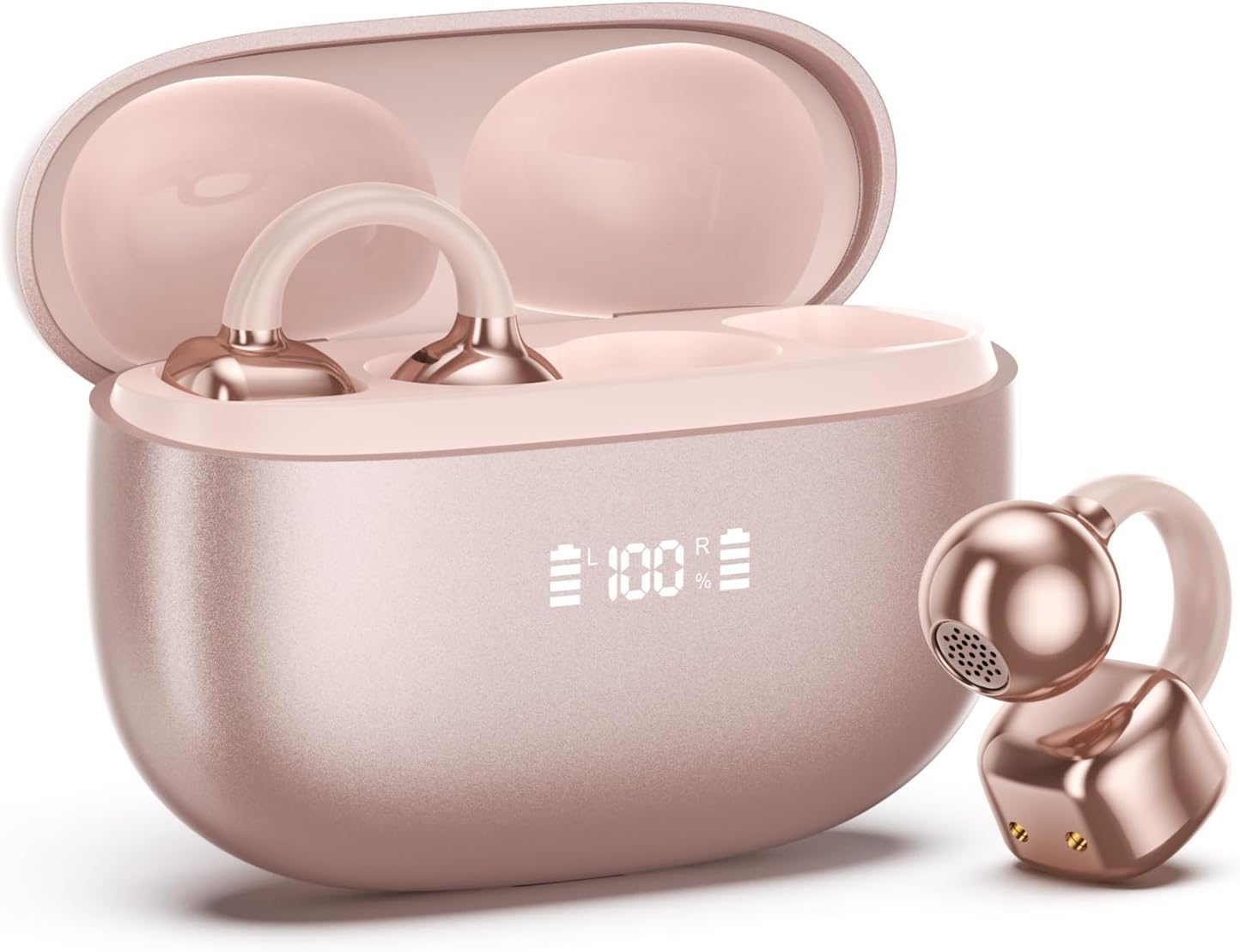
Image 1.1: PAXA Clipbuds 7 Rose Gold Earbuds and Charging Case. The earbuds are shown in their open charging case, which features an LED display indicating battery levels. One earbud is also shown outside the case.
Awọn ẹya pataki:
- Open-ear design for comfort and environmental awareness.
- Bluetooth 5.4 fun iduroṣinṣin ati asopọ alailowaya daradara.
- Dual LED display on charging case for battery status.
- Touch controls for music, calls, and voice assistant.
- Up to 44 hours total playtime with charging case.
- IP45 eruku ati omi resistance.
- Ultra-lightweight design (4.5g per earbud).
2. Package Awọn akoonu
Rii daju pe gbogbo awọn nkan wa ninu package:
- Clip on Earbuds (1 pair)
- Apoti Gbigba agbara alailowaya (1)
- Okun gbigba agbara (1)
- Ilana olumulo (1)
3. Eto ati Sisopọ
3.1 Gbigba agbara akọkọ
Before first use, fully charge the earbuds and the charging case. Connect the provided charging cable to the Type-C port on the charging case and a USB power source. The LED display on the case will indicate the charging status.
3.2 Wọ awọn Earbuds
The Clipbuds 7 are designed to clip onto the thinnest part of your ear. Adjust the earbud tip to align with your ear canal for optimal sound and comfort.
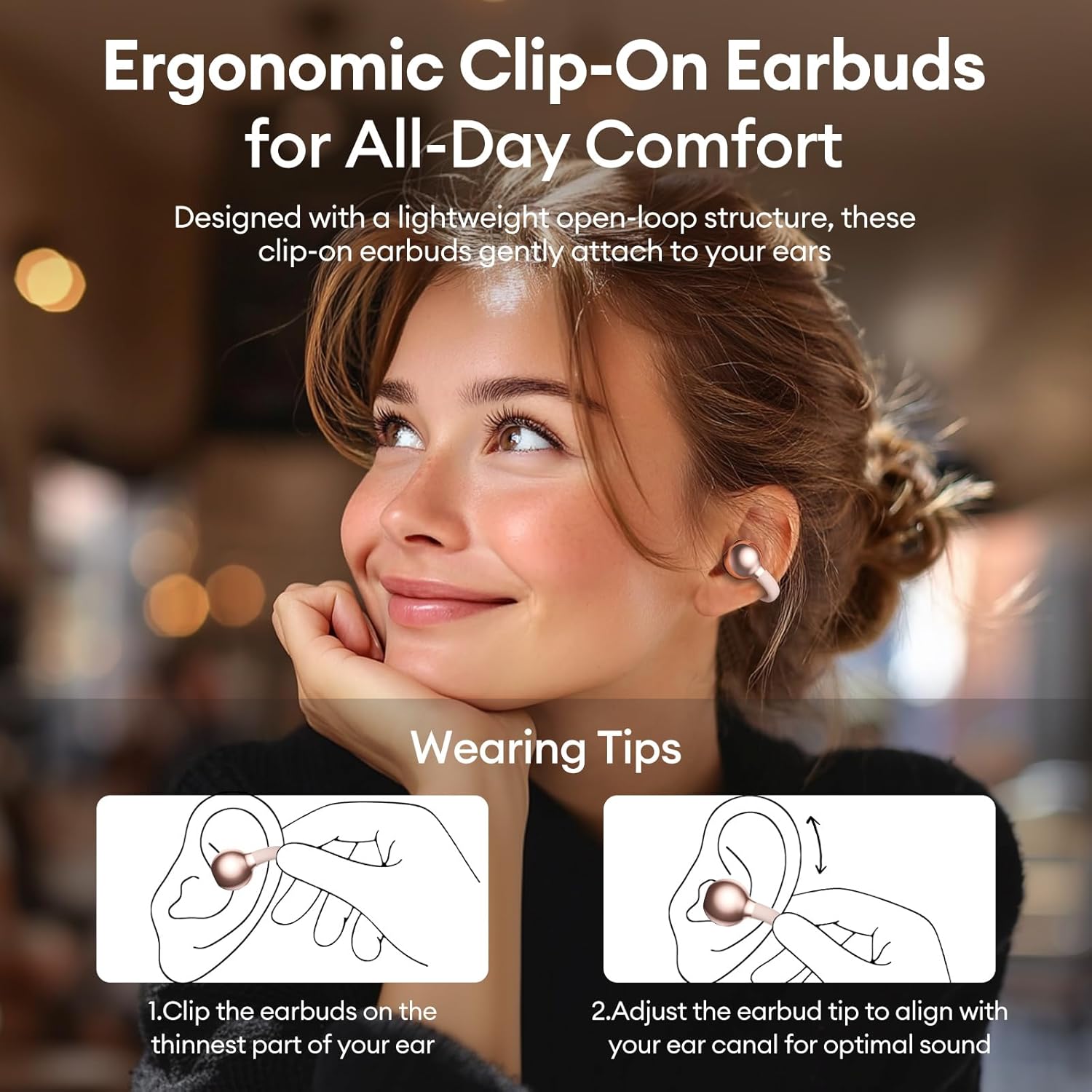
Image 3.2: Wearing instructions for PAXA Clipbuds 7. The diagram illustrates clipping the earbud onto the ear and adjusting for fit.
3.3 Sisopọ Bluetooth
- Rii daju pe awọn agbekọri ti gba agbara ati inu apoti gbigba agbara.
- Ṣii apoti gbigba agbara. Awọn agbekọri yoo tẹ ipo isọpọ sii laifọwọyi.
- Lori ẹrọ rẹ (foonuiyara, tabulẹti, kọǹpútà alágbèéká), lọ si awọn eto Bluetooth.
- Wa fun "Clipbuds 7" in the list of available devices and select it to connect.
- Once connected, the earbuds will automatically pair with your device in the future when removed from the case.
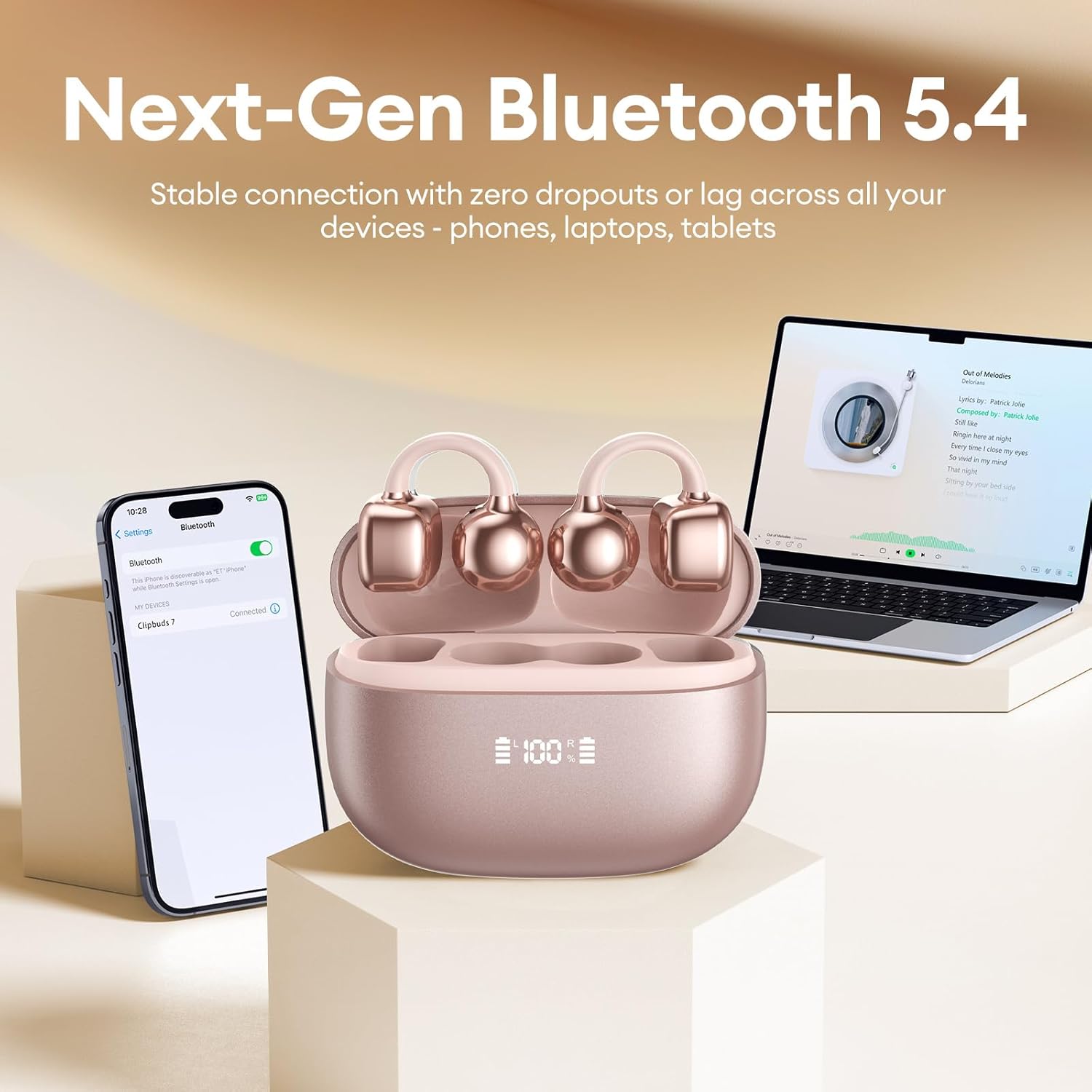
Image 3.3: PAXA Clipbuds 7 connected via Bluetooth to a smartphone and a laptop, demonstrating multi-device compatibility.
4. Awọn ilana Iṣiṣẹ
4.1 Fọwọkan Iṣakoso
The Clipbuds 7 feature sensitive touch controls on each earbud. Refer to the following table for functions:

Image 4.1: Visual guide for PAXA Clipbuds 7 touch controls, showing actions for calls, music, and voice assistant.
| Išẹ | Iṣe |
|---|---|
| Idahun/Pari Ipe | Double-click either earbud |
| Kọ Ipe | Tẹ mọlẹ boya agbekọri fun iṣẹju meji 2 |
| Ṣiṣẹ / Sinmi | Double-click either earbud |
| Orin ti tẹlẹ | Triple-click the left (L) earbud |
| Orin t'okan | Triple-click the right (R) earbud |
| Iwọn didun + | Click the right (R) earbud |
| Iwọn didun - | Click the left (L) earbud |
| Voice Assistant (Siri, Google Assistant) | Hold both earbuds for 2 seconds |
4.2 LED Battery Display
The charging case features a dual LED display that shows the battery percentage of the case and each individual earbud (L and R).
4.3 Open-Ear Awareness
The open-ear design allows you to hear your audio while remaining aware of your surroundings. This feature is beneficial for activities like running, cycling, or commuting where situational awareness is important.

Image 4.3: Individuals using PAXA Clipbuds 7 during work, sports, and social gatherings, highlighting their versatility and open-ear design.
5. Batiri ati Ngba agbara
The Clipbuds 7 offer extended battery life for prolonged use.
- Àkókò eré Agbọ́tísí: Titi di wakati 8 lori idiyele kan.
- Lapapọ ere: Titi di awọn wakati 44 pẹlu ọran gbigba agbara.
- Gbigba agbara yiyara: Iṣẹ́jú 10 ti gbigba agbara pese to wakati 3 ti akoko ere.

Image 5.1: Illustration of the PAXA Clipbuds 7 charging case, highlighting the 44-hour total battery life and fast charging capability.
6. Itọju ati Itọju
6.1 Omi ati eruku Resistance
The Clipbuds 7 have an IP45 rating, making them resistant to dust and splashes of water. This means they can withstand sweat and light rain, making them suitable for workouts and outdoor activities. However, they are not designed for submersion in water.
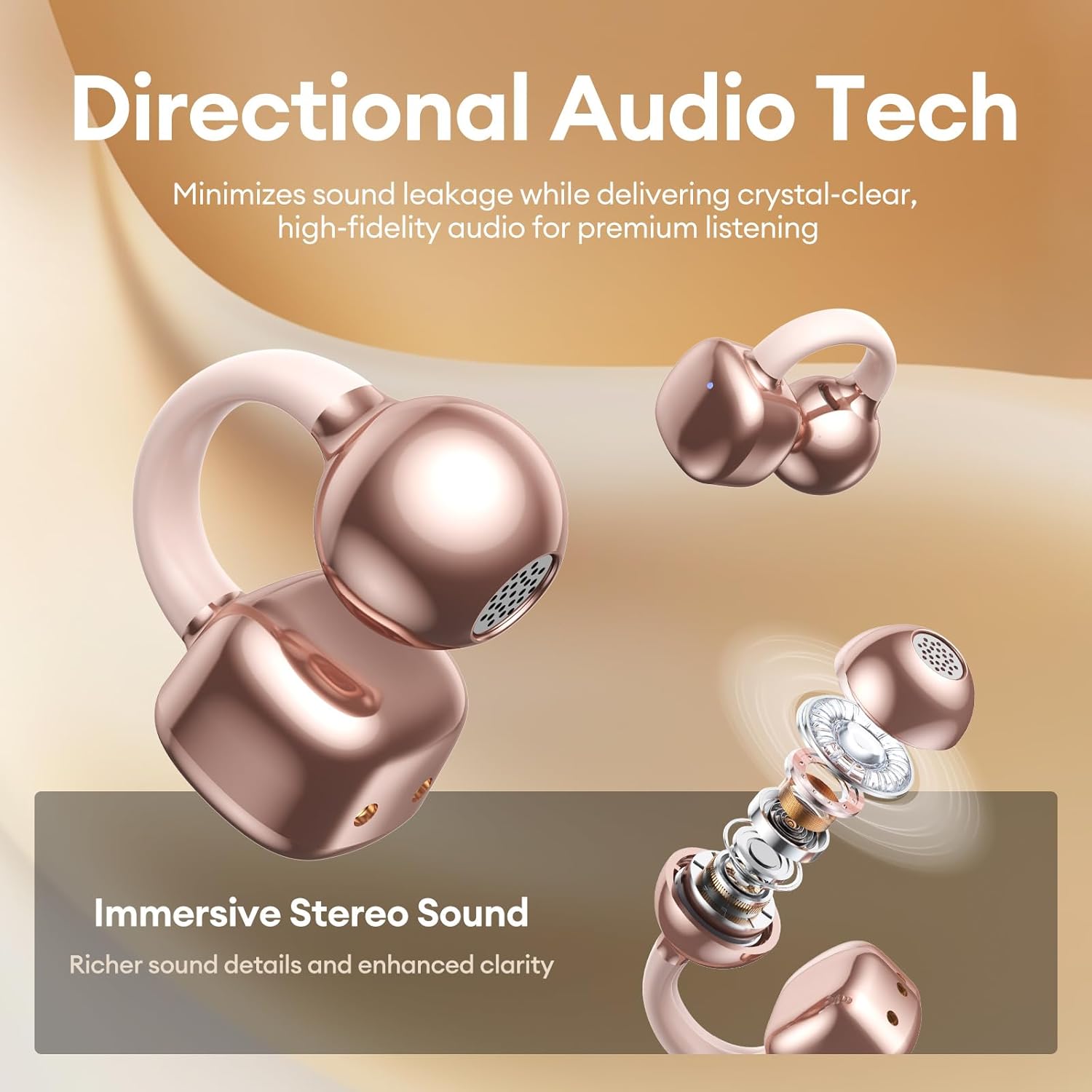
Image 6.1: A person wearing PAXA Clipbuds 7 during light rain, illustrating the IP45 water resistance feature.
6.2 Ninu
To maintain optimal performance and hygiene, regularly clean your earbuds and charging case with a soft, dry, lint-free cloth. Avoid using abrasive materials or harsh chemicals.
7. Laasigbotitusita
If you encounter issues with your Clipbuds 7, try the following solutions:
- Ko si Awọn iṣoro Ohun/Asopọmọra:
- Rii daju pe awọn agbekọri ti gba agbara.
- Rii daju pe Bluetooth ti ṣiṣẹ lori ẹrọ rẹ.
- Forget "Clipbuds 7" from your device's Bluetooth list and re-pair.
- Ensure earbuds are within Bluetooth range (up to 50 feet).
- Ekọti Ko Ngba agbara:
- Ṣayẹwo boya okun gbigba agbara ti sopọ ni aabo si ọran mejeeji ati orisun agbara.
- Rii daju pe apoti gbigba agbara funrararẹ ni agbara.
- Nu awọn olubasọrọ gbigba agbara kuro lori mejeeji agbekọri ati ọran naa.
- Awọn iṣakoso Fọwọkan Ko Dahun:
- Rii daju pe awọn ika ọwọ rẹ mọ ati gbẹ.
- Restart the earbuds by placing them in the case and closing it, then reopening.
8. Awọn pato
| Ẹya ara ẹrọ | Ẹ̀kúnrẹ́rẹ́ |
|---|---|
| Orukọ awoṣe | Awọn agekuru 7 |
| Brand | PAXA |
| Asopọmọra Technology | Ailokun (Bluetooth) |
| Ẹya Bluetooth | 5.4 |
| Bluetooth Ibiti | Titi di awọn ẹsẹ 50 |
| Gbigbe Eti | Ṣii Eti |
| Iṣakoso Iru | Iṣakoso ifọwọkan |
| Igbesi aye batiri (Igba agbara ẹyọkan) | Awọn wakati 8 |
| Lapapọ Igbesi aye Batiri (pẹlu Ọran) | Awọn wakati 44 |
| Omi Resistance Ipele | IP45 (Dust/Water Resistant) |
| Ariwo Iṣakoso | Hybrid Noise Cancellation (ENC for calls) |
| Ohun elo | Silicone Rubber + Plastic |
| Iwọn Nkan | 2.39 iwon |
| Awọn irinše to wa | Clip on Earbuds, Wireless Charging Case, Charging Cable, User Manual |
9. Atilẹyin ọja ati Support
For warranty information and customer support, please refer to the contact details provided with your purchase or visit the official PAXA webojula. Jeki ẹri rira rẹ fun eyikeyi awọn ibeere atilẹyin ọja.
10. Awọn fidio ọja osise
The following videos provide additional information and demonstrations of the PAXA Clipbuds 7.
PAXA Clipbuds7 Open Ear Clip On Earbuds with LED Display
Video 10.1: This video from PAXA Direct showcases the features of the Clipbuds 7, including the LED display and open-ear design. It demonstrates the product's appearance and some functionalities.
PAXA High-Street Jewelry Open Ear Clip On Earbuds
Video 10.2: This video from PAXA Direct highlights the aesthetic and design aspects of the Clipbuds 7, emphasizing their jewelry-like appearance and comfortable fit.