
Ọrọ Iṣaaju
This manual provides essential information for the safe and effective use of your Paladone Lilo & Stitch Galaxy Projection Light. Please read these instructions carefully before operating the device and retain them for future reference.
Kini o wa ninu apoti:
- Paladone Lilo & Stitch Galaxy Projection Light
- Isakoṣo latọna jijin
- Okun Ngba agbara USB
- Itọsọna olumulo
Ṣeto
Follow these steps to set up your Galaxy Projection Light:
- Gbigba agbara ẹrọ naa: Before first use, fully charge the projection light using the provided USB charging cable. Connect the USB-C end of the cable to the port on the back of the light and the standard USB-A end to a compatible USB power adapter (not included). The charging indicator will illuminate during charging and turn off when fully charged.
- Ibi: Place the projection light on a stable, flat surface. For optimal projection, position it in a dark room, facing a wall or ceiling.
- Isakoṣo latọna jijin: Ensure the remote control has working batteries. If not, insert 2x AAA batteries (not included) into the remote control's battery compartment, observing correct polarity.
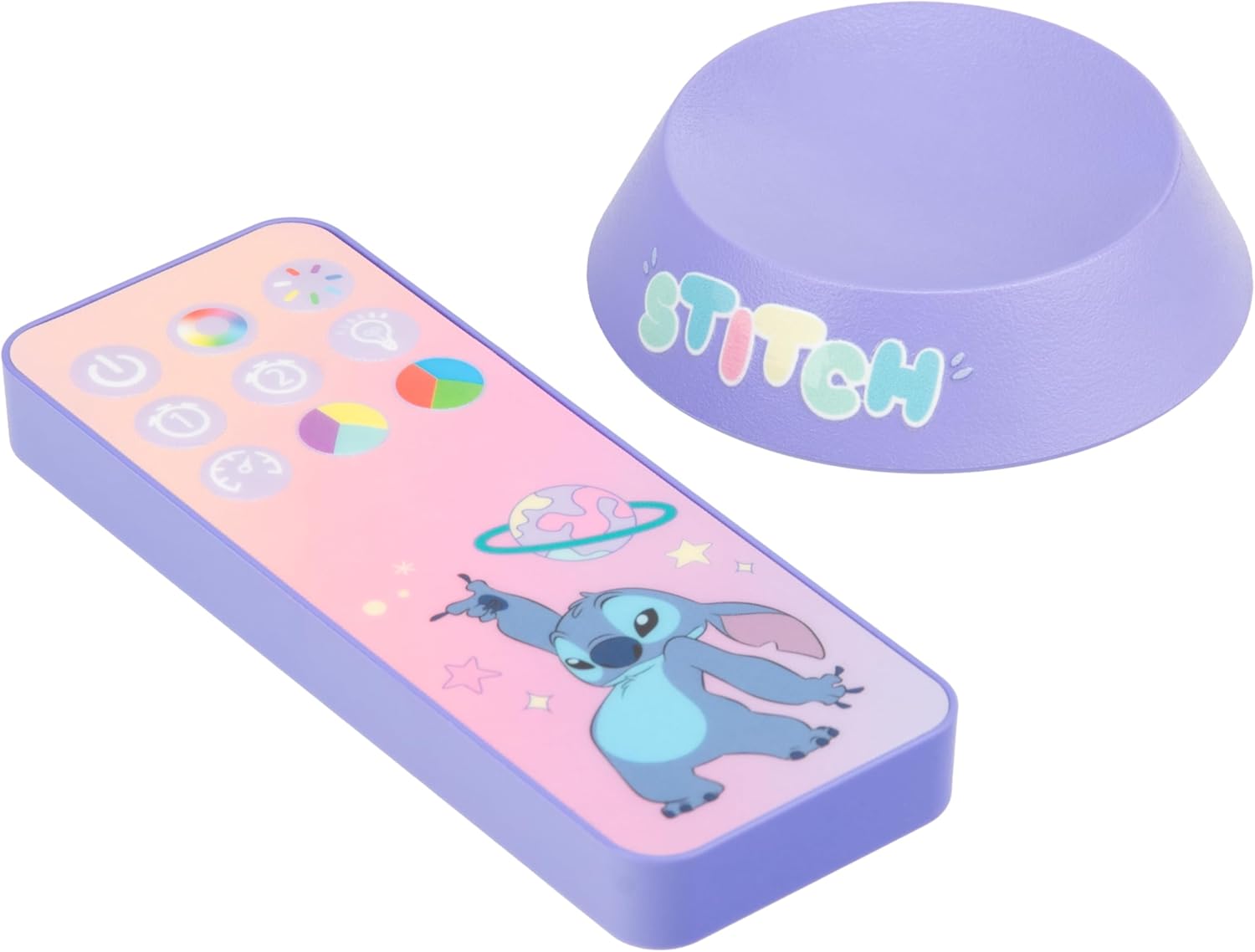
Image: The back of the projection light showing the USB-C input and control buttons.
Awọn ilana Iṣiṣẹ
Your Galaxy Projection Light offers various lighting modes and controls:
- Titan/Apapa: Press the power button on the back of the unit or the power button on the remote control to turn the light on or off.
- Atunse Imọlẹ: Use the brightness buttons on the remote control to adjust the intensity of the projection.
- Àwọ̀ PhasinG Ìgbékalẹ̀: Press the 'Color Phasing' button on the remote to cycle through a sequence of colors, creating a dynamic galaxy effect.
- Color Select Mode: Use the 'Color Select' button or specific color buttons on the remote to choose a static color for your projection.
- Ipo Alẹ: Activate the 'Night Mode' for a softer, more subdued projection, ideal for use as a night light.
- Aago Aifọwọyi Set the auto-off timer using the remote control. Options typically include 15, 30, or 60 minutes, after which the light will automatically turn off.
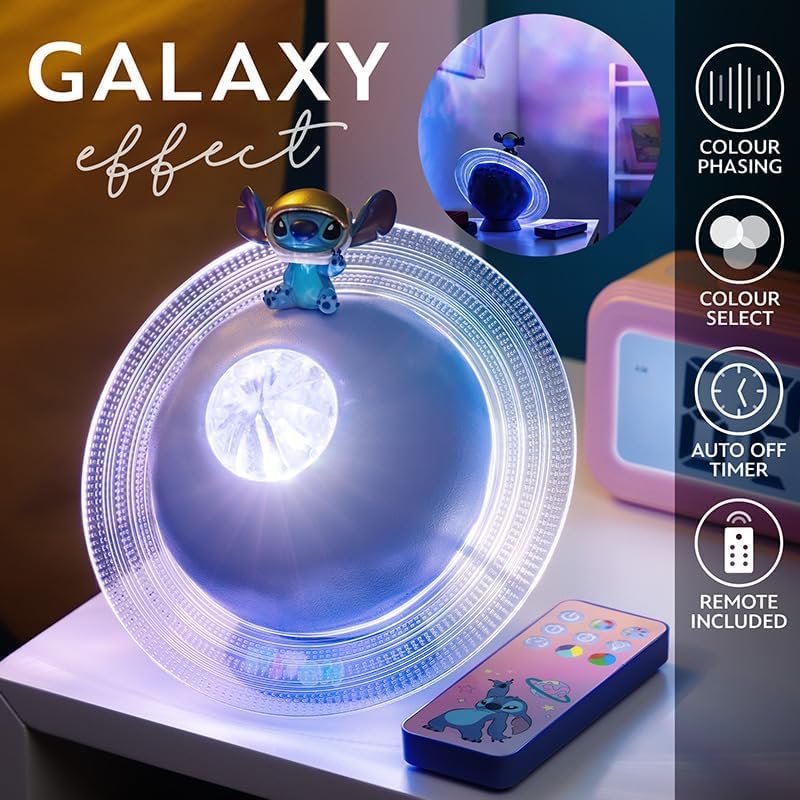
Image: The projection light creating a galaxy effect, with the remote control visible.

Image: The remote control for the projection light, showing buttons for color, brightness, and timer functions.

Image: The projection light in action, casting a colorful galaxy pattern onto a wall.
Itoju
To ensure the longevity and optimal performance of your projection light:
- Ninu: Wipe the device with a soft, dry cloth. Do not use abrasive cleaners or solvents, as these may damage the surface.
- Itọju Batiri: Recharge the device regularly to maintain battery health. Avoid fully depleting the battery frequently. If storing for an extended period, charge the device every few months.
- Ibi ipamọ: Tọ́jú ìmọ́lẹ̀ náà sí ibi tí ó tutù tí ó sì gbẹ, tí kò sí ibi tí oòrùn lè tàn án tàbí ibi tí ó gbóná jù.
Laasigbotitusita
If you encounter issues with your Galaxy Projection Light, refer to the following common problems and solutions:
| Isoro | Owun to le Fa | Ojutu |
|---|---|---|
| Imọlẹ ko tan. | Batiri ti dinku. | Gba agbara si ẹrọ nipa lilo okun USB ti a pese. |
| Isakoṣo latọna jijin ko ṣiṣẹ. | Remote batteries are dead or incorrectly inserted. | Replace remote batteries (2x AAA) and ensure correct polarity. Ensure line of sight to the light. |
| Ìfihàn náà kò ṣe kedere tàbí kò ṣe kedere. | Room is too bright; device is too far from projection surface. | Use in a darker environment. Adjust the light's position closer to the wall or ceiling. Ensure the lens is clean. |
| Imọlẹ wa ni pipa airotẹlẹ. | Auto-off timer is activated; battery is low. | Check timer settings on the remote. Recharge the device. |
Awọn pato
| Ẹya ara ẹrọ | Ẹ̀kúnrẹ́rẹ́ |
|---|---|
| Nọmba awoṣe | 14475 |
| Brand | Paladone |
| Ọja Mefa | 7.09"D x 7.09"W x 3.94"H |
| Iwọn Nkan | 300 giramu |
| Orisun agbara | Agbara Batiri (USB A le gba agbara) |
| Imọlẹ Orisun Orisun | LED |
| Ohun elo Iru | Ṣiṣu |
| inu ile / ita gbangba Lilo | Ninu ile |
| GTIN (UPC) | 05056577754445 |
Atilẹyin ọja
The manufacturer warranty description for this product is listed as 'None'. Please refer to your retailer's return policy for information regarding returns or exchanges.
Atilẹyin
For further assistance or inquiries regarding your Paladone Lilo & Stitch Galaxy Projection Light, please contact the retailer from whom you purchased the product. You may also visit the official Paladone weboju opo wẹẹbu fun alaye gbogbogbo nipa ọja: Paladone Store on Amazon.